



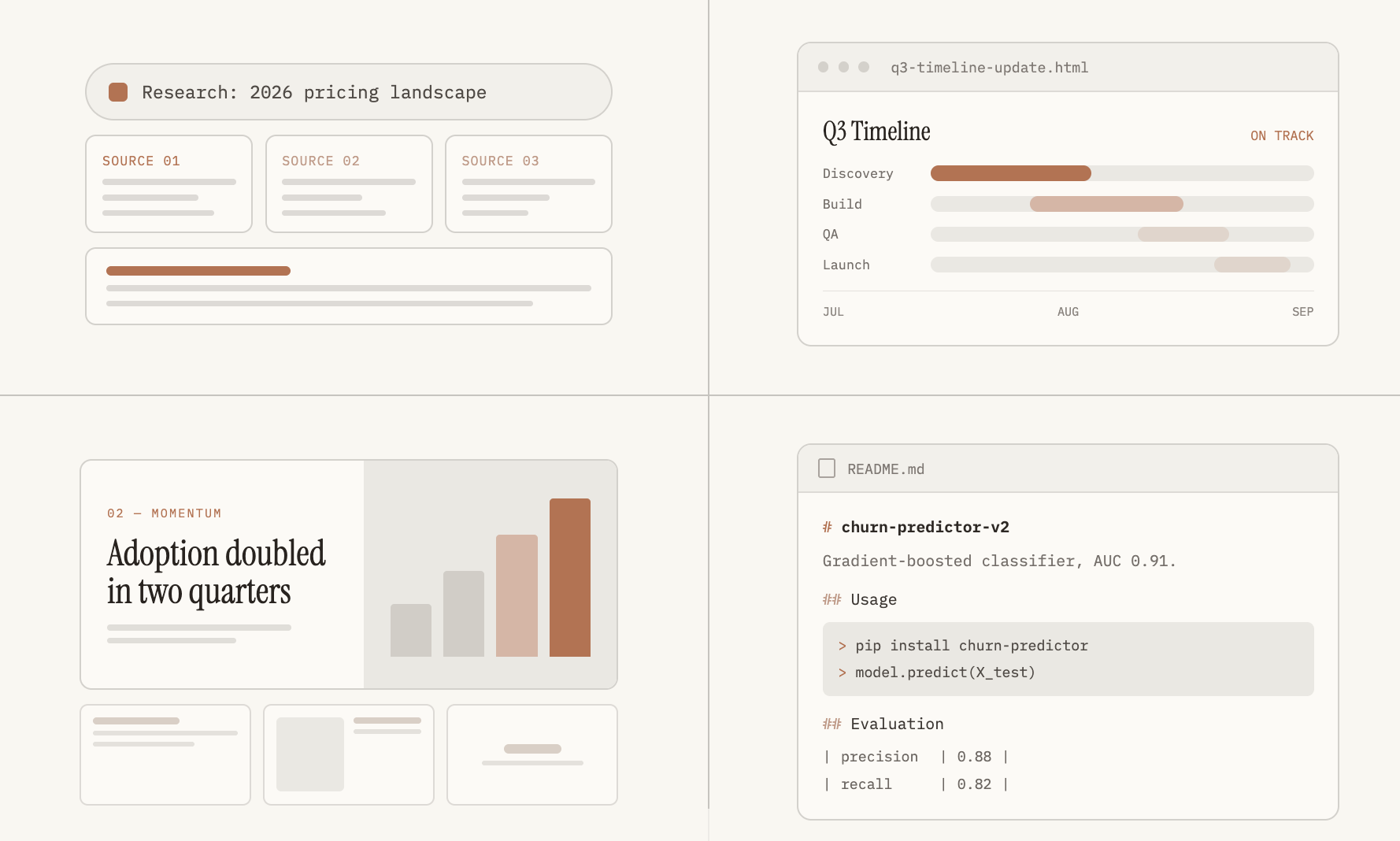
# 4 Powerful Ways to Use Claude as a Data Scientist in 2026
Data science work involves far more than writing models and running experiments. A significant portion of the job revolves around research, communication, documentation, and presenting findings to people who may not have a technical background. AI tools have emerged as force multipliers in each of these areas, and Claude stands out as one of the most capable options available today.
In a previous article, I covered three foundational Claude skills every data scientist should develop. But those only touch the surface. Below are four additional ways Claude can streamline your workflow and help you focus on the analytical thinking that truly requires a human mind.
—
## 1. Leverage Research Mode for In-Depth Model Comparisons
Claude has access to multiple information sources: its own training knowledge, standard web search, and a dedicated Research mode. While web search returns a single targeted answer to a quick question, the Research mode takes a very different approach. It autonomously runs a series of interconnected searches, building on each result to construct a thorough, well-organized report complete with citations.
### How to Activate Research Mode
1. Click the **+** button located at the bottom-left corner of the chat interface.
2. Choose **Research** — you’ll see a blue indicator confirming it’s active.
3. If Claude doesn’t automatically engage research mode for your query, simply type: “Please use the research tool to…” followed by your question.
### Practical Use Cases
**Evaluating AI Agent Readiness for Production**
If your team is building agentic AI systems and you need a framework for evaluating production readiness, you might prompt Claude like this:
> *”Summarize current best practices and evaluation frameworks for testing AI agents before production deployment. Cover common failure modes such as looping, tool misuse, and hallucinated actions. Include how teams measure reliability prior to shipping. Cite recent papers, published benchmarks, or documented approaches from AI labs.”*
**Choosing Between Forecasting Approaches**
When deciding whether to stick with an existing gradient boosting model or rebuild around a newer methodology, a research prompt like this can be invaluable:
> *”Compare classical statistical forecasting methods (SARIMA, exponential smoothing) against gradient boosting and transformer-based models for hourly energy load forecasting. For each approach, summarize accuracy on multi-day horizons, data volume requirements, and documented failure modes. Cite specific papers or benchmarks.”*
**Selecting Outlier Detection Techniques for Seasonal Data**
Before deploying a production model on data with strong seasonal patterns, you need to choose the right outlier detection strategy:
> *”Compare z-score, IQR, and isolation forest methods for outlier detection in seasonal time series data. Summarize where each method tends to produce false positives, computational cost at scale, and documented guidance on choosing between them. Cite specific sources.”*
In this last example, the research tool returned a structured document with sections including a TLDR summary, a methods overview, false-positive patterns specific to seasonal contexts, computational cost analysis, decision guidance for choosing between methods, and a section on limitations of the findings. This kind of comprehensive, citation-backed output is something you’d previously have had to assemble manually across multiple sources.
### A Word of Caution
Always verify the sources that the Research mode cites. Claude does not exclusively pull from peer-reviewed scientific literature — it can also surface information from blogs and other open publishing platforms. Treat every citation as a starting point that deserves your own verification.
—
## 2. Generate HTML Project Briefs to Keep Stakeholders Informed
One of the biggest friction points in data science is the gap between technical teams and business stakeholders. When a model underperforms or a project hits an unexpected snag, non-technical stakeholders often don’t understand why timelines slip or why certain approaches take longer than others.
An HTML project brief bridges that gap. It communicates the problem, the proposed solution, the timeline, and the current status — all in a format that’s easy to skim and visually polished.
### Why HTML?
HTML brief documents can be opened in any browser, shared via email, or hosted internally without requiring specialized software. They’re lightweight, scannable, and far more presentable than a raw text email or a sprawling Confluence page.
### Sample Prompt Structure
You can adapt the following prompt template to your specific project:
> *”Create a single HTML project brief for stakeholders on our [Project Name].*
>
> *Problem: [Describe the business problem and why the current approach falls short.]*
>
> *Approach: [Outline the technical strategy in plain language.]*
>
> *Timeline: [List key milestones with dates.]*
>
> *Stakeholders: [Identify key roles involved.]*
>
> *Open questions: [List any unresolved decisions or data gaps.]*
>
> *Include a visual timeline with the target dates. Keep it to one page, scannable in under two minutes.”*
The resulting document gives stakeholders a clear, at-a-glance understanding of what the team is working on, where things stand, and what decisions are still outstanding — without requiring them to read a technical specification.
—
## 3. Use Claude Design for Polished Stakeholder Slide Decks
Claude offers a separate tool called **Claude Design**, which is purpose-built for visual documents like slide decks, mobile app mockups, HTML emails, invoices, and resumes. While you can technically build slides in the standard Claude Chat interface, Design is specifically optimized for tasks where text alignment, formatting, and visual structure matter.
### Why Not Just Use Regular Chat?
Standard chat-based image generation sometimes produces slides where text overlaps, elements are misaligned, or the layout is inconsistent. Claude Design significantly reduces these issues because it is trained specifically on structured document formats.
### Getting Started
1. Click **Design** — the icon with a paint palette located at the bottom-left corner of Claude.
2. Under **Choose a Template**, select **Slides**.
3. Pick the model and a **Design System** that suits your aesthetic preferences.
4. Input your content prompt with slide-by-slide instructions.
### Example Prompt
> *”Create a 3-slide stakeholder update deck for a monthly check-in on a machine learning project. One idea per slide, minimal text.*
>
> *SLIDE 1: Title — [Project Name], [Month Year], Monthly update. Status summary.*
>
> *SLIDE 2: Results — [Heading with key metrics, formatted as a bulleted list].*
>
> *SLIDE 3: Next Steps — [Timeline of upcoming milestones with dates].”*
Claude Design will generate a visually coherent slide deck that you can further refine using the **Edit** button that appears in the top-right bar after the output is produced. This allows you to make minor text corrections or layout adjustments without needing to re-prompt the entire deck.
—
## 4. Automate Documentation with Claude Code
Writing README files and technical documentation is widely regarded as one of the least glamorous but most important parts of the data science workflow. A well-written README helps other team members — and your future self — understand what a model does, how to use it, and what its limitations are.
Claude Code doesn’t just generate generic text. It actually reads and understands your codebase, which means it can produce documentation that reflects the specific structure, conventions, and logic of your project — even if the code was written by someone else or by a different AI tool.
### A Practical Workflow
When working with multiple AI tools on the same repository, one effective pattern is:
1. Push one tool’s changes to GitHub.
2. Pull the updated code into Claude Code.
3. Ask Claude Code to validate the changes, debug any issues, and then push the updated version back to the repository.
This creates a reliable loop where code quality is continuously checked by an AI that has full context of the entire codebase.
### Sample Prompt for README Generation
> *”Read this training script and evaluation notebook. Generate a README covering:*
> – *What the model predicts*
> – *The input features, what they mean, and where they come from*
> – *How the model was trained and validated*
> – *Known limitations and potential future improvements*
> – *Steps to load the model and evaluate it*
> – *Steps to retrain, re-evaluate, and save the latest model*
>
> *Assume the reader has never seen this codebase before.”*
The output is a structured, beginner-friendly README that anyone on the team can use to get up to speed quickly. The accuracy of the documentation, of course, depends on the accuracy of the code it reads — so always review the final product before publishing it.
—
## Frequently Asked Questions
**Q: Is Claude Research mode available on all Claude plans?**
A: Research mode is a feature that is typically available on paid Claude plans. Free-tier users may have limited or no access to this mode. Check your current plan’s feature list to confirm availability.
**Q: Can Claude Design handle more than just slide decks?**
A: Yes. While slide decks are a popular use case, Claude Design also supports mobile app layouts, HTML email templates, invoices, resumes, and other structured visual documents where formatting precision matters.
**Q: How do I know if I should use Claude Code versus regular Claude Chat for documentation tasks?**
A: If you need documentation that references your actual codebase — such as a README for a repository — Claude Code is the right choice because it can read and understand your files directly. Use regular Claude Chat when the documentation doesn’t require codebase context, such as drafting a project proposal or a general explanation of a modeling concept.
**Q: Are the citations from Claude Research reliable?**
A: The citations can be a useful starting point, but they should always be independently verified. Claude Research may pull from a wide range of sources, including blog posts and non-peer-reviewed publications. Treat every citation as a lead to follow up on personally.
**Q: Can I use these techniques with other AI models besides Claude?**
A: Many of these workflows — research, HTML generation, design, and code-aware documentation — can be replicated with other AI tools. However, the specific prompting strategies, tool names, and integration methods described here are tailored to Claude’s current feature set.
—
## Conclusion
Claude’s various modes — Research, Design, Code, and Chat — each excel in their own domain. While there is overlap in what they can accomplish, the quality of output can vary meaningfully depending on which mode you use for a given task. Taking the time to learn the right tool for the right job pays dividends in both efficiency and output quality.
From conducting deep research on modeling approaches, to creating stakeholder-friendly HTML briefs, to generating polished slide decks, to automating documentation, these four skills cover a wide range of the non-modeling work that fills a data scientist’s day. Experiment with each one, adapt the prompts to your specific projects, and you’ll likely find that Claude becomes an indispensable part of your workflow.
Thank you for reading
