



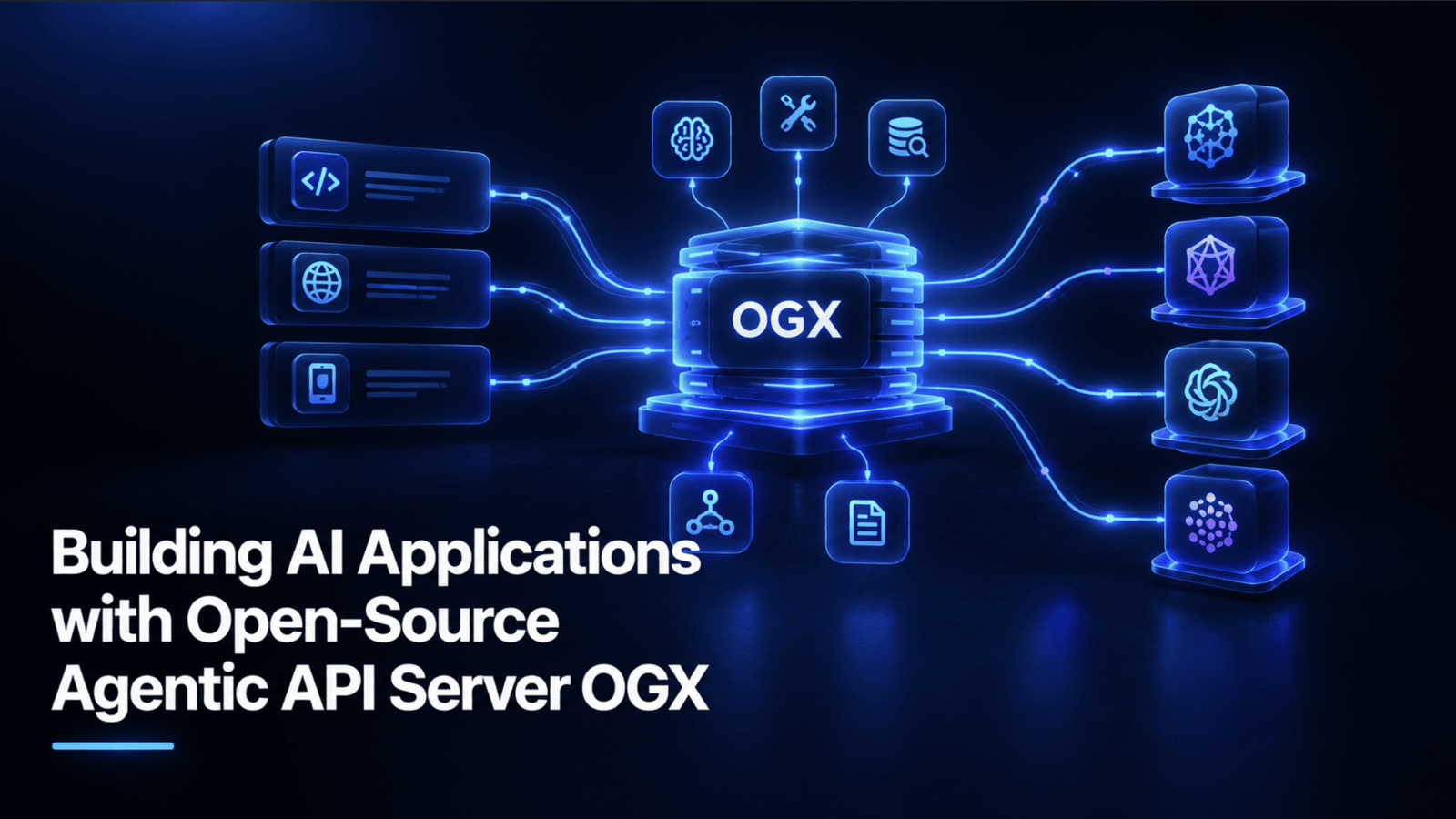
# Build Your Own Document-Savvy AI Assistant with a Local Open-Source Server
Imagine having an AI assistant that doesn’t just chat, but actually reads your files, searches through them for answers, and even takes real actions like saving important dates to your computer. This is entirely possible today using a local, open-source agentic API server that acts as a drop-in replacement for commercial AI APIs.
This server lets you build applications that run entirely on your own machine, with zero cloud costs, while still having the power to search documents and use custom tools. Let’s walk through how to build a simple but powerful application that does exactly this.
## What Is a Local Agentic API Server?
An agentic API server is software that runs locally and provides an interface for AI models to interact with your files and programs. The biggest advantage of this approach is its “model-agnostic” nature. You can start by running a lightweight model on your laptop using a local backend like Ollama, and later switch to a powerful cloud provider or a production-grade engine—without changing a single line of your application code.
It works seamlessly with standard AI SDKs, meaning your code talks to the local server exactly the same way it would talk to a major cloud provider. It handles everything from simple text chat to complex Retrieval-Augmented Generation (RAG), where the AI automatically searches your documents to ground its answers in fact.
## Getting Your Workspace Ready
To get started, you need two things: a fast Python package manager and a local model runner.
First, install a local model backend and pull a small, efficient model. Then, initialize a new Python project and add the necessary libraries. This setup ensures you have a proper, maintainable project structure rather than a quick, disposable script.
Here is how you set up the foundation:
“`text
# Install your local model runner, then pull a compact model
your_model_runner pull small_local_model
# Initialize a new project and enter the directory
python_package_manager init my_assistant && cd my_assistant
# Add the server package and the standard API client
python_package_manager add server_package api_client
“`
By using a dedicated package manager, you ensure that all dependencies are isolated and your project remains easy to manage as it grows.
## Launching the Server
Once your model is ready, you can start the server. It spins up a secure, local server that listens on your machine. To verify that everything is connected properly, you can send a quick health check to the server.
Because the server uses a secure certificate by default, you will need a flag to skip certificate verification when testing locally. A successful check will return a list of available models, confirming that the server is awake and ready to accept requests.
## Sending a Simple Message
Before we add complex features like document search, let’s establish the basic pattern for talking to the server. You will write a short script that sends a prompt and receives a response.
The key to local development is the configuration: you point the client to your local server’s address and use a placeholder API key. The server doesn’t require a real key for local access. The request specifies which local model to use, and the server handles routing the request behind the scenes.
“`python
import httpx
from api_client import APIClient
client = APIClient(
base_url=”https://localhost:8080″,
api_key=”local_dev_key”,
http_client=httpx.Client(verify=False),
)
response = client.chat.create(
model=”local_model_name”,
messages=[{“role”: “user”, “content”: “What are you capable of?”}]
)
print(response.text)
“`
## Adding Document Intelligence (RAG)
Now for the real magic: Retrieval-Augmented Generation. Instead of relying solely on the AI’s training data, you can feed it your own documents and ask it questions about them.
The server simplifies this process dramatically. You upload a document to the server, which then automatically chunks, embeds, and indexes it into a searchable vector store. When you ask a question, you simply tell the server to search that store, and it handles the retrieval and grounding of the answer in a single step.
“`python
# Upload a document for the server to index
uploaded_file = client.files.create(
file=open(“contract.pdf”, “rb”),
purpose=”searchable”
)
# Create a searchable database and add the file
knowledge_base = client.vector_stores.create(
name=”my_knowledge_base”,
file_ids=[uploaded_file.id]
)
# Ask a question that requires searching the document
response = client.chat.create(
model=”local_model_name”,
messages=[{“role”: “user”, “content”: “What are the key terms of this agreement?”}],
tools=[{
“type”: “file_search”,
“vector_store_ids”: [knowledge_base.id]
}]
)
print(response.text)
“`
## Giving the AI a To-Do List (Custom Tools)
The true “agentic” capability comes from letting the AI take actions in the real world. You can define custom tools—essentially Python functions—that the AI can call when it determines they are necessary.
For our assistant, we will build a tool that saves actionable tasks to a local file. This is incredibly useful for processing contracts, meeting notes, or legal documents where the AI might spot a deadline or a follow-up task.
You define the tool’s schema, which describes to the AI what the function does and what inputs it needs. When the AI decides to use the tool, your code intercepts that request, executes the function, and writes the result to a file.
“`python
# tools/task_manager.py
import json
from datetime import datetime
TASKS_FILE = “tasks.jsonl”
def save_task(task: str, source: str, priority: str = “medium”):
“””Saves a task to a local log file.”””
if priority not in (“low”, “medium”, “high”):
raise ValueError(“Invalid priority level”)
entry = {
“task”: task,
“source”: source,
“priority”: priority,
“created_at”: datetime.now().isoformat()
}
with open(TASKS_FILE, “a”) as f:
f.write(json.dumps(entry) + “n”)
return {“status”: “success”}
# This is what the AI “sees” to decide if it should call the function
TASK_TOOL_SCHEMA = {
“type”: “function”,
“name”: “save_task”,
“description”: “Use this to record a specific, actionable task found in a document.”,
“parameters”: {
“type”: “object”,
“properties”: {
“task”: {“type”: “string”},
“source”: {“type”: “string”},
“priority”: {“type”: “string”, “enum”: [“low”, “medium”, “high”]}
},
“required”: [“task”, “source”]
}
}
“`
## Bringing It All Together
Now we combine the document search and the custom tool into one cohesive assistant. By placing both tools in the same request, the AI can read a document, answer a question, and simultaneously save a critical deadline to your hard drive—all in a single interaction.
The assistant loops through the AI’s response, checking if it triggered any custom tools. If it did, the code executes the tool immediately before presenting the final answer to the user.
“`python
# assistant.py
import json
from api_client import APIClient
from tools.task_manager import save_task, TASK_TOOL_SCHEMA
client = APIClient(
base_url=”https://localhost:8080″,
api_key=”local_dev_key”,
http_client=httpx.Client(verify=False)
)
def run_assistant(question: str, knowledge_base_id: str):
response = client.chat.create(
model=”local_model_name”,
messages=[{“role”: “user”, “content”: question}],
tools=[
{“type”: “file_search”, “vector_store_ids”: [knowledge_base_id]},
TASK_TOOL_SCHEMA
]
)
# Check if the AI decided to save a task
for item in response.tool_calls:
if item.function.name == “save_task”:
args = json.loads(item.function.arguments)
save_task(**args)
return response.text
# Example usage:
# answer = run_assistant(“What deadlines are in these documents?”, knowledge_base_id)
“`
## Conclusion
Building with a local, open-source agentic server bridges the gap between casual AI chatting and genuine, actionable automation. You get the privacy and cost benefits of running models locally, combined with the deep intelligence of searching your own documents and triggering real-world tools. Because the API is standardized, scaling up to a powerful cloud provider later is as simple as changing a configuration setting, leaving your application logic completely untouched.
## Frequently Asked Questions (FAQ)
**Q: Why do I need a local model runner like Ollama?**
A: The agentic API server provides the brain and the tools, but it needs an actual AI model to process language. Ollama lets you run these models directly on your computer’s hardware, keeping your data private and eliminating cloud compute costs.
**Q: Is it safe to use a fake API key for local development?**
A: Yes. When the server is running on your own machine, it does not require authentication. The fake key is simply a placeholder that satisfies the API client’s requirement for a key format. No one can access your local server from the outside internet without explicit network configuration.
**Q: Can I use this setup with large enterprise documents?**
A: Absolutely. The server handles the chunking and embedding of documents automatically. As long as your local machine has enough memory to load the model and process the document chunks, you can search through extensive reports, legal files, or codebases.
**Q: What makes this “agentic” compared to a regular chatbot?**
A: A regular chatbot only generates text. An agentic system can take actions based on its reasoning. In our example, the AI doesn’t just tell you about a deadline—it actively executes a function to save that deadline to your hard drive, bridging the gap between digital conversation and real-world utility.
Thank you for reading
