



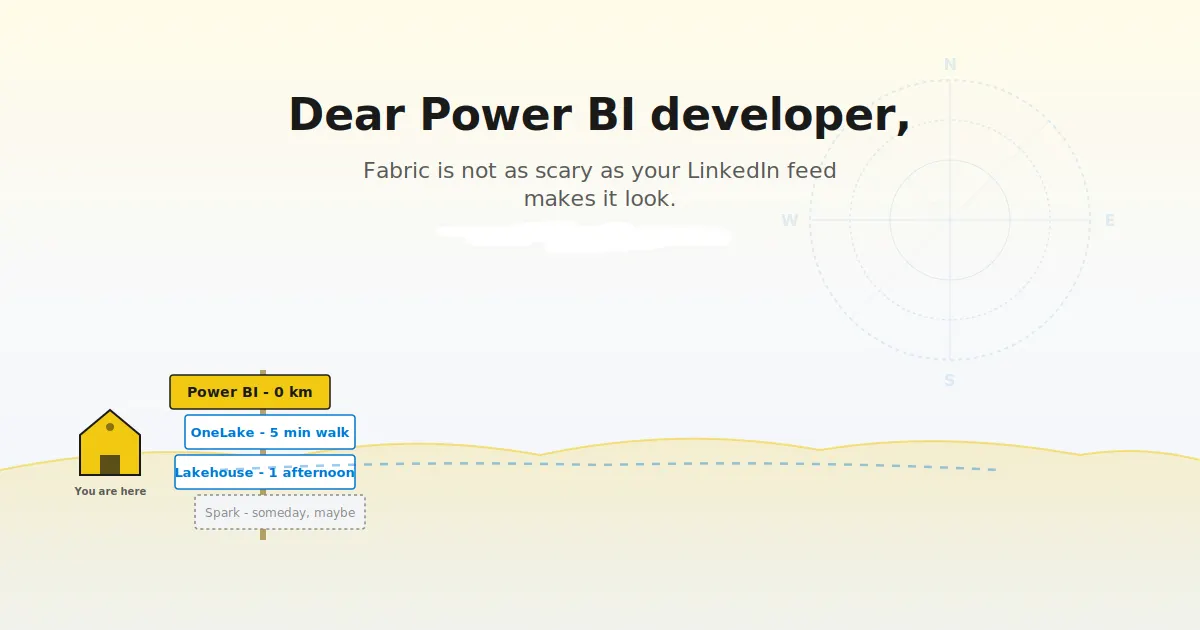
# Navigating Microsoft Fabric as a Power BI Developer: A Practical Guide to What Stays, What Changes, and What Comes Next
The technology landscape shifts faster than most of us can keep up, and Microsoft Fabric has been one of the most talked-about developments in the business intelligence space over the past year. If you’ve spent years mastering Power BI — building semantic models, writing DAX measures, designing reports, and managing data pipelines — the sheer volume of new terminology and features can feel overwhelming. Every LinkedIn post and forum thread seems to announce a new capability you’ve never heard of, wrapped in language that assumes everyone already understands Lakehouses, OneLake, and MLVs.
Let’s cut through the noise. This guide is designed to give you a clear-eyed perspective on how Microsoft Fabric affects your day-to-day work as a Power BI developer, what genuinely matters, and how to position yourself for the future without panic-learning an entirely new tech stack over a weekend.
—
## Your Power BI Foundation Is Still Strong
Before diving into what’s new, it’s worth pausing to acknowledge something important: **everything you’ve already learned is still relevant**. The core Power BI authoring experience — whether you work in Power BI Desktop or use web-based modeling tools — remains fundamentally unchanged. You still load data, define relationships, write DAX expressions, design visuals, and publish reports to the service.
DAX, in particular, has become even more critical. Microsoft’s AI-assisted features throughout Fabric — including Copilot — rely heavily on well-structured semantic models and clean DAX measures. The better your modeling fundamentals, the more effectively every new AI-powered tool in the Fabric ecosystem will serve you.
Power Query and the M language continue to be the backbone of data transformation across Desktop, web modeling, and Dataflows. While older Dataflow Gen1 deployments are being phased out, the Gen2 version remains a key component of the platform and depends on the same Power Query skills you already have. Everything from merging and appending tables to building conditional columns and managing parameters still applies directly.
Even foundational capabilities like row-level security, deployment pipelines, gateway configurations, and workspace organization remain fully intact. Nothing was removed. Your existing reports and models continue to function as they always have.
—
## What Actually Changed — And Why It Matters
The shift to Fabric isn’t just cosmetic. There are several meaningful changes that affect how Power BI developers work, and understanding them puts you ahead of the curve.
### License Consolidation: From Premium P SKUs to Fabric F SKUs
In early 2025, Microsoft retired the Power BI Premium P licensing tiers (P1, P2, P3). Organizations previously running on these plans were transitioned to Fabric capacity tiers, identified by F SKUs. The rough equivalence is straightforward: P1 maps to F64, P2 to F128, and so on.
The transition was seamless — no reports broke, no models stopped refreshing, and all existing functionality was preserved. What organizations gained was access to the full Fabric platform, including Lakehouses, Warehouses, data pipelines, and real-time intelligence features, all bundled under the same capacity license.
One practical detail worth noting: at capacity levels below F64, report consumers still need individual Power BI Pro licenses to access content. At F64 and above, viewer access is included in the capacity itself. This is why many organizations targeting 300 or more report consumers find F64 to be the most cost-effective threshold.
### OneLake: A Single Unified Data Storage Layer
OneLake acts as the central data repository for the entire Fabric ecosystem. Think of it as a centralized data lake where everything — Lakehouse tables, Warehouse tables, and semantic model data — lives in a single, consistent location using the open Delta format.
For Power BI developers, this has a significant implication: the data your models consume may now physically reside in OneLake rather than in a traditional database or file share. Understanding this architecture helps you make better decisions about data access patterns, performance optimization, and how your reports connect to underlying data sources.
### Direct Lake: A New Way to Connect Your Models
Power BI has historically offered two storage modes: **Import** (data is loaded into the model and refreshed on a schedule) and **DirectQuery** (data is queried live from the source every time a visual is rendered). Each has well-known trade-offs — Import offers speed but stale data; DirectQuery offers freshness but can be slow.
**Direct Lake** introduces a third option. It reads Delta-formatted tables directly from OneLake into memory, combining the speed of Import with the freshness of DirectQuery. There’s no scheduled refresh to manage, and queries perform well because the data is stored in an optimized columnar format that’s purpose-built for analytics.
The developer experience doesn’t change significantly — you still write DAX the same way and design reports the same way. The difference is architectural: your model draws directly from Delta tables in OneLake rather than maintaining its own compressed copy. This is especially valuable for large models where refresh times have been a persistent pain point.
Direct Lake isn’t a mandatory change. If your Import-mode models refresh quickly and serve your users well, there’s no urgent reason to switch. But it’s worth understanding the option as you plan for the future.
### Copilot: An AI Assistant Integrated Across the Platform
Microsoft Copilot has been woven into nearly every layer of the Power BI and Fabric experience. It’s available in Desktop for generating report pages, writing DAX measures, and explaining formulas. In the service, it offers report-level natural-language chat and can create visuals from plain-English prompts. Mobile support for conversational report exploration arrived in 2026.
The reality of Copilot, however, is nuanced. It excels at generating starter measures, summarizing report content, and helping users explore a model interactively. It struggles with highly complex DAX logic, nuanced business rules, and models that lack clear naming conventions and well-structured relationships.
The pattern that emerges is consistent and important: **Copilot amplifies the quality of what’s already there**. A well-designed semantic model with clear table names, descriptive columns, properly defined measures, and logical relationships makes Copilot significantly more useful. A disorganized model leads to plausible-sounding but inaccurate outputs. This makes investment in modeling fundamentals even more valuable in the AI era.
—
## What You Can Safely Set Aside For Now
The Fabric ecosystem spans an enormous range of technologies, and the social media pressure to learn all of them immediately is largely misplaced. Here are several capabilities you can confidently ignore unless your role or interests specifically pull you toward them:
– **Spark notebooks and PySpark**: Unless you’re moving into data engineering, leave these to the data engineers on your team. Your Power Query skills remain the right tool for data preparation in Power BI workflows.
– **KQL databases and Real-Time Intelligence**: These are relevant for streaming data, IoT telemetry, and high-volume event processing. Most traditional Power BI developers working with periodically refreshed databases won’t need them.
– **Data Activator**: This event-driven automation tool is interesting but peripheral to report development. It’s worth exploring out of curiosity, not urgency.
– **Fabric IQ and Data Agents**: The natural-language AI layer for end users is worth monitoring, but you don’t need to architect around it yet in your reporting solutions.
– **Materialized Lake Views (MLVs)**: These are powerful for data engineers building multi-layered medallion architectures. As a Power BI developer, you’ll consume the silver and gold layers they create — but you don’t need to build them yourself.
The guiding principle: **learn what your role demands, and follow your curiosity when it naturally leads you further**. Don’t learn these technologies because an algorithm told you to be afraid.
—
## A Practical Starting Path
If you’re ready to explore Fabric, here’s a structured sequence that makes the learning manageable:
**1. Understand your current capacity.** Determine whether your organization is on Fabric capacity (F SKU), Power BI Pro, or Premium Per User. This single fact shapes everything else you can access.
**2. Get hands-on with OneLake.** Create a Lakehouse in a workspace, upload a file, and watch it become a Delta table. Query it through the SQL analytics endpoint and connect Power BI to it — either in Desktop or directly in the browser. This one exercise alone demystifies the majority of new Fabric terminology.
**3. Experiment with Direct Lake.** Build a semantic model from your Lakehouse using Direct Lake as the storage mode. Create a small report and notice that there’s no manual refresh — the data is always current. Compare query performance against your existing Import-mode models to get a feel for the trade-offs.
**4. Use Copilot with intention.** Open Copilot in your authoring environment and ask it to generate a DAX measure for a real scenario in your model. Review its output critically. Ask it to summarize a report page and check whether the summary captures the right insights. Over time, you’ll develop an intuition for where Copilot is reliable and where it needs your oversight.
Each of these steps can be completed in an afternoon. There’s no need to rush.
—
## The Career Conversation: Is Your Role Safe?
This is the question many Power BI developers are quietly asking, and the answer is reassuring: **Power BI development as a discipline is not being replaced**. The role of building semantic models, writing DAX, designing reports, and delivering business-facing analytics remains distinct and critically important. Fabric needs Power BI developers just as much as it needs data engineers — these are complementary roles, not competing ones.
What is evolving is the broader context a Power BI developer should understand. In 2026, the most effective Power BI developers are the ones who know where their data lives (OneLake, Lakehouses, Warehouses) and how it flows into their models. You don’t necessarily need to build the pipelines yourself, but understanding the architecture around your reports makes you far more effective in cross-functional collaboration.
For those pursuing certifications, the PL-300 (Power BI Data Analyst) remains the foundational credential and continues to be updated to reflect the current platform. The natural next step for developers expanding into Fabric is the DP-600 (Fabric Analytics Engineer Associate), which bridges semantic modeling, DAX, and the broader Fabric platform from a business intelligence perspective. Colleagues heading toward data engineering would pursue the DP-700 (Fabric Data Engineer Associate) instead — a different role, different exam, same platform.
The single most valuable thing you can do right now is deepen your expertise in semantic modeling and DAX. Master advanced DAX patterns, learn to design models that perform well in Direct Lake, and build clean, well-documented semantic layers. Every AI-powered feature and intelligence tool in Fabric depends on the quality of that foundation.
—
## Frequently Asked Questions
**Q: Do I need to stop using Power BI Desktop and switch to Fabric tools?**
A: No. Power BI Desktop remains a fully supported authoring tool. The experience is the same, and you can continue building, testing, and publishing reports the way you always have. Web-based modeling has also reached near-parity with Desktop, giving you flexibility in how you work.
**Q: Is Direct Lake a replacement for Import mode?**
A: Not necessarily. Direct Lake is an additional option that combines the speed of Import with the freshness of DirectQuery. For small models that refresh quickly, Import mode is still perfectly valid and may be simpler to manage. Direct Lake shines when dealing with large datasets where refresh times are a bottleneck.
**Q: Will Copilot write all my DAX for me?**
A: Copilot is a productivity tool, not a replacement for your expertise. It’s excellent for generating starter measures and helping you explore ideas, but it still needs human oversight — especially for complex business logic, nuanced calculations, and models with intricate relationships. Your judgment and domain knowledge remain essential.
**Q: What’s the difference between a Lakehouse and a Warehouse in Fabric?**
A: Both store data in OneLake using the Delta format, but they serve different purposes. A Lakehouse is designed for data engineering and analytics workloads, supporting both file-based and tabular data. A Warehouse is optimized for SQL-based analytics and works well for structured query scenarios. Power BI developers can connect to either depending on the architecture they’re working with.
**Q: Which certification should I pursue first?**
A: PL-300 (Power BI Data Analyst) remains the best starting point for Power BI professionals. From there, the DP-600 (Fabric Analytics Engineer Associate) is the logical next step if you want to demonstrate your ability to work within the Fabric ecosystem from a BI perspective.
**Q: Do I need to learn Python or Spark to stay relevant?**
A: Only if your role expands into data engineering. For report development, semantic modeling, and business analytics, your existing Power Query and DAX skills are exactly what’s needed. Spark and Python are valuable in adjacent roles but are not prerequisites for continued success as a Power BI developer.
**Q: Will my existing reports stop working if I don’t migrate to Fabric features?**
A: No. Import mode, DirectQuery, all existing report features, and the entire Power BI service continue to work as before. Migrating to Fabric-specific features like Direct Lake or Lakehouses is optional and should be driven by your specific needs, not by a sense of urgency or fear of being left behind.
—
## Conclusion
Microsoft Fabric represents an evolution of the platform Power BI lives on — not a replacement for it. The skills you’ve built over the years in semantic modeling, DAX, report design, and data preparation are more valuable than ever. In fact, as AI-powered features become more deeply integrated into the platform, the quality of your modeling foundation becomes an even greater differentiator.
The path forward isn’t about learning everything at once or mastering every new term that appears on your feed. It’s about understanding the architecture around your reports, experimenting at your own pace with new capabilities like OneLake and Direct Lake, and continuing to deepen the core expertise that makes you effective.
Start with the fundamentals. Get comfortable with the new storage options when it makes sense for your work. Let Copilot assist you while you maintain the critical eye that only a skilled developer can provide. And remember that the best career investment you can make right now is to become even more excellent at what you already do well.
You’re not behind. You’re not being replaced. You’re exactly where you need to be — on a platform that’s expanding, not disappearing, and a profession that’s more in demand than ever.
Thank you for reading
