



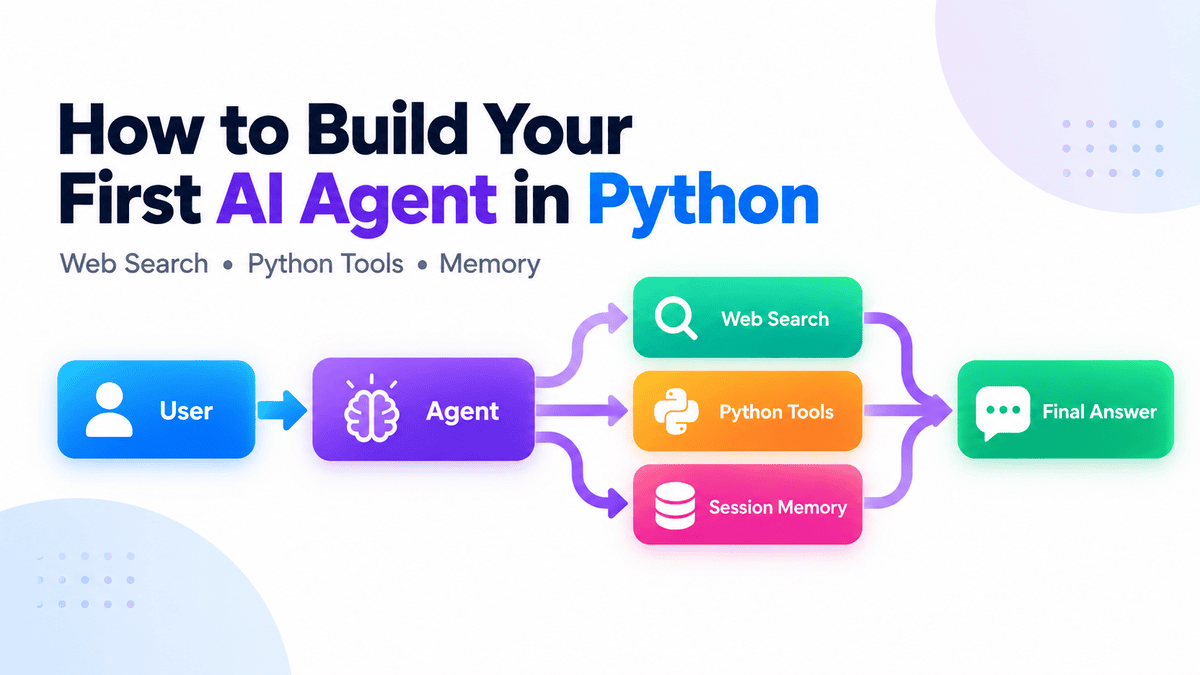
# Building Your First Intelligent Agent with Python
Traditional large language models operate on a simple prompt-and-response basis: you give them a question, they generate an answer, and the interaction ends there. Intelligent agents work differently. They add an execution loop and a set of tools to their workflow. Instead of just replying with static information, an agent can search the web, run calculations, or retrieve data from memory before delivering a final, informed answer.
In this guide, we will walk through building a practical agent that can search for live information, utilize custom Python functions, and remember past conversations—all without needing to manually build the underlying tool-calling logic.
## Getting Started
Before writing any code, you need a clean workspace. Start by creating a new project folder and initializing a Python environment. You can use standard package managers like `pip` or modern ones like `uv` to install the necessary agent framework. Once the library is in place, the most critical step is securing your API credentials. Set your secret key as an environment variable so the application can authenticate with the service securely.
## Creating Your First Agent
With the environment ready, you can define your first bot. Give the agent a specific role—such as a “Research Assistant”—and provide clear instructions about how it should behave. Attach a web search tool to this agent.
When you give the agent a question about current events or recent updates, it will automatically decide to look up the information online rather than relying solely on its training data. The framework handles the underlying loop for you: it sends the request to the model, executes the necessary tool if the model requests it, passes the results back, and continues until a final answer is produced.
## Adding Custom Python Tools
Agents become truly powerful when they can interact with your own code. You can turn any Python function into a tool that the agent is allowed to use. For example, you might write a simple function that takes a price and a quantity, then returns the total cost.
By adding a specific decorator to this function, the framework automatically translates it into a format the model understands. You do not need to write complex JSON schemas or build manual tool-calling loops—the system reads the function name, its arguments, and its documentation to figure out exactly when and how to use it. When you ask the agent to calculate an order total, it will invoke your Python function directly and return the result.
## Giving the Agent a Memory
A common flaw in simple bots is forgetting everything the moment a new message arrives. To fix this, you need to add conversation memory. Using a session object, you can store the chat history in a lightweight database file. This means if you ask the agent to recall something from a previous message, it has the context to do so. Because the memory is file-backed, the conversation history persists even if you close and reopen the program, making the interaction feel much more natural and continuous.
## Frequently Asked Questions
**What is the core difference between a standard AI model and an AI agent?**
A standard model only generates text based on a single prompt. An agent uses an execution loop to take actions, utilize external tools, and process multiple steps before giving you a final answer.
**Do I need to manually write the code that tells the AI how to use tools?**
No. Modern frameworks automatically analyze your Python functions, extract their schemas, and manage the calling process for you. You simply define what the tool does, and the agent decides when to call it.
**How does the agent remember past conversations?**
By using a session backend—like a lightweight database—you can persist chat history between runs. The agent reads this history at the start of each new conversation to maintain context.
**Is it hard to debug an agent when it makes a mistake?**
Not at all. Most modern frameworks include built-in tracing features. These traces let you see exactly what the model decided, which tools it called, and what the results were, making it easy to spot and fix issues.
## Conclusion
Creating an AI agent does not require building a complex, fully autonomous system right out of the gate. By starting with basic web searches, adding custom Python functions, and implementing a simple memory system, you can create surprisingly capable assistants. The fundamental pattern remains the same: provide the agent with the right tools, let it decide when to use them, and let the framework manage the execution loop. Start with a small, useful workflow, and gradually add more complexity only when you truly need it.
Thank you for reading
