



**StillOS: The New Consumer-Focused Linux Distribution Redefining Onboarding for Beginners**
In the ever-evolving landscape of open-source operating systems, a new competitor is making waves by addressing one of the most persistent barriers to Linux adoption on the desktop: the steep learning curve. StillOS is a fresh Linux distribution specifically engineered with the everyday consumer in mind, aiming to provide an intuitive transition for users who have spent years confined to Windows or macOS without sacrificing the stability and power that Linux is known for. Unlike many distributions that cater strictly to developers or hobbyists, StillOS strikes a balance by offering a frictionless onboarding process that welcomes beginners while maintaining the flexibility required by seasoned users. Here is a closer look at what makes this operating system stand out.
**A Seamless First Impression**
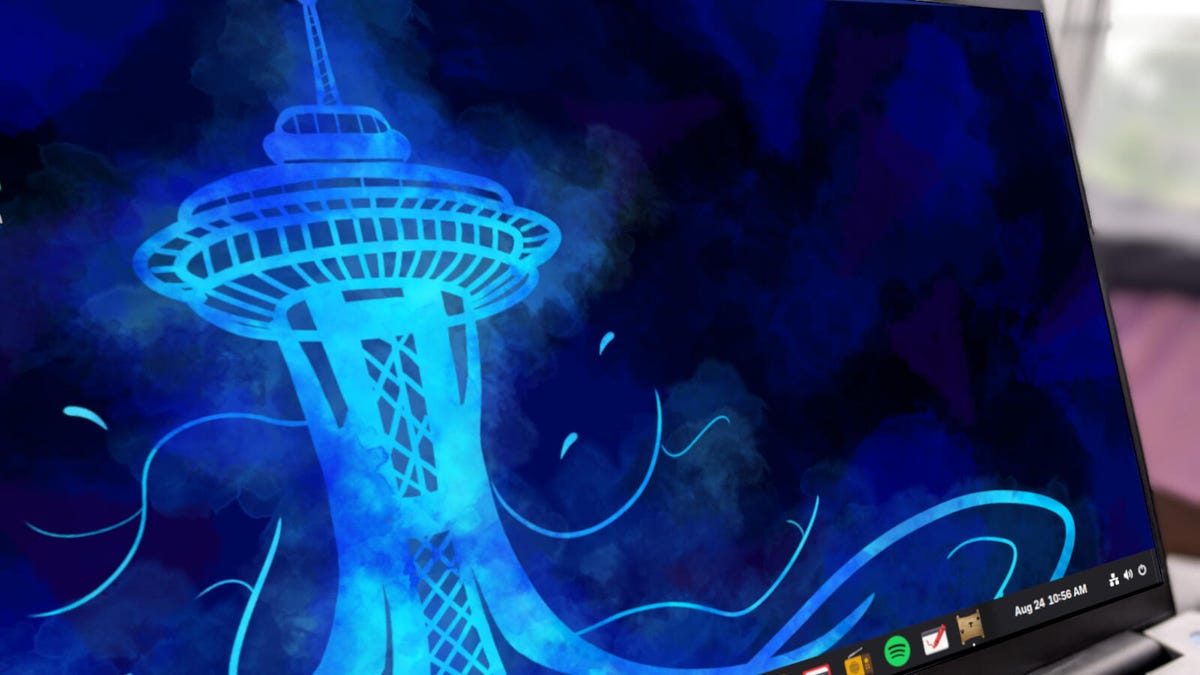
The primary goal of StillOS is to remove the intimidation factor associated with installing Linux. From the moment the operating system is set up, users are greeted with a familiar interface. Rather than presenting an overwhelming array of technical preferences, it offers a streamlined experience that mimics the layout of a traditional Windows desktop, complete with a taskbar, desktop icons, and a system tray. This approach ensures that those new to Linux do not have to spend hours adjusting settings just to perform basic tasks like opening a web browser or managing window layouts, allowing them to focus on their work rather than the mechanics of the operating system itself.
**Smart App Selection**
One of the most compelling features of StillOS is its guided setup process. During installation, users are presented with a categorized menu of applications tailored to different needs, including web browsing, productivity, music, gaming, creative work, and even large language models (LLMs). Instead of limiting the user to a single browser or office suite, the distribution allows for a high degree of customization, enabling you to install as many tools as you want from each category. For power users, this means discovering options like OnlyOffice, LibreOffice, and various task management utilities all available out of the box. Once the installation is complete, users can opt to launch a dedicated “First Steps” application that walks them through further configuration, rather than leaving them to figure out the system on their own.
**Effortless Customization**
The First Steps app acts as a central hub for tailoring the desktop environment. Users can select from numerous pre-configured themes that mimic the appearances of Windows releases, macOS, ChromeOS, and other Linux distributions like elementaryOS. This allows for an immediate shift in aesthetic without needing deep technical knowledge. Additionally, it provides shortcuts to configure displays, online accounts, Bluetooth devices, and printers. While the interface is designed for simplicity, some layout switches do require a logout and reboot to take effect, and users may occasionally encounter an unresponsive desktop if multiple configurations are applied rapidly, though these are minor technical hiccups that developers are working to smooth out.
**Automatic Stability**
StillOS utilizes atomic updates, a method where system changes are applied entirely in the background. This means that users do not have to manually manage software updates or worry about the update process compromising the OS’s stability. When an update is ready, it downloads silently and is applied upon the next reboot, ensuring the system remains as stable as a rock while delivering new features and security patches automatically. This removes a significant burden from the user and eliminates the fear of “breaking” the system through regular use.
—
**Frequently Asked Questions (FAQ)**
**Q: What exactly is StillOS?**
A: StillOS is a Linux distribution designed specifically for consumers who want a reliable, easy-to-use computing experience without the steep learning curve typically associated with Linux. It provides a familiar desktop layout and automated maintenance to ensure users can get productive immediately after installation.
**Q: How does StillOS handle updates without breaking the system?**
A: It uses atomic updates. This means that all OS and application updates happen silently in the background and are fully applied the next time you reboot, rather than interrupting your workflow or leaving the system in an unstable state mid-update. This ensures a consistently smooth experience. depths.
**Q: Can I customize the appearance to match a different operating system?**
A: Yes. Through the “First Steps” app, you can select from several pre-configured desktop layouts that resemble different versions of Windows, macOS or ChromeOS, allowing you to immediately feel at home. You can also customize extensions and system appearance directly from this hub.
**Q: Is StillOS suitable for someone with no Linux experience?**
A: Absolutely. It is designed to be user-friendly right out of the box. The onboarding process guides you through app installation and system configuration without requiring prior technical knowledge, making it one of the most accessible entry points for new users.
**Q: Does it come with all necessary software pre-installed?**
A: While it offers a curated selection of software during the setup process, it is designed to maximize productivity with essential tools like office suites, browsers, and creative applications while allowing you to choose exactly which ones you want to use.
—
**Conclusion**
StillOS represents a significant step forward in Linux usability. By combining a familiar Windows-like default desktop, automated atomic updates, and a guided installation process, it successfully removes many of the hurdles that prevent new users from adopting the operating system. While there is room for refinement in areas like layout switching stability, it is currently one of the most compelling options for those seeking a “consumer-ready” Linux experience. If the developers continue to address minor technical issues, it has the potential to become one of the top distributions for everyday computing.
Thank you for reading
