




Organizations looking to deploy AI agents run into a major roadblock: the desktop and legacy applications that drive most business processes are simply out of reach for today’s AI systems. A 2024 Gartner report found that 75% of organizations depend on legacy applications without modern APIs, and 71% of Fortune 500 companies rely on mainframe systems that lack proper programmatic access. For many businesses, this has forced a tough choice—either put AI adoption on hold or invest in costly and risky modernization efforts.
Today, we’re excited to announce that Amazon WorkSpaces now allows AI agents to securely interact with desktop applications—no application modernization required. The same managed virtual desktops trusted by millions of employees can now double as infrastructure for scaling enterprise productivity, not just delivering it. Since agents work within your existing WorkSpaces environment, there’s no need to build APIs, plan application migrations, or manage any new infrastructure.
Some of our customers got an early chance to put their agents in a WorkSpace. Chris Noon, Director at Nuvens Consulting, shared his perspective: “WorkSpaces gives our clients a way to provide AI agents with the same secure, governed desktop environment their employees already rely on—no custom API integrations needed, full audit trails included, and enterprise-grade isolation right out of the box. For regulated industries, that’s not a nice-to-have—it’s the baseline.”
Secure cloud desktop access for AI agents
With WorkSpaces, AI agents can securely reach and operate desktop applications running inside managed WorkSpaces environments to carry out complex business workflows. Agents authenticate through AWS Identity and Access Management (IAM) and connect via WorkSpaces, with full audit trails available through AWS CloudTrail and Amazon CloudWatch. Because agents run within secure WorkSpaces environments rather than on local machines, all of your existing security controls and compliance policies stay fully in place.
Amazon WorkSpaces supports the industry-standard Model Context Protocol (MCP), which means it works seamlessly with any agent framework, including LangChain, CrewAI, and Strands Agents.
Let’s try it out
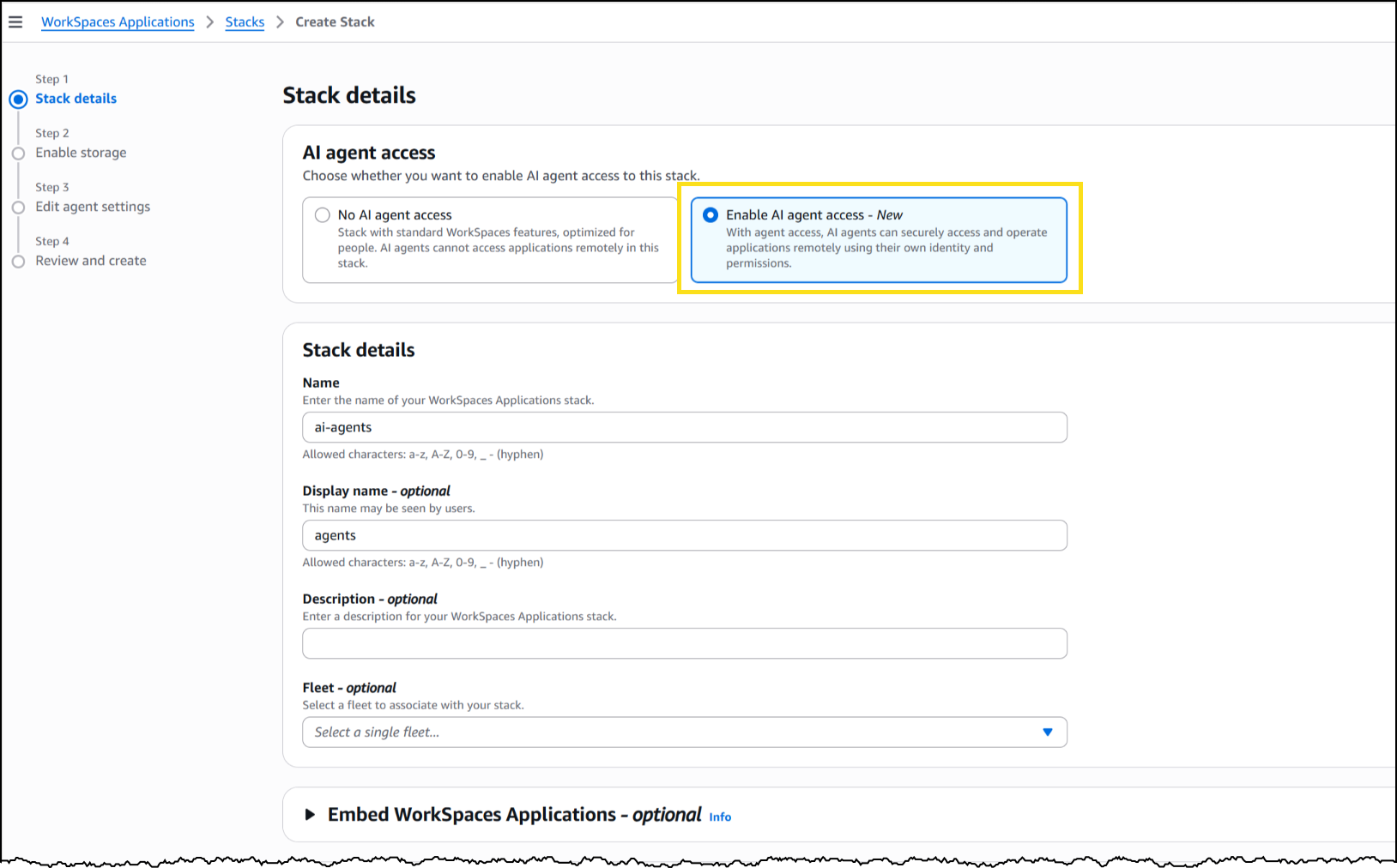
To set up a WorkSpaces environment for AI agents, I began in the AWS Management Console by creating a new WorkSpaces Applications stack—the environment definition that governs how agents connect and what actions they’re permitted to perform.
From the Amazon WorkSpaces console, I selected Create stack and set up the basics: name, fleet association, and VPC endpoints. In Step 3 of the stack creation workflow, I spotted the new AI agents section with two options. The first, No AI agent access, is the default setting for standard WorkSpaces designed for human users. The second, Add AI Agents, lets AI agents securely access and operate applications using their own identity and permissions. I chose Add AI Agents to enable agent connections on this stack.
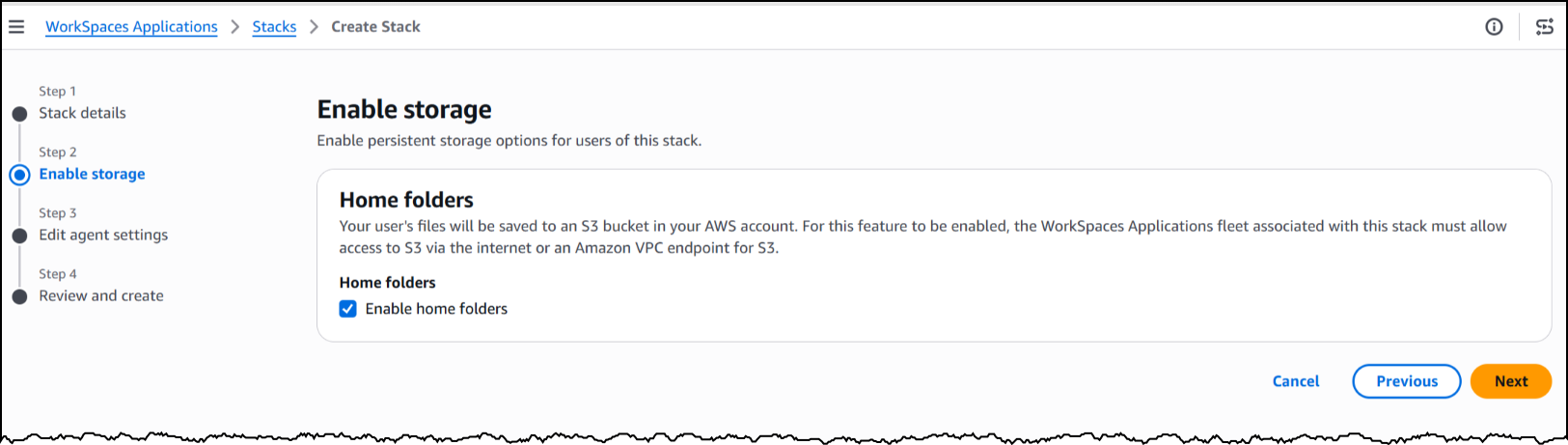
Next, I enabled storage before moving on to configure the agent access settings, which define how agents interact with the desktop.
Under Agent features, I turned on three capabilities. Computer input lets the agent click, type, and scroll within the desktop. Computer vision enables the agent to capture screenshots of the desktop—essentially how it “sees” the application. Finally, screenshot storage determines where session screenshots are saved for auditing and debugging purposes.
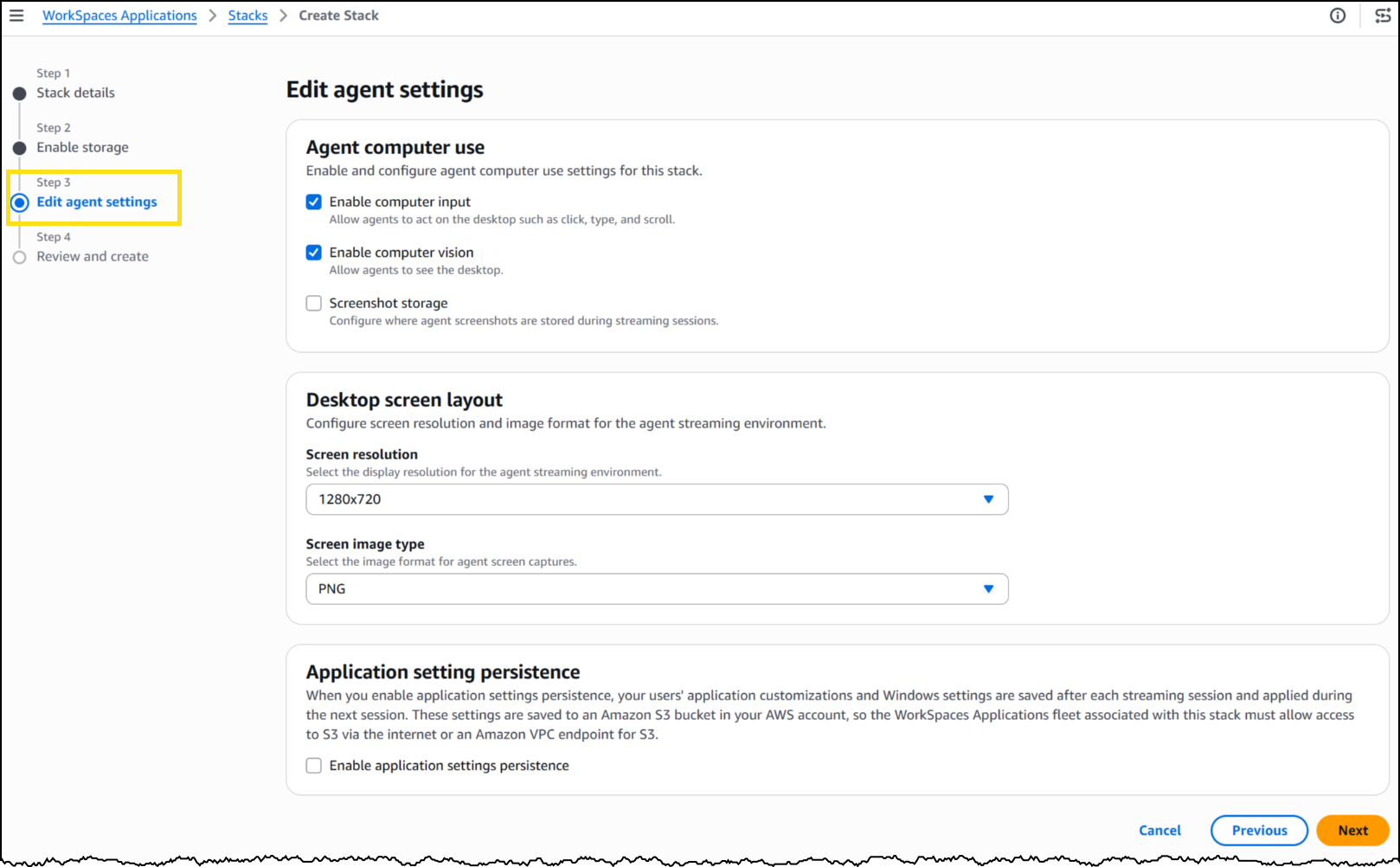
Under Desktop screen layout, I set the screen resolution to 1280×720 and the image format to PNG. The resolution controls how detailed the agent’s view is during a session—a complex application with dense UI elements may benefit from a higher resolution, while a terminal-style interface works perfectly fine at 720p.
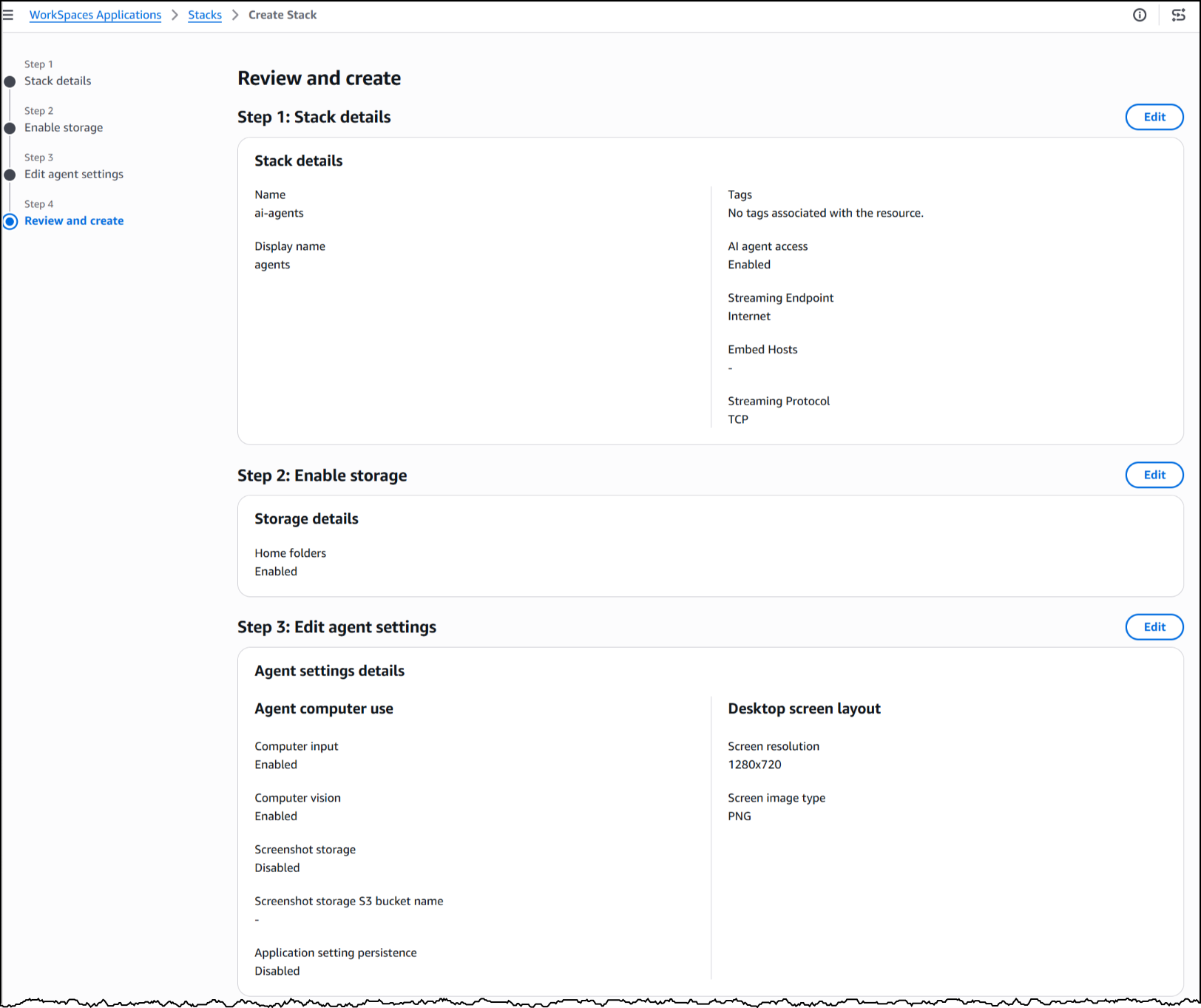
With the stack configured, WorkSpaces exposes a managed MCP endpoint. I directed my agent framework to this endpoint, supplied IAM credentials for authentication, and my agent started interacting with the desktop applications installed on the fleet’s image.
To see this in action, here’s an agent built with the Strands Agent SDK and Amazon Bedrock handling a prescription refill—looking up the patient record, searching for the medication, placing the order, and confirming a successful refill—all inside a sample pharmacy system with no API involved.
The application has no idea an agent is driving it. Nothing about the software was modified, rebuilt, or integrated. The agent simply worked with it exactly as it exists today.
Now available
This feature is available today in public preview at no additional cost in US East (N. Virginia, Ohio), US West (Oregon), Canada (Central), Europe (Frankfurt, Ireland, Paris, London), and Asia Pacific (Tokyo, Mumbai, Sydney, Seoul, Singapore) Regions.
Start building today using our GitHub repo, or visit the WorkSpaces page for more details.
