



In my previous post, I discussed how to obtain structured, machine-readable outputs from an LLM using JSON Mode, function calling, and structured outputs. In that discussion, we briefly explored function calling as a way to retrieve structured responses. However, function calling is much more than just a way to get organized data back from a model — it is, in fact, the foundation of agentic AI workflows. So, in this post, we’re going to dive deeper into this subject.
In every example we’ve discussed up to now, the LLM has been treated merely as a passive respondent — it receives a question and then produces an answer, nothing more. But what if we want the LLM to do more than just generate text and actually perform an action? Or, to be more specific, what if we want a particular action to be carried out in response to the model’s output? That action could be anything: retrieving live data, sending a message, querying a database, invoking an external API, or similar tasks.
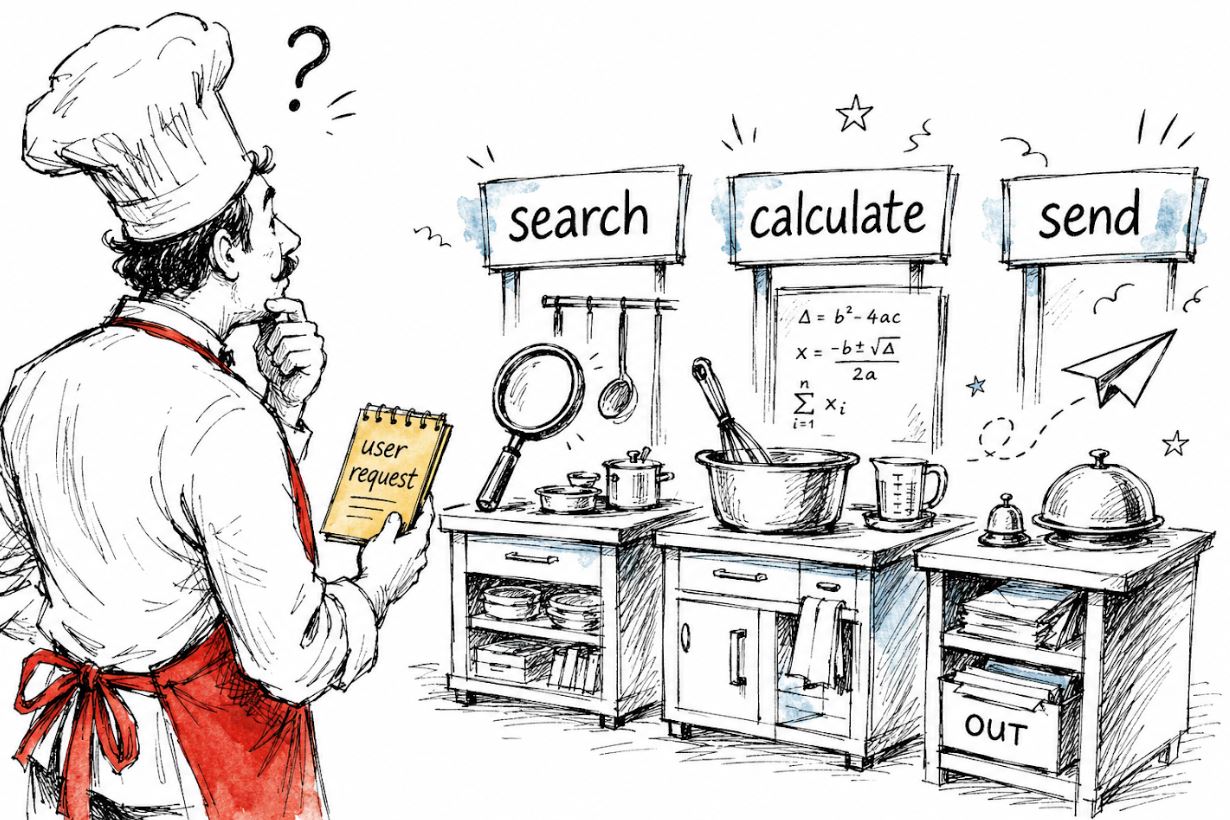
This capability is enabled through tool calling. Tool calling is what turns an LLM from a highly intelligent text generator into something capable of initiating actions and interacting with its surrounding environment.
So, let’s get into it!
What Is Tool Calling?
Tool calling (also known as function calling) is the mechanism that allows an LLM to request that external functions or APIs be executed as part of generating its response. Put simply, rather than merely returning text, the model can invoke a specific function with specific arguments in response to a user’s query.
The crucial point to grasp here is that the model itself does not run the tool. It merely decides which tool to invoke and with what parameters. The actual execution of the chosen tool takes place within our own code — the same code that sends the request to the AI model. We then relay the tool’s output back to the AI model, which incorporates it into a final response for the user.
This is known as the tool calling cycle, and it consists of the following steps:
- The user sends a message.
- The AI model receives the message as input and produces an output, which is effectively a decision about which tool to use and which arguments to supply.
- The model’s response — containing the tool selection and its corresponding arguments — is returned to the code. The code, without any further involvement from the AI model, executes the chosen tool with the given arguments. This execution yields some sort of result (such as a calculation or data fetched from an API), and that result is then sent back to the AI model.
- The AI model takes the tool’s result as input and crafts a final response for the user based on it.
To reiterate, the model generates a tool call, not a tool execution. These two things are fundamentally different, and confusing them is one of the most widespread sources of misunderstanding.
But what exactly is a tool call? In practice, it means the model returns a structured, machine-readable payload via Function Calling, as we covered in the earlier post. In this response, the content is None — there is no natural-language answer, just a structured instruction that specifies which tool to invoke and with what arguments. It is only after we run the tool and feed the result back that the model produces an actual text-based reply to the user.
Let’s now look at this in a real-world context!
We’ll begin with a straightforward example involving just one tool and one call, and then gradually build up more complex scenarios.
1. A Single Tool: Weather API
The most common illustration of tool use with AI is probably a weather API (the go-to example for custom, real-time data). So, let’s imagine we’re building a weather assistant. Specifically, we want to set up a flow where the user asks about the weather, and rather than letting the AI model fabricate an answer (which it would gladly do 🙃), we want it to call a genuine weather function and fetch real atmospheric data from an external source. To retrieve weather data, I’ll be using Open-Meteo, a free, open-source weather API that doesn’t require any API key at all.
To use a tool, we first need to declare it in the tools parameter.
from openai import OpenAI
import json

client = OpenAI(api_key="your_api_key")

# Step 1: define the tool
tools = [
    {
        "type": "function",
        "function": {
            "name": "get_current_weather",
            "description": "Get the current weather for a given city",
            "parameters": {
                "type": "object",
                "properties": {
                    "city": {
                        "type": "string",
                        "description": "The name of the city, e.g. Athens"
                    },
                    "unit": {
                        "type": "string",
                        "enum": ["celsius", "fahrenheit"],
                        "description": "The temperature unit to use"
                    }
                },
                "required": ["city"]
            }
        }
    }
]
Notice that the actual weather API endpoint hasn’t been referenced anywhere yet. Instead, the model determines which tool to call based on three things: the function’s description (“Get the current weather for a given city”), the parameter descriptions (“The name of the city, e.g., Athens”), and the enforced schema. It is solely from this information that the model figures out whether this is the right tool to invoke for a given user message and with what parameters. Therefore, writing clear, precise descriptions when defining our tools is of paramount importance for the model to successfully identify and invoke the correct tool based on the user’s input.
So, after we’ve defined the tools variable, we can then make a request to the AI model:
# Step 2: send the user message along with the tool definition
messages = [
    {"role": "user", "content": "What's the weather like in Athens right now?"}
]

response = client.chat.completions.create(
    model="gpt-4o-mini",
    tools=tools,
    messages=messages
)

print(response.choices[0].message)
Here’s what happens when we send this request. The model reads the user’s message, “What’s the weather like in Athens right now?”, and recognizes that the available tool get_current_weather can help answer this question with real, up-to-date data. So, instead of generating a text reply right away, it opts to call the tool first. More specifically, the model’s response
At this point, the code looks like this:
ChatCompletionMessage(
    content=None,
    role='assistant',
    tool_calls=[
        ChatCompletionMessageToolCall(
            id='call_abc123',
            type='function',
            function=Function(
                name='get_current_weather',
                arguments='{"city": "Athens", "unit": "celsius"}'
            )
        )
    ]
)
Notice how content is set to None, because the model isn’t generating a direct text reply — it’s requesting a tool invocation instead. Now it falls to us to actually run the selected tool with the provided inputs (the city and measurement unit from the AI’s response), and then feed the result back to the model. In our scenario, this translates to calling the weather API using the parameters the AI gave us:
# Step 3: execute the tool using the Open-Meteo API
import requests

def get_current_weather(city: str, unit: str = "celsius"):
    # geocode the city name to coordinates
    geo = requests.get(
        "
        params={"name": city, "count": 1}
    ).json()
    lat = geo["results"][0]["latitude"]
    lon = geo["results"][0]["longitude"]

    # fetch current weather
    weather = requests.get(
        "
        params={
            "latitude": lat,
            "longitude": lon,
            "current": "temperature_2m,weather_code",
            "temperature_unit": unit
        }
    ).json()

    temp = weather["current"]["temperature_2m"]
    return {"city": city, "temperature": temp, "unit": unit}

# grab the tool call from the response
tool_call = response.choices[0].message.tool_calls[0]
arguments = json.loads(tool_call.function.arguments)

# invoke the real function
weather_result = get_current_weather(**arguments)
After that, we append both the assistant’s tool request and the tool’s output to the conversation, then send the full exchange back to the model:
# Step 4: attach both the assistant's tool call AND the tool result to the message history
messages.append(response.choices[0].message)  # important: include the tool call first
messages.append({
    "role": "tool",
    "tool_call_id": tool_call.id,  # ties the result back to the exact tool call
    "content": json.dumps(weather_result)
})

# Step 5: send the full conversation back to the model for a final reply
final_response = client.chat.completions.create(
    model="gpt-4o-mini",
    tools=tools,
    messages=messages
)

print(final_response.choices[0].message.content)
And finally, we receive a natural-language answer:
It's currently 29°C in Athens. Sounds like a perfect day to enjoy the outdoors!🍨 DataCream is a newsletter packed with stories and tutorials on AI, data, and tech. If this sounds like your cup of tea, sign up today!
2. Letting the Model Pick from Multiple Tools
Let’s now examine a more practical scenario. In a real-world agent application, the model usually has access to several tools rather than just one, and it must decide which one (or ones) to trigger based on what the user is asking.
Let’s build on the earlier weather API example by introducing a second tool for handling currency conversions. For this, we’ll use Frankfurter — a free currency conversion API that draws on European Central Bank daily exchange rates, no key required. We’ll update our tools list by appending the currency conversion function:
tools = [
    {
        "type": "function",
        "function": {
            "name": "get_current_weather",
            "description": "Get the current weather for a given city",
            "parameters": {
                "type": "object",
                "properties": {
                    "city": {"type": "string", "description": "The name of the city"},
                    "unit": {"type": "string", "enum": ["celsius", "fahrenheit"]}
                },
                "required": ["city"]
            }
        }
    },
    {
        "type": "function",
        "function": {
            "name": "convert_currency",
            "description": "Convert an amount from one currency to another",
            "parameters": {
                "type": "object",
                "properties": {
                    "amount": {"type": "number", "description": "The amount to convert"},
                    "from_currency": {"type": "string", "description": "The source currency code, e.g. USD"},
                    "to_currency": {"type": "string", "description": "The target currency code, e.g. EUR"}
                },
                "required": ["amount", "from_currency", "to_currency"]
            }
        }
    }
]
Next, we set up the actual convert_currency function against the Frankfurter API:
def convert_currency(amount: float, from_currency: str, to_currency: str):
    response = requests.get(
        f"
    ).json()

    rate = response["rates"][to_currency]
    converted = round(amount * rate, 2)
    return {
        "amount": amount,
        "from_currency": from_currency,
        "to_currency": to_currency,
        "converted_amount": converted,
        "rate": rate
    }
With this setup, the model can now handle a considerably broader range of user queries — it can talk about currency conversions in addition to the weather 😋. Now, if the user asks “What’s the weather in Athens?”, the model will trigger get_current_weather. If they ask “How much is 100 USD in EUR?”, it will invoke convert_currency. And if the question has nothing to do with weather or currencies, and neither tool applies, the model will simply generate a text response without calling any tool.
Let’s observe this in practice:
messages = [
    {"role": "user", "content": "How much is 200 USD in EUR?"}
]

response = client.chat.completions.create(
    model="gpt-4o-mini",
    tools=tools,
    messages=messages
)

tool_call = response.choices[0].message.tool_calls[0]
Let’s take a quick look at which tool was selected:
print(tool_call.function.name)This returns convert_currency. So the model correctly recognized that “How much is 200 USD in EUR?” relates to the convert_currency tool. Now let’s inspect the extracted arguments:
print(tool_call.function.arguments)This gives us:
'{"amount": 200, "from_currency": "USD", "to_currency": "EUR"}'
So the model accurately picked convert_currency as the correct tool and populated all the right arguments — no extra effort on our end beyond writing clear tool descriptions and posing a well-formed user query.
This precise decision-making process is what establishes tool-calling as the core building block of agentic systems.
3. Invoking several tools simultaneously
Another compelling tool calling capability is that numerous models, such as gpt-4o, can invoke multiple tools within a single response when the user’s query demands it. This capability is referred to as parallel tool calling.
For instance, consider a situation where the user poses a single question that necessitates using both the get_current_weather and convert_currency tools to gather the needed information:
messages = [
    {"role": "user", "content": "What's the weather in Athens and how much is 100 USD in EUR?"}
]

response = client.chat.completions.create(
    model="gpt-4o-mini",
    tools=tools,
    messages=messages
)

for tool_call in response.choices[0].message.tool_calls:
    print(tool_call.function.name)
    print(tool_call.function.arguments)
In this scenario, the response we receive looks like this:
get_current_weather
{"city": "Athens"}

convert_currency
{"amount": 100, "from_currency": "USD", "to_currency": "EUR"}
Observe how both tools are invoked within a single model response. We can then run each tool with the specified arguments and return the results back to the model simultaneously. This approach is significantly more efficient compared to making sequential calls, and it represents how sophisticated agents manage multi-faceted requests.
On my mind: So, what truly makes this agentic?
One thing that has always bothered me is how the term “agentic” gets applied to just about everything. Agents, agentic workflows, anything derived from the word agent is incredibly trendy right now, but as you may have already realized, not everything marketed as agentic genuinely qualifies.
So let’s pause and reflect on what an agent truly is at its foundation. Fundamentally, an agent is something that observes its surroundings, processes that information in some manner, has an objective, and then determines which action to take in order to accomplish it. Consider what our tool calling mechanism accomplishes: it recognizes the available tools, determines which one is suitable for addressing the user’s request (if applicable), and forwards that decision to the remaining code for execution. That, in its most basic form, is agency.
In practical agentic applications, the tool calling cycle runs not just once but multiple times, with the model leveraging the results of one tool call to determine whether, and which, tool to invoke next. This is sometimes referred to as a ReAct loop (Reason + Act), and it’s what empowers agents to tackle complex, multi-step tasks that cannot be resolved in a single call.
Ultimately, what I find most captivating about tool calling is how it transforms the fundamental nature of what an LLM is. Up to this stage, a language model was essentially a highly sophisticated input-output function, accepting text as input and producing text as output. But with tool calling, we unlock access to an unlimited array of additional capabilities, which we can merge with the reasoning ability of the LLM to build systems that are far more powerful than either component on its own.
✨ Thank you for reading! ✨
If you made it this far, you might find pialgorithms useful — a platform we’ve been developing that helps teams securely manage organizational knowledge in one centralized location.
Enjoyed this post? Follow me on 💌Substack and 💼LinkedIn
All images by the author, unless stated otherwise.
