



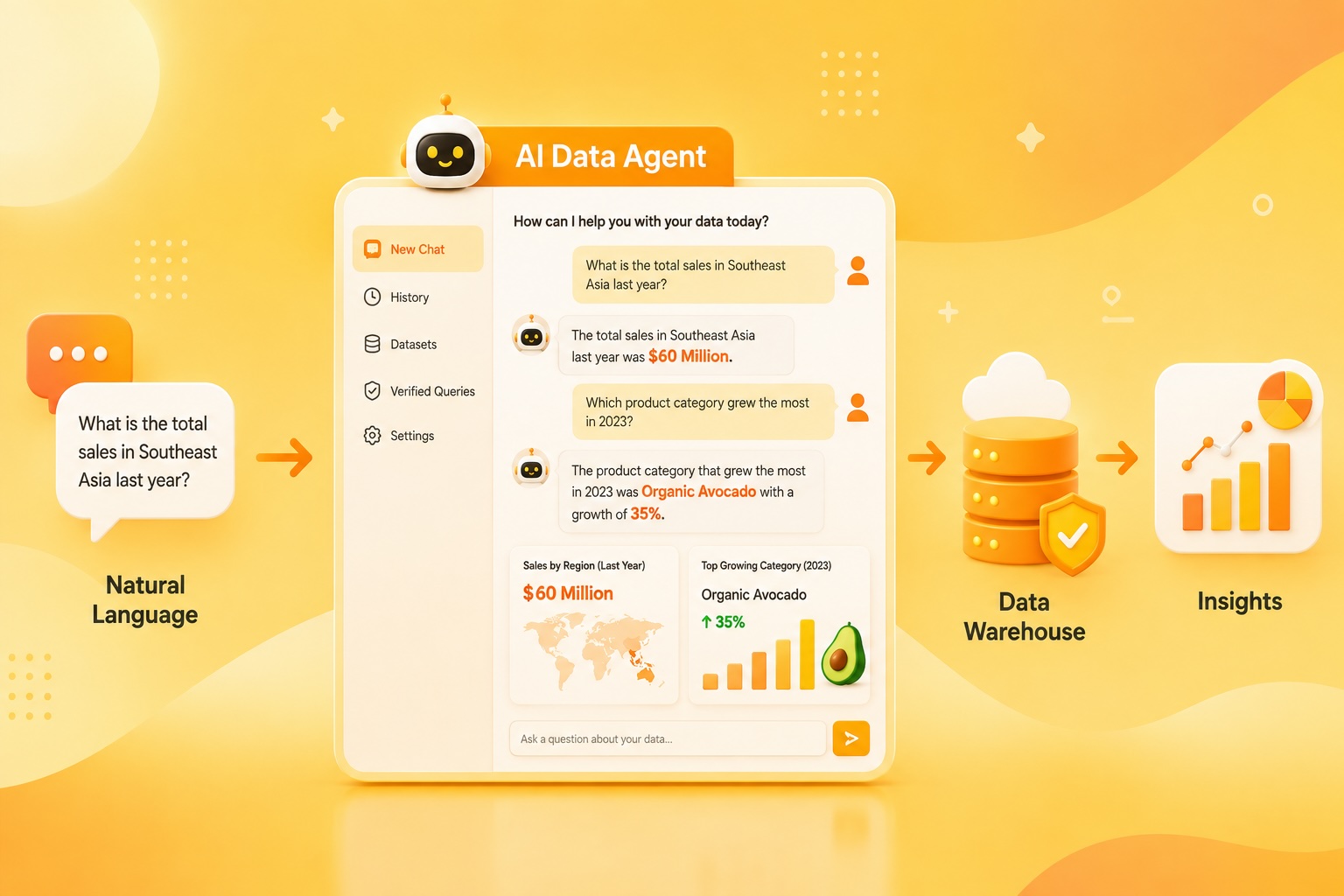
**Building an AI-Powered Data Agent: A Step-by-Step Guide to Avocado Sales Analytics**
In a previous article, we explored how to integrate AI into enterprise data platforms, highlighting common challenges in data engineering workflows and introducing three key elements of a practical AI architecture: data agents, AI-powered QA, and AI governance. This article dives deeper into data agents by walking through the complete process of building the **Avocado Sales Analytics Agent** using no-code tools.
—
### What Is a Data Agent?
A data agent is an AI-powered conversational interface that allows business users to ask questions in plain language and receive accurate answers by querying data stored in a data warehouse. Instead of waiting for data analysts to write complex SQL queries and generate reports, users can simply type, *“How much is total TPV in Southeast Asia last year?”* and instantly receive the answer, *“$60 Billion.”*
—
### Choosing the Right Approach
There are two main approaches to building a data agent:
1. **Building from scratch** using open-source frameworks like LangGraph, LangChain, CrewAI, or LlamaIndex. This offers full control over memory structures, business logic, and multi-agent workflows—ideal for advanced users.
2. **Using cloud-native data agents**, provided by major platforms such as:
– **Snowflake Cortex Agents**
– **Databricks Genie**
– **Microsoft Fabric Data Agents**
– **Google Cloud Conversational Analytics (BigQuery)**
For the Avocado Sales Analytics Agent, we chose **Google Cloud Platform (BigQuery)** because it offers a fully managed, no-code conversational analytics experience during the free trial and is easy to set up with a personal Google account.
The source data used was the **Avocado Prices dataset** from Kaggle, published under the CC BY 4.0 license.
—
### Building a Data Agent with No Code
BigQuery’s Conversational Analytics API allows us to build conversational data agents directly on top of BigQuery datasets. Here’s how we did it:
1. **Upload Data**: Download the Avocado Prices CSV from Kaggle and upload it to BigQuery.
2. **Understand the Schema**: Review table names, column names, data types, and business meanings before training the agent.
3. **Create the Agent**:
– Navigate to **BigQuery → Agent → Create Agent**
– Enter a name, description, and select the dataset as the knowledge source
4. **Write Instructions**: The instructions are critical—they guide the AI to avoid errors and generate accurate SQL.
#### Principles of Good Instructions
– **Be clear**: Use simple, precise language.
– **Give examples**: Show correct queries and responses.
– **Set boundaries**: Define what the agent should and shouldn’t do.
– **Define the role**: Clarify who the agent is and who the users are.
We provided detailed instructions covering table definitions, metric calculation rules, date handling, example queries, data quality notes, and common mistakes to avoid.
#### Verified Queries for Training
To ensure the agent generates correct SQL, we added **verified queries** that teach the agent how to calculate metrics properly. For example, instead of using `AVG(AveragePrice)`, the agent learned to use the correct weighted average formula.
—
### Building the Chat Application
For users without direct BigQuery access, we built a lightweight **Flask chat application** that communicates with the Conversational Analytics API.
#### Key Components
– **Environment variables**: Stored in `.env`, including project ID, location, and agent ID.
– **Authentication**: Used a service account key for secure access.
– **Agent initialization**: Connected to Google’s API using the Gemini Data Analytics client.
– **Chat session**: Maintained context across multiple questions.
– **Response filtering**: Removed intermediate “THOUGHT” messages to show only final answers.
The full code is available in a GitHub repository containing:
– `app.py`
– `templates/index.html`
– `requirements.txt`
– `.env` and service account key templates
—
### Complete Workflow
The Avocado Sales Analytics Agent follows this flow:
1. **User asks a question**
2. **Agent initialized** via Google Cloud API
3. **Conversation session created** or reused
4. **Question sent to API**, SQL generated and executed in BigQuery
5. **Final answer returned** in plain English
—
### Final Thoughts
Data agents significantly reduce the workload of data teams, improve productivity, and bridge the gap between business users and data professionals. The Avocado Sales Analytics Agent demonstrates how natural language questions can be transformed into accurate SQL queries and actionable insights.
While the agent performs well, there is room for improvement in:
– Semantic understanding of business terminology
– Richer business context through reusable sessions
– More natural, human-like conversations
– Support for complex analytical questions
In a future article, we’ll explore how to use the SDK to build reusable context containers that include business rules, definitions, and golden queries.
—
### FAQ
**Q1: Do I need coding experience to build a data agent?**
No. This article demonstrates how to build a data agent using no-code tools in BigQuery, making it accessible to non-developers.
**Q2: Can I use other platforms like Snowflake or Databricks?**
Yes. The article explains that Snowflake Cortex and Databricks Genie offer similar native data agents. However, we used Google Cloud for its ease of setup and free trial access.
**Q3: What is a verified query?**
A verified query is a pre-approved SQL query used to train the agent to calculate metrics correctly. It ensures the agent avoids common mistakes like using simple averages instead of weighted averages.
**Q4: Can I deploy this as a web app?**
Yes. The Flask app can be deployed on platforms like Google Cloud Run, AWS, or Heroku to make it accessible to users.
**Q5: Where can I get the source code?**
The full code is available in the GitHub repository referenced in the article.
—
### Conclusion
The Avocado Sales Analytics Agent showcases the power of AI-driven data agents in making data analysis accessible, fast, and intuitive. By leveraging BigQuery’s Conversational Analytics, we built a no-code solution that turns natural language questions into accurate insights.
As AI continues to evolve, data agents will become essential tools for democratizing data access and empowering business users. Thank you for reading—and consider buying me a coffee if you found this article helpful!
