



## Introduction to Bot Mode in Hermes Agent
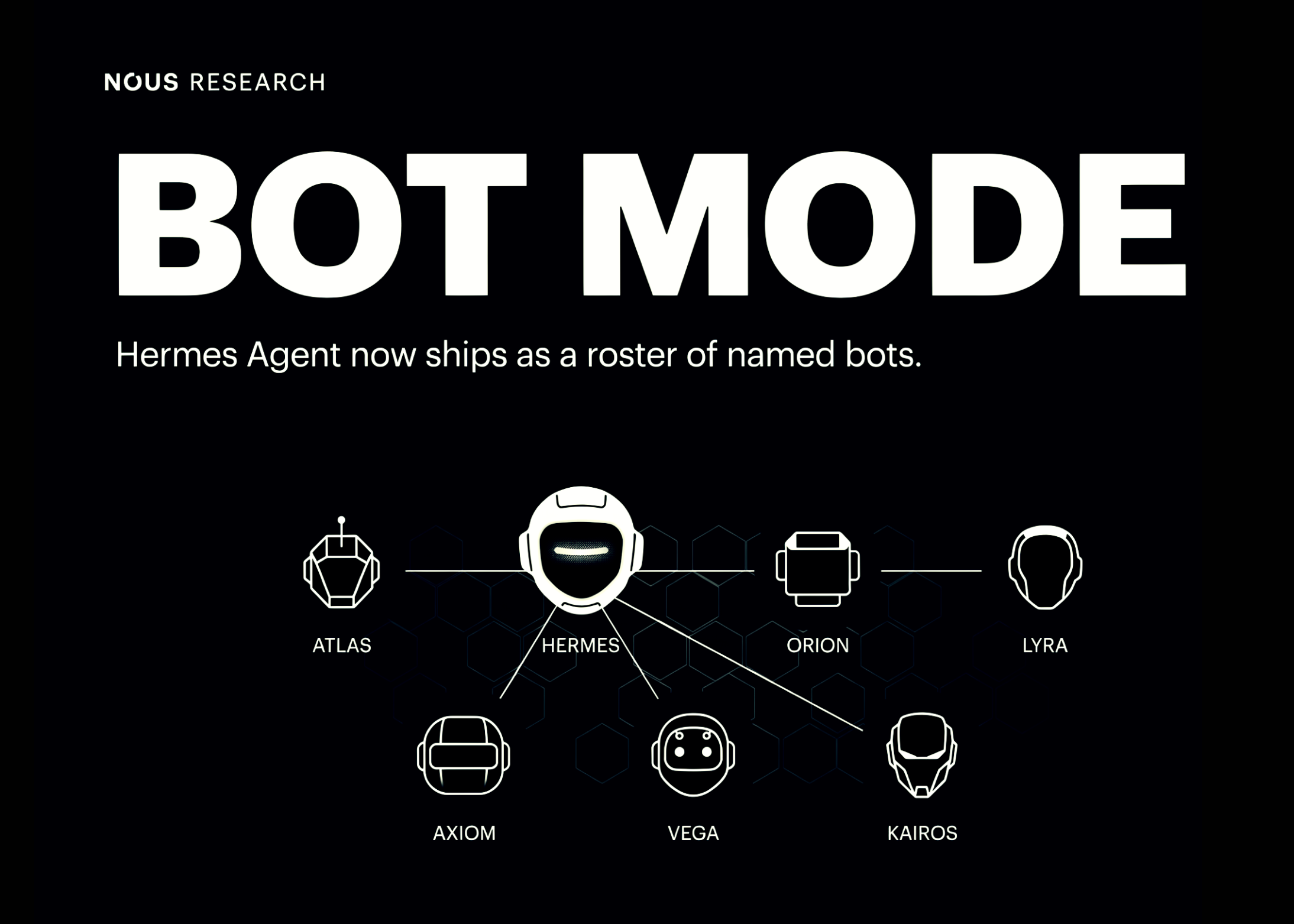
Hermes Agent now features Bot Mode, an innovative tool that transforms how you manage AI agents on your desktop. This mode replaces the traditional single-agent session list with a roster of named bots. Each bot operates as a fully independent Hermes profile, complete with its own chat history, memory, skills, and pinned model. Bot-to-bot communication happens through a persistent Agent Inbox, using @mentions for task delegation and collaboration. Originally launched as a one-day public beta plugin by co-founder Teknium, Bot Mode is now bundled and enabled by default in Hermes Desktop, starting with version v0.20.3.
—
## Key Features of Bot Mode
– **Profile-Based Bots**: Each bot is treated as a standalone Hermes profile stored locally under `~/.hermes/profiles/
– **Persistent Agent Inbox**: Bots communicate via an inbox system that supports @mentions for task handoffs and collaboration.
– **Customizable Configuration**: Per-bot settings include model pinning, custom SOUL.md persona files, skill sets, and appearance customization such as avatars.
– **Scheduled Tasks and Automation**: Bots can run routines (cron jobs) individually, enabling nightly reports, scheduled digests, or project-based workflows.
– **Group Chats**: A recently added feature allows bots to form group rooms (2–6 members), with options for @mention-based responses and serial turn-based replies.
—
## Is Bot Mode Ready for Deployment?
Yes—Bot Mode is deployable today on desktop environments at no additional license cost. It is distributed under MIT license and is fully integrated into Hermes Desktop under **Settings → Plugins**. While it is suitable for solo developers, startups, and small-to-medium engineering teams, enterprises should treat it as a workstation-level tool rather than managed infrastructure. Note that there is no centralized admin console, SSO, or audit logging, so regulated industries will need to implement their own oversight mechanisms.
### Ideal Use Cases
– **Software Engineering**: Debugging, code reviews, and PR feedback via specialized bots.
– **AI Research**: Experimental bots pinned to cutting-edge models alongside reporting bots.
– **Content Operations**: Drafting, editing, and publishing workflows with separated responsibilities.
– **IT Operations**: Monitoring and alert handling through dedicated bots.
—
## How Bot Mode Works Under the Hood
Bot Mode leverages the existing Hermes profile infrastructure. Each bot is essentially a profile directory with isolated settings, memory, and tools. Creation and editing are handled through Hermes’ RPC gateway, and avatars are generated using local or remote image generation services. Bots appear in system-level cron listings, and bot-to-bot messaging is executed through CLI commands that interact with the Agent Inbox. This design minimizes added complexity while maximizing flexibility.
—
## Configuration Options per Bot
When creating or editing a bot, users can define:
– **Name, title, and description**
– **Model pinning** for specific AI providers
– **Custom SOUL.md** files to define persona and behavior
– **Skill enablement** and tool configuration
– **Avatar selection**, including geometric shapes, images, or pixel pets
These settings are editable in real time and can be cloned or duplicated for rapid setup.
—
## Evolution from Beta to Default
Bot Mode began as a one-day public beta, during which user feedback helped shape its integration into the main Hermes Desktop application. The bundled version introduces additional capabilities such as group chats and synchronized rosters across devices. These updates are now part of Hermes Agent v0.20.3 and are maintained directly within the main codebase.
—
## Interactive Features and Usability
The interactive explainer demonstrates how Bot Mode handles:
– Switching between session-based workflows and bot-based profiles
– Isolated bot identity and resource management
– @mention-based handoffs between bots
– Group chat dynamics with configurable participant roles
These features are designed to provide both power and simplicity, depending on user needs.
—
## Frequently Asked Questions (FAQ)
### What is Bot Mode in Hermes Agent?
Bot Mode allows you to create multiple named bots, each functioning as an independent Hermes profile with its own memory, model, and chat history.
### Do I need a license to use Bot Mode?
No, Bot Mode is fully available at no extra cost under the MIT license.
### Which operating systems support Bot Mode?
Bot Mode is available on Hermes Desktop, which supports major desktop operating systems. Check the official site for specific system requirements.
### Can bots communicate with each other?
Yes, bots can pass tasks and messages using the Agent Inbox and @mention syntax.
### Is Bot Mode suitable for enterprise use?
It is best used as a workstation tool. Enterprises should implement additional governance if using it in regulated environments.
### How do I create or edit a bot?
Access the New Agent dialog in Hermes Desktop, provide basic info, and use the Advanced section to customize memory, models, and skills.
### What are groups in Bot Mode?
Groups let you organize bots into labeled sections and enable multi-bot group chats with turn-based responses.
### Can bots run scheduled tasks?
Yes, bots can run routines (cron jobs) for automated nightly reports or reminders.
—
## Conclusion
Bot Mode represents a significant evolution in how users manage AI agents locally. By treating each bot as a full-profile entity with isolated memory, models, and tasks, Hermes Agent enables more structured, scalable, and secure agent workflows. Its seamless integration, open licensing, and rapid evolution make it a powerful tool for developers, researchers, and operations teams looking to harness multi-agent collaboration directly on their desktop.
