



Mastering the Workflow: How to Handle a Flood of Minor Engineering Tasks with AI Assistants
The democratization of code generation has fundamentally shifted how we operate. With AI tools now capable of churning out software with incredible speed, the volume of incoming requests has skyrocketed. When you can push a fix to production in minutes, the floodgates open for minor bug reports, quick feature tweaks, and rapid design iterations. However, this abundance presents a new logistical nightmare. Managing fifty to a hundred discrete micro-tasks daily is unmanageable if you spin up a fresh conversational thread for each one—context windows will overflow, and the AI will lose focus. It also becomes impractical to bundle everything into a single massive prompt. To navigate this reality, I developed a structured approach to wrangle hundreds of small coding jobs efficiently.
The Daily Pipeline
1. **Centralized Collection:** All feedback funnels into a single communication hub, such as a team messaging channel. An automated script then translates these messages into tracked work items within a project board.
2. **Daily Focus Block:** Instead of juggling tasks randomly, I dedicate a specific daily time block to clear the queue. I open one persistent session for that specific day’s batch, leaving the previous day’s context behind to avoid clutter.
3. **Intake and Sorting:** The AI reads the backlog of work items. For straightforward patches, it proceeds immediately. For larger, ambiguous projects, it creates a handoff thread so it doesn’t clutter the main workflow with constant questions.
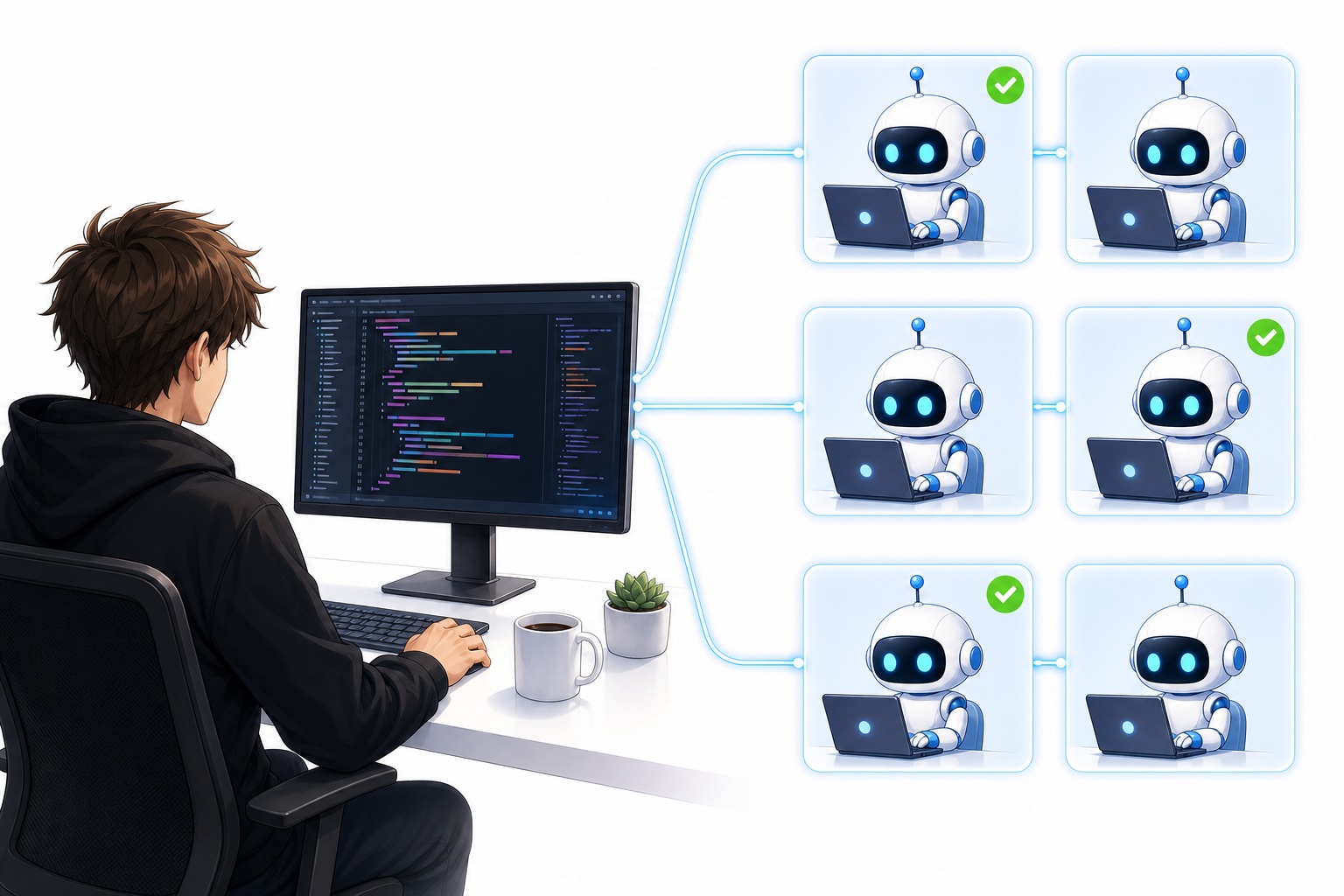
4. **Sub-Agent Orchestration:** The AI spawns isolated sub-agents for each minor task. Crucially, these sub-agents operate in separate environments so they don’t step on each other’s changes.
5. **Automated Reporting:** After implementation, the AI generates a detailed summary in a markup format. This report links back to the original request, provides the exact URL where the change can be tested, and outlines a step-by-step checklist for validation.
6. **Iterative Review:** I scan the report. If the work passes, it’s marked complete. If not, I provide specific feedback, and the AI revises the code until the checklist is fully satisfied.
The Art of Intake and Sorting
The intake phase is critical. A messy backlog leads to a messy codebase. I use a dedicated project management tool because it provides clean interfaces for AI interaction and visual progress tracking. By batching requests into a single daily session, the AI maintains a consistent context without the fatigue that comes from endless context switching.
Larger tasks are deliberately pulled out of the main batch. When an issue requires significant human clarification, keeping it in the main flow disrupts the momentum of quick fixes. By offloading complex requests to a separate thread, I can centralize my decision-making there and keep the daily sprint focused purely on autonomous execution.
Execution and Verification in Isolation
The real magic happens during execution. By instructing the AI to create isolated sub-agents, each micro-task gets its own sandbox. This prevents cross-contamination—one fix won’t accidentally break another because the environments are strictly separated. I can monitor all active sub-agents from a single dashboard without getting lost in the noise.
Verification is where most people skip steps and create technical debt. I never trust an automated push blindly. The AI-generated report is my quality gate. It provides a direct link to the specific feature or page in the staging environment, saving me from manual navigation. I simply work through the checklist, confirming each fix behaves as expected. If a subtle bug slips through, I flag it in the report, and the AI loops back to correct the implementation before I re-verify.
Frequently Asked Questions
**Q: What happens if a sub-agent makes a mistake that breaks existing functionality?**
A: Because each sub-agent operates in its own isolated environment, a mistake in one task cannot corrupt the codebase for another. You can simply discard that specific sub-agent’s changes, provide feedback on the error, and let the AI regenerate a clean solution without risking the rest of the day’s progress.
**Q: How do I decide which tasks are “simple” and which need a separate thread?**
A: Simple tasks are typically cosmetic fixes, typo corrections, or well-defined one-line logic changes where the expected outcome is clear. Tasks that require new architecture, involve multiple interconnected files, or lack precise specifications should be moved to a separate thread. This prevents the AI from stalling the main session waiting for your input on ambiguous design decisions.
**Q: Can this methodology work with other AI coding tools besides specific terminal-based agents?**
A: Absolutely. The core principles—centralized intake, isolated sub-execution, and structured verification reports—are agnostic to the specific tool. Whether you are using a different orchestrator, a cloud-based assistant, or a code editor extension, the pipeline of sorting, spawning isolated workers, and reviewing structured output remains the same.
**Q: Is it worth verifying tasks that the AI seems confident about?**
A: Yes. Even highly confident models can misinterpret edge cases or introduce subtle regressions. Spending thirty seconds to a minute verifying a task via the AI’s provided test link is far cheaper than dealing with a bug that reaches production. You will quickly learn which types of tasks are prone to error and prioritize those for manual verification.
Conclusion
Handling a high volume of minor engineering tasks used to feel like a game of whack-a-mole, but a systematic approach changes the game entirely. By establishing a clear intake process, leveraging isolated sub-agents for parallel execution, and enforcing structured verification via automated reports, you transform a chaotic stream of requests into a predictable, scalable production line. The key is balancing autonomy with oversight—letting the AI do the heavy lifting while maintaining a tight feedback loop on quality. Implementing this structured pipeline into your daily routine can drastically reduce context-switching overhead and accelerate your team’s delivery pace.
Thank you for reading
