




Programming languages have come a long way, growing more abstract and user-friendly over the decades. In the earliest era of computing, developers had to write programs in raw machine code, feeding binary instructions through punch cards—where each hole represented data or a command for early mainframes. This was slow and extremely prone to mistakes: even one wrong hole could crash the whole program and force a complete restart.
To ease this burden, assembly language was introduced, swapping out binary with readable shortcuts like ADD or MOV, which were then converted back into machine code.
A major breakthrough arrived in the 1950s with the first compiled high-level languages such as FORTRAN and COBOL. These used syntax resembling math and everyday language. Later, languages like ALGOL, C, and C++ brought in structured programming, memory management, and object-oriented design, greatly lowering software complexity and making code easier to maintain.
Today’s languages like Python and Java continue this evolution by emphasizing clarity and providing huge libraries, so developers can focus on solving real-world problems instead of wrestling with hardware details.
More recently, though, the way we write code is changing again with the rise of AI. This leads to an interesting question: will programming languages change too?
It seems likely that one day we might code in plain English. That’s why I was eager to test one of these future languages: CodeSpeak, now in alpha. Let’s see how it works.
Getting started
As always, before building, we need to set things up. Fortunately, it’s simple. Install CodeSpeak using the uv package manager:
uv tool install codespeak-cli
codespeak --version
# CodeSpeak CLI 0.4.1
Next, log in. Running this command opens a browser where you can sign in with Google or create a CodeSpeak account. After agreeing to the Terms & Conditions, you’re authorized.
codespeak loginThe last step is setting your API key, since CodeSpeak uses a Bring Your Own Key approach. Currently, it only supports an Anthropic API key, which fits their popularity for coding tasks. Generate your key and export it as an environment variable.
export ANTHROPIC_API_KEY=And that’s it. We’re ready to build.
Building with CodeSpeak
CodeSpeak supports starting from scratch with a spec, but I wanted to test it on an existing project to see how it handles real code.
In my last article, I built a workout tracking app using spec-driven development. I’ve been using it since and found several improvements, making it a good test case for CodeSpeak.
Takeover
Before adding features, we need initial specs. CodeSpeak can help here too.
I copied my fitness app code into a new repo, then removed all specs and the constitution file to mimic a real scenario where you quickly built something and now want to move to a structured workflow with CodeSpeak.
CodeSpeak lets you migrate parts or modules, but I chose to move the whole app. The repo has around 13K lines, so it’s a decent size for testing.
Start generating specs with:
codespeak takeoverCodeSpeak analyzes your files. In my case, it took about a minute, then showed a proposed structure: Frontend, Backend API, Data Layer, and Backend Tests.
Modules are a common concept, useful for creating smaller, self-contained parts, improving readability, and reuse. It’s great that CodeSpeak suggests four specs instead of one long document.
In the browser, you can review and adjust modules. I kept the suggested structure and migrated all modules.
CodeSpeak processed each module: reading files, generating specs, refining, and testing.
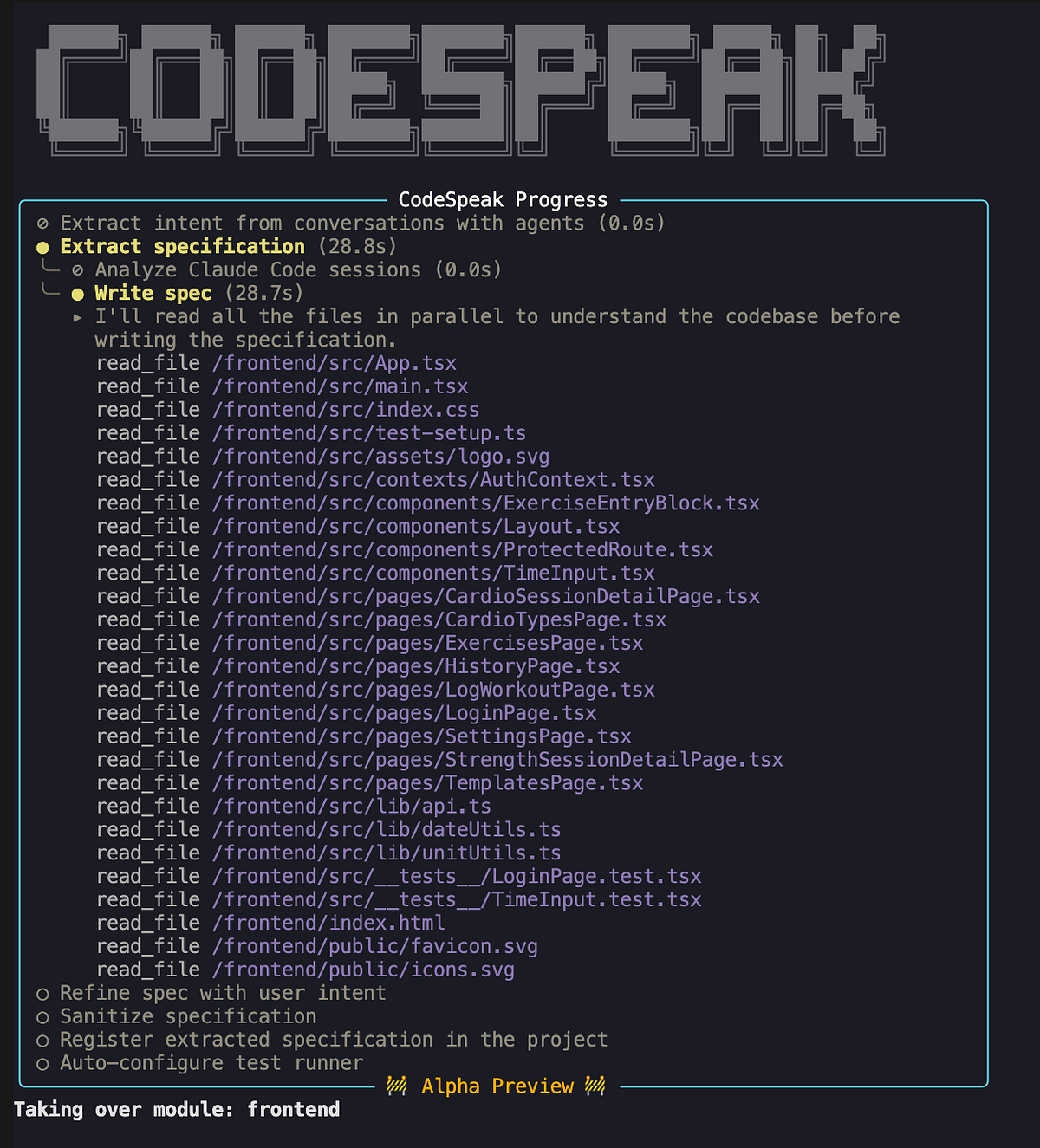
Finally, it created a specs directory with four files. Let’s look at frontend.cs.md.
It starts with an import: import specs/backend_api.cs.md. Imports track dependencies and context. For example, when working on frontend specs, it loads backend API specs first, which imports data layer specs, giving full context before changes. This is handy for clean code breakdown, similar to traditional software engineering.
The rest describes frontend parts: tech stack, auth, page functions, and test coverage.
Here is the paraphrased version of the article, with the HTML structure preserved and the text rewritten for clarity and readability:
Frontend SPA
├── Stack & Setup
├── Authentication
├── Layout & Navigation
├── API Client
├── Pages
│   ├── History (/history)
│   │   ├── Weekly summary card
│   │   ├── 12-week training trends chart
│   │   └── Session list
│   ├── Log Workout (/log)
│   │   ├── Cardio form
│   │   └── Strength form
│   ├── Session Detail (/sessions/:id)
│   │   ├── Strength session detail
│   │   └── Cardio session detail
│   ├── Templates (/templates)
│   ├── Settings (/settings)
│   │   ├── Activity Types
│   │   ├── Exercise Types
│   │   └── Exercises
│   └── Login (/login)
├── Shared Components
│   ├── ExerciseEntryBlock
│   ├── TimeInput
│   └── ProtectedRoute
├── Utility Modules
│   ├── dateUtils
│   └── unitUtils
└── Tests
    ├── LoginPage.test.tsx
    └── TimeInput.test.tsx
Initially, the generated specifications appeared thorough and seemed to reflect most of the implementation details accurately—even minor preferences like the use of the Montserrat font.
However, first impressions aren’t always reliable, so I decided to validate them rigorously. Fortunately, I still had access to the original specifications used during the app’s development. This allowed me to compare CodeSpeak’s output against the originals using a large language model (LLM).
The results were mostly favorable: the generated specs successfully captured the majority of implementation details. That said, a few elements were absent.
The most notable omissions were the project’s mission (the reason behind building it) and the roadmap (future plans). This is understandable, as neither can be reliably deduced from source code alone.
Additionally, some finer implementation nuances were missing—for instance, the exact definition of a “template change” or the specific formulas used to auto-generate titles for strength and cardio workouts. These gaps aren’t critical, though, since an LLM could likely infer them when necessary.
In summary, CodeSpeak performed exceptionally well at reverse-engineering specifications from an existing codebase. But generating specs was never the ultimate objective—so let’s put them to work and actually implement a new feature.
Adding a New Feature
I’m already using the app to log my workouts, but I’d also like feedback from an AI coach to assess whether my training regimen is effective. While I envision a fully integrated AI assistant in the future, we’ll start simple: add a feature that generates a plain-text workout summary, which users can copy and share with an AI tool.
Since we’re following a spec-driven development process, the first step is updating the specification. The change is primarily UI-focused, so I modified frontend.cs.md to describe the new functionality.
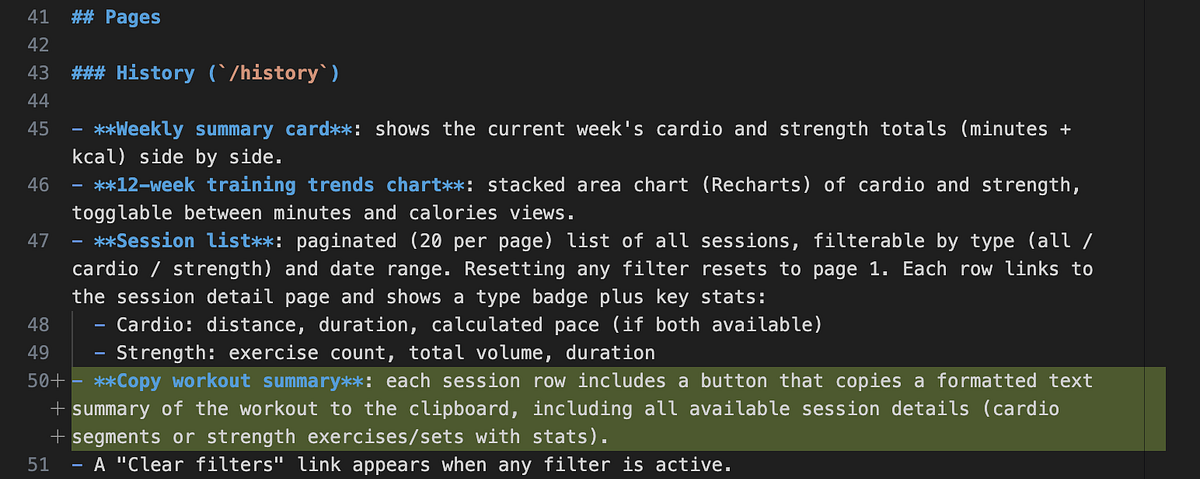
With the spec updated, I ran the following command to implement the change and verify all tests pass. From what I gather, CodeSpeak analyzes the diff in the spec and generates corresponding code to match the updated requirements.
codespeak build frontend.cs.mdTip: For a quicker implementation without full validation, use
codespeak implinstead.
Upon execution, CodeSpeak began by parsing the specs and identifying required changes. It started by inserting CodeSpeak headers into multiple files—an odd behavior, since it didn’t seem directly related to my request. Hopefully, this only occurs during the initial setup.
# Generated by CodeSpeak from spec file: specs/backend_api.cs.md
# Manual edits to this file are DISCOURAGED.
# CodeSpeak will attempt to preserve manual changes, but cannot guarantee it.
After handling the headers, it correctly pinpointed the core task: adding a “Copy Workout Summary” button to each session row in the HistoryPage. The implementation was completed, all tests passed, and the build succeeded.
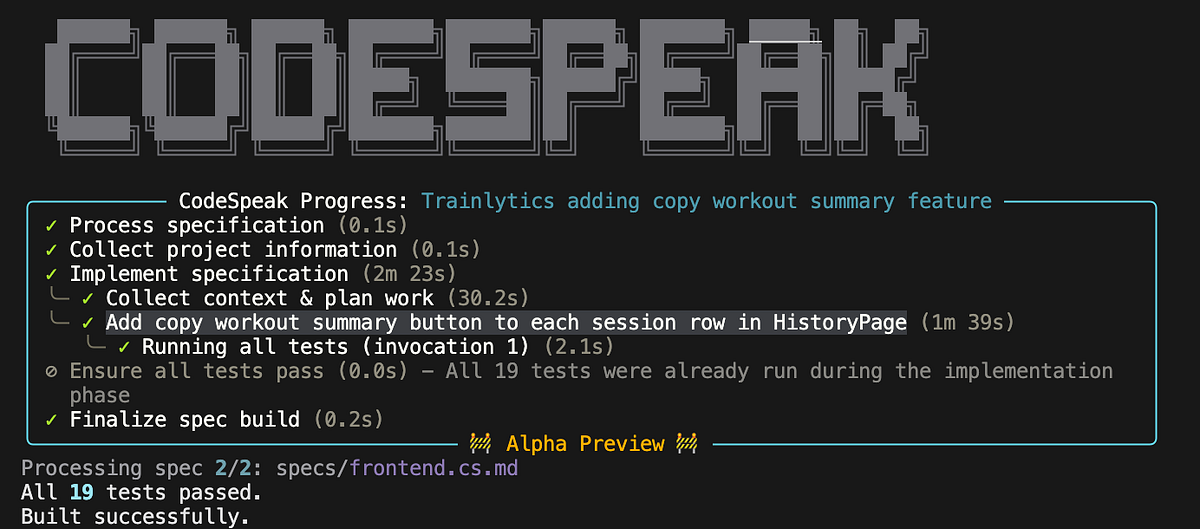
Time to test! The simplest way to verify a UI update is to launch the app and inspect it manually. I started the project locally using Docker Compose. The new copy button appeared beside each session in the history view and functioned properly for strength workouts. However, when I tried copying a cardio session, it failed—and worse, it failed silently, with no errors in the browser console or Docker logs.
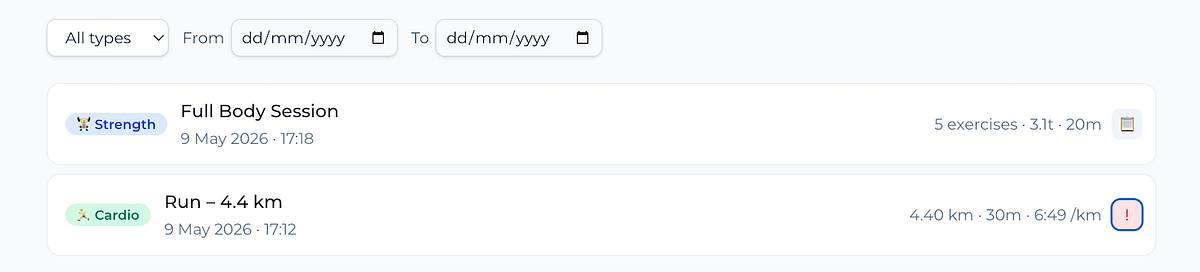
Now we had a bug. Crucially, the issue lay in the implementation, not the specification. To address this, I used CodeSpeak’s code change request feature. For minor tweaks, there’s a handy one-liner option.
codespeak change frontend.cs.md -m "Support format of cardio training for copy button"In my situation, the fix was a bit more involved, so I opted to create a dedicated change request file.
codespeak change --new
# Created template change request in
# /Users/marie/Documents/github/trainlytics_codespeak/change-request.cs.md
Inside the file, I specified both the bug fix and improved error logging.
- Enable copying summaries for cardio workouts, which currently fails
(likely due to differing data structures)
- Implement logging for copy failures, since errors are currently invisible
in both browser console and Docker logs
Next, I instructed CodeSpeak to apply the changes.
codespeak change frontend.cs.md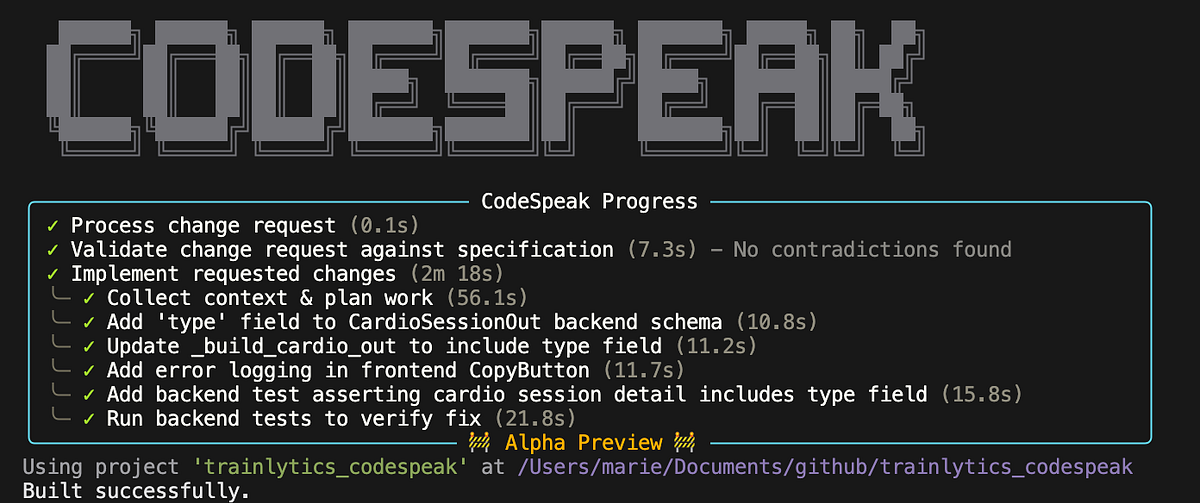
Before making any code modifications, CodeSpeak first checked whether the requested changes aligned with the existing specifications. If a conflict arises, it prompts you to either revise the request or update the spec first and rebuild from scratch. I found this validation step extremely valuable—it helps maintain consistency between specs and code, preventing drift over time.
In the
In the end, CodeSpeak resolved the issue and included additional tests to guard against similar regressions going forward.
So, we managed to build and test a new feature while also gaining hands-on experience with a modern programming language tailored for the AI era. With that, let’s conclude and reflect on what we learned.
Summary
All in all, I’d say this experiment went well. CodeSpeak successfully took control of a repository with over 10,000 lines of code without missing any critical implementation details, which is truly impressive. After that, we revised the specification and developed new functionality straight from it.
The first implementation attempt wasn’t flawless, but after filing a code change request, CodeSpeak not only corrected the bug but also added tests to ensure similar issues won’t resurface in future builds. I especially appreciated these built-in safeguards, as they help make the product more resilient over time.
Building with CodeSpeak felt quite distinct from the spec-driven development workflow I explored before. Let me point out a few notable differences.
In conventional spec-driven development, specifications are frequently produced by LLMs and can grow quite long. While thorough, this can make them more difficult for humans to read, maintain, and evolve. CodeSpeak appears to follow a very different approach: specifications are deliberately brief and include only the essential information required to generate code. They are designed to be read and modified by humans, possibly with some AI support.
This also makes it evident that CodeSpeak is mainly built for engineers. To use it well, you still need to grasp the modular structure of a system and make purposeful changes to specifications accordingly. In contrast, spec-driven development can arguably be adopted with far less engineering experience, since the workflow is often more like conversing with an agent and saving intermediate decisions in a repository to retain intent and context.
However, I have to confess that CodeSpeak was quite different from what I originally anticipated. I’ve worked with more than a dozen programming languages, and CodeSpeak doesn’t really look like any of them. In fact, the core innovation seems to be less about the language itself and more about the tooling and workflow surrounding it, which is an intriguing shift.
Unlike traditional programming languages with rigid syntax and semantic rules, CodeSpeak lets you write specifications in plain English with very few restrictions. This adaptability is powerful, but it also brings clear trade-offs: as we all know, a badly written prompt will likely result in a poor implementation.
So my hope is that as CodeSpeak evolves (and it’s worth noting that it’s still in alpha preview), it will adopt a more structured approach to writing high-quality specifications, along with better tools to validate and enhance them.
