






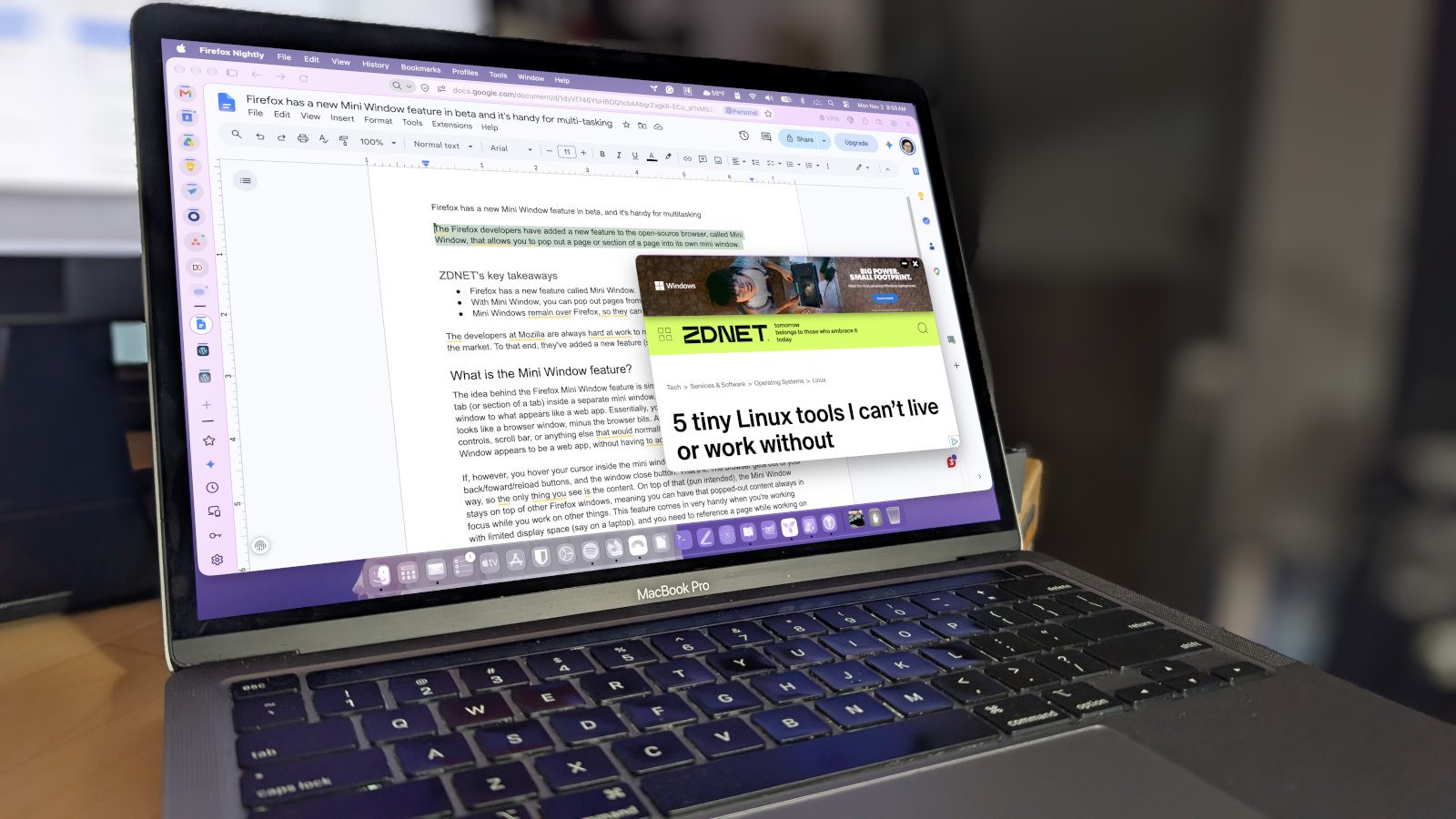
# Firefox’s New Mini Window Feature: A Game-Changer for Multitasking
Mozilla has been pushing the boundaries of what a web browser can do, and their latest experiment is already turning heads. A feature currently in beta called Mini Window allows Firefox users to detach portions of their browsing experience into small, floating windows that sit above their main browser interface. It’s a clever solution for anyone who juggles multiple tasks at once.
## What Is Mini Window?
Mini Window is a functionality built into Firefox that lets you take an open tab — or even just a selected section of a webpage — and pull it into a separate, compact window. Unlike a traditional pop-up, this mini window floats directly over your browser, giving you instant access to its content without needing to switch between tabs or full browser windows.
When the cursor enters the mini window, a minimalist set of controls appears: an address bar, back/forward/reload buttons, and a close button. Everything else disappears, putting the webpage content front and center. The mini window also stays on top of other Firefox windows, so you never lose track of what you’re referencing.
## How Does It Work?
Using Mini Window is straightforward. Right-click on any open tab, choose the “Move Tab” option, and then select “Move to Mini Window.” The tab instantly detaches and floats above your browser as a compact overlay. If you want even more precision, you can highlight a specific section of a page, right-click it, and choose “Move Section to Mini Window” — pulling only the content you need.
For those who prefer not to use beta software, the feature is expected to roll out to the stable version of Firefox in November. Until then, it can be accessed through Firefox Nightly, which can be installed alongside the standard release without any conflicts.
## When Is Mini Window Useful?
The real value of Mini Window shines in multitasking scenarios. Here are a few situations where it really comes in handy:
– **Writing and researching**: Keep your document open in the main window while referencing a source article in a mini window hovering above it.
– **Smaller screens**: On laptops with limited display space, having a second window of content without cluttering your taskbar is a lifesaver.
– **Stage Manager on macOS**: macOS Stage Manager limits you to one visible window at a time. Mini Window bypasses this restriction entirely.
– **Quick access tools**: Pin your favorite search engine or AI tool in a mini window for instant, always-available access while you browse or work.
## How Does This Compare to Chrome?
Google Chrome offers some similar capabilities through Picture-in-Picture mode and a Mini Player, but those are strictly limited to video and media content. Chrome also allows you to convert websites into web apps that can open in separate windows, but this approach is less flexible and doesn’t guarantee the window will always stay on top of your main browser. Firefox’s Mini Window is more versatile, working with any webpage or section of a page.
—
## Frequently Asked Questions (FAQ)
**Q: Is Mini Window available in the regular version of Firefox?**
A: Not yet. It’s currently in beta and available through Firefox Nightly. A stable release is expected in November.
**Q: Can I use Mini Window alongside my regular Firefox installation?**
A: Yes. Firefox Nightly can be installed and run independently alongside the stable version of Firefox without any conflicts.
**Q: Can I resize or move the Mini Window?**
A: Yes. When you hover over the Mini Window, the address bar and title bar become visible, allowing you to drag it to any position on your screen.
**Q: Does Mini Window work on all operating systems?**
A: Mini Window has been tested on Linux, macOS, and should function on Windows as well, since it’s a core Firefox feature.
**Q: Can I move only part of a webpage into a Mini Window?**
A: Absolutely. You can highlight a specific section of a page, right-click it, and select “Move Section to Mini Window” to isolate just that content.
**Q: Will Mini Window stay on top of other windows?**
A: Yes, it hovers above other Firefox windows, ensuring your popped-out content remains visible and accessible.
—
## Conclusion
Firefox’s Mini Window feature is a thoughtfully designed tool that addresses a real pain point for multitaskers. By letting users detach and float content in a clean, unobtrusive way, it makes browsing more efficient — especially for those working with limited screen space or managing complex workflows. With its planned stable release approaching, this feature is well worth keeping an eye on for anyone looking to get more out of their browser.
Thank you for reading