




We’re excited to introduce Amazon Bedrock Advanced Prompt Optimization, a powerful new feature designed to refine your prompts for any model available on Amazon Bedrock. This tool allows you to directly compare your original prompts against optimized versions across as many as five different models at once. Whether you’re looking to switch to a new model or enhance the performance of your existing one, this optimization helps you verify that your prompts maintain quality on established tasks while boosting results on those that need improvement.
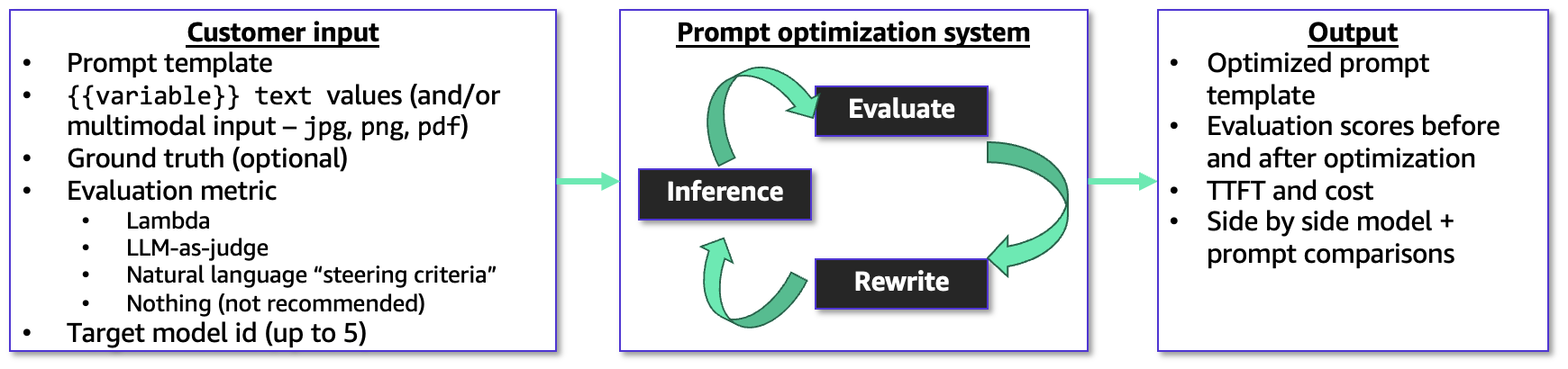
The optimization process requires your prompt template, sample user inputs for variables, correct reference answers, and a specific evaluation metric. It also supports multimodal inputs, accepting png, jpg, and pdf files, making it ideal for tasks involving document or image analysis.
You have the flexibility to guide the optimization using an AWS Lambda function, an LLM-as-a-judge rubric, or a simple natural language description. The system operates through a continuous feedback loop, refining both the prompt and the model’s responses based on your chosen metric. It then provides you with the original and improved prompt templates, along with evaluation scores, estimated costs, and latency details.
Bedrock Advanced Prompt Optimization in action
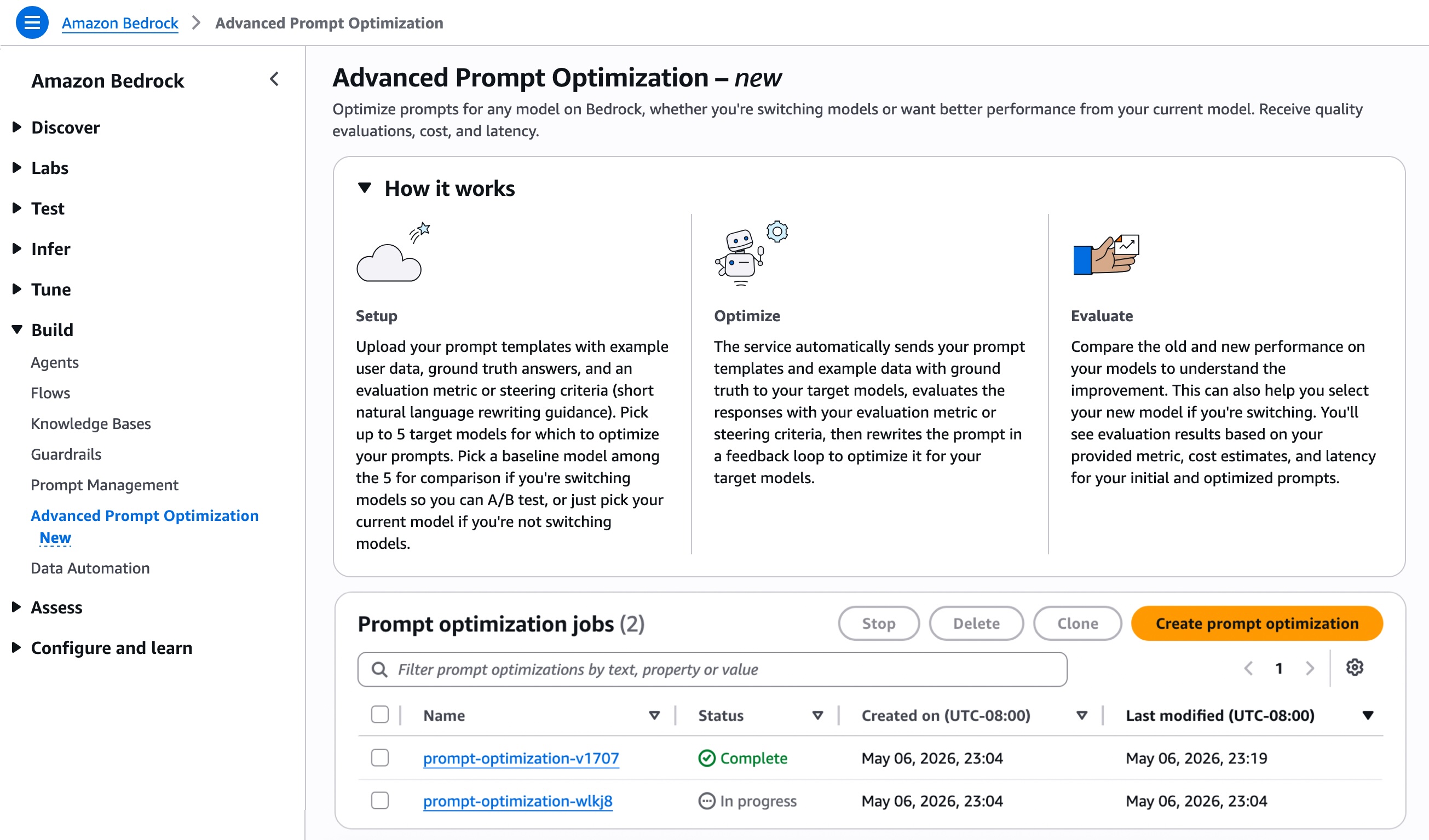
To begin using this feature, navigate to the Advanced Prompt Optimization section in the Amazon Bedrock console and select Create prompt optimization.
Select up to five inference models for prompt optimization. This is useful whether you’re migrating to a new model or seeking better performance from your current one. If you’re switching models, you can set your current model as a baseline and compare it with up to four others. If you’re staying with the same model, simply select it to see the difference before and after optimization.
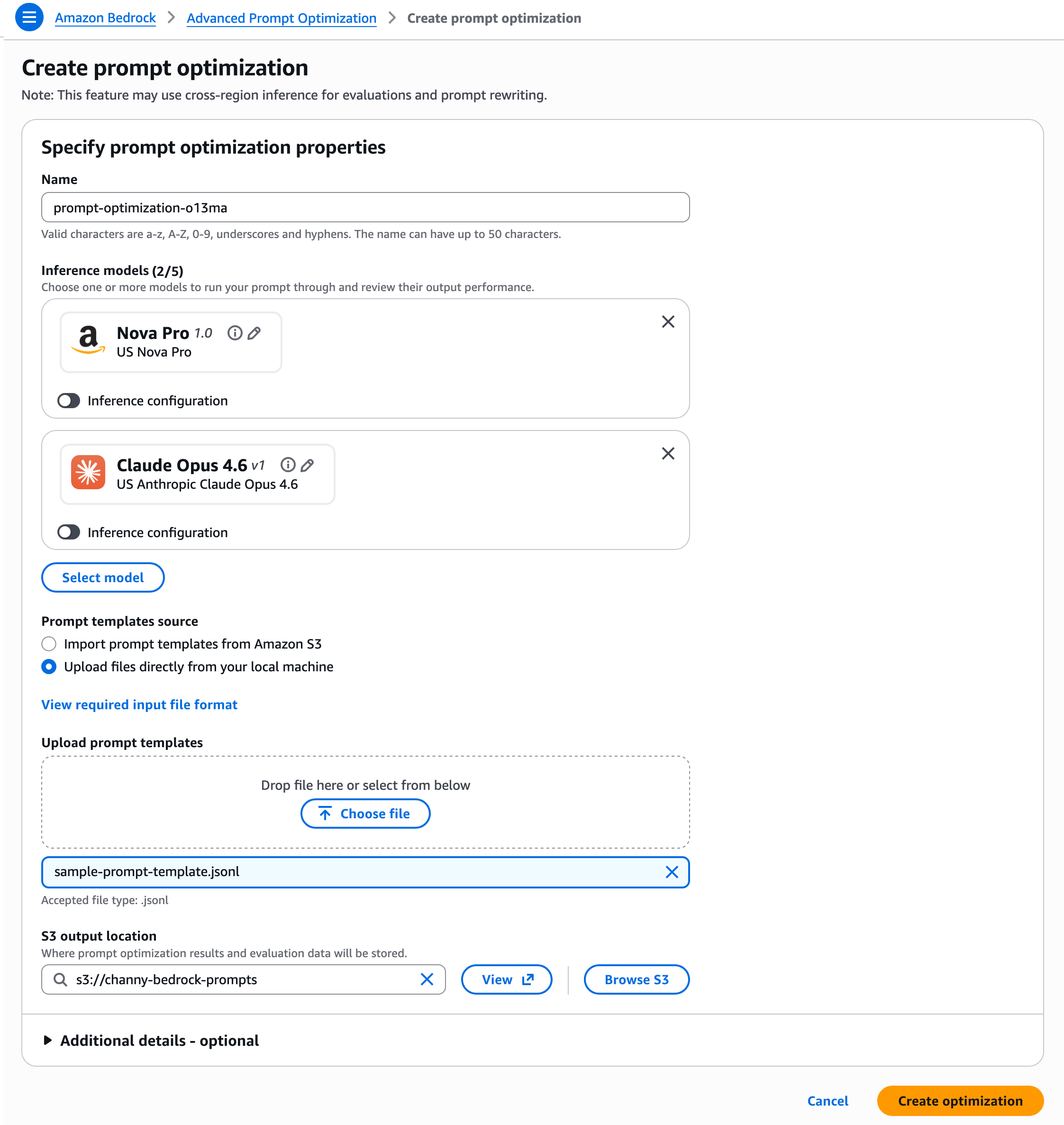
Prepare your prompt templates in JSONL format, including example user data, reference answers, and an evaluation metric or guidance for rewriting. Each JSON object in the .jsonl file must be on a single line.
{
    "version": "bedrock-2026-05-14",           // required; Fixed value
    "templateId": "string",                    // required
    "promptTemplate": "string",                // required
    "steeringCriteria": ["string"],            // optional
    "customEvaluationMetricLabel": "string",   // required if customLLMJConfig or evaluationMetricLambdaArn is used
    "customLLMJConfig": {                      // optional
        "customLLMJPrompt": "string",          // required if customLLMJConfig present
        "customLLMJModelId": "string"          // required if customLLMJConfig present
    },
    "evaluationMetricLambdaArn": "string",     // optional
    "evaluationSamples": [                     // required
        {
            "inputVariables": [                // required
                {
                    "variableName1": "string",
                    "variableName2": "string"
                }
            ],
            "referenceResponse": "string"      // optional
            "inputVariablesMultimodal": [      // optional
                {
                "Arbitrary_Name": {            // required for your multimodal variable.
                    "type": "string",          // choose from "PDF" or "IMAGE". Acceptable filetypes for IMAGE = png, jpg,
                    "s3Uri": "string"          // input the S3 path of the file
                }
            ]
        }
    ]
}
You can upload files directly or import prompt templates from Amazon Simple Storage Service (Amazon S3), and specify an S3 location for storing optimization results and evaluation data. Then, click Create optimization.
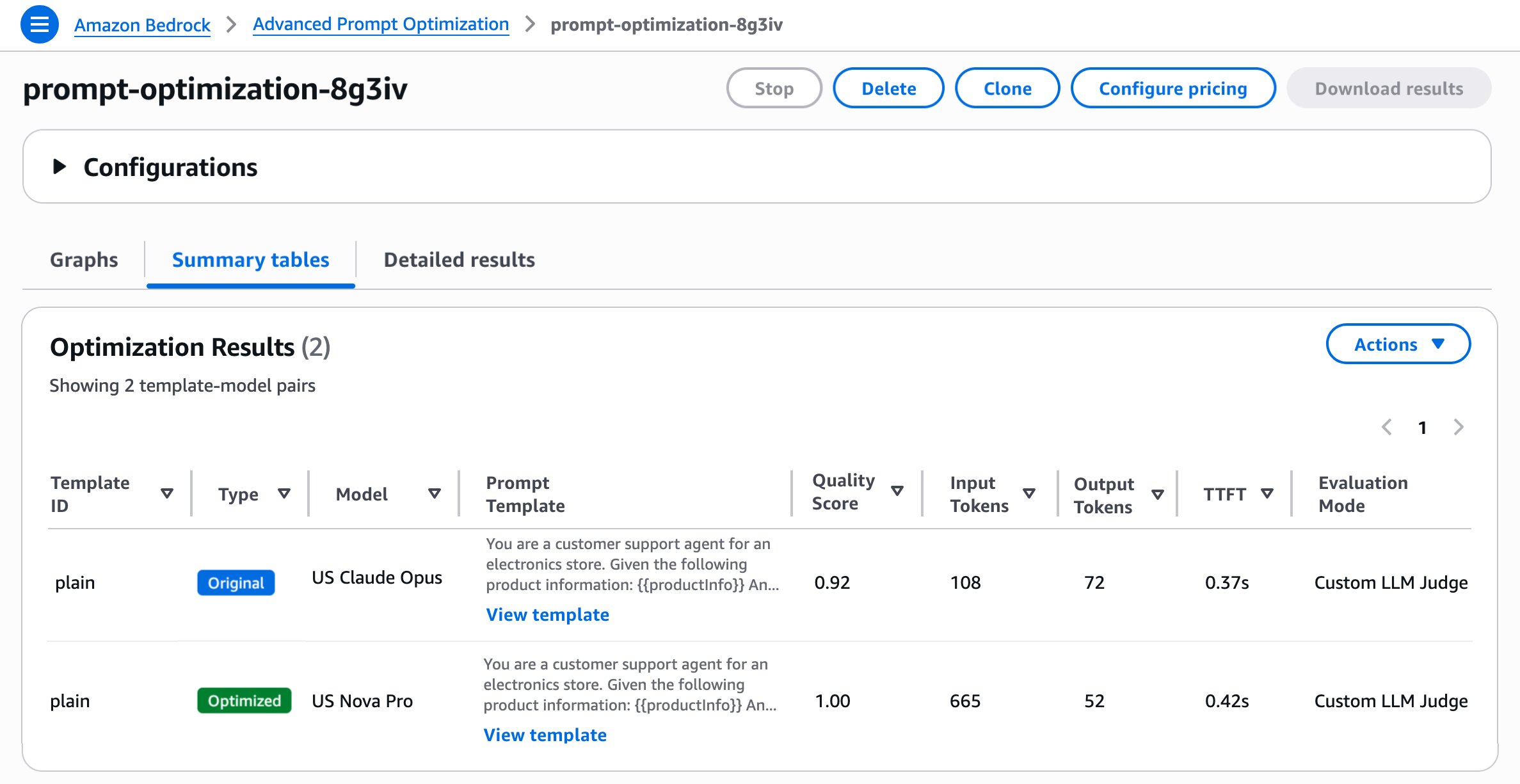
Amazon Bedrock automatically sends your prompt templates and example data, including optional reference answers, to your chosen inference models. It evaluates the responses using your specified metric and iteratively rewrites the prompt in a feedback loop to optimize it. You’ll receive evaluation results based on your metric along with your final optimized prompts.
As shown, you can assess prompt quality using three methods: a Lambda function with custom Python scoring logic, an LLM-as-a-Judge with a tailored rubric, or natural-language steering criteria. You can choose one method per prompt template, but run multiple templates in a single job, allowing different methods for each if desired.
- Lambda function — For concrete metrics like accuracy, F1 score, execution accuracy, or structured-JSON matching, deploy a Lambda function with your custom scoring logic and configure the
evaluationMetricS3Urifield in the prompt template. The core of the Lambda is acompute_scorefunction that programmatically compares model outputs to reference responses. - LLM-as-a-Judge — For open-ended tasks such as summarization, generation, or reasoning explanations where you want a rubric-based score, configure the S3 config file in the
customLLMJConfigfield of the prompt template. This defines named metrics with structured instructions and a rating scale. A Bedrock judge model evaluates each prompt-response pair and returns a score with reasoning. The default model is Claude Sonnet 4.6, but you can select your own from a list of available judge models. - Steering criteria — If you have specific qualities in mind (like brand voice, format, or safety constraints) but prefer not to write a full judge prompt, define criteria in your input dataset using the
steeringCriteriaarray in the prompt template. Instead of structured metrics with rating scales, you provide free-form natural language criteria that the LLM judge evaluates holistically. With this option, a default LLM-as-a-judge prompt evaluates responses while incorporating your steering criteria. The judge model used here is Anthropic Claude Sonnet 4.6.
For more details on using advanced prompt optimization and migration, check out the advanced prompt optimization guide in Bedrock and the sample code on Github.
Now available
Amazon Bedrock Advanced Prompt Optimization is now live in the following regions: US East (N. Virginia, Ohio), US West (Oregon), Asia Pacific (Mumbai, Seoul, Singapore, Sydney, Tokyo), Canada (Central), Europe (Frankfurt, Ireland, London, Zurich), and South America (São Paulo). Charges are based on the Bedrock model-inference tokens used during optimization, billed at the same per-token rates as standard Bedrock inference. For more information, visit the Amazon Bedrock pricing page.
Try out advanced prompt optimization today via the Amazon Bedrock console or the CreateAdvancedPromptOptimizationJob API, and share your feedback through AWS re:Post for Amazon Bedrock or your regular AWS Support channels.
— Channy
