



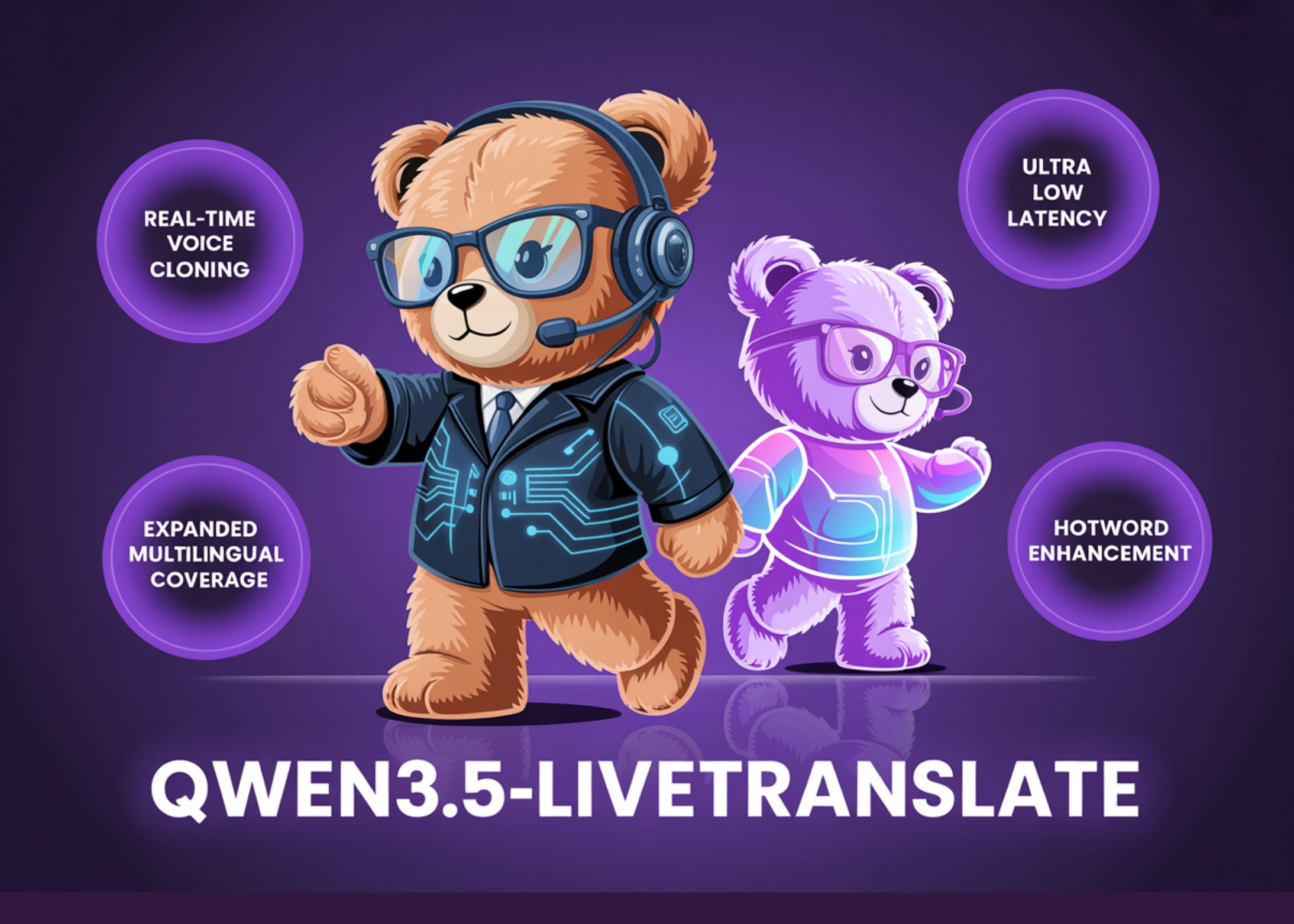
Real-time speech translation is one of the toughest challenges in applied AI. The model must begin translating before the speaker has even finished their sentence. Any added delay shatters the sense of seamless, live communication. Alibaba’s Qwen team has been steadily improving with each new release. Their newest model, Qwen3.5-LiveTranslate-Flash, cuts that latency to just 2.8 seconds and broadens language support to 60 input languages.

A Meaningful Jump From the Previous Release
The earlier Qwen3-LiveTranslate-Flash supported 18 input languages with roughly three seconds of delay. Qwen3.5-LiveTranslate-Flash trims that to 2.8 seconds, widens input coverage to 60 languages, and introduces speech output in 29 languages. That represents more than a threefold increase in input language support. For developers building multilingual applications, this largely eliminates the need to swap between different language-specific models in most global enterprise use cases.
The reduced latency stems from a method the team calls “reading unit” processing. Instead of holding off until a complete sentence arrives before generating a translation, the model determines when a segment has accumulated enough meaning to commit to an output. It then streams results continuously while the speaker is still mid-sentence. This follows the same principle as semantic unit prediction but with a more refined implementation that trims an additional 200 milliseconds.
Vision Is Now a First-Class Input
Most translation systems rely solely as their input signal. That works well in controlled studio environments. But it falls apart in a packed conference hall, a bustling trading floor, or any setting with overlapping voices and poor acoustics.
Qwen3.5-LiveTranslate-Flash takes a different path. It processes visual cues alongside audio — on-screen text, objects being shown, lip movements, and hand gestures. When a word sounds ambiguous or the audio quality drops, the visual information steps in and helps the model make a more accurate translation. This is far from a minor addition. In real-world deployments, clean audio can never be taken for granted. Having a visual channel means the model copes with the unpredictable nature of live interpretation far better than audio-only alternatives.
Voice Cloning Happens in Real Time
This is the standout feature of the Qwen3.5 release. Conventional translation systems swap the speaker’s voice with a generic synthetic one. Qwen3.5-LiveTranslate-Flash, by contrast, replicates the original speaker’s distinctive vocal characteristics during the translation process itself. A single sentence of spoken input is all the model needs to perform this acoustic adaptation.
For the audience on the other end, the translated speech sounds as though the same person is speaking in the target language — not a robotic stand-in. Whether it’s live conference interpretation, multilingual livestreams, or international customer support calls, this makes a real difference. The overall experience feels noticeably more natural and human compared to what existing systems offer.
Configure Domain-Specific Keywords
One recurring weakness of translation models in professional contexts is their handling of proper nouns and specialized terminology. A model interpreting a medical briefing might repeatedly mistranslate a drug name. A legal session could stumble over a technical statute reference.
Qwen3.5-LiveTranslate-Flash tackles this with dynamic keyword configuration at runtime. Developers can supply a glossary of brand names, medical terms, legal phrases, or technical jargon, and the model handles those terms with significantly greater accuracy. This capability is absent from most general-purpose translation tools.
Here is the paraphrased version of the HTML content, with the text rewritten for clarity and ease of reading while preserving the original structure and language:
APIs and it addresses a genuine need for specialized enterprise deployments.
Benchmark Performance
When evaluated on FLEURS and CoVoST2 — two widely recognized benchmarks for multilingual speech translation — Qwen3.5-LiveTranslate-Flash surpasses leading commercial alternatives. FLEURS assesses translation accuracy across numerous language pairs under realistic acoustic conditions. CoVoST2 includes 21 speech translation directions, serving as a reliable indicator of multilingual pipeline performance.
Marktechpost’s Visual Explainer
What it does
Qwen3.5-LiveTranslate-Flash at a glance
Qwen3.5-LiveTranslate-Flash is a closed-weight, API-only real-time translation model developed by Alibaba’s Qwen team. It processes audio and video frames simultaneously, producing translated text and speech. The model operates via a WebSocket-based protocol through Alibaba Cloud Model Studio.
Latency
2.8s
Per token to audio output
Input languages
60
Speech + visual input
Speech output
29
Languages with voice
Protocol
WebSocket
Persistent connection
Vision-enhanced understanding — lip movements, gestures, and on-screen text all contribute to the translation process alongside audio
Real-time voice cloning — replicates the original speaker’s voice in the translated output from just a single spoken sentence
Semantic unit prediction — generates output segments before a sentence is complete, allowing continuous streaming without waiting for full utterances
Dynamic keyword configuration — incorporates domain-specific glossaries during runtime for technical, medical, or legal terms
Before you start
Prerequisites
You’ll need an Alibaba Cloud account with Model Studio access and a valid DashScope API key. The model is accessible via the qwen3-livetranslate-flash-realtime model ID.
Create an Alibaba Cloud account
Register at alibabacloud.com and enable Alibaba Cloud Model Studio in your account dashboard.
Obtain your DashScope API key
Go to Model Studio → API Keys. Create a key and save it as the environment variable DASHSCOPE_API_KEY. Avoid embedding it directly in source code.
Install the Python dependency
Install the websocket-client package for WebSocket connectivity. For audio capture, also install pyaudio.
Verify your audio setup
The model requires 16kHz, 16-bit PCM mono audio input. Ensure your microphone or audio source supports this format before establishing a connection.
BASH
# Install dependencies
pip install websocket-client pyaudio

# Set your API key as an environment variable
export DASHSCOPE_API_KEY="your_key_here"
Step 3 — Connection
Establish the WebSocket connection
The model relies on the WebSocket protocol for a persistent, two-way connection. Authentication is handled via a Bearer token in the connection header using your DashScope API key.
PYTHON
import json, websocket, os

API_KEY = os.getenv("DASHSCOPE_API_KEY")
API_URL = (
    "wss://dashscope-intl.aliyuncs.com"
    "/api-ws/v1/realtime"
    "?model=qwen3-livetranslate-flash-realtime"
)

def on_open(ws):
    print("Connected to Qwen3.5-LiveTranslate-Flash")

def on_message(ws, message):
    data = json.loads(message)
    print("Translation event:", data)

def on_error(ws, error):
    print("Error:", error)

ws = websocket.WebSocketApp(
    API_URL,

[
    "Authorization: Bearer " + API_KEY],
    on_open=on_open,
    on_message=on_message,
    on_error=on_error
)
ws.run_forever() The connection remains active throughout the entire session. There’s no need to reconnect for each utterance. Simply keep sending audio chunks and image frames over the same socket.
Step 4 — Audio streaming
Set up and stream audio input
Once connected, send a session configuration event to define the source and target languages. Then continuously stream PCM audio chunks. The model relies on session.input_audio_transcription.language to detect the input language.
PYTHON
import base64, pyaudio

# Audio input settings: 16kHz, 16-bit PCM mono
INPUT_RATE    = 16000
INPUT_CHUNK   = 1600  # 100ms per chunk
INPUT_FORMAT  = pyaudio.paInt16
INPUT_CHANNELS = 1

def on_open(ws):
    # 1. Send session configuration first
    session_cfg = {
        "type": "session.update",
        "session": {
            "input_audio_transcription": {
                "language": "zh"  # source: Chinese
            },
            "translation": {
                "target_language": "en"  # target: English
            }
        }
    }
    ws.send(json.dumps(session_cfg))

    # 2. Stream audio from the microphone
    pa = pyaudio.PyAudio()
    stream = pa.open(
        rate=INPUT_RATE, channels=INPUT_CHANNELS,
        format=INPUT_FORMAT, input=True,
        frames_per_buffer=INPUT_CHUNK
    )
    while True:
        chunk = stream.read(INPUT_CHUNK)
        audio_b64 = base64.b64encode(chunk).decode()
        ws.send(json.dumps({
            "type": "input_audio_buffer.append",
            "audio": audio_b64
}))Don’t send audio before the session.update event is confirmed. Wait for the server’s session confirmation before streaming any audio chunks.
Step 5 — Vision input
Send video frames for vision-enhanced understanding
Qwen3.5-LiveTranslate-Flash processes lip movements, gestures, and on-screen text from video frames in addition to audio. Send base64-encoded JPEG frames at regular intervals during the session. Even a low frame rate notably improves accuracy in noisy audio environments.
PYTHON
import cv2, base64, threading, time

def stream_video_frames(ws):
    cap = cv2.VideoCapture(0)  # 0 = default camera
    while True:
        ret, frame = cap.read()
        if not ret:
            break
        # Encode frame as JPEG → base64
        _, buf = cv2.imencode(".jpg", frame)
        img_b64 = base64.b64encode(buf).decode()
        ws.send(json.dumps({
            "type": "input_image_buffer.append",
            "image": img_b64
        }))
        time.sleep(0.5)  # ~2fps is sufficient

# Run video streaming in a separate thread
threading.Thread(
    target=stream_video_frames,
    args=(ws,), daemon=True
).start()Vision input is optional but recommended for live human speech scenarios. For pre-recorded audio files without a camera feed, you can skip image frames entirely and rely on audio alone.
Step 6 — Domain accuracy
Dynamic keyword configuration
For technical, medical, legal, or brand-specific vocabulary, you can inject a keyword glossary at session start. The model uses this list to significantly improve translation reliability for terms that standard training data may handle inconsistently.
PYTHON
# Add to your session.update payload
session_cfg = {
    "type": "session.update",
    "session": {
        "input_audio_transcription": {
            "language": "zh"
        },
        "translation": {
            "target_language": "en"
        },
        # Inject domain keywords here
        "keywords": [
            {"source": "达芬奇机器人",  "target": "da Vinci Surgical System"},
            {"source": "腹腔镜",      "target": "laparoscope"},
            {"source": "实体瘤",      "target": "solid tumor"}
        ]
    }
}Keywords are especially useful for proper nouns, product names, and domain-specific jargon that generic translation models often mistranslate.
tumor”}
]
}
}
ws.send(json.dumps(session_cfg))
- Handles brand names, drug names, legal statutes, and technical model numbers
- Keywords are scoped to the session and do not persist across connections
- Keep the list focused — only terms where mistranslation would cause real errors
Reference
Supported languages
Qwen3.5-LiveTranslate-Flash understands 60 input languages and can produce speech output in 29 languages. The highlighted pills below are confirmed speech output languages. All pills represent supported input.
Chinese
English
French
German
Spanish
Japanese
Korean
Russian
Portuguese
Italian
Arabic
Hindi
Turkish
Indonesian
Thai
Vietnamese
Greek
Mandarin
Cantonese
Wu dialect
Sichuanese
Tianjin dialect
Beijing dialect
+ 37 more
Highlighted pills have confirmed speech (audio) output support. Plain pills are input-only or unconfirmed for voice output. Verify your specific target language pair in the Alibaba Cloud Model Studio documentation before building audio-output pipelines.
The model supports text output for all 60 input languages. Speech output is available for 29 languages only. If your pipeline requires audio delivery and your target language is not in the confirmed list, plan for a fallback TTS step.
Key Takeaways
- Qwen3.5-LiveTranslate-Flash delivers real-time multimodal interpretation across 60 input languages and 29 speech output languages at 2.8 seconds of latency.
- The model uses vision-enhanced comprehension — reading lip movements, gestures, and on-screen text — to maintain accuracy in noisy or degraded audio environments.
- Real-time voice cloning replicates the original speaker’s voice profile in the translated output using just a single spoken sentence.
- Semantic unit prediction via “reading units” processing enables continuous streaming output without waiting for full sentences, reducing latency to 2.8 seconds.
- Dynamic keyword configuration allows developers to inject domain-specific glossaries at runtime, improving translation reliability for technical, medical, and legal terminology.
Check out the Technical details. Also, feel free to follow us on Twitter and don’t forget to join our 150k+ ML SubReddit and subscribe to our Newsletter. Wait! Are you on Telegram? Now you can join us on Telegram as well.
Need to partner with us for promoting your GitHub repo, Hugging Face page, product release, webinar, or more? Connect with us
