



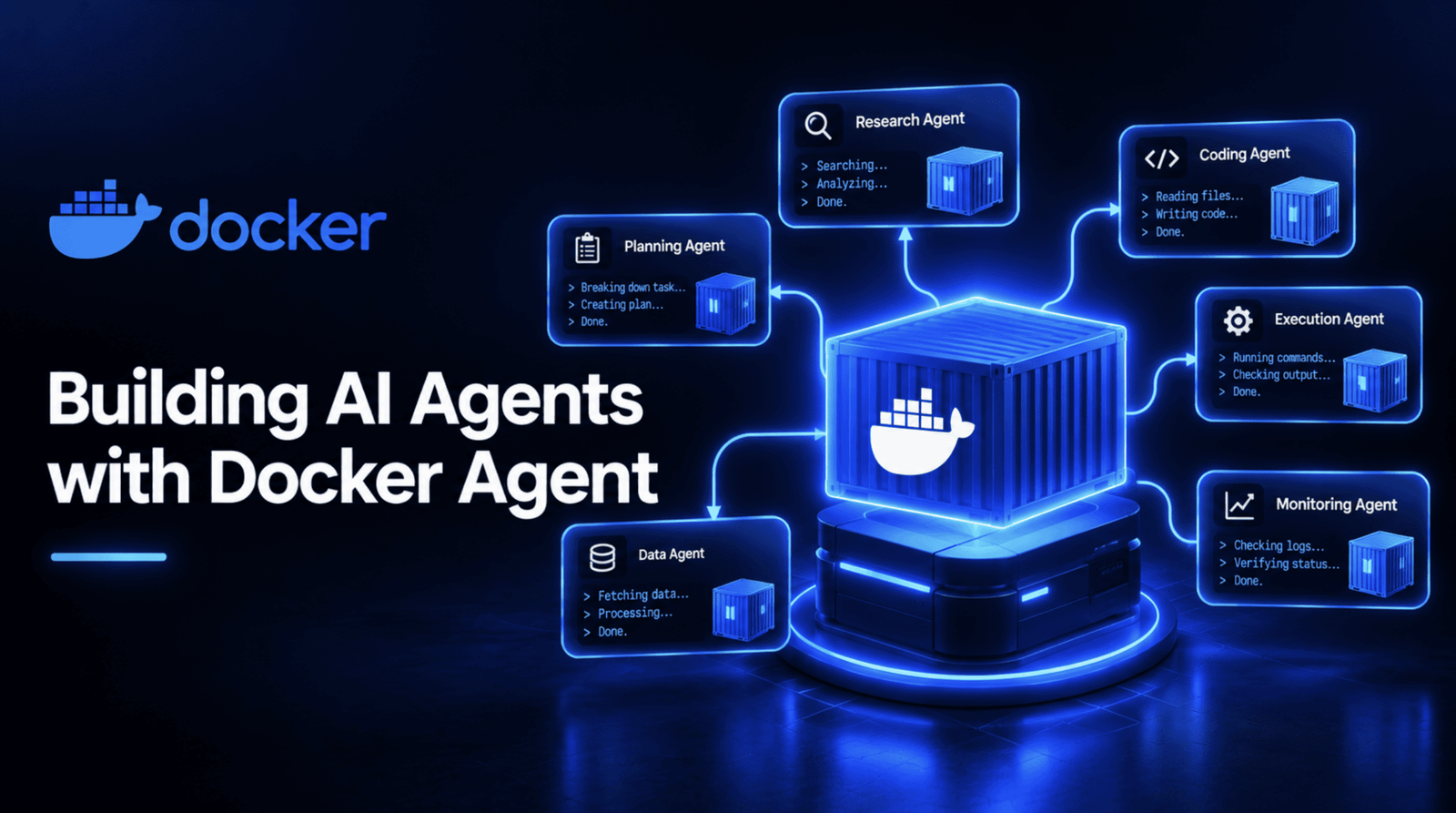
# Docker Agent: Defining, Running, and Sharing AI Agents Like Containers
The software industry has long solved a fundamental problem — how do you package an application so it runs identically on every machine? Docker answered that with containerization. Now, the same philosophy is being applied to artificial intelligence agents through a new open-source CLI plugin that lets you describe agents in configuration files, execute them from the command line, and distribute them through familiar registry infrastructure.
This article walks you through everything you need to know to get started, from a fresh installation to deploying a coordinated team of specialized agents.
—
## What Makes This Approach Different
Traditional AI agent frameworks require writing code — Python scripts, class definitions, orchestration logic — to create even a simple assistant. Docker Agent takes a radically different approach: you define your agent’s behavior in a declarative configuration file, typically YAML, specifying the model to use, the instructions that govern its behavior, and the tools it has access to.
The tool itself is a CLI plugin distributed under the Apache 2.0 license, developed and maintained by Docker’s core engineering team. It is installed as `docker agent` and runs on top of the Docker runtime you may already have on your system. Early releases surfaced in March 2026, and the project has seen rapid adoption, surpassing 3,300 GitHub stars and accumulating thousands of commits.
What sets it apart from other agent frameworks:
– **No code required** — agents are pure configuration files, making them accessible to non-developers
– **Provider-agnostic** — works with OpenAI, Anthropic, Google Gemini, AWS Bedrock, Mistral, xAI, and local models through Docker Model Runner
– **Native multi-agent orchestration** — build teams of specialized agents that hand off work to one another
– **Tool flexibility** — built-in toolsets plus support for any Model Context Protocol (MCP) server, whether local, remote, or containerized
– **OCI registry distribution** — agents can be pushed to and pulled from the same registries used for container images
This tool did not emerge in isolation. Docker spent 2025 laying the groundwork: extending Docker Compose to support agents and AI models, and shipping Docker Model Runner as a way to run models locally without relying on cloud API keys. Docker Agent is the culmination of that effort — a standalone, dedicated tool purpose-built for agent management.
—
## Installation and Setup
Before you can build an agent, you need three things: Docker installed on your machine, a running Docker daemon, and access to at least one language model.
### Installation Methods
If you are running Docker Desktop version 4.63 or newer, the plugin is included by default. Simply type `docker agent` in your terminal to confirm it is available.
For Homebrew users on macOS, install the binary directly with:
“`bash
brew install docker-agent
“`
You can invoke it as `docker-agent`, or create a symlink at `~/.docker/cli-plugins/docker-agent` so you can use the shorter `docker agent` command syntax instead.
Alternatively, download the prebuilt binary from the project’s GitHub Releases page and symlink it the same way.
### Connecting a Model
To connect a cloud model provider, set the appropriate API key as an environment variable:
“`bash
export ANTHROPIC_API_KEY=sk-ant-your-key-here
# or OPENAI_API_KEY, GOOGLE_API_KEY, depending on your provider
“`
If you prefer to run models entirely locally without a cloud API key, Docker Model Runner provides a path to do so. This is a viable alternative throughout every example in this article.
Verify the installation by running:
“`bash
docker agent –help
“`
If the command outputs a list of available subcommands rather than an error message, you are ready to create your first agent.
—
## Creating Your First Agent
The smallest possible Docker Agent configuration lives in a single file. Create a file named `agent.yaml` with the following contents:
“`yaml
agents:
root:
model: anthropic/claude-sonnet-4-5
description: A helpful coding assistant
instruction: |
You are an expert software developer. Help users write
clean, efficient code. Explain your reasoning step by step.
toolsets:
– type: filesystem
– type: shell
– type: think
“`
Here is what each field means:
– **`root`** — this is the agent’s name. Every configuration requires at least one agent named `root` to serve as the entry point.
– **`model`** — follows a `provider/model-name` format, pointing here to Claude Sonnet 4.5 through Anthropic.
– **`description`** — a brief human-readable summary used by the runtime to identify the agent, especially important when multiple agents coexist in a single configuration.
– **`instruction`** — the system prompt written in plain language. This is where you define the agent’s personality, capabilities, and behavioral constraints.
– **`toolsets`** — the capabilities the agent is granted: `filesystem` for reading and writing files, `shell` for executing commands, and `think` for structured reasoning before taking action.
The `think` toolset is particularly valuable for models that do not have strong native chain-of-thought reasoning capabilities built in. It gives the agent a dedicated space to work through problems methodically before producing a response.
### Running the Agent
To launch an interactive chat session:
“`bash
docker agent run agent.yaml
“`
For scripted or automated use — such as calling the agent from a CI pipeline — pass a single instruction with the `–exec` flag:
“`bash
docker agent run –exec agent.yaml “Create a Dockerfile for a Node.js app”
“`
The first command opens an interactive terminal interface for ongoing conversation. The second skips the interactive loop entirely, sends the instruction once, prints the result, and exits.
—
## Equipping Agents with Powerful Tools
A basic agent with filesystem and shell access can handle a surprising amount of work. But genuinely capable agents often need to reach beyond the local machine — searching the web, querying databases, calling external APIs. Docker Agent supports this through the Model Context Protocol (MCP), and the recommended approach is to run MCP servers inside their own Docker containers.
This containerized approach keeps the MCP server isolated from your host system, which is the security advantage. Rather than running an arbitrary local process that might have broad access to your machine, the server runs in a contained environment with only the permissions you explicitly grant it.
Here is an example configuration for a research-focused agent with persistent memory and web search capabilities:
“`yaml
agents:
root:
model: anthropic/claude-sonnet-4-5
description: Research assistant with memory and web search
instruction: |
You are a research assistant. Search the web for information,
remember important findings, and provide thorough analysis.
toolsets:
– type: think
– type: memory
path: ./research.db
– type: mcp
ref: docker:duckduckgo
“`
The `memory` toolset gives the agent a persistent storage file at the specified path, enabling it to retain facts across multiple turns in a session rather than starting fresh with each message. The `mcp` toolset with the `docker:duckduckgo` reference instructs Docker Agent to launch the DuckDuckGo MCP server inside its own container — the officially recommended pattern for secure, isolated tool execution.
—
## Building a Multi-Agent Team
Where Docker Agent truly shines is in orchestrating teams of specialized agents. Instead of relying on a single general-purpose agent to handle every task, you define a small group of specialists, each with a narrow focus, and a coordinator that delegates work between them.
Consider a content research workflow: a coordinator receives a topic, hands it to a researcher for gathering information, then passes the findings to a writer for producing a polished report.
“`yaml
agents:
root:
model: anthropic/claude-sonnet-4-5
description: Coordinator for a content research team
instruction: |
You are a content lead coordinating a small research team.
When given a topic, delegate web research to the researcher,
then pass the findings to the writer to produce a short,
well-organized report. Review the final output before
presenting it to the user.
sub_agents: [researcher, writer]
toolsets:
– type: think
researcher:
model: openai/gpt-5
description: Web researcher who gathers and summarizes findings
instruction: |
Search the web for current, credible information on the
given topic. Summarize the key findings in a structured list,
noting the source for each claim.
toolsets:
– type: mcp
ref: docker:duckduckgo
– type: memory
path: ./research.db
writer:
model: anthropic/claude-sonnet-4-5
description: Turns research findings into a clear, organized report
instruction: |
Take the research findings you’re given and write a short,
well-structured report a general reader could follow, with
clear section headings and no unexplained jargon.
toolsets:
– type: filesystem
“`
The `sub_agents` field on the `root` agent is the key that transforms three separate configurations into one coordinated team. It automatically grants the root agent access to a `transfer_task` tool, which it can use to hand off work to team members.
When the coordinator decides the researcher should handle a task, it calls `transfer_task(agent=”researcher”, task=”…”, expected_output=”…”)`. This starts the researcher in its own clean sub-session, waits for completion, and returns the result to the coordinator for further processing.
Notice that each agent in this team uses a different provider — Claude for the coordinator and writer, GPT-5 for the researcher. This is a deliberate and supported design choice: Docker Agent lets you select the best model for each role rather than forcing a single model to handle every type of task in a team.
—
## Validating Your Configuration
Before deploying any agent configuration, it is wise to confirm that the file is well-formed and conforms to the expected schema. Docker Agent provides a real JSON schema against which you can validate every configuration, turning what could be guesswork into a concrete, checkable step.
A simple Python validation script can be built directly from the schema published in the project repository:
“`python
import yaml, json, jsonschema
with open(“agent-schema.json”) as f:
SCHEMA = json.load(f)
def validate(yaml_text: str, label: str):
config = yaml.safe_load(yaml_text)
try:
jsonschema.validate(instance=config, schema=SCHEMA)
print(f”[{label}] VALID against agent-schema.json”)
except jsonschema.ValidationError as e:
print(f”[{label}] SCHEMA VALIDATION ERROR: {e.message}”)
“`
The schema file (`agent-schema.json`) is downloaded directly from the `docker/docker-agent` repository, ensuring your validation checks against the current specification rather than an outdated approximation.
To confirm the validator works as intended, it can be tested against a deliberately malformed configuration — for instance, one containing a fabricated toolset type. The validator should correctly reject it with a clear error message pointing to the exact location of the problem. All configurations in this article have been confirmed to pass this check.
### Running Your Configuration
Once validated, you have several options for executing your agent:
– **Interactive mode** (default) — opens a live chat interface
– **Single execution** — `docker agent run –exec agent.yaml “your task”` runs once and exits
– **Unattended execution** — adding `–yolo` auto-approves every tool call the agent requests, useful for fully automated pipelines but should be used intentionally
– **Guided tour** — `docker agent getting-started` launches an interactive walkthrough inside the chat interface for those who prefer learning by doing
—
## Packaging and Distributing Agents
One of the most compelling aspects of Docker Agent is how naturally it fits into existing container workflows. A finished, validated agent can be pushed to any OCI-compatible registry and pulled to any machine running Docker Agent — no local YAML file required on the receiving end.
“`bash
docker agent run myorg/agent:tag
“`
Agents can also reference one another across the registry system, enabling teams to build configurations that mix local and externally maintained sub-agents:
“`yaml
agents:
root:
model: openai/gpt-5
description: Coordinator that delegates to a shared, pinned research agent
instruction: |
Delegate research tasks to the shared researcher agent.
sub_agents:
– reviewer:docker.io/myorg/review-agent@sha256:44117e73263afa5c861bdf3730dae7925918ffdd146827eee5bcff20bc55e8fa
“`
When referencing external agents, there is an important distinction between using a tag and using an immutable digest. A plain tag like `myorg/agent:latest` is re-resolved against the registry on every single run, adding network latency and introducing a failure point if the registry is unreachable or credentials expire. A digest reference — the long `@sha256:…` string — pulls the agent from local cache with no network round-trip at all. This guarantees that the agent’s behavior remains identical across runs and over time, since a tag can silently point to an updated version while a digest never changes.
This configuration was validated against the real schema, confirming that external reference syntax is exactly what the system expects.
—
## FAQ
**What is Docker Agent and who maintains it?**
Docker Agent is an open-source CLI plugin maintained by Docker’s core engineering team, distributed under the Apache 2.0 license. It extends Docker’s container-centric philosophy to AI agents by allowing agent definitions to be written in configuration files rather than code.
**Do I need programming experience to use Docker Agent?**
No. Agents are defined in YAML (or HCL for those who prefer it), making them accessible to users without any software engineering background. The declarative format means you describe what the agent should do in plain language rather than writing code to implement it.
**Which AI models are supported?**
Docker Agent works with a wide range of providers including OpenAI, Anthropic, Google Gemini, AWS Bedrock, Mistral, xAI, and fully local models through Docker Model Runner. You can even mix models within a single multi-agent team, selecting the best model for each role.
**How is multi-agent orchestration handled?**
You define a coordinator agent with a `sub_agents` field listing the team members. The coordinator gains access to a `transfer_task` tool that lets it delegate work to other agents in isolated sub-sessions, collect results, and synthesize them before responding.
**Can agents be shared and distributed?**
Yes. Finished agents can be pushed to and pulled from any OCI-compatible registry — the same infrastructure used for container images. They can also reference shared agents from external registries within their own configurations, enabling reusable, team-wide agent libraries.
**How do I ensure my configuration is correct?**
Docker Agent provides a JSON schema that you can use to validate any configuration file programmatically. This catches errors early, before you attempt to run an agent, and ensures your definitions conform to the expected structure.
**What is MCP and why should I care?**
MCP (Model Context Protocol) is an open standard for connecting AI agents to external tools and data sources. Docker Agent supports MCP servers natively, and the recommended pattern is to run them inside their own Docker containers for security and isolation.
**Is there a way to run this without a cloud API key?**
Yes. Docker Model Runner allows you to run models locally on your machine, eliminating the need for any cloud provider API keys entirely.
—
## Conclusion
Docker Agent represents a meaningful shift in how we think about AI agents — not as fragile, hand-written code that lives on a single developer’s laptop, but as portable, versionable artifacts that can be checked into source control, automatically validated against a formal schema, and distributed through the same infrastructure that already handles container images.
The workflow is deliberately incremental. Start with a single-agent configuration, confirm it behaves as expected, and then grow it into a coordinated team one delegated role at a time. Validate each step against the real schema rather than assuming a configuration that looks correct actually is correct.
The broader pattern is significant: it treats an agent’s entire identity — its model, its instructions, its tools, its teammates — as a first-class software artifact. This means existing DevOps practices around versioning, testing, and distribution apply to AI agents in exactly the same way they apply to any other piece of software.
For teams already comfortable with Docker and OCI registries, the learning curve is minimal. The concepts map directly to what you already know, but the payoff is a new kind of software — intelligent, autonomous, and as portable as a container.
Thank you for reading
