



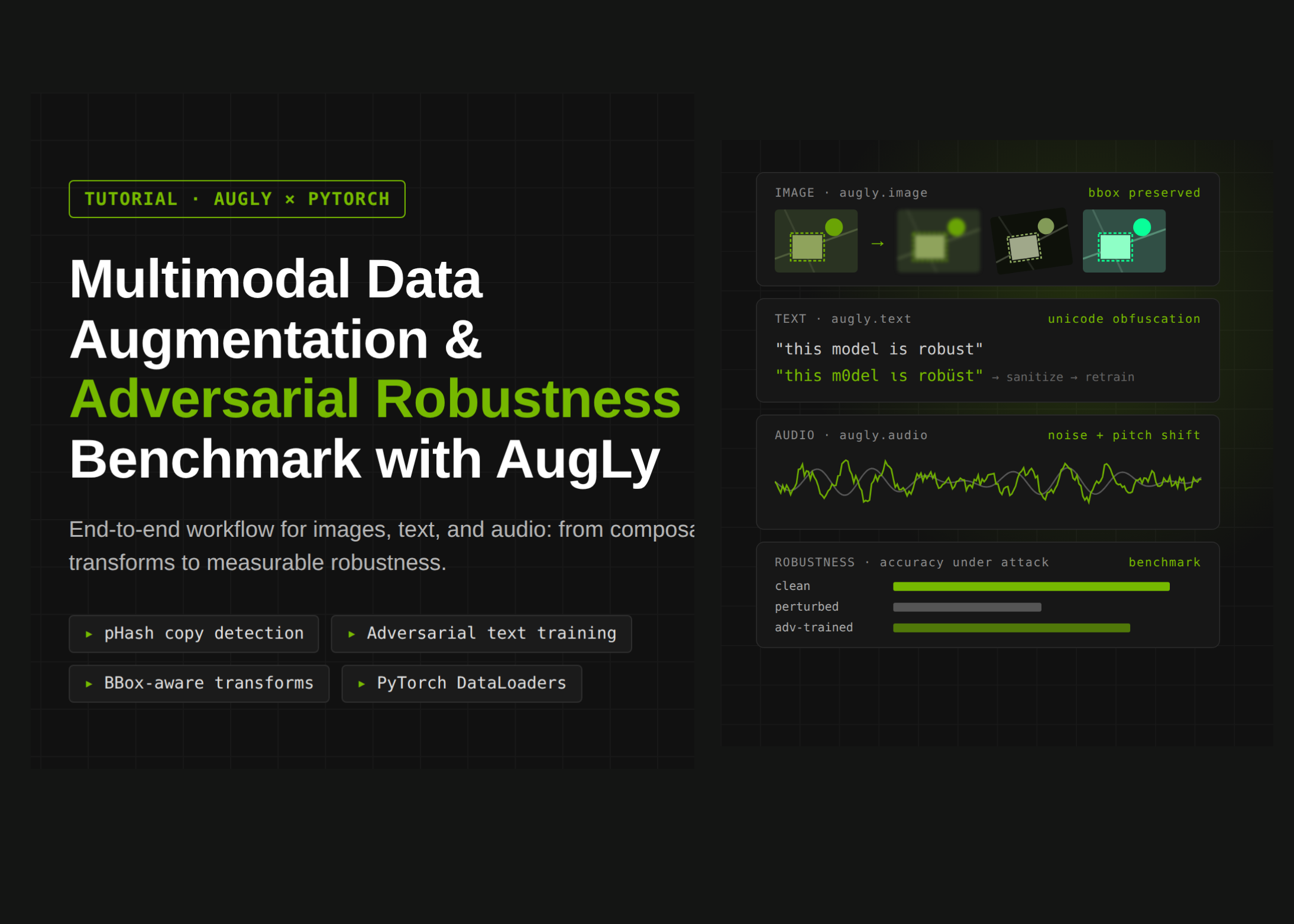
# Exploring Image and Text Augmentation with AugLy: A Comprehensive Guide
## Introduction to Augmented Data
Data augmentation has become an indispensable technique in machine learning and computer vision workflows. By artificially expanding training datasets through transformations like rotations, color shifts, and noise injection, practitioners can build more robust models that generalize better to unseen data. Among the libraries available for this purpose, AugLy — developed by Meta — stands out for its breadth of supported modalities, including images, text, audio, and video, all under a unified API.
This article walks through the core capabilities of AugLy for image augmentation, demonstrates how to generate synthetic datasets programmatically, and shows how to capture detailed metadata about every transformation applied.
—
## Setting Up the Environment
Before diving into augmentation, you need to install AugLy and its dependencies. The library can be installed via pip, along with auxiliary packages for handling file types, regular expressions, and NLP-based augmentations:
– **libmagic** — a system library for identifying file types
– **iopath** — a unified file I/O interface supporting multiple storage backends
– **python-magic** — Python bindings for libmagic
– **regex** — an advanced regular expression library
– **nlpaug** — a dedicated library for natural language augmentation
Once installed, AugLy exposes two main submodules: `augly.image` for visual transformations and `augly.text` for textual ones. The library also ships with a collection of built-in assets such as emojis, meme templates, and watermark images that can be used during augmentation.
—
## Generating a Synthetic Dataset
One practical use case for AugLy is creating synthetic training data for object detection or classification tasks. The library makes it straightforward to generate images procedurally using Python’s Pillow (PIL) toolkit.
A typical approach involves:
1. Creating blank canvases with randomized background colors.
2. Drawing random lines across the canvas to simulate texture or noise.
3. Placing a shaped region (ellipse, rectangle, or triangle) at a random position with a bright color and a white border.
4. Recording the bounding box of the placed shape in Pascal VOC format — a standard annotation style that specifies the top-left and bottom-right coordinates.
By repeating this process with a fixed random seed, you can generate a reproducible set of images where each one contains exactly one shape of unknown type and position. This gives you a ready-made toy dataset complete with ground-truth labels and bounding boxes.
Similarly, a small sentiment analysis corpus can be built from templates by combining subject phrases (e.g., “the movie,” “this restaurant”) with positive or negative adjectives and trailing clauses. Shuffling the resulting pairs produces a balanced binary classification dataset that is simple enough to learn yet non-trivial due to the variety of phrasings.
—
## Augmenting Images with AugLy
AugLy offers over two dozen image augmentation functions, each available both as a functional call and as a callable class. Every transformation supports an optional `metadata` argument — a list that gets populated with a dictionary containing details about the operation after execution.
### Supported Transformations
The library covers a wide range of visual manipulations:
– **Blur** — softens the image using Gaussian blur with a configurable radius.
– **Brightness** — adjusts the overall brightness by a multiplicative factor.
– **Color Jitter** — simultaneously perturbs brightness, contrast, and saturation.
– **Crop** — extracts a rectangular sub-region defined by normalized coordinates.
– **Encoding Quality** — re-encodes the image at a specified JPEG quality level, simulating compression artifacts.
– **Grayscale** — converts the image to a single-channel grayscale representation.
– **Horizontal and Vertical Flip** — mirrors the image along the respective axis.
– **Meme Format** — adds top and bottom text bars, mimicking internet meme styling.
– **Opacity** — reduces the overall transparency of the image.
– **Overlay Emoji** — places an emoji somewhere on the image with adjustable size and opacity.
– **Overlay Screenshot** — composites a random screenshot behind the original image.
– **Overlay Stripes** — adds semi-transparent diagonal stripes as a watermark-like effect.
– **Overlay Text** — writes random text onto the image surface.
– **Pad Square** — expands the shorter dimension to make the image square.
– **Perspective Transform** — applies a projective distortion simulating a change in viewing angle.
– **Pixelization** — reduces the resolution of regions to create a pixelated effect.
– **Random Noise** — adds Gaussian noise to pixel values.
– **Rotation** — rotates the image by a specified number of degrees.
– **Saturation** — amplifies or dampens color intensity.
– **Scale** — resizes the image by a given factor.
– **Sharpen** — enhances edge contrast to make the image appear crisper.
– **Shuffle Pixels** — randomly rearranges pixel positions within local blocks.
– **Skew** — applies an affine skew along one or both axes.
Each function returns the transformed image and, when `metadata` is passed, fills the list with an intensity score and other diagnostic information.
### Functional vs. Class-Based API
AugLy follows the common pattern of offering both a function-based interface (`imaugs.blur(image, radius=3.0, metadata=m)`) and a class-based interface (`imaugs.Blur(radius=3.0, p=1.0)(image)`). Both produce identical results, giving users the flexibility to choose whichever style fits their pipeline — functional calls are great for one-off transformations, while class instances are ideal for repeated use or integration with frameworks like PyTorch.
—
## Understanding Augmentation Metadata
One of AugLy’s most powerful features is its metadata tracking system. After applying any augmentation with a `metadata` argument, the library records:
– **`name`** — the exact transformation applied.
– **`intensity`** — a normalized score reflecting how strongly the transformation was applied (0 to 1 scale for most transforms).
– **`src_width`** and **`src_height`** — the dimensions of the input image.
– **`dst_width`** and **`dst_height`** — the dimensions of the output image.
This metadata is invaluable for debugging augmentation pipelines, understanding which transformations have the strongest effect on model performance, and reproducing exact preprocessing steps during inference. By collecting metadata from every transformation and storing it in a structured format like a pandas DataFrame, you can sort, filter, and analyze augmentation patterns across an entire dataset.
For instance, sorting augmentations by intensity reveals which transformations were applied most aggressively, helping you fine-tune parameters for optimal data diversity without distortion.
—
## Working with Text Augmentation
Beyond images, AugLy provides a rich set of text augmentation functions. These include operations such as:
– **Synonym replacement** — swapping words with their contextual synonyms.
– **Random insertion** — inserting new words at random positions.
– **Random swap** — exchanging the positions of two words.
– **Random deletion** — removing words with a given probability.
– **Character-level perturbations** — inserting, deleting, or substituting individual characters.
Text augmentations are particularly useful for NLP tasks where labeled data is scarce. By applying these transformations to existing sentences, you can generate many variants that preserve the original meaning while introducing lexical diversity. The library handles edge cases like punctuation preservation and context-aware synonym selection, making it suitable for production pipelines.
—
## Visualizing Augmentations
Comparing augmented outputs side by side is essential for quality assurance. A common pattern is to create a grid of images using matplotlib, where each cell displays the transformed image along with a caption describing the augmentation type and its intensity. This visual inspection helps identify problematic transformations — for example, an overly aggressive blur that renders key features unrecognizable, or a perspective distortion that changes the aspect ratio too drastically.
By combining the functional API with a simple grid-displaying utility function, you can quickly iterate on augmentation parameters and build confidence that your pipeline is producing meaningful, varied training samples.
—
## Frequently Asked Questions
**Q1: What is AugLy and who developed it?**
AugLy is an open-source data augmentation library created by Meta (formerly Facebook). It supports images, text, audio, and video, and is designed to work seamlessly within machine learning workflows to expand and diversify training datasets.
**Q2: How does AugLy differ from other augmentation libraries like Albumentations or torchvision?**
While Albumentations and torchvision focus primarily on image transformations, AugLy is notable for its multi-modal support — it can augment text, audio, and video in addition to images. It also provides a built-in metadata tracking system that records details about every transformation, which is useful for auditability and reproducibility.
**Q3: What does the `metadata` parameter do?**
When you pass a list as the `metadata` argument to any AugLy transformation, the library appends a dictionary after execution containing information such as the transform name, intensity score, and source/destination image dimensions. This allows you to log and analyze every augmentation applied to your data.
**Q4: Can AugLy be used for real-time augmentation during training?**
Yes. Because AugLy integrates with PyTorch-compatible workflows and supports both functional and class-based APIs, you can incorporate it into data loading pipelines using `torch.utils.data.Dataset` or similar abstractions to apply augmentations on-the-fly.
**Q5: Is there a way to control the intensity of each augmentation?**
Absolutely. Most transformations accept parameters that directly control their strength — for example, `radius` for blur, `factor` for brightness, and `degrees` for rotation. Additionally, each augmentation records an `intensity` value in its metadata, giving you a quantitative measure of how strongly it was applied.
**Q6: What file formats does AugLy support?**
AugLy works with standard image formats (JPEG, PNG, etc.) through PIL. For text augmentation, it operates on string inputs and can handle various encodings. The library also provides utilities for working with video and audio files through its `augly.video` and `augly.audio` submodules.
**Q7: How can I ensure reproducibility in my augmentation pipeline?**
Set seeds for Python’s `random` module, NumPy’s random generator, and PyTorch’s random seed before running your augmentation pipeline. Since AugLy’s procedural generation functions accept a seed parameter, you can guarantee that the same dataset is produced every time.
—
## Conclusion
AugLy offers a comprehensive and well-documented toolkit for multi-modal data augmentation. From generating synthetic datasets with labeled bounding boxes to applying over two dozen image transformations with detailed metadata tracking, the library empowers practitioners to build more diverse and resilient machine learning pipelines. Its unified API across images, text, audio, and video makes it a versatile choice for projects spanning computer vision, natural language processing, and beyond.
Whether you are working on a small educational project with procedurally generated shapes or scaling up to production-grade model training with millions of augmented samples, AugLy provides the building blocks needed to enhance your data effectively. The metadata system, in particular, sets it apart by offering transparency and traceability — qualities that are critical in both research and deployed systems.
Thank you for reading
