



# Pizza Bot: A Self-Hosted Platform for AI Agents That Work While You Do
## Introduction
Artificial intelligence has opened the door to a new class of tools: autonomous agents that can draft emails, summarize messages, log customer data, prepare for meetings, and conduct research — all without needing a person to sit in front of the screen. Pizza Bot is a self-hosted application designed to harness that kind of background AI work. Originally developed and used internally by a major technology company, serving over 2,000 employees for tasks such as meeting preparation, email composition, Slack summarization, CRM logging, and general research, Pizza Bot has since been rebuilt for public use and released as an open source project.
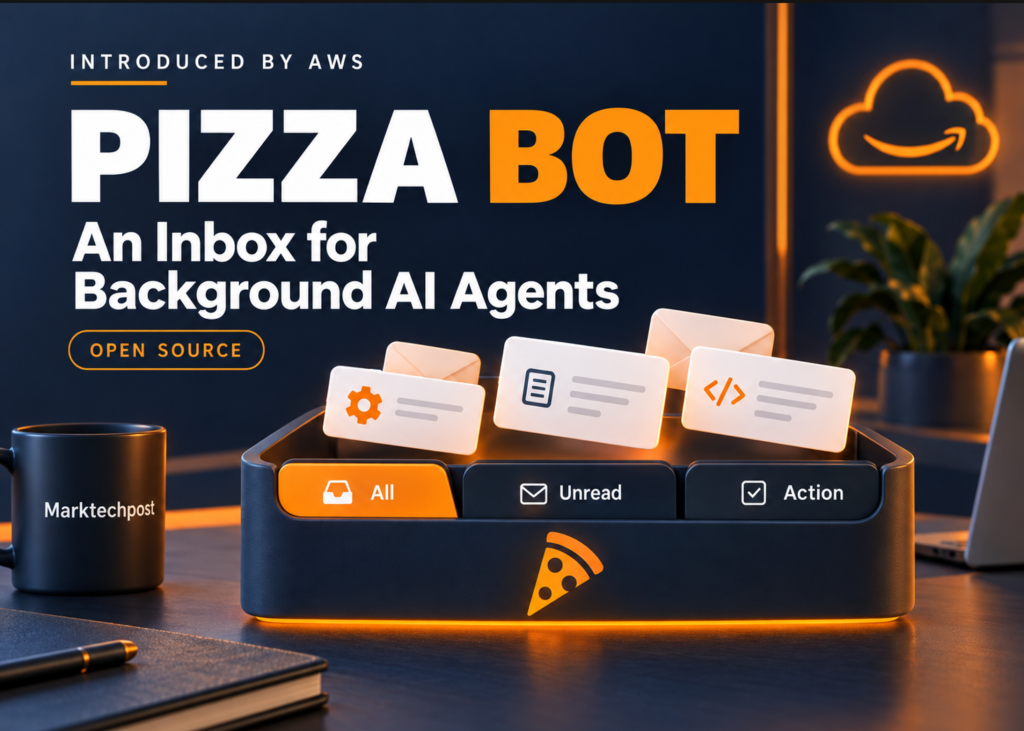
What sets it apart is its approach to task management. Instead of relying on a chat interface where results scroll past and get forgotten, Pizza Bot organizes everything into an email-style inbox. Completed tasks sit neatly in folders awaiting your review, while tasks that need your input or approval are highlighted and waiting. It’s an asynchronous workflow engine built around AI agents, and it can run entirely on your own infrastructure.
—
## How the Inbox-Driven Workflow Works
Pizza Bot separates all AI-driven tasks into three distinct views:
– **All**: A complete thread history showing every task from start to finish.
– **Unread**: Finished work that still needs your attention or review.
– **Action**: Tasks that have paused because the agent needs a decision or a specific input from you before it can proceed.
Users can create folders to group related threads together and monitor what’s happening across multiple delegated agents through a centralized Activity panel. Tasks don’t just start and wait for manual kicks — they can be triggered in three ways: manually on demand, on a recurring schedule using cron syntax, or automatically in response to webhook events from other services.
One of the more thoughtful architectural decisions is how the server handles scheduling. Rather than replaying every single missed cron interval after a period of downtime, it consolidates those into a single catch-up run. This prevents a flood of redundant task executions and keeps things efficient. Every trigger event is also stored durably, so nothing gets lost even if something goes wrong.
—
## The Technical Architecture Under the Hood
Pizza Bot is built on a layered architecture that balances flexibility, persistence, and performance.
**Runtime and Execution Engine**
The core execution framework uses DeepAgents and LangGraph to manage stateful, multi-step workflows. LangGraph’s checkpointing system is critical here — it preserves the full state of a running thread, including any pauses that occur when the agent is waiting for user approval. This means that even if a client disconnects, the work doesn’t simply vanish; the thread’s state is saved and can be resumed later.
A Hono-based API server owns the runtime execution and all data storage. Electron-based desktop applications, browser-based clients, and terminal clients all share a unified React interface on the front end, while communicating with the server over standard HTTP and server-sent events (SSE). This makes it possible to pick up where you left off, even when switching devices or clients.
**Data and Persistence**
LangGraph checkpoints store the state of individual threads and any approval-related pauses. Separately, SQLite databases hold cross-thread memory — allowing agents to maintain context across different tasks — as well as application-level metadata. Because data is persisted in SQLite files, each data directory can support one backend process, keeping things simple and self-contained.
**Desktop vs. Backend Behavior**
Closing a thread or disconnecting a client does not stop the server from continuing to process a task. However, quitting the desktop application does stop its embedded server and terminates any active runs that were housed within it. The checkpoint saves the thread state, but the specific step being executed at the moment of closure could be lost. For truly uninterrupted background work, an always-on backend deployment is necessary.
—
## Supported AI Model Providers
Pizza Bot is provider-agnostic, meaning you can plug in a wide range of AI models through a single configuration interface. Supported providers include:
– **Amazon Bedrock** — AWS’s managed model platform, offering access to models from multiple vendors through a unified API.
– **Anthropic** — Including Claude models, known for their strong reasoning and instruction-following capabilities.
– **Google Gemini** — Google’s family of multimodal and language models.
– **OpenAI** — The widely used GPT-series models and other offerings.
– **OpenRouter** — A routing layer that gives access to dozens of models through a single API key.
– **Ollama** — Enables local, self-hosted model inference for users who want to keep everything on their own hardware.
Providers are configured in the settings area before any tasks are run, and the selected model receives task data along with the tools and context defined by the active skill.
—
## Skills, Tools, and Approval Controls
One of the most powerful aspects of Pizza Bot is its extensible skills system. External tools and capabilities are exposed through MCP (Model Context Protocol) servers. Each skill is defined by a `SKILL.md` file, which contains the instructions for a specialist worker and specifies exactly which tools it is allowed to use. A skill only becomes callable when all of its declared dependencies — such as required MCP servers — are present and connected.
Existing configurations compatible with Claude Code’s `.mcp.json` format are supported out of the box, and plugins can be used to package skills together with their required MCP servers for easy distribution and deployment.
**Approval and Safety Controls**
Skill authors can define fine-grained approval policies for individual tools using two configuration keys: `interruptOn` and `allowedDecisions`. These determine which tools require explicit user approval before execution. When a tool is gated this way, the user — through the inbox interface — can choose to approve it outright, edit the proposed arguments before allowing execution, or reject the action entirely. These controls are tool-specific, meaning different tools within the same skill can have different approval requirements based on sensitivity or criticality.
—
## Deployment Options
Pizza Bot is fully self-hosted and designed for deployment flexibility. Desktop builds are available for macOS, Windows, and Linux, while browser-based and terminal clients connect to either a local instance or a standalone remote backend. The entire codebase is open source and released under the Apache 2.0 license, making it free to use, modify, and distribute.
—
## Frequently Asked Questions
**What is Pizza Bot used for?**
Pizza Bot is designed for running AI agents that perform tasks asynchronously — drafting emails, summarizing conversations, logging data, preparing meeting materials, conducting research, and more. It is ideal for anyone who wants AI work to happen in the background while they focus on other priorities.
**Can I run Pizza Bot locally?**
Yes. Pizza Bot offers desktop builds for macOS, Windows, and Linux that include an embedded server. You can also run a standalone backend on a remote server and connect any client to it.
**Does Pizza Bot work with local AI models?**
Yes. Ollama integration allows you to run models locally on your own hardware, keeping all data processing on-device.
**What happens if I close the desktop app while a task is running?**
If the desktop app is the only client running, closing it stops the embedded server and ends active tasks. The thread state is preserved via checkpoints, but the step currently in flight may be lost. An always-on backend is recommended for tasks that must continue uninterrupted.
**How are tasks triggered?**
Tasks can start manually, through cron schedules, or through incoming webhooks from external services.
**Is the code open source?**
Yes. Pizza Bot is licensed under Apache 2.0 and available on GitHub.
**Can multiple skills work together in a single workflow?**
Yes. Skills can be composed together, and agents can delegate to specialist workers through the `task` tool when those workers and their dependencies are available.
**Is it safe to give an AI agent access to my tools?**
Pizza Bot includes configurable approval controls at the tool level. You can require approval for any action, edit proposed arguments, or reject actions outright, giving you full control over what the agent does.
—
## Conclusion
Pizza Bot represents a meaningful shift in how we think about interacting with AI agents. Rather than treating AI as a reactive tool that only works when you’re actively engaged with a chat window, it reframes the relationship as a collaborative, asynchronous partnership. You hand off a task, the agent does the work, and you review the results — or intervene when a decision is needed — all through a clean, email-style inbox.
The combination of LangGraph-based state management, provider-agnostic model support, a skills-driven extensibility model, and robust approval controls makes this a genuinely practical platform for both individual power users and teams looking to automate repetitive workflows. And because it is self-hosted and open source, there are no dependency on third-party services for your AI infrastructure, no subscription fees, and no questions about where your data goes.
Whether you’re automating research briefs, summarizing team communications, or building custom agent workflows for your organization, Pizza Bot provides a solid, flexible foundation to get started.
Thank you for reading
