



**What is AnduinOS? A Linux Distribution That Makes Windows and Android Apps Easy**
*Follow ZDNET: Add us as a preferred source on Google.*
—
ZDNET’s key takeaways
* AnduinOS V2.0 is now available.
* The latest version uses a full Wayland stack.
* It’s now even easier to run Windows and Android apps.
—
There’s a Linux distribution for everyone and everything. If you’re a developer, gamer, average user, systems administrator, creator, or a combination thereof, you’ll find a distribution that’s perfectly geared toward your needs.
But what if you need a Linux distribution that makes using Windows and Android apps easier? Well, I have a distribution that’s right up your alley.
**Also: When Windows 10 support runs out, you have 5 options but only 2 are worth considering**
Out of the box, AnduinOS makes installing and running Windows apps easy. As far as Android apps, run a script, install an app, and you’ll find a full-blown Android environment ready to use.
### What is AnduinOS?
AnduinOS is a custom Linux distribution based on Ubuntu that offers a “familiar and easy-to-use experience for anyone moving to Linux,” according to the AnduinOS website. I’ve covered AnduinOS before and found it to make the transition from Windows to Linux easy. The latest iteration smooths out any issues found in previous releases, and because it now uses Wayland, the secret sauce (below) is even better.
AnduinOS uses the GNOME desktop environment that has been customized to look and feel more like Windows, so you won’t have to worry about any sort of learning curve on the desktop front. Click the Start button (which is the AnduinOS icon), and you’ll see all of your installed applications.
AnduinOS was created by a Microsoft engineer, so you can be sure the developer knows Windows well enough to craft a desktop distro that will feel instantly familiar.
### Preinstalled Software
This particular distro doesn’t ship with a ton of preinstalled software. You’ll get Firefox, the Geary email client, a music player, a video player, and some utilities. That’s it. You do get GNOME Software with Flathub integration built in, so there’s plenty of apps to install.
**Also: I converted this Mini PC from Windows to Linux, and it came alive. Here’s how**
There’s also a bit of secret sauce under the hood. But before you get to that point, there’s something during the onboarding you’ll want to take care of.
### The Secret Sauce
During the onboarding of AnduinOS (after you’ve installed the OS), you’ll be greeted by a screen that allows you to enable running Windows apps with ease. Make sure to click **Enable Windows Compatibility Sandbox**.

*If you skip this the first time around, just rerun the Welcome app and you can try again.*
Once you’ve done that, continue with the onboarding process and, when finished, log in to your desktop. After that, you can download a Windows app installer (an .exe file) and double-click it. You’ll then be prompted to Install and Configure the Windows Compatibility Environment. Click Install and Configure to continue.

*After the compatibility environment is installed, you’ll then be greeted by the installation wizard for the app you downloaded.*
After the compatibility environment is installed, you’ll then be greeted by the installation wizard for the app you downloaded. You only have to install the compatibility environment one time; after that, you’ll see the installer wizard after double-clicking the downloaded file.

*The Notepad++ install wizard.*
I tested this by installing Notepad++, and the installation went off without a hitch. In fact, it was even easier than installing it with Wine on another distribution.
**Also: Can’t upgrade to Windows 11? This Linux distro is the best alternative for your Windows 10 PC**
If you forget to enable the Windows side of things during the onboarding, you can also open the AnduinOS Welcome Center, and walk through it again and enable it then.
### Android Apps
Sadly, I mistakenly assumed that Waydroid was installed on AnduinOS by default. It was not. However, getting it up and running is incredibly easy on this distro. This is because the latest iteration of AnduinOS is full-on Wayland, which means Waydroid works to perfection. All you have to do is issue the following two commands:
“`bash
curl -s | sudo bash
sudo apt-get install waydroid -y
“`
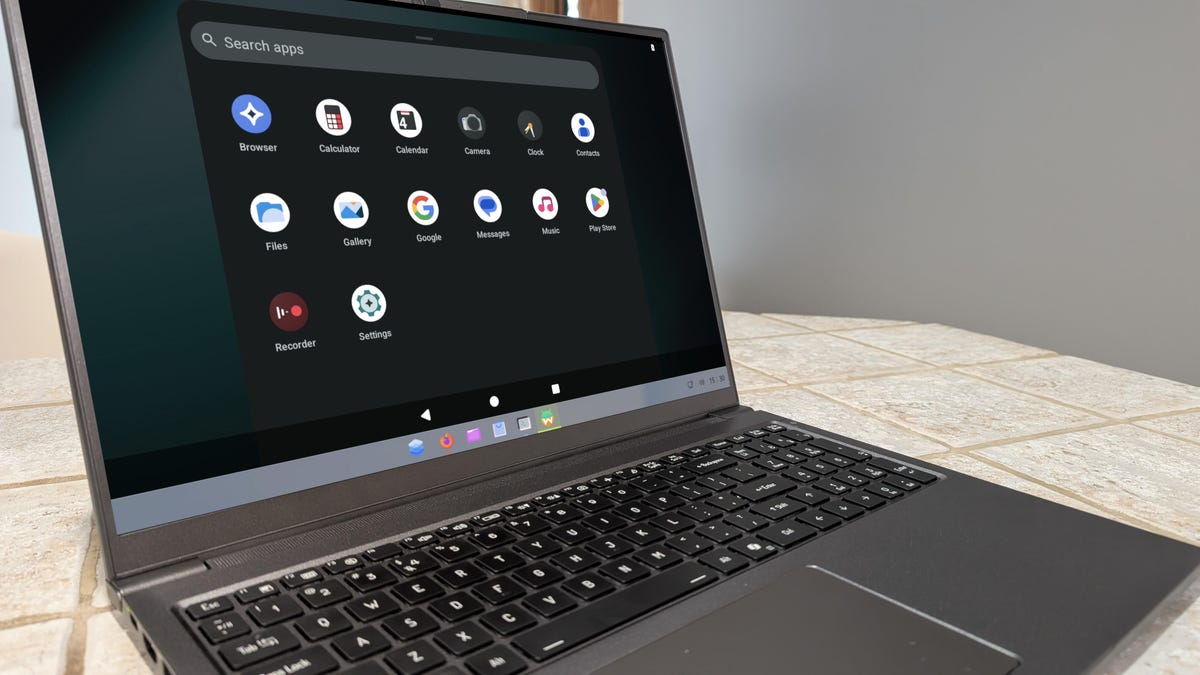
When the installation finishes, click the Waydroid icon from within the start menu, and the Android environment opens, where you can start using it immediately. I’ve installed Waydroid on other distros, and none of them went as smoothly as it did on AnduinOS.

*This should look familiar to any Android user.*
Another cool thing about Waydroid is that it runs as an app, so you can minimize it and go back to the desktop anytime you want.
### Beyond Windows and Android
Looking at Anduin as a standard Linux desktop distribution, I can say that it runs as well as any other. Performance is on par with most distros, stability is solid, apps install easily (even Ollama local AI), and it’s simple to customize/configure (thanks to the addition of the Anduin Appearance app and the GNOME Settings app). It is still GNOME, so the customization of the look is limited in comparison to the likes of KDE Plasma or COSMIC, but the experience you get out of the box will most likely be suited to most users.
**Also: Want to save your old computer? Try one of these 8 Linux distros for free**
AnduinOS is a Linux distribution that should make anyone feel right at home. It’s like Linux, Android, and Windows had a baby, and it’s ready for you to care for and feed it.
—
### FAQ
**Q1: What is AnduinOS?**
A1: AnduinOS is a custom Linux distribution based on Ubuntu, designed to provide a familiar and easy-to-use experience for users transitioning from Windows. It features a customized GNOME desktop that looks and feels like Windows.
**Q2: How does AnduinOS help with Windows apps?**
A2: AnduinOS includes a “Windows Compatibility Sandbox” during its onboarding process. Enabling this feature allows users to easily install and run Windows `.exe` applications directly within the Linux environment.
**Q3: How can I run Android apps on AnduinOS?**
A3: You can install Waydroid, which creates an Android environment. This is done by running two simple commands in the terminal to install the necessary packages, after which you can launch Android apps from the start menu.
**Q4: Is AnduinOS suitable for beginners?**
A4: Yes, AnduinOS is specifically designed for ease of use, making it a great choice for beginners who are used to the Windows interface and want a smooth transition to Linux.
**Q5: Does AnduinOS support gaming?**
A5: Yes, AnduinOS supports gaming. It can run Windows games through the compatibility sandbox, and it also supports tools like Steam for native Linux gaming.
—
### Conclusion
AnduinOS stands out as a versatile and user-friendly Linux distribution that bridges the gap between Windows, Android, and Linux environments. Its seamless integration of Windows application support, straightforward Android setup, and familiar GNOME-based interface make it an excellent choice for users looking for a smooth transition to Linux without sacrificing functionality. Whether you’re a casual user, a developer, or a gamer, AnduinOS offers a compelling solution that feels like a true hybrid operating system.
