



Google is introducing enhanced privacy controls for its Search services and Google Play platform, granting users greater authority over their stored activity history and tailored recommendations.
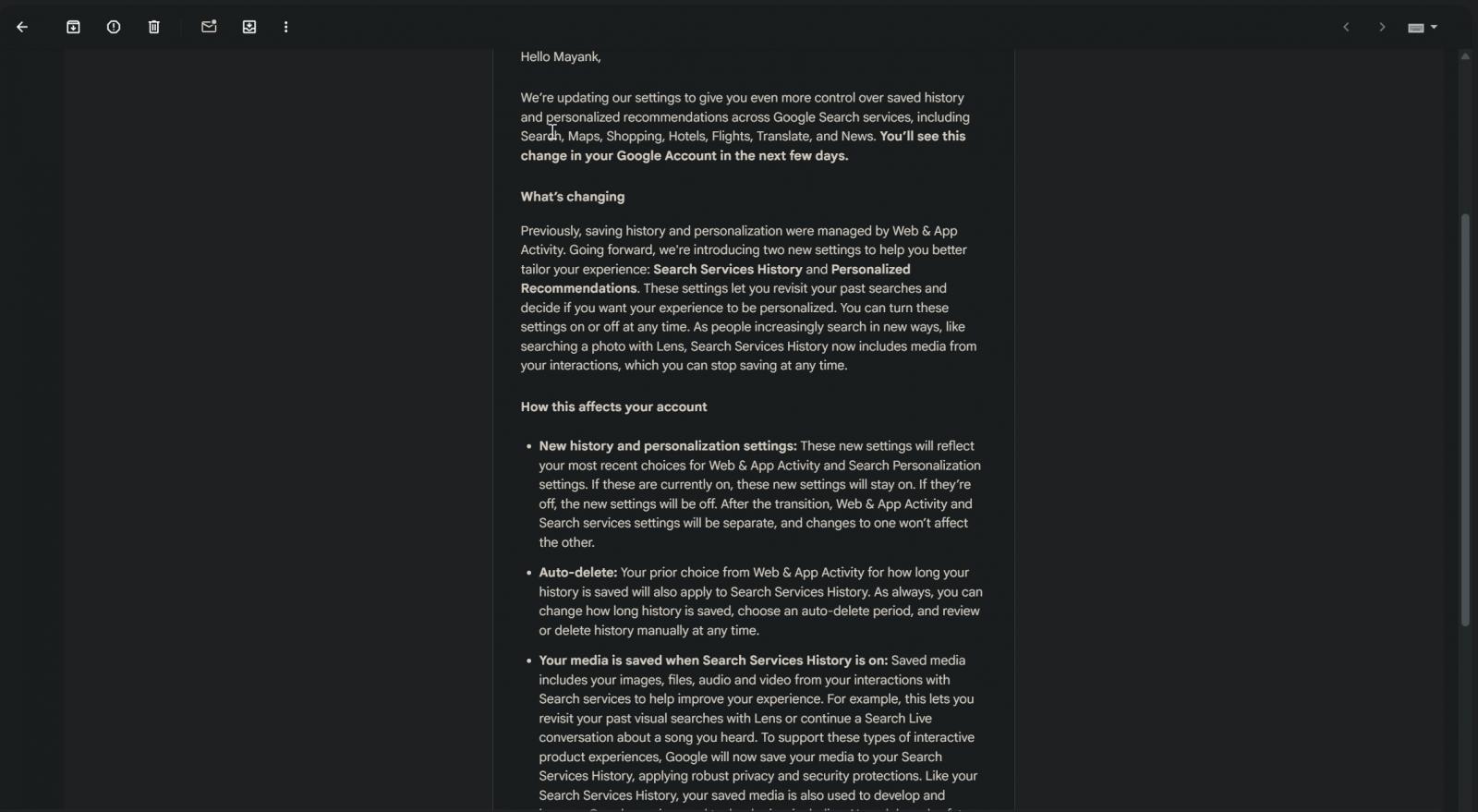
In a message entitled “New privacy settings for Search services,” which was dispatched to users and reviewed by BleepingComputer, Google stated that it is “refining our settings to offer you even more command over saved history and personalized recommendations throughout Google Search services and Google Play.”
Google clarified that Search services encompass “Search, Maps, Shopping, Hotels, Flights, Translate, and News,” and users will notice the update in their Google Account within the coming days.

Source: BleepingComputer
The tech giant confirmed it will provide distinct controls for saved activity history and tailored recommendations. That said, if you have already enabled the “Web & App Activity” feature, Google’s new media-storage option for Search services will automatically be activated following the transition.
Previously, Google handled history and personalization management for its services through the Web & App Activity setting.
For instance, the Web & App Activity dashboard enabled you to monitor your website visits and the applications you access on your device.
Source: BleepingComputer
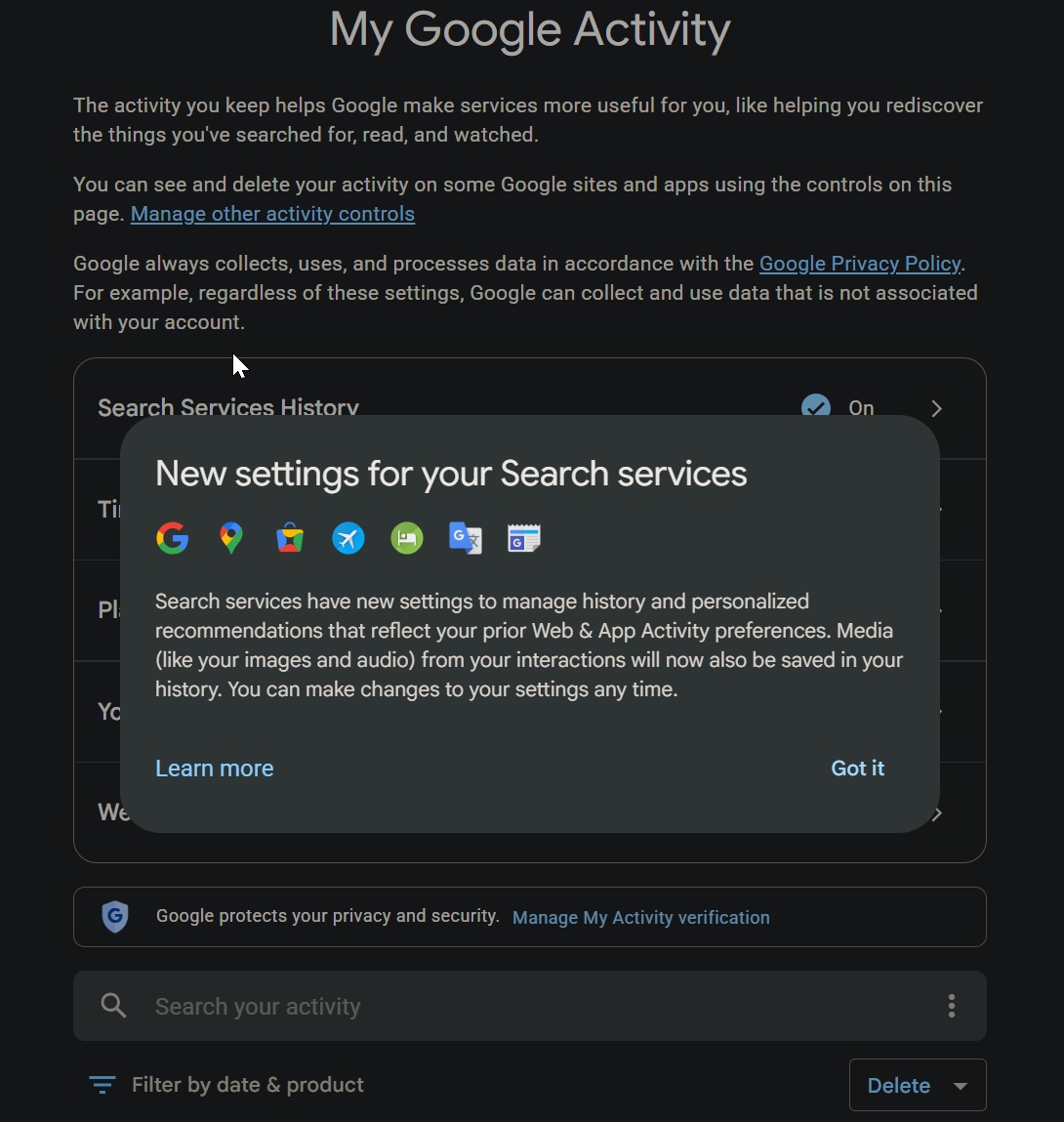
Google is now carving out portions of that functionality into dedicated controls labeled Search Services History and Personalized Recommendations.
“In the past, saving history and personalization were governed by Web & App Activity,” Google explained in the email. “Moving forward, you’ll be able to better customize your Search services experience using your new Search Services History and Personalized Recommendations settings.”
“These options allow you to look back at past searches and choose whether you’d like a personalized experience,” Google further noted.
Moving ahead, Search Services History will determine whether Google retains your activity from Search services in your Google Account. This covers your search queries, Maps usage, Shopping lookups, Flights and Hotels activity, Translate interactions, News engagement, and additional services.
Google says this will make it simpler for you to revisit earlier searches and keep benefiting from newer, more interactive Search features.
“As people increasingly explore new search methods, such as using Lens to search with photos, Search Services History now incorporates media from your interactions, which you can opt out of at any time,” Google highlighted in the email.
Google indicates saved media may include images, files, audio, and video from your interactions
While Google’s update provides more straightforward controls, there is a crucial detail worth paying attention to.
In the email, Google states that saved media can encompass images, files, audio, and video captured from your interactions with Search services.
“Saved media comprises your images, files, audio, and video from your interactions with Search services to help enhance your experience,” Google stated.
This can involve visual lookups through Google Lens or audio clips from voice-driven interactions. According to Google, this supports more interactive product experiences.
“For example, this enables you to revisit your previous visual searches with Lens or pick up a Search Live conversation about a track you heard,” Google noted in the email. “To facilitate these interactive product experiences, Google will now store your media in your Search Services History, applying strong privacy and security safeguards.”
That said, saved media, like Search Services History, may be utilized to develop and refine Google’s services and technologies, including AI models and safety systems.
“Just like your Search Services History, your saved media is also leveraged to build and improve Google services and technologies, including AI models and safety measures,” Google said.
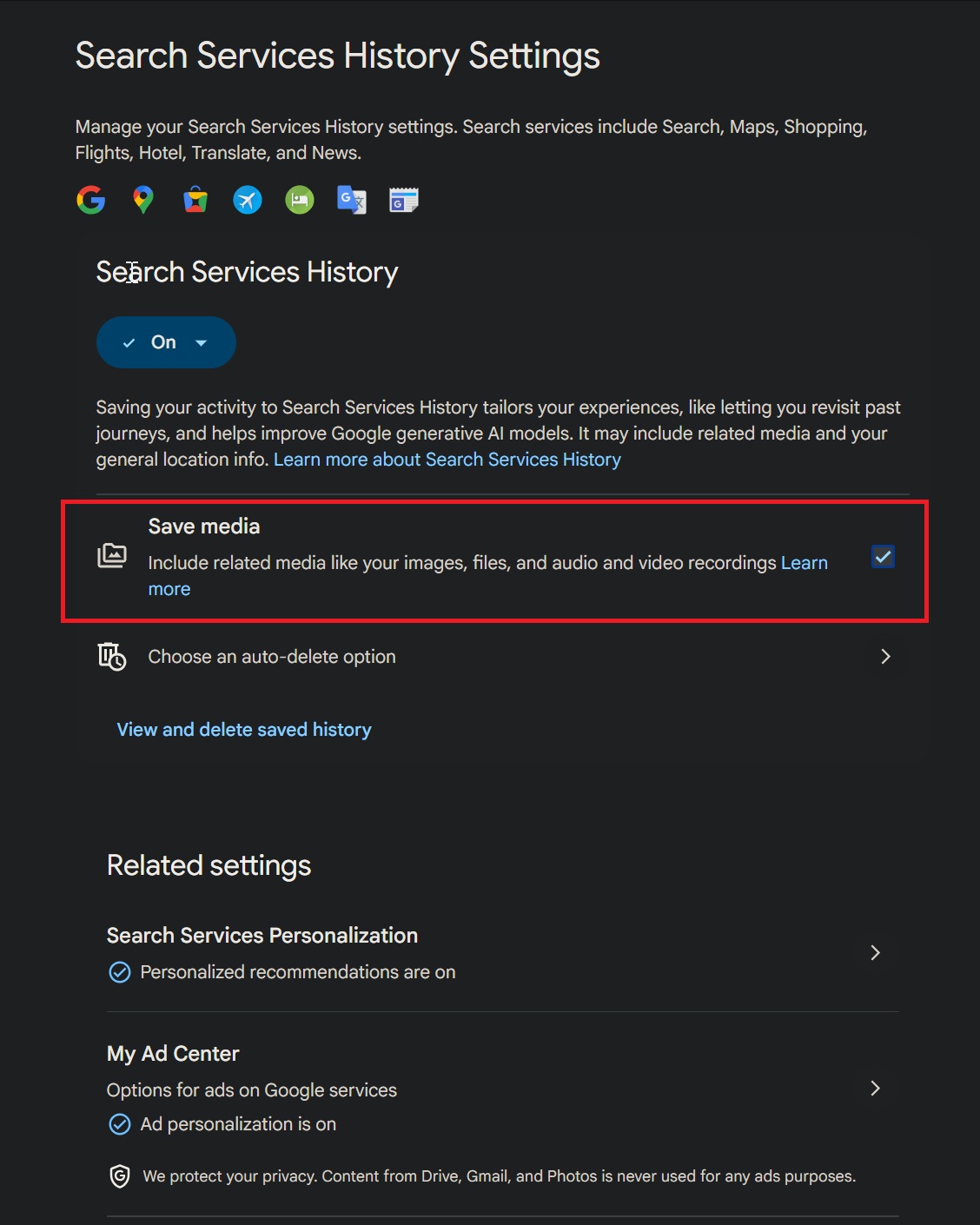
Google says it enforces privacy and security protections, and the company confirms you can disable the Save Media sub-setting whenever you wish. You can also remove individual media items from your history.
Source: BleepingComputer
If Web & App Activity is currently enabled on your account, Google says Search Services History will be activated after the transition, and the Save Media sub-setting will likewise be turned on.
Google also confirmed that you can disable the media-storage option afterward and “remove individual media items from your history.”
Personalization is being split into its own dedicated control
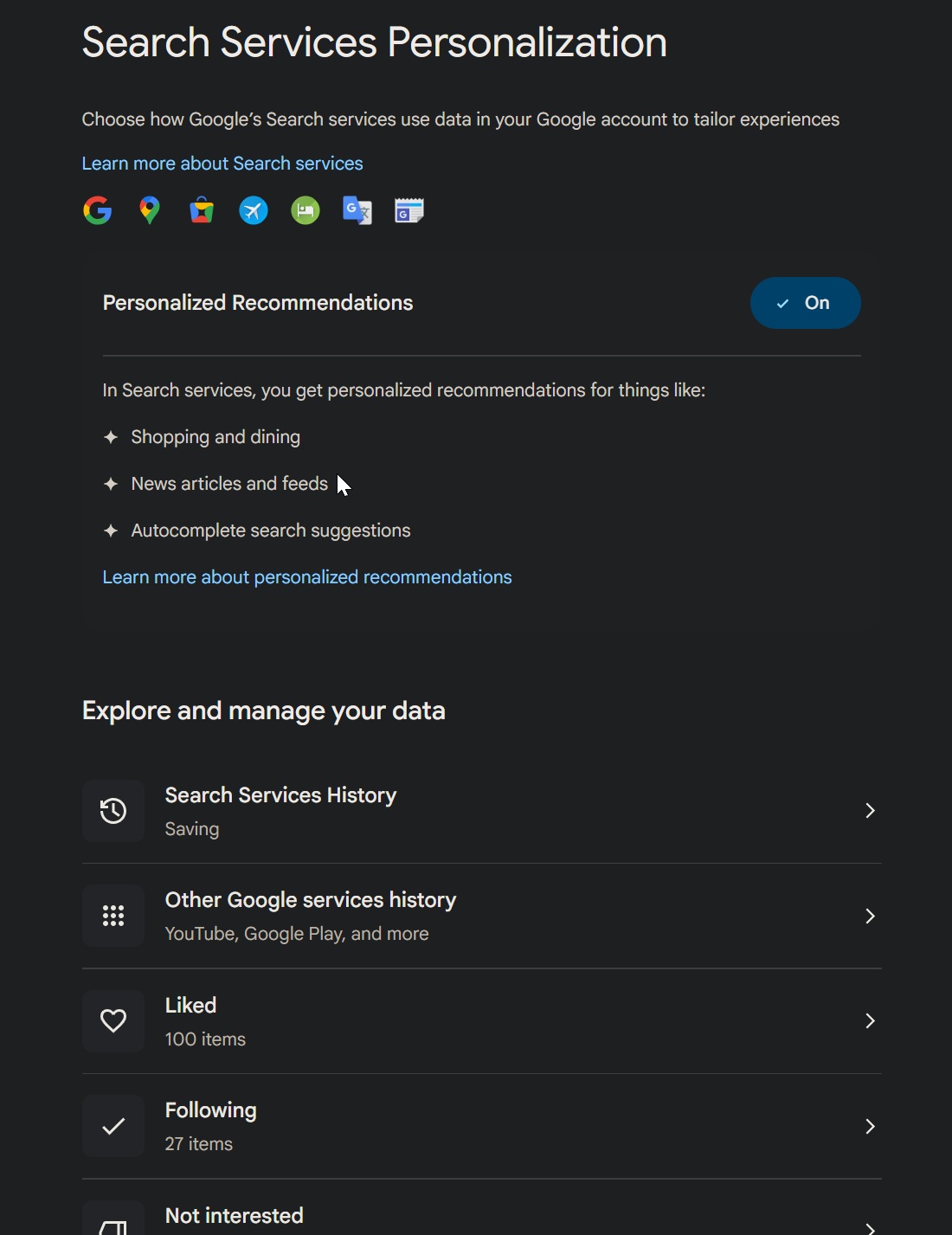
Google is also rolling out a standalone Personalized Recommendations setting for Search services.
This will let you decide whether Google customizes your Search services experience based on your data.
Source: BleepingComputer
In simple terms, Search Services History governs whether your activity is stored, while Personalized Recommendations governs whether Google leverages that stored data to shape what you see.
This split is beneficial because some users may prefer to keep their history saved for ease of access but may not wish for Google to deliver personalized recommendations drawn from it.
Following the transition, Web & App Activity will remain independent from Search services’ history and personalization controls. Google says adjustments to one setting will not impact the others.
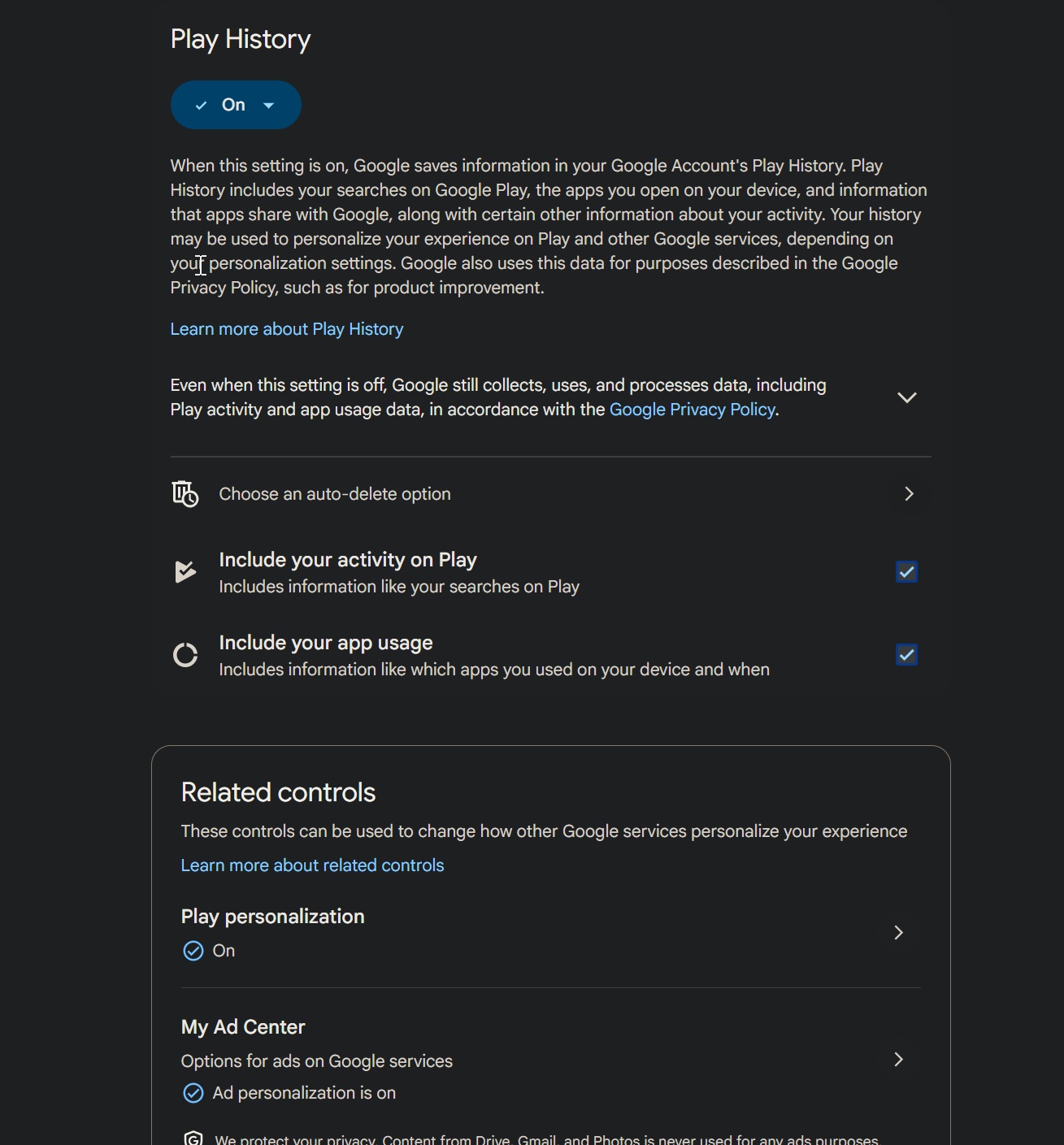
Google Play is receiving its own separate Play History and Personalization in Play controls
In the same email, Google says these controls will be visible even if you have never used Google Play. Like the Search controls, they can be enabled or disabled at any time.
“For Google Play, you’ll see new Play History and Personalization in Play settings, even if you’ve never used this service,” Google said.
Google says the new Search services and Google Play settings will mirror your most recent preferences for Web & App Activity and Search Personalization settings.
“Your earlier choice from Web & App Activity regarding how long your history is retained will also carry over to Search Services History and Play History,” Google said.
Source: BleepingComputer
So if you previously instructed Google to auto-delete activity after a set timeframe, that preference should transfer to the new controls. You can still adjust the auto-delete window, manually review your history, or remove activity whenever you choose.
This update isn’t inherently negative. In fact, splitting Search history, Search personalization, Google Play history, and Google Play personalization into separate controls gives you more precise oversight than a single broad Web & App Activity toggle.
Nevertheless, you should still review the controls once they appear in your Google Account, particularly if Web & App Activity is currently enabled.
Google says users will notice the update in their Google Account over the coming days.

Security teams record 54% of successful attacks and raise alerts on only 14%. The remainder slip through your environment undetected.
The Picus whitepaper demonstrates how breach and attack simulation tests your SIEM and EDR rules so threats no longer evade detection.
Get the whitepaper
