



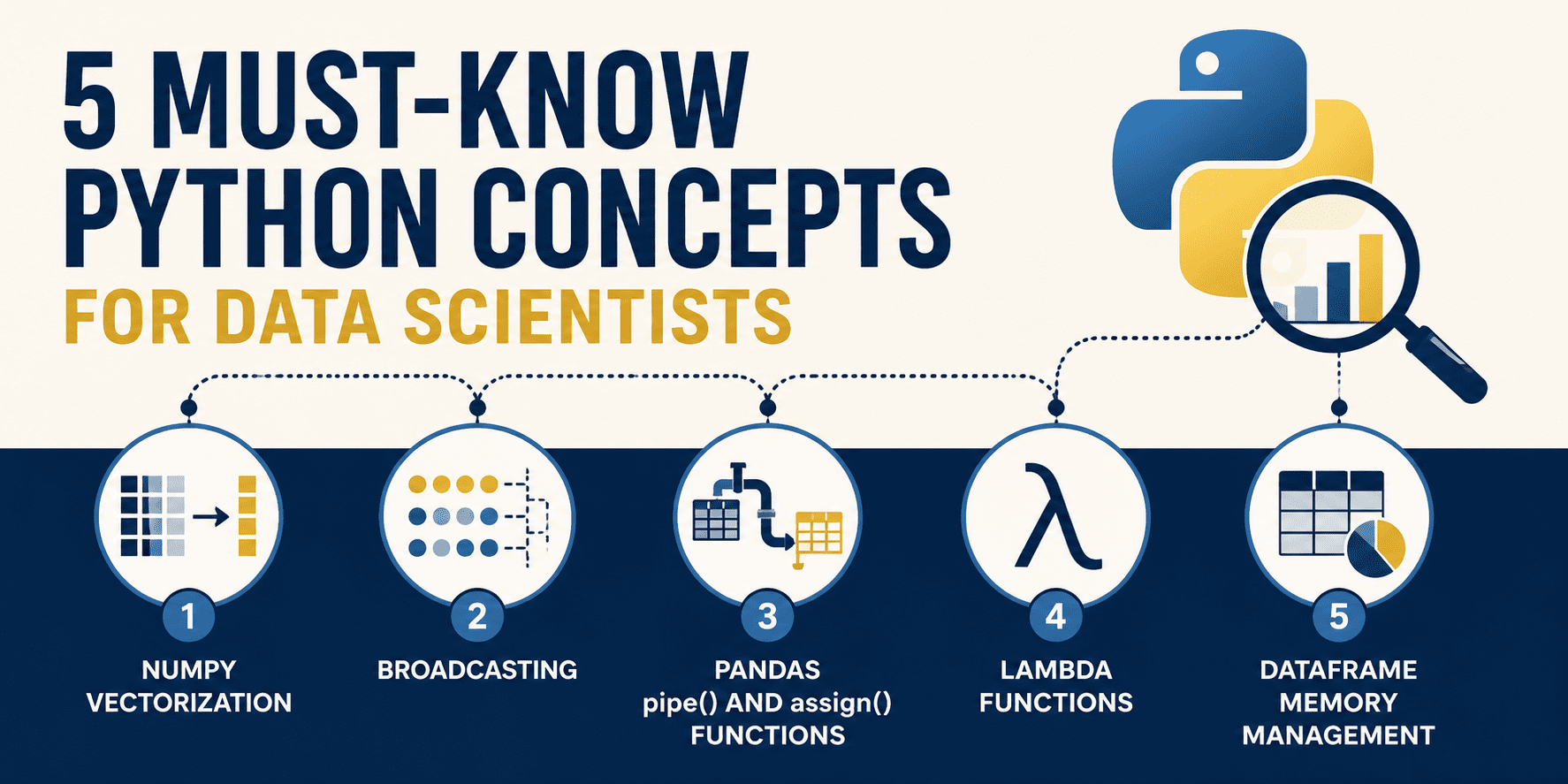
# Introduction
You shouldn’t jump on Python for data science simply because it’s the trendy choice. Python’s stronghold in the data world didn’t happen by chance. At its core, the language offers highly expressive, human-readable syntax that removes the burden of manual memory management. But this convenience has a trade-off standard Python execution is dynamically typed and interpreted, making basic loops and iterations painfully slow.
To build high-performance data solutions, you need to move away from ordinary procedural code and embrace vectorized, memory-conscious techniques. Let’s explore five essential Python concepts that will help you evolve from messy, sloppy code to rapid, production-ready, and elegantly functional data workflows.
# 1. NumPy Vectorization
Standard Python loops carry a heavy performance penalty. Since Python is interpreted, every single iteration in a for loop triggers overhead from type checks, dynamic method resolution, and reference counting. When you’re crunching through millions of records, these tiny delays stack up into major bottlenecks.
The answer? NumPy vectorization. Rather than handling one element at a time through Python bytecode, NumPy delegates the looping to highly optimized C extensions running under the hood. These operations work on entire arrays in one go, processing contiguous memory blocks and often taking advantage of SIMD (Single Instruction, Multiple Data) hardware instructions.
// The Inefficient Approach
Imagine you have one million floating-point values representing raw sensor data, and you need to multiply each by 1.5 and then add a constant of 10.0. Using a plain Python loop:
import time

# Generating 10 million sensor readings
n_elements = 10_000_000
data_list = [float(x) for x in range(n_elements)]

# Applying the transformation with an explicit Python loop
start_time = time.time()
scaled_list = []

for val in data_list:
    scaled_list.append(val * 1.5 + 10.0)

loop_duration = time.time() - start_time

print(f"Loop approach took: {loop_duration:.6f} seconds")
Output:
Loop approach took: 0.378866 seconds// The Vectorized Approach
Here’s the cleaner, vectorized version. We store the data in a contiguous NumPy array and apply the math directly across the whole array:
import numpy as np
import time

# Creating an array of 10 million sensor readings
n_elements = 10_000_000

# NumPy handles everything inside optimized C loops
data_array = np.arange(n_elements, dtype=float)

start_time = time.time()
scaled_array = data_array * 1.5 + 10.0
numpy_duration = time.time() - start_time

print(f"NumPy approach took: {numpy_duration:.6f} seconds")
print(f"Speedup: {loop_duration / numpy_duration:.1f}x faster!")
Output:
Loop approach took: 0.348456 seconds
NumPy approach took: 0.013395 seconds
Speedup: 26.0x faster!
By vectorizing the computation, you unlock a dramatic speed improvement while keeping your code short and readable. The loop disappears from Python entirely and gets handled in high-performance C.
# 2. Broadcasting Math Rules for Unequal Shapes
In classic linear algebra, matrix operations demand both operands to share identical dimensions. But in real-world data science, you’ll frequently work with arrays of different shapes subtracting column averages from a full dataset or scaling rows by their sums, for instance.
Rather than copying data just to make shapes match, NumPy applies a mathematical convention called broadcasting. Broadcasting stretches the smaller array conceptually along its missing or single-element dimensions without actually duplicating any data in memory.
The broadcasting rules go like this:
- If the arrays differ in rank (number of dimensions), pad the lower-rank shape with leading 1s until both shapes are equally long
- Two dimensions are considered compatible if they are the same size, or if one of them is 1
- When dimensions are compatible, the smaller array behaves as if it were stretched along the size-1 dimension to fill the gap
// The Clunky Approach
Say you have a 3×4 feature matrix (3 samples, 4 features) and want to subtract the column means to center the data:
import numpy as np

features = np.array([
    [10.0, 20.0, 30.0, 4.0],
    [12.0, 24.0, 36.0, 8.0],
    [14.0, 28.0, 42.0, 12.0]
])

# Compute the mean of each feature column (shape: (4,))
col_means = np.mean(features, axis=0)

# Centering the data with slow nested loops
demeaned_clunky = np.zeros_like(features)
for idx in range(features.shape[0]):
    for col_idx in range(features.shape[1]):
        demeaned_clunky[idx, col_idx] = features[idx, col_idx] - col_means[col_idx]

# Alternative: tiling to force identical shapes
tiled_means = np.tile(col_means, (features.shape[0], 1))
demeaned_tiled = features - tiled_means
// The Pythonic Approach
With broadcasting, you can subtract directly. NumPy automatically aligns the (3, 4) feature matrix with the (4,) column mean vector by internally treating the means as shape (1, 4):
import numpy as np

features = np.array([
    [10.0, 20.0, 30.0, 4.0],
    [12.0, 24.0, 36.0, 8.0],
    [14.0, 28.0, 42.0, 12.0]
])

col_means = np.mean(features, axis=0)

# Seamless subtraction using automatic broadcasting
demeaned_broadcasting = features - col_means

# Normalizing each row by its total
# row_sums is shape (3,) To divide a (3, 4) matrix by (3,), reshape to (3, 1) using np.newaxis
row_sums = np.sum(features, axis=1)
normalized_features = features / row_sums[:, np.newaxis]

print("Demeaned:n", demeaned_broadcasting)
print("nNormalized Rows:n", normalized_features)
Output:
Demeaned:
 [[-2. -4. -6. -4.]
  [0.  0.  0.  0.]
 [ 2.  4.  6.  4.]]

Normalized Rows:
 [[0.15625    0.3125     0.46875    0.0625    ]
 [0.15       0.3        0.45       0.1       ]
 [0.14583333 0.29166667 0.4375     0.125     ]]
Broadcasting removes the need for duplicating data or copying values into memory. Behind the scenes, NumPy handles the subtraction operations at the C level, avoiding the creation of a temporary tiled matrix. This approach saves memory bandwidth and speeds up computation significantly.
# 3. Pandas .pipe() and .assign(): Building Clean, Functional Pipelines
Data wrangling in Pandas often turns into messy, step-by-step code. Developers end up creating several temporary DataFrames (like df1, df2, etc.), altering variables directly, or stacking brackets on top of each other. The result is code that’s tough to follow, difficult to debug, and highly susceptible to the infamous SettingWithCopyWarning.
Current best practices in Pandas favor a shift away from step-by-step changes and toward functional, declarative workflows. By using .assign() to create new features and .pipe() for repeatable multi-column tasks, you can link all your steps together in one seamless pipeline.
// The Messy Approach
Imagine we have a raw customer sales dataset that needs several fixes: removing outliers, cleaning up text, filling in missing figures, and computing sales tax.
import pandas as pd
import numpy as np

raw_data = {
    'Customer_ID': [101, 102, 103, 104, 105],
    'Age': [25, -5, 47, 120, 31],
    'Country': ['usa', 'CANADA', 'usa', 'Germany', 'canada'],
    'Raw_Spend': [120.50, 450.00, 80.00, np.nan, 300.00]
}
df = pd.DataFrame(raw_data)

# Step-by-step modifications with intermediate variables
df_clean = df.copy()

# 1. Remove invalid ages
df_clean = df_clean[(df_clean['Age'] >= 0) & (df_clean['Age'] <= 100)]

# 2. Clean up country names (may trigger copy warnings)
df_clean['Country'] = df_clean['Country'].str.upper().str.strip()

# 3. Fill in missing Raw_Spend values
median_spend = df_clean['Raw_Spend'].median()
df_clean['Raw_Spend'] = df_clean['Raw_Spend'].fillna(median_spend)

# 4. Compute Taxed_Spend
df_clean['Taxed_Spend'] = df_clean['Raw_Spend'] * 1.15

# 5. Update Column Names
df_clean = df_clean.rename(columns={'Customer_ID': 'customer_id'})
// The Pythonic Approach
Treating this as a functional chaining problem, we can encapsulate the country cleanup logic into a standalone helper function and build a single, streamlined pipeline.
import pandas as pd
import numpy as np

raw_data = {
    'Customer_ID': [101, 102, 103, 104, 105],
    'Age': [25, -5, 47, 120, 31],
    'Country': ['usa', 'CANADA', 'usa', 'Germany', 'canada'],
    'Raw_Spend': [120.50, 450.00, 80.00, np.nan, 300.00]
}
df = pd.DataFrame(raw_data)

# Custom helper function for use with .pipe()
def standardize_countries(dataframe: pd.DataFrame) -> pd.DataFrame:
    df_out = dataframe.copy()
    df_out['Country'] = df_out['Country'].str.upper().str.strip()
    return df_out

# One clean functional pipeline
df_clean_pipeline = (
    df.query("Age >= 0 and Age <= 100")
      .assign(
          Raw_Spend=lambda x: x['Raw_Spend'].fillna(x['Raw_Spend'].median()),
          Taxed_Spend=lambda x: x['Raw_Spend'] * 1.15
      )
      .pipe(standardize_countries)
      .rename(columns={'Customer_ID': 'customer_id'})
)

print(df_clean_pipeline)
Output:
   customer_id  Age Country  Raw_Spend  Taxed_Spend
0          101   25     USA      120.5     138.5750
2          103   47     USA       80.0      92.0000
4          105   31  CANADA      300.0     345.0000
Method chaining guarantees that your original DataFrame stays untouched, eliminating unintended side effects. With .assign(), each column operation receives a lambda where x represents the DataFrame’s current state at that stage in the chain, while .pipe() lets you neatly slot in custom transformation functions.
# 4. Lambda Functions for Data Transformations
Feature engineering often calls for quick, focused transformations—things like reformatting text, splitting fields, or applying if-else conditions. Writing formal named functions (with def) for these bite-sized tasks clutters your code with unnecessary overhead.
A sleeker alternative is to use lambda functions within Pandas’ .map() and .apply(). Lambdas are unnamed, inline functions defined right where you need them—ideal for quick data mappings and tidy column transformations.
// The Clunky Approach
Say we have an employee dataset and need to translate their remote work flag and extract their last names. A frequent misstep is resorting to manual loops or iterrows():
import pandas as pd

df = pd.DataFrame({
    'employee_name': ['john doe', 'jane smith', 'bob johnson'],
    'department_code': ['IT_01', 'HR_02', 'IT_03'],
    'is_remote': [1, 0, 1]
})

# Row-by-row looping (slow and cumbersome)
df_clunky = df.copy()
df_clunky['remote_status'] = None
df_clunky['last_name'] = None

for index, row in df_clunky.iterrows():
    # Translating remote status
    if row['is_remote'] == 1:
        df_clunky.at[index, 'remote_status'] = "Remote"
    else:
        df_clunky.at[index, 'remote_status'] = "Office"

    # Extracting and capitalizing last name
    name_parts = row['employee_name'].split()
    df_clunky.at[index, 'last_name'] = name_parts[1].capitalize()
// The Pythonic Approach
Here’s the streamlined, declarative version using inline lambda transformations. We use anonymous logic to instantly reshape columns—.map() for straightforward value lookups and .apply() for tailored string manipulations:
import pandas as pd
df = pd.DataFrame({
'employee_name': ['john doe', 'jane smith', 'bob johnson'],
'department_code': ['IT_01', 'HR_02', 'IT_03'],
'is_remote': [1, 0, 1]
})
# Inline lambdas inside map() and apply()
df_opt = df.assign(
remote_status=lambda d: d['is_remote'].map(lambda val: "Remote" if val == 1 else "Office"),
last_name=lambda
last_name=lambda d: d['employee_name'].apply(lambda name: name.split()[-1].capitalize()),
dept_level=lambda d: d['department_code'].apply(lambda code: code.split('_')[-1])
)
print(df_opt[['employee_name', 'last_name', 'remote_status', 'dept_level']])
Output:
employee_name last_name remote_status dept_level
0 john doe Doe Remote 01
1 jane smith Smith Office 02
2 bob johnson Johnson Remote 03
Lambda functions let you craft compact, self-contained transformations that stay neatly tied to the column definitions they create. When paired with .map() and .apply(), they help you ditch clunky nested loops and keep your code clean and easy to follow.
# 5. Memory Management with DataFrames: Optimizing dtypes
By default, Pandas takes a cautious approach when loading data from sources like CSV files or databases. Whole numbers are stored as 64-bit integers (int64), decimal values as 64-bit floats (float64), and text fields as generic object types. While this is safe, it also means using far more memory than necessary. Even a dataset with just a few hundred thousand rows can gobble up gigabytes of RAM, causing sluggish performance locally or triggering "out of memory" crashes in production environments.
You can dramatically shrink a DataFrame's memory footprint by downcasting numeric columns to smaller types and switching low-cardinality text columns to the category data type.
For example, an age column containing values between 0 and 100 fits comfortably in an 8-bit integer (int8, which supports values up to 127) instead of the default 64-bit (int64) type. Similarly, category values replace repeated text strings with compact integer codes behind the scenes, delivering enormous space savings.
// The Clunky Way
Let's create a synthetic subscriber dataset of 100,000 users and examine the memory consumed by default Pandas types:
import pandas as pd
import numpy as np
n_rows = 100_000
np.random.seed(42)
df_large = pd.DataFrame({
'user_id': np.random.randint(1000000, 1000000 + n_rows, size=n_rows),
'age': np.random.randint(18, 90, size=n_rows),
'device_type': np.random.choice(['iOS', 'Android', 'Web', 'SmartTV'], size=n_rows),
'monthly_revenue': np.random.uniform(5.0, 150.0, size=n_rows),
'active_subscriber': np.random.choice([0, 1], size=n_rows)
})
# Inspecting memory usage
print(df_large.info(memory_usage="deep"))
memory_before = df_large.memory_usage(deep=True).sum() / (1024 ** 2)
print(f"Default Memory Usage: {memory_before:.2f} MB")
Output:
RangeIndex: 100000 entries, 0 to 99999
Data columns (total 5 columns):
# Column Non-Null Count Dtype
--- ------ -------------- -----
0 user_id 100000 non-null int64
1 age 100000 non-null int64
2 device_type 100000 non-null object
3 monthly_revenue 100000 non-null float64
4 active_subscriber 100000 non-null int64
dtypes: float64(1), int64(3), object(1)
memory usage: 8.2 MB
None
Default Memory Usage: 8.20 MB
// The Pythonic Way
Now let's apply our optimizations: casting each column to the smallest numeric type that fits and converting text columns to category:
# Downcasting types
df_optimized = df_large.assign(
user_id=df_large['user_id'].astype('int32'), # Max 1.1 million fits in int32
age=df_large['age'].astype('int8'), # Max age 90 fits in int8
device_type=df_large['device_type'].astype('category'), # Low cardinality (4 unique strings)
monthly_revenue=df_large['monthly_revenue'].astype('float32'), # Single precision float is plenty
active_subscriber=df_large['active_subscriber'].astype('int8') # Binary flag fits in int8
)
# Inspecting optimized memory usage
print(df_optimized.info(memory_usage="deep"))
memory_after = df_optimized.memory_usage(deep=True).sum() / (1024 ** 2)
print(f"Optimized Memory Usage: {memory_after:.2f} MB")
print(f"Memory Footprint Reduction: {((memory_before - memory_after) / memory_before) * 100:.1f}%")
Output:
memory usage: 1.0 MB
None
Optimized Memory Usage: 1.05 MB
Memory Footprint Reduction: 87.2%
Simply by adjusting our column dtypes, we slashed the DataFrame's size by nearly 90%! Using category for low-cardinality strings means Pandas no longer duplicates text across every row — instead, each row references a lightweight integer index.
# Wrapping Up
Getting comfortable with these five core Python concepts marks a big leap toward becoming a senior data scientist capable of building efficient, readable, and highly optimized data pipelines.
Harnessing vectorization and broadcasting in NumPy lets you bypass raw Python loops and tap into hardware-level performance gains. Adopting functional Pandas pipelines with .pipe() and .assign() boosts both the clarity and reliability of your feature-engineering workflows. Layering in inline lambda functions for quick, on-the-fly transformations and being proactive about memory management through smart dtypes choices lets you scale your algorithms from local prototypes to massive production workloads without a hitch.
Data science is just as much about software engineering as it is about math. Treat your code as a first-class product, and your datasets will process faster, your pipelines will break less often, and your systems will be a pleasure to work with.
Be sure to check out the previous articles in this series:
Matthew Mayo (@mattmayo13) holds a master's degree in computer science and a graduate diploma in data mining. As managing editor of KDnuggets & Statology, and contributing editor at Machine Learning Mastery, Matthew strives to make complex data science topics approachable for everyone. His professional passions include natural language processing, language models, machine learning algorithms, and exploring emerging AI. He is driven by a mission to democratize knowledge in the data science community. Matthew has been coding since he was 6 years old.
