



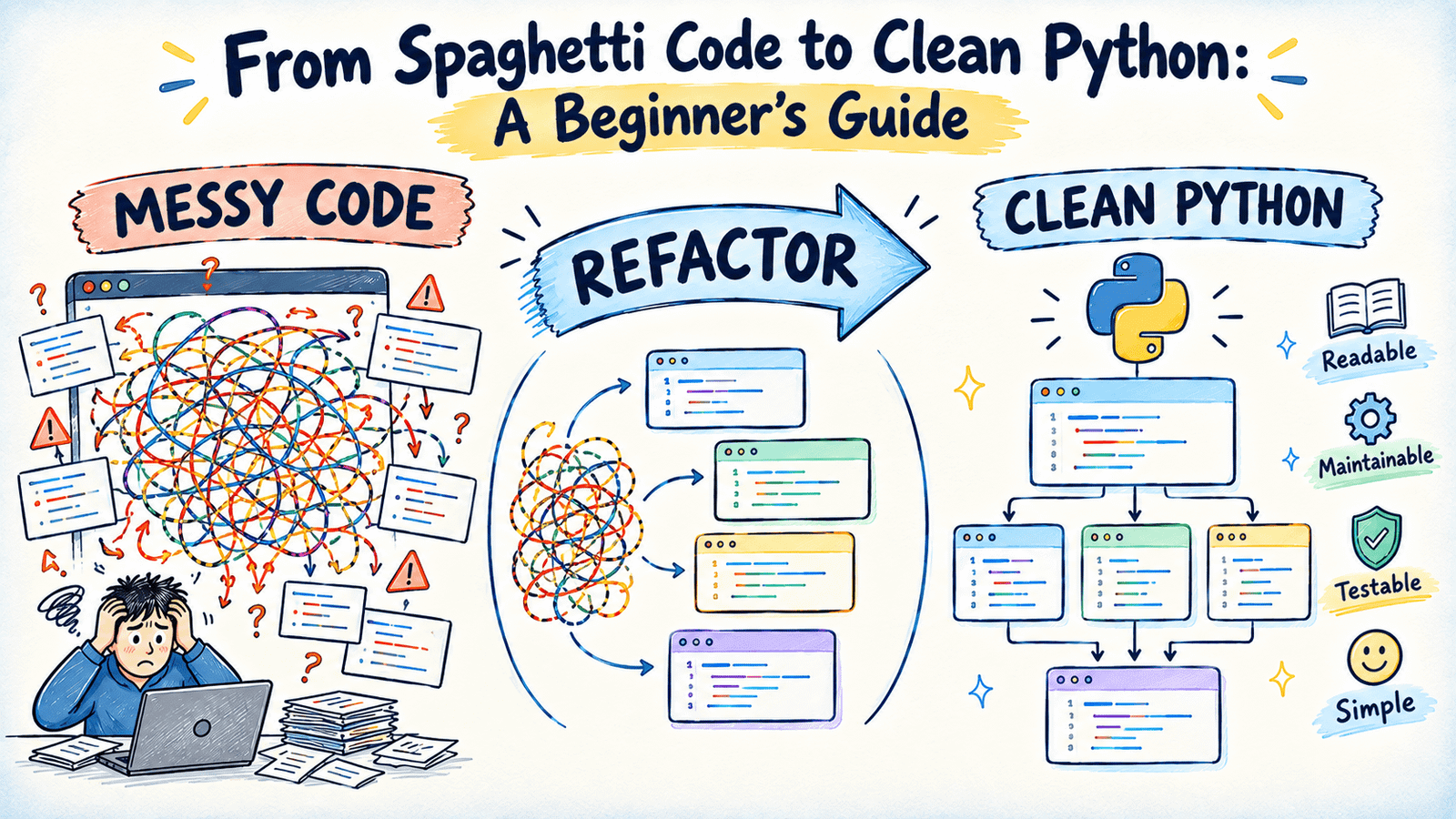
# How to Transform Tangled Python Code Into Clean, Maintainable Programs
## Understanding the Challenge of Spaghetti Code
Every developer encounters code that feels like it’s fighting back. When logic becomes intertwined and responsibilities bleed into one another, even a small change can trigger unexpected consequences across the application. In Python, a function that handles multiple distinct tasks might appear to work fine on the surface, but the moment requirements shift, that same function becomes a nightmare to modify.
The root of the problem lies in coupling — when different parts of your program depend on each other in ways that aren’t immediately obvious. A single function that calculates values, modifies shared data, and produces output all at once creates hidden dependencies that make debugging and extending the code extremely difficult.
The solution? Intentional decomposition. By writing functions that each serve a single, well-defined purpose, you create code that is straightforward to read, test, and evolve. This guide walks you through the process of identifying tangled code, breaking it apart, and rebuilding it into something clean and reliable.
—
## Recognizing the Warning Signs
Consider a real-world scenario: an e-commerce system needs to handle a customer order. The original implementation packs pricing logic, discount calculations, inventory adjustments, shipping fees, and notification signals all into one massive function.
At a glance, the code appears functional. But look closer and you’ll notice the discount for standard customers checks the running total mid-loop rather than the final order amount. This means the discount outcome shifts depending on which items appear first in the order — a subtle, order-dependent bug that’s nearly impossible to catch without careful inspection.
**Key red flags to internalize:**
– A single function whose name suggests one task but secretly performs several
– Variables whose meaning or role shifts as execution progresses through the function
– Calculations whose results hinge on the precise sequence in which statements execute
– Silent failures — warnings printed to the console but never actually halting the process
Once you learn to spot these patterns, you’ll start seeing them everywhere in legacy codebases.
—
## Breaking Down a Monolithic Function
The first transformation involves separating each responsibility into its own standalone function. Every new function should accept simple, well-typed inputs and return simple outputs — no hidden side effects, no shared state manipulation.
For instance, the pricing logic divides into three independent operations:
– One function computes the raw subtotal from a list of items
– Another applies the appropriate discount based on the customer category and the completed subtotal
– A third determines shipping cost from the final discounted amount
By basing the discount on the **final** subtotal rather than a running total inside a loop, the order-dependent bug vanishes entirely. It’s a natural consequence of extracting the calculation away from the iteration. Each piece can now be invoked independently, reasoned about in isolation, and verified with confidence.
—
## Bringing Structure with Data Classes
In the original design, orders and their line items are passed around as plain dictionaries. This approach is flexible but fragile — there’s nothing preventing someone from misspelling a key, using the wrong data type, or forgetting that a particular field is expected.
Python’s data classes solve this elegantly. They let you define the exact shape of your data with named fields and explicit types:
“`python
from dataclasses import dataclass
@dataclass
class OrderItem:
sku: str
unit_price: float
quantity: int
@dataclass
class Order:
customer_email: str
customer_type: str
items: list[OrderItem]
“`
Once these structures are in place, every function in the pipeline operates against a known contract. There’s no guessing whether a dictionary contains the right keys — the type system and dataclass machinery enforce it. This shift alone eliminates an entire category of runtime errors.
—
## Making Failures Impossible to Ignore
The original approach to a missing product SKU was to print a warning message and carry on. The order would complete, the inventory would remain inaccurate, and someone might notice the error message buried in logs days later.
A far better strategy is to raise an exception at the exact point where the problem occurs:
“`python
def update_inventory(items, inventory):
for item in items:
if item.sku not in inventory:
raise ValueError(f”{item.sku} not found in inventory”)
inventory[item.sku] -= item.quantity
“`
This ensures that when something goes wrong, it **stops the world** and demands attention. Calling code can catch and handle the exception appropriately, but it will never accidentally proceed with incomplete or incorrect inventory data. Exceptions also make automated tests far more effective — a test can assert that the right error is raised, rather than hoping someone reads a log message.
—
## Testing in Isolation
When every function does one thing and accepts plain inputs, writing tests becomes almost effortless:
“`python
def test_discount_for_vip_customer():
assert apply_discount(200, “vip”) == 170.0
def test_no_discount_below_threshold():
assert apply_discount(80, “regular”) == 80
“`
No need to spin up the entire order processing pipeline just to verify one rule. If a test fails, the diagnosis is immediate — the exact function and the exact rule that broke. Compare this with the original design, where a wrong order total would leave you hunting through dozens of mixed responsibilities to find the culprit.
Adding type annotations throughout amplifies this benefit. Modern tools can flag mismatches before your program ever executes, turning potential bugs into caught errors during development.
—
## A Practical Checklist for Your Own Projects
The next time you encounter a function that feels overwhelming, follow this structured approach:
1. **Inventory the responsibilities.** Write down every distinct task the function performs, one per line, in plain language.
2. **Extract each task.** Create a separate function for every line item, ensuring each one takes simple arguments and returns a simple result.
3. **Formalize your data.** Replace loosely structured dictionaries with properly defined data classes.
4. **Upgrade error handling.** Turn any print-and-continue pattern into a meaningful exception.
5. **Test as you build.** Write a focused test for each new function immediately after extracting it.
Working incrementally — one function at a time — keeps your changes safe, reviewable, and easy to roll back if needed. You never have to stop working code to improve it.
—
## Quick Reference: Problems and Their Solutions
| Problem Identified | Solution Implemented | Benefit Gained |
|—|—|—|
| One function managing several unrelated tasks | Decompose into single-purpose functions | Every piece is independently readable, editable, and testable |
| Calculation relying on execution order | Compute from finalized values instead of intermediate ones | Eliminates order-dependent bugs |
| Data moved as unstructured dictionaries | Represent data with typed dataclasses | Field names and types are explicit; tools catch mismatches early |
| Errors printed but execution continues | Raise targeted exceptions | Failures surface immediately and demand handling |
| No isolated testing possible | Add unit tests for each extracted function | Failures are pinpointed to the exact broken component |
—
## Frequently Asked Questions
**Q: How do I know when a function has too many responsibilities?**
A: If you struggle to describe what a function does in a single sentence without using the word “and,” it likely handles more than one task. That’s a strong signal to start extracting.
**Q: Is it always better to use data classes instead of dictionaries?**
A: Not always. For quick scripts, prototypes, or highly dynamic data, dictionaries remain practical. But for any code that will be maintained, extended, or shared across teams, data classes provide clarity and safety that dictionaries simply can’t match.
**Q: What about performance — does splitting functions slow things down?**
A: In Python, the overhead of additional function calls is negligible for the vast majority of applications. The readability and maintainability gains far outweigh any micro-optimization concerns.
**Q: Should I rewrite everything at once?**
A: Absolutely not. Refactor incrementally. Extract one function, test it, move on. This keeps your codebase functional at every stage and makes the work manageable.
**Q: How do exceptions differ from returning error codes or printing warnings?**
A: Exceptions cannot be silently ignored — they propagate up the call stack until explicitly handled. Print statements and error codes rely on callers remembering to check for them, which is unreliable and error-prone.
**Q: What tools can help me enforce these practices?**
A: Linters like `ruff` or `pylint` can flag type mismatches, `mypy` provides static type checking, and `pytest` makes writing and running unit tests straightforward. Together, they form a solid safety net.
—
## Conclusion
Clean code doesn’t happen by accident — it’s the product of deliberate decisions about how responsibilities are divided, how data is structured, and how failures are communicated. By transforming a single tangled function into a set of focused, well-defined pieces, you gain code that is easier to understand, easier to test, and far less likely to break when requirements change.
The journey from messy to maintainable isn’t about mastering a framework or learning a new syntax. It’s about adopting a mindset: every function should have a job, every piece of data should have a shape, and every problem should be loud enough to be heard. Start with one function, apply these principles, and let the improvements compound over time.
Thank you for reading.
