



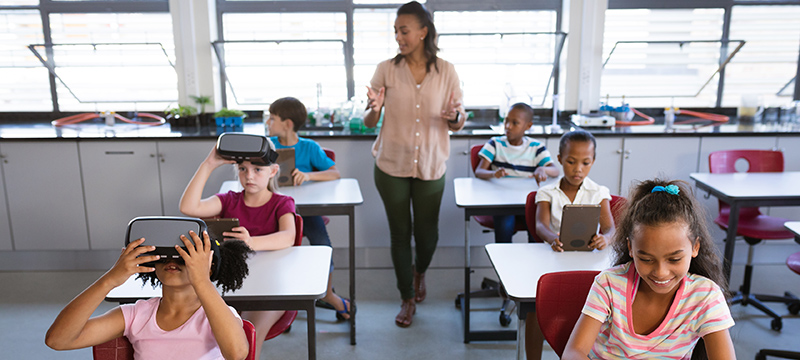
Educators don’t need tech that adds extra classroom headaches. What they really need are tools that guide students to the correct materials fast, without wasting the opening minutes of class on tech problems. In today’s increasingly connected classrooms—where tablets, smart boards, digital platforms, and even basic sensors are becoming everyday parts of the learning space—that kind of seamless access is essential.
This is exactly where QR codes have proven their worth in schools. They eliminate the need for students to type out lengthy web addresses, hunt for the correct page, or ask the teacher to repeat directions over and over. A quick scan sends them straight to the resource, making QR codes a straightforward link between physical classroom items and the digital tools that power modern education.
When used with intention, QR codes can enhance lessons, library activities, homework assignments, parent outreach, and learning beyond school walls. They also let teachers tie together printed handouts, wall displays, connected gadgets, and online content without needing a complicated tech setup. The trick is to keep the technology straightforward and the safety guidelines well-defined.
Quicker Access to Lesson Content
The most straightforward classroom advantage is speed. A teacher can stick a QR code on the whiteboard, a handouts, a station card, or a bulletin board. Students scan it and arrive at the exact video, quiz, reading passage, document, or activity they need.
For educators putting these resources together, a basic QR code generator is often all that’s needed to produce codes for worksheets, displays, and materials sent home. In a school with IoT infrastructure, the same method can also connect physical learning areas to digital dashboards, device guides, environmental readings, or classroom management systems.
Straight to the Resource
QR codes let students jump directly to particular videos, quizzes, or reading passages without typing out long web addresses or manually searching for the right page. This is especially handy when multiple connected tools are used within a single lesson, from educational apps to interactive displays or shared classroom devices.
Help for All Learners
These tools are especially helpful for younger children and groups with mixed skill levels, since they remove technical hurdles like typing URLs correctly, keeping the attention on learning goals rather than on figuring out the device.
More Time for Teaching
By making the shift to digital materials effortless, QR codes cut down on troubleshooting at the start of class, so lessons spend less time on setup and more time on actual learning. For schools embracing connected classroom tech, this is critical—because the real value of digital tools comes down to how easily teachers and students can put them to work during live lessons.
Learning Stations and Self-Guided Work
QR codes slot perfectly into station-based learning. Each table or zone can feature a code that pulls up the next set of instructions, an audio clip, a demonstration, a challenge question, or an extension activity.
In a reading lesson, one station might launch a read-aloud recording. Another might open vocabulary exercises. A third might play a short explanation from the teacher. In science, codes can connect to safety guidelines, experiment videos, observation prompts, or data gathered by simple sensors used in classroom investigations.
The benefit isn’t just about being novel. It empowers students to work on their own while the teacher focuses on the learners who need hands-on support. Instructions become reusable without the teacher having to restate them again and again. In connected learning spaces, QR codes can also act as affordable gateways to the digital side of the classroom, without forcing students to juggle multiple platforms by themselves.
Turning Classroom Displays into Interactive Tools
Bulletin boards and wall displays tend to fade into the background after the first week. QR codes can bring them back to life.
A history timeline can link to brief primary source excerpts. A book display can link to student-written reviews. A science wall can link to experiment summaries. A language-learning board can link to pronunciation recordings made by the teacher.
For subjects that incorporate connected equipment, displays can also link to sensor data, classroom project journals, or step-by-step guides for how a device operates. A display about air quality, for instance, could direct students to a classroom dashboard showing temperature, humidity, or CO2 levels, transforming a static poster into a hands-on introduction to IoT data.
This approach works best when each code points to a single, concise piece of content. A two-minute audio clip is far more likely to get used than a sprawling folder of materials. Every scan should lead to one clear destination.
Helping Parents Understand What’s Happening in Class
Parents often see the completed worksheet without any of the background behind it. QR codes can close that gap.
Clear Method Explanations
Teachers can offer instant clarity by attaching QR codes to short video walkthroughs of specific classroom techniques, so parents grasp exactly what’s being taught without having to decode dense written instructions.
This can ease confusion, particularly when teaching approaches have evolved since parents were students themselves. It also gives families a simple, no-pressure way to support learning without repeatedly reaching out to the teacher for clarification.
Smoother Communication
By placing codes for newsletters and event schedules right on classroom doors or project handouts, teachers cut down on the need for repeated one-on-one explanations, making parent-teacher communication smoother through a quick digital shortcut.
Greater Project Visibility
QR codes let teachers share success criteria and the reasoning behind completed worksheets, giving families a clear window into the learning goals and grading standards applied during class activities. In schools that use connected learning platforms, QR codes can also guide parents to the correct portal page or project overview without making them hunt through several apps.
Libraries and Encouraging Reading
School libraries are a perfect fit for QR codes. Codes placed on shelves can lead to librarian picks, student book reviews, author interviews, or curated lists of similar titles.
A hesitant reader unsure what to pick can scan a code and listen to a classmate explain why they loved a book. A class exploring an author’s work can scan for related interviews or background information. A reading challenge can use codes to unlock prompts or digital badges.
The aim is discovery. QR codes can make browsing feel more directed without requiring a full library app. They also demonstrate a practical way to link physical assets—like bookshelves and reading nooks—to digital content in a manner simple enough for everyday use.
Field Trips and Outdoor Learning
Beyond the classroom walls, QR codes serve as flexible anchors that turn ordinary locations into interactive learning moments. By thoughtfully positioning these digital shortcuts, educators can connect textbook knowledge to real-world settings. For example, a geography trail can feature codes that unlock specific map-reading exercises or localized data sets, while a history walk might offer curated audio clips and primary source documents at relevant landmarks to provide on-the-spot context. In a school garden, codes can function as digital plant labels, delivering detailed information
When it comes to care instructions or connecting to student-recorded observations and time-lapse footage of plant growth, this approach becomes even more relevant. A garden trail can link to soil moisture readings, a weather station dashboard, or student observations collected over time. A science trail can connect physical locations to measurements from low-cost sensors. In these cases, the QR code is not the connected device itself; it is the simple interface that helps students access the data and instructions associated with the physical environment.
One of the primary pedagogical advantages of this approach is the ability to provide layered content that adapts to different educational needs. Because the digital destinations of these codes can be updated or redirected—particularly when using dynamic QR codes—the same physical trail or display can support diverse year groups and evolving topics over multiple terms without requiring the printing of new materials. This flexibility ensures that outdoor learning remains a sustainable and long-term instructional strategy, allowing teachers to refresh challenges or adjust complexity levels to suit the specific progress of their current cohort.
Safety, Privacy, and Device Management Come First
Schools need clear rules for classroom QR codes. Every destination should be checked before use. Links should point to approved platforms where possible. Codes used with children should avoid unnecessary tracking, advertising-heavy pages, or public uploads that reveal student information.
This is particularly important as more connected devices and cloud services enter education. A QR code may look harmless, but it can lead to a third-party platform, a data dashboard, a shared folder, or a form that collects information. Schools should therefore treat QR code destinations as part of their wider digital safeguarding and device management policies.
Dynamic codes can be useful because they let teachers update or disable a destination if something changes. However, they also require ownership: someone needs to know where each code points and how to manage it. In an IoT-enabled classroom, the same principle applies to connected devices, dashboards, and learning platforms: convenience should not come at the expense of visibility, accountability, or data protection.
QR codes work best when they disappear into the lesson. Students scan, learn, and move on. When that happens, the code is not a gimmick; it is simply a shortcut to better use of classroom time and a practical bridge between physical learning spaces and the connected technologies increasingly used in education.
