



**Expand Your Android Auto Experience: How to Sideload Apps for Ultimate Customization**
Android Auto has become an essential tool for drivers, offering a safer, more streamlined way to access navigation, music, and messaging while on the road. However, its capabilities can sometimes feel restricted by the official app store limitations. If you’re looking to unlock the full potential of your car’s infotainment system, sideloading apps might be the solution. This guide will walk you through the process and highlight some of the best unofficial apps to enhance your driving experience.
—
### **What Are Sideloaded Apps?**
Sideloading refers to the process of installing apps from sources outside the official Google Play Store. For Android Auto, this means accessing a broader range of tools and functionalities that Google doesn’t typically allow within its standard app ecosystem. By sideloading, you can:
– Watch videos on larger screens
– Browse the web directly from your car
– Use specialized apps not available in the Play Store
—
### **How to Enable Sideloading on Android Auto**
Before diving into app recommendations, you’ll need to enable developer mode on both your phone and Android Auto. Here’s how:
1. **Enable Developer Mode on Your Phone**
– Go to **Settings** > **About Phone**
– Tap **Build Number** seven times until you see a confirmation message.
2. **Enable Developer Mode on Android Auto**
– Navigate to **Settings** > **Android Auto** > **Additional Settings**
– Tap **Version** ten times until developer options are unlocked.
– Return and enable **Unknown Sources** to allow installation of external apps.
3. **Install the Android Auto Apps Downloader (AAAD)**
– Visit the download page and install the `.apk` file for the Android Auto Apps Downloader.
– This tool acts as an unofficial app store, giving you access to a variety of sideloaded applications. Note: A free version allows one download every 30 days, but a $4 Pro subscription removes this limitation.
—
### **Top Sideloaded Android Auto Apps**
#### **1. CarStream**
CarStream brings YouTube functionality to Android Auto, filling a gap until an official app becomes available. Features include:
– Full integration with YouTube’s library
– Search capability using your phone’s keyboard
– Ability to play videos while the car is stationary (passenger use only)
It’s an excellent option for keeping passengers entertained during long drives.
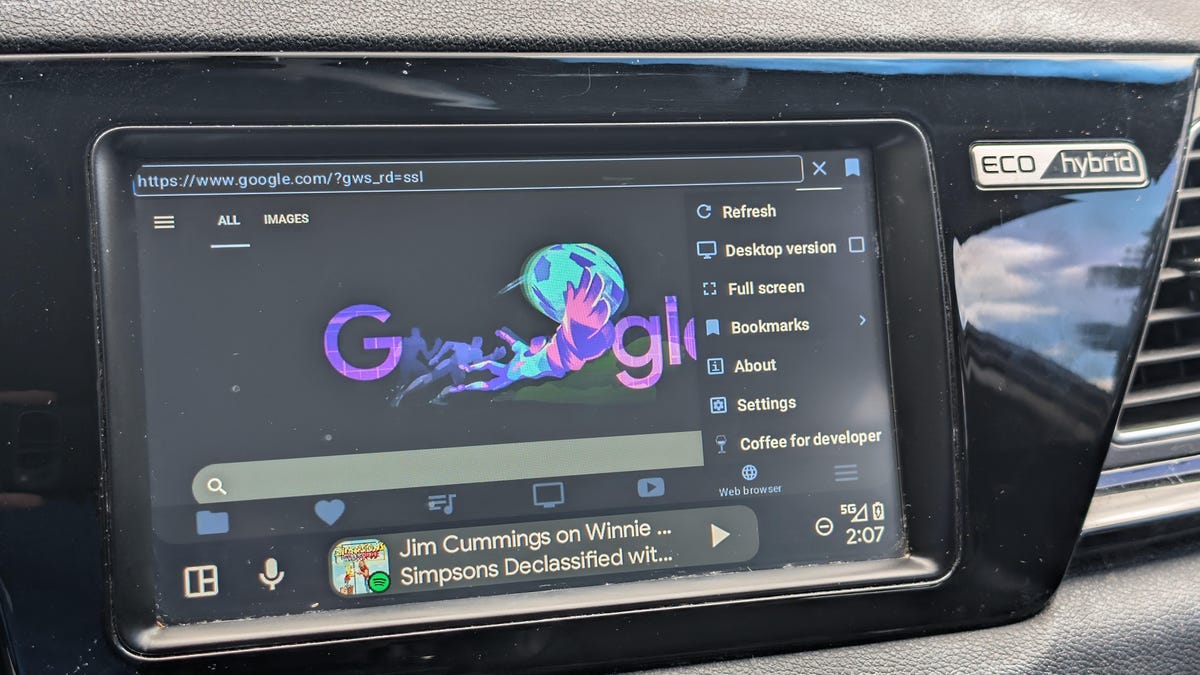
#### **2. AA Browser**
This app provides a built-in web browser for Android Auto, which is otherwise lacking in the platform. It’s particularly useful for:
– Accessing services without dedicated Android Auto support (e.g., Netflix)
– Quick lookups without switching to your phone
– A larger, more user-friendly interface compared to mobile browsers
#### **3. Fermata Auto**
Fermata Auto is an all-in-one media toolkit that stands out for its versatility. Key features include:
– Playback of local music and videos
– Screen mirroring
– IPTV support for live TV
– Integrated web and YouTube browsing
This app is ideal for those who want a single solution for all their in-car entertainment needs.
—
### **Final Notes**
Sideloading apps on Android Auto opens up a world of possibilities, transforming your infotainment system into a more flexible and enjoyable experience. Whether you’re watching YouTube, browsing the web, or managing local media, these tools can significantly enhance your time on the road. Just remember to prioritize safety—use these features when parked or as passengers to keep your focus on the road.
For step-by-step visuals and additional tips, you can refer to the full guide at [ZDNET Article](https://www.zdnet.com/article/how-to-sideload-android-auto-apps/).
