



# Building Self-Replicating AI Agents on Kubernetes with kagent
## The Promise and the Problem
A no-code agent builder demo is captivating — type a single sentence, wait a minute, and a functional agent appears with tools attached. That moment of wonder lasts roughly ten seconds. Then the practical questions surface: where does it execute? What resources can it access? Who authorized its creation?
The first ten seconds are the focus of this piece, and they turn out to be less like magic and more like a straightforward engineering exercise. Using an open-source CNCF Sandbox project, you can construct an agent that builds other agents on a local Kubernetes cluster in a single afternoon, spending very little on compute tokens in the process.
—
## How kagent Treats Agents as First-Class Cluster Objects
At the core of this project is a simple idea: an agent is not a process you launch manually. It is a Kubernetes Custom Resource, defined entirely in YAML. You write an `Agent` manifest specifying a system prompt, a model selection, and a set of tools. When you apply it, the built-in controller converts that manifest into a running pod that communicates using the Agent-to-Agent (A2A) protocol.
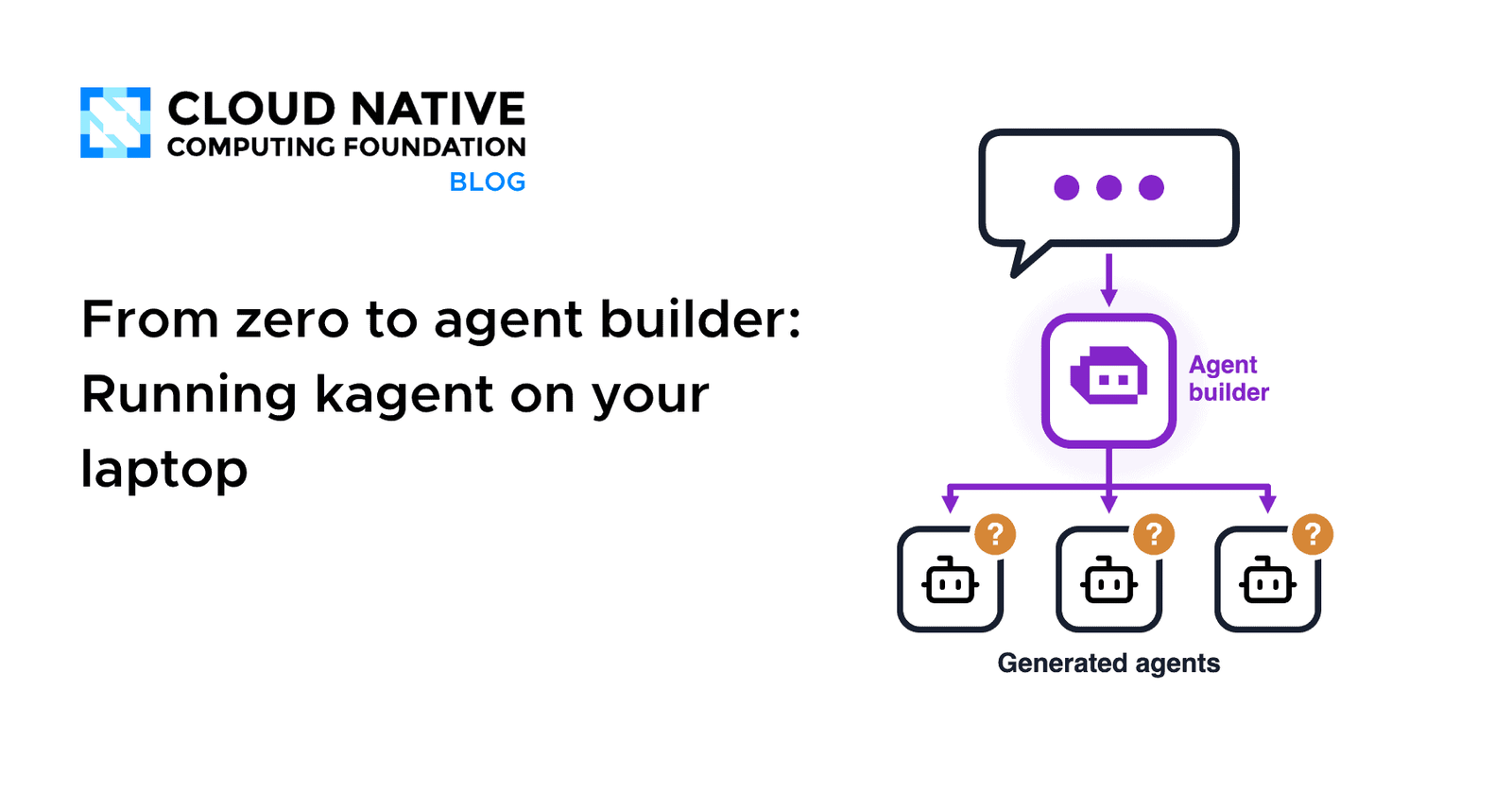
Once agents become declarative YAML files, an agent capable of producing YAML is the only piece needed for self-replication. There is no separate framework or plugin architecture required. One `Agent` resource, three tools, and a prompt that understands the shape of an `Agent` manifest — that is the entire system.
—
## Prerequisites and Setup
Before beginning the hands-on lab, ensure the following tools are installed locally: Docker, `kind` (Kubernetes in Docker), `kubectl`, `Helm`, `jq`, and Ollama for running a local large language model. Alternatively, you can plug in an API key for Claude, OpenAI, or another hosted provider, though this introduces costs.
The lab runs entirely inside a disposable `kind` cluster, so nothing touches a shared production environment. All access to the web interface and API goes through `kubectl port-forward` bound to `127.0.0.1`, keeping traffic off the network.
Create a dedicated working directory to hold all configuration files as you progress through the steps.
—
## Choosing a Model That Can Handle Kubernetes Manifests
The most surprising finding during development was that writing valid Kubernetes manifests through tool calls is significantly harder than conversational chat. Small models struggle with this task in measurable ways. Some hallucinate their own tool block format. Others respond helpfully but never actually invoke the apply tool.
After testing several options, a 30-billion-parameter model proved reliable across every attempt. The exact model name and quantization variant are documented in the installation step below. The cluster reaches the local model through `host.docker.internal:11434`, which works out of the box with Docker Desktop on macOS and Windows. Linux users will need to adjust the host address in the configuration file to one reachable by the kind nodes.
—
## Installing the Platform with Restricted Permissions
The installation involves two Helm charts: one for the Custom Resource Definitions and one for the platform itself, both at version 0.10.2 in the `kagent` namespace.
A critical security decision happens in the values file. By default, the bundled tool server receives a cluster-admin role, which is far too permissive even for a laptop experiment. Instead, the configuration restricts the tool server to a read-only Kubernetes role with a single additional rule: permission to create, update, patch, list, watch, and get `Agent` resources in the `kagent` namespace — nothing else.
The values file also disables all sample agents that the Helm chart installs by default, ensuring the dashboard shows only the agents you create. Twenty-two Kubernetes tools are loaded into the tool server, but the builder agent will only see three of them through an explicit allowlist.
—
## The Builder Agent: One YAML File
The builder itself is simply another `Agent` resource. Its system prompt instructs it to accept a plain-language description, choose a unique name (never overwriting an existing agent), write a manifest in the exact required shape, apply it, then read back the resulting resource and report its real status — including whether conditions show `Accepted` and `Ready`.
The prompt encodes several hard-won lessons. Free-form text goes inside YAML block scalars (using the `|-` syntax) because a colon followed by a space inside a plain scalar string breaks the manifest entirely. The model must never fabricate a second resource with a variant name to probe what went wrong. If something fails, it reports the exact error and stops.
At the bottom of the manifest, the `tools` block contains an allowlist of exactly three read-only Kubernetes tools plus one write tool (`k8s_apply_manifest`) placed behind a human-approval gate. When the builder calls `k8s_apply_manifest`, the execution pauses and waits for explicit user consent through the dashboard before anything lands in the cluster.
—
## Using the Dashboard
Forward the UI service port and open `http://localhost:8080` in a browser. Select the builder agent and submit a request such as creating an agent for a support team that reports on service health in the cluster.
Within a minute, the run halts. The interface displays the exact Kubernetes manifest the model generated and presents two buttons: approve or reject. Reviewing the manifest at this stage is the one moment where a human sees precisely what is about to be applied to the cluster. Approving triggers the apply, the read-back, and a final status report showing the agent’s real condition.
The newly created agent then appears in the agent list and is immediately available for conversation. Because the builder was only permitted to grant read-only tools, the new agent answers queries using only those same safe tools.
—
## Scripting the Flow Without a UI
Since every agent exposes an A2A endpoint on the controller, the entire interaction can be driven programmatically with `curl`. Forward the controller port, POST a `message/send` request with a user prompt, parse the response to extract the task ID and context, then POST a second message containing an `approve` or `reject` decision. The cluster reports the outcome, and you can verify the created resources with `kubectl get agents`.
—
## Three Layers of Protection
It is tempting to believe the prompt alone provides sufficient safety. It does not — not because models are malicious, but because models misformat YAML, retry in unexpected ways, and occasionally misread instructions.
Three independent guardrails catch what the prompt misses, each operating at a different layer:
– **The allowlist.** The tool server presents only three of its twenty-two tools to the builder. If the model attempts to reach for a deletion tool, the tool simply does not exist in its view.
– **The approval gate.** Before any manifest becomes a live resource, a human reads and explicitly approves it through the dashboard or the scripted decision path.
– **RBAC at the API server.** Even if approval is given carelessly, the ServiceAccount running the tool server can only write `Agent` resources. Attempts to create Deployments, Secrets, or any other resource type are rejected by the cluster, regardless of what the agent builder intended.
Each layer catches what the previous one lets through, and none of them depends on the quality of the natural-language prompt.
—
## What This Lab Deliberately Leaves Open
On a local laptop, the identity of the person requesting an agent is invisible because every request runs as the same user. There is no visibility into token costs, no attribution to a team or project, and no policy decision about whether the agent should exist beyond a single chat interaction. Scale this pattern to a company running multiple builder instances, hosted agent platforms, and developer-side assistants, and the gap becomes significant.
A governance layer that sits in front of all agents — regardless of where they originate — is the natural next step. Proxying LLM, MCP, and A2A traffic with authentication, fine-grained authorization policies, and full observability telemetry addresses the identity, cost, and approval questions that this lab leaves unanswered.
—
## Frequently Asked Questions
**What exactly is kagent?**
kagent is a CNCF Sandbox project that runs AI agents as native Kubernetes resources. An agent is a Custom Resource that the platform’s controller turns into a running pod capable of A2A communication.
**Does the builder agent need internet access?**
No. In the local-lab configuration, the builder uses a model served by Ollama running on the host machine. The only network dependency is between the kind cluster nodes and the Ollama host address.
**Can I use a hosted model instead of a local one?**
Yes. The Helm chart supports provider blocks for OpenAI, Anthropic, Azure OpenAI, and Gemini. Switching to a hosted provider means token costs apply, and the free-local-experiment benefit is lost.
**What happens if the builder agent generates a malformed manifest?**
The apply step fails, and the controller reports an error. The system prompt instructs the builder to report that error and stop — it does not retry with a modified name or a second resource.
**Is this setup safe for a shared team cluster?**
No. The lab intentionally uses the default `unsecure` authentication mode and runs on an isolated kind cluster. For shared environments, authentication, authorization, and network policies must be added before any agent builder is deployed.
**How many tools does the builder actually see?**
Three: `k8s_apply_manifest` (approval-gated), `k8s_get_resources`, and `k8s_get_resource_yaml`. The tool server has twenty-two tools available in total, but the allowlist restricts the builder’s view.
**Can the new agent do anything beyond reading cluster state?**
Only what the builder explicitly grants it. In this lab, the builder can only pass read-only tools to the agents it creates, so every new agent is similarly constrained by default.
**What is the A2A protocol?**
Agent-to-Agent (A2A) is an open protocol that lets AI agents communicate with each other using standard HTTP and JSON payloads. kagent implements A2A natively on every agent endpoint.
—
## Conclusion
Building an agent that can build other agents is an achievable afternoon project when the agent lives as a Kubernetes Custom Resource and the platform handles the lifecycle. The key insight is that safety in this pattern does not come from a single perfect prompt — it emerges from the combination of a tool allowlist, a human approval gate, and strict RBAC at the cluster level. Each guardrail catches failures that the others miss.
The easy part is the self-replication mechanism itself. The harder, more interesting work lies in the governance questions: who is asking for agents, what are they costing, and should they exist at all. Those questions will define the next generation of agent platforms.
Thank you for reading
