



# How I Built a Mac App in One Week Without Writing a Single Line of Code
## Introduction
A few weeks ago, I stumbled upon a box of floppy disks containing over 2,300 icons from an old software product I created three decades ago. What started as a nostalgic trip down memory lane turned into a full-scale project to build and publish a Mac application — and I didn’t type a single line of code the entire time.
Here’s how the journey unfolded, what I learned about working with AI coding agents, and why creating the marketing graphics proved harder than building the app itself.
## The Discovery
The icons originally lived inside a Macromedia Director file — a format that was popular during the CD-ROM era but has since become virtually extinct. Finding that file on my desktop felt like unearthing a digital time capsule. Inside were all the assets from a product called Icon Gallery, which I first developed back in the mid-1990s as a boxed set of over 2,000 colorful icons for Mac users.
My first step was to ask an AI assistant to extract all those icons from the ancient Director file and convert them into modern PNG format. The AI didn’t resist the task or complain about the outdated format. In just a few minutes, it had processed everything and organized the results into neatly categorized folders. I was genuinely surprised at how smoothly the extraction went.
## From Nostalgia to Product
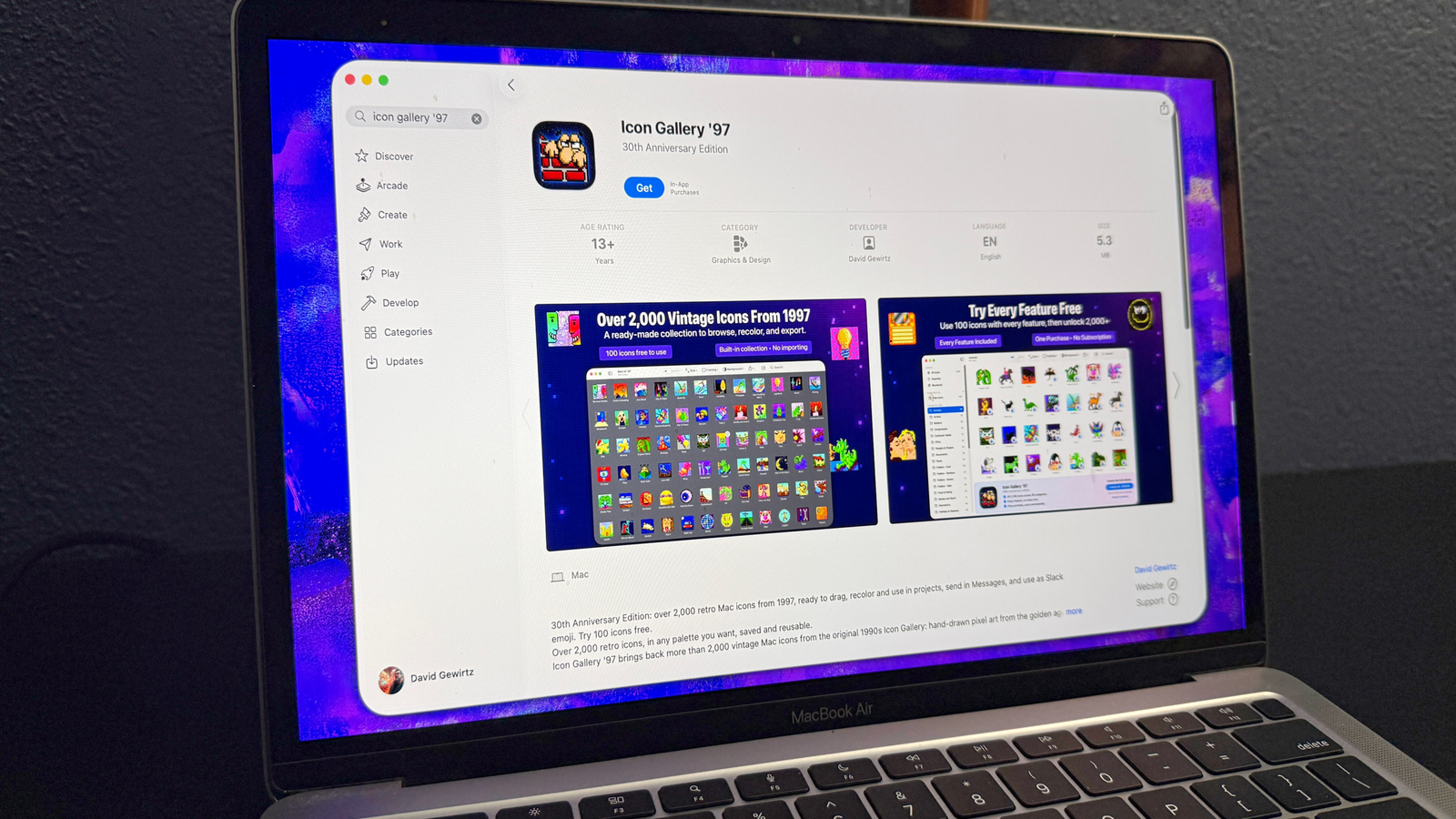
About eighteen days later, I had an idea. I thought it would be fun to have an application that could let me browse these vintage icons and resize them to whatever dimensions I needed. The app I eventually named Icon Gallery ’97 could scale icons from their original 32×32 pixels all the way up to 1,024×1,024 pixels while maintaining clean, hard edges.
I worked across two different AI tools: one for strategic planning and another for actual code generation. Within a few hours of active work, I had a functional macOS application that could display the entire icon library and perform real-time resizing.
## Building Features Through Conversation
The app grew feature by feature through direct conversation with the AI. I asked it to add a recoloring tool so designers could adapt the retro icons to modern brand palettes. It suggested implementing collections and favorites. A friend later recommended adding an export feature for Slack emojis, which led to integration for dragging icons directly into text messages.
Each new request led to another round of development directives. When I needed iCloud syncing so the app could work across multiple machines, I simply asked the AI to implement it. These weren’t massive leaps — they were small, focused conversations that built up over several days.
I issued a total of 502 individual directives across four days of active work. This was not a case of typing one magical command and waiting for a finished product. It was an iterative, conversational process that required ongoing guidance and decision-making.
## Solving Real Problems Along the Way
The AI helped me navigate several technical challenges I hadn’t initially considered. When I asked whether in-app purchases could allow someone to buy the app, export everything, and then request a refund, the AI recommended not fighting refunds — which aligned with my personal philosophy as a software creator.
More critically, the AI discovered that anyone who downloaded the free version of the app could access all 2,146 icons by simply right-clicking the application package. We solved this by encrypting the icon library into a single scrambled file that decrypts dynamically as images are requested.
The AI also caught potential App Store rejection issues before I submitted. It flagged icons that could violate Apple’s guidelines, including a logo resembling a well-known brand and some cartoon characters that might raise concerns. It also identified a set of gun-related icons that, while popular in 1997, would be inappropriate for a modern platform. I removed those before submission.
## The App Store Process
Submitting to the App Store was a learning experience in itself. The developer account costs $99 per year, and new businesses earning under $1 million annually can qualify for a reduced commission rate of 15% instead of the standard 30%.
Apple allows up to ten high-resolution promotional graphics for each app listing. Creating these images — at 2,880×1,800 pixels each — took me three full days of manual work. This is worth noting because every AI image generator I tried failed to produce the specific, polished marketing visuals required for App Store submissions. The creative and strategic thinking required for effective app promotion turned out to be something humans still do best.
I also learned that TestFlight has upload limits. During one intensive afternoon of testing, Apple blocked my twenty-second build and required me to wait a full day before trying again. That single restriction delayed the entire submission timeline by one day.
## Lessons Learned
Here are the key takeaways from this entire experience:
– **AI works best as a collaborative partner**, not a replacement for decision-making. I guided the process the way I would manage any team member.
– **Let the AI keep a running log of decisions** in a markdown file so you can track what was chosen and why.
– **Use metrics instead of guesswork.** When the AI wasn’t sure about performance, I asked it to write Python scripts to measure actual results rather than relying on its assumptions.
– **Watch your context window.** Once the conversation reached about 75% capacity, the AI started producing lower-quality responses. Saving progress and starting a fresh session helped maintain quality.
– **Always use external testers.** Neither I nor the AI caught every issue, and outside perspectives proved valuable.
– **Git branching is your friend.** It allowed me to experiment with different visual designs and revert instantly when a direction didn’t work.
## FAQ
**Q: How long did it actually take to build the app?**
A: The active development period spanned four days, with work scattered around other professional and personal commitments. The entire process — from discovery to App Store approval — took about two weeks.
**Q: Did I need to know how to program?**
A: No. I have no coding background. Everything the app required was built through conversational directives given to an AI coding agent.
**Q: What AI tools were used?**
A: Two separate AI tools were used — one for strategic discussions and planning, and another (a code-focused agent) for generating and refining the application code.
**Q: How much did it cost to publish?**
A: The Apple Developer account costs $99 per year. Beyond that, there were no additional costs for building or publishing the app itself.
**Q: Why were the App Store promotional graphics so difficult to create with AI?**
A: While AI image generators excel at many creative tasks, App Store marketing requires precise messaging, brand consistency, and platform-specific design standards. The AI tools available couldn’t reliably hit the specific requirements needed for polished promotional assets.
**Q: Can any AI coding agent replicate this result?**
A: Results will vary depending on the tool, the complexity of the project, and the user’s ability to guide the process effectively. Not every coding agent will handle every task with equal competence.
## Conclusion
Building Icon Gallery ’97 proved that AI-assisted development can turn a nostalgic hobby project into a real, published product in a matter of weeks. The process required active involvement, ongoing decision-making, and a willingness to guide the AI through every step — but it didn’t require a single line of hand-written code.
The experience also highlighted where humans still hold the advantage: creative marketing decisions, strategic judgment calls, and the ability to recognize when AI-generated outputs fall short. The promotional graphics alone taught me that AI image generation hasn’t yet reached the level of precision and brand awareness needed for professional App Store submissions.
For anyone curious about AI coding but unsure where to start, this project demonstrates that you don’t need to be a programmer to create software. You need an idea, patience for an iterative process, and the willingness to think critically about what the AI produces.
Thank you for reading.
