



# Apple Releases First Software Update for iOS 27: What You Need to Know
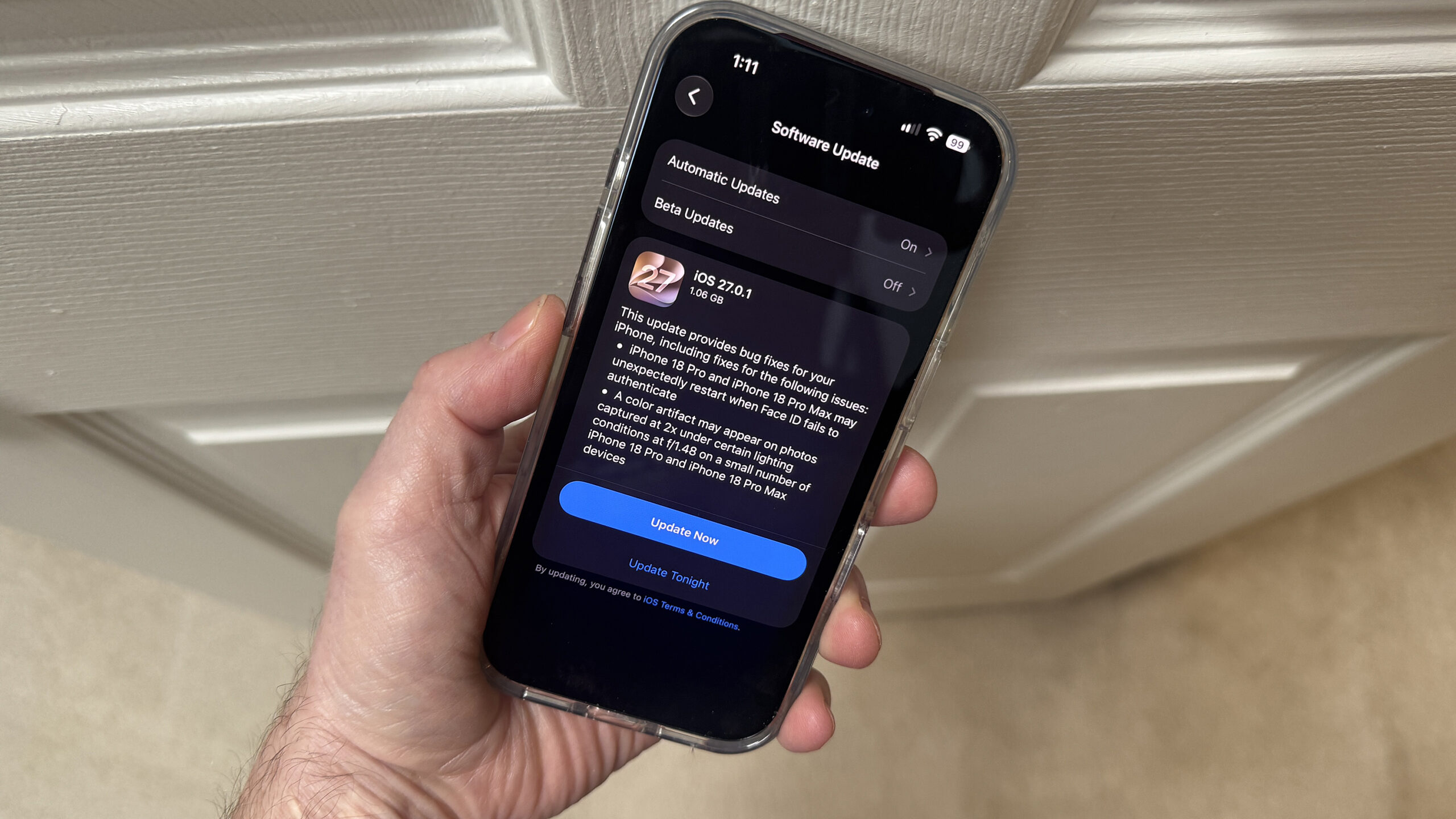
Apple has rolled out its first patch for iOS 27, addressing a handful of bugs that have surfaced since the operating system’s initial launch. The update, version 27.0.1, is now available for compatible iPhones and also extends to iPadOS, macOS, and visionOS devices.
## The Main Fix: A Face ID Glitch on New Models
The most notable issue addressed in this update involves the newest flagship smartphones — the iPhone 18 Pro and iPhone 18 Pro Max. Some users have reported that their devices freeze or unexpectedly restart when attempting to authenticate through Face ID, particularly when signing into apps or accessing features secured by facial recognition, such as the Passwords app or private browsing tabs in Safari.
The problem appears to occur when a Face ID attempt fails initially, and the user taps the “Try Again” option. Shortly after, the affected device becomes unresponsive and reboots.
## Why Only the Latest Pro Models?
The placement of the facial recognition hardware on the iPhone 18 Pro and Pro Max may explain why these two models are exclusively affected. Unlike earlier generations where the Face ID sensor sits within the Dynamic Island, the newest models house the camera beneath the display, just to the left of the Dynamic Island. Users may notice a brief white line appearing beneath the time display when Face ID activates. This different sensor arrangement could be contributing to the software conflict that triggers the restart loop.
## Additional Bug Fixes
Beyond the Face ID issue, the update also resolves a problem where a color distortion artifact could occasionally appear in photographs taken at 2x zoom under f/1.48 aperture in specific lighting conditions. Apple noted this occurred on a limited number of units.
Additionally, the update patches a bug where simultaneously pulling down the Notification Center and Control Center could cause the display to become unresponsive. This fix applies to all iPhones running iOS 27, not just the newer Pro models.
## Updates for iPad, Mac, and Vision Pro
Apple didn’t limit the rollout to the iPhone alone. iPadOS 27.0.1, macOS 27.0.1, and visionOS 27.0.1 have also been released, each delivering general bug fixes. The company did not elaborate on the specific issues resolved for these platforms, stating only that the updates improve stability.
## Security and Compatibility
Apple did not disclose any security patches bundled with this release, suggesting it is purely a stability and bug-fixing update. The update supports a wide range of devices, including iPhones from the iPhone 11 onward, various iPad Pro, iPad Air, iPad, and iPad mini models.
—
## Frequently Asked Questions
**Q: How do I install iOS 27.0.1 on my iPhone?**
A: Navigate to Settings, tap General, and select Software Update. If iOS 27.0.1 is available, tap Download and Install. Make sure your device is connected to Wi-Fi and has sufficient battery life or is plugged into a power source. After the update completes, restart your device for the best results.
**Q: Is my device eligible for this update?**
A: iOS 27.0.1 is compatible with iPhone 11 and later models. iPad and Mac updates support a range of recent hardware, including iPad Pro (4th generation and newer), iPad Air (4th generation and newer), iPad (9th generation and newer), and iPad mini (6th generation and newer). Check the Software Update section in your Settings to confirm availability.
**Q: Should I be concerned about data loss when updating?**
A: Apple updates are generally safe, but it’s always wise to back up your device before installing any software update. You can back up to iCloud or connect to a computer and use Finder or iTunes for a full local backup.
**Q: Are there any new features in this update?**
A: No. Version 27.0.1 is strictly a bug-fixing release and does not introduce any new features or functionality.
**Q: Will Apple release more updates soon?**
A: It’s common for Apple to release follow-up patches in the weeks following a major OS launch. Keep an eye on Settings for any new updates as they become available.
—
## Conclusion
Apple’s swift response to the Face ID restart issue on the iPhone 18 Pro and Pro Max demonstrates the company’s commitment to addressing problems quickly after major launches. While software bugs are an expected part of any new operating system rollout, the timely release of patch 27.0.1 helps ensure a smoother experience for users. The fact that the update also covers a range of visual artifacts and interface responsiveness issues across multiple platforms shows Apple’s broad attention to detail. Users running iOS 27 should take a moment to update their devices to benefit from these fixes. As always, staying current with software releases is one of the best ways to keep your Apple devices running reliably.
Thank you for reading
