



# TauGrid: An Open-Source Platform for Simplifying AI Workloads on Kubernetes
## Introduction
Running artificial intelligence workloads on Kubernetes is rarely a simple affair. Platform teams typically need to stitch together multiple independent systems — job queuing, distributed computing frameworks, GPU health monitoring, observability dashboards, and submission scripting layers — just to get a single training pipeline off the ground. This fragmentation introduces operational overhead, configuration drift, and significant cognitive burden for both platform engineers and the researchers who depend on them.
A new open-source tool aims to collapse all of that complexity into a single, unified installation. By bundling a command-line interface, intelligent queueing, cluster orchestration, hardware monitoring, and evidence capture into one cohesive system, it promises to dramatically simplify how teams run AI on Kubernetes.
## What Is TauGrid?
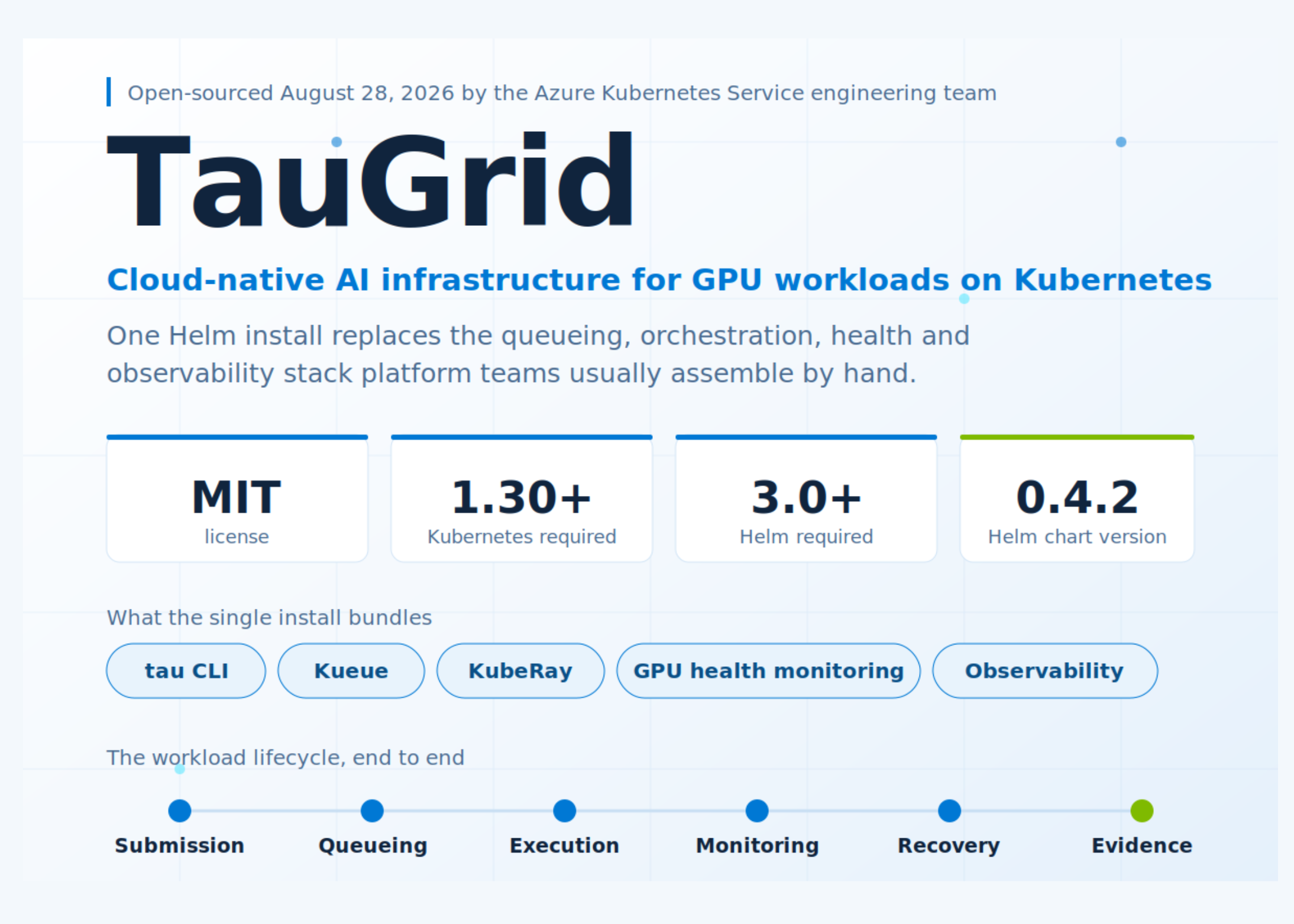
TauGrid is a self-hosted platform purpose-built for running AI workloads on Kubernetes. Rather than requiring teams to manually integrate disparate tools, TauGrid combines five core capabilities into a single deployment:
– **A command-line interface (CLI)** for describing and submitting workloads
– **Workload queueing and admission control** through integration with Kueue, a Kubernetes-native queueing system
– **Distributed runtime orchestration** powered by KubeRay, which manages Ray clusters on Kubernetes
– **Node-level GPU health monitoring** that can detect faulty hardware and automatically drain affected nodes
– **Cluster and workload observability** for tracking performance and debugging issues
The architecture follows a deliberate separation of concerns. Platform teams are responsible for defining workspaces, configuring queues, setting compute profiles, managing storage and identity, and overseeing observability. Researchers, on the other hand, interact with the system solely through a Git repository and the CLI. They submit workloads using a declarative configuration file without ever needing to write Kubernetes manifests or understand the underlying infrastructure.
The entire codebase is written primarily in Go, and the project is licensed under the permissive MIT license.
## How a Job Moves Through the System
Every AI workload in TauGrid is described through a declarative YAML configuration file. A typical configuration specifies the entry point script, the type of distributed runtime to use, the number of GPUs, CPUs, memory, and the container image to run.
Once submitted via the CLI, a workload passes through six well-defined stages:
### 1. Submission
The CLI validates the configuration, resolves platform policies, and renders the appropriate Kubernetes resource — either a native Kubernetes Job or a RayJob managed by KubeRay. The researcher never interacts directly with Kubernetes objects.
### 2. Queueing
The rendered job enters a shared queue governed by Kueue. Admission decisions are based on quota limits and priority levels, ensuring fair resource distribution across teams sharing the same cluster.
### 3. Execution
TauGrid launches and manages the distributed workload through KubeRay, placing it on the GPU nodes selected by the Kubernetes scheduler. The system handles the lifecycle of the distributed processes transparently.
### 4. Monitoring
Throughout execution, the system tracks status, logs, and GPU health metrics in real time. Node-level diagnostics can automatically identify and isolate unhealthy hardware, preventing cascading failures.
### 5. Recovery
If a job fails — for instance, due to a GPU hardware fault — TauGrid supports retry logic, checkpoint-based resume, and built-in failure diagnosis. This means a hardware issue does not necessarily force a team to restart a lengthy training run from the beginning.
### 6. Evidence
Every completed run generates an evidence record that captures the workload metadata, configuration, logs, metrics, checkpoints, and full execution history. This makes every run fully reproducible and auditable at a later date, which is critical for both compliance and scientific rigor.
## GPU Scheduling in Multi-Team Environments
When multiple teams share a cluster, their jobs are consolidated into a single Kueue ClusterQueue. Kueue evaluates each job against defined quotas and priority levels, admitting only those that can be accommodated within available resources. Kubernetes then places admitted workloads on healthy GPU nodes.
This design enables organizations to pool expensive GPU hardware across research groups while maintaining clear boundaries around who gets what resources and when.
## Installation and Deployment
TauGrid is designed to be deployed with a single Helm command. Container images and Helm charts are published as public OCI artifacts on Microsoft Container Registry.
**Prerequisites:**
– Kubernetes cluster version 1.30 or later
– GPU-enabled worker nodes
– `kubectl` configured to communicate with the cluster
– Helm 3.0 or later
**Installation command:**
“`bash
helm install taugrid
oci://mcr.microsoft.com/aks/ai-runtime/helm/taugrid
–version 0.4.2
–namespace tau-system
–create-namespace
“`
The CLI binary is available for Linux and macOS via GitHub Releases, with a PowerShell installer for Windows amd64. The installer verifies release checksums and does not modify the system PATH. Microsoft recommends pinning versioned tags or immutable digests for container images rather than using mutable tags like `latest`.
## Operational Considerations
### Telemetry and Privacy
By default, TauGrid does not send any telemetry data to Microsoft. Remote export of observability data remains disabled unless an operator explicitly configures a destination. This privacy-first design means teams can use the platform without concern about their workload data leaving their infrastructure.
### Cloud and On-Premises Support
While some integrations — notably observability through Azure Data Explorer — are currently Azure-specific, the stated goal is to support both cloud-hosted and on-premises Kubernetes deployments without requiring an Azure dependency. The project is open to community contributions that expand its portability.
## Key Takeaways
– The platform is MIT licensed and available on GitHub under the name `Azure/taugrid`.
– A single Helm install bundles the CLI, queueing, orchestration, GPU monitoring, and observability into one system.
– It runs on any Kubernetes 1.30+ cluster with GPU nodes, `kubectl`, and Helm 3.0 or later.
– Evidence records capture configuration, logs, metrics, and checkpoints, ensuring reproducibility and auditability.
– Telemetry is disabled by default, though some observability features remain tied to Azure.
## Frequently Asked Questions
**Q: Is TauGrid only usable on Azure Kubernetes Service?**
No. While it was developed by the AKS engineering team and some integrations are Azure-specific, TauGrid is designed to run on any Kubernetes 1.30+ cluster with GPU nodes, including on-premises deployments. The team has stated that cloud and on-premises support without an Azure dependency is an explicit goal.
**Q: What programming language is TauGrid written in?**
The core codebase is written primarily in Go.
**Q: Can researchers submit jobs without knowing Kubernetes?**
Yes. Researchers interact with the system through a YAML configuration file and the `tau` CLI. They do not need to write Kubernetes manifests or understand the underlying cluster architecture.
**Q: How does TauGrid handle GPU hardware failures?**
The platform includes node-level GPU health monitoring. When a hardware fault is detected, the affected node can be automatically drained, and any running jobs on that node are marked for recovery. Failed jobs can resume from their last checkpoint rather than restarting from scratch.
**Q: Does using TauGrid incur any costs from Microsoft?**
The software itself is open-source under the MIT license and free to use. Container images are hosted on Microsoft Container Registry, and there are no licensing fees. Infrastructure costs depend on your Kubernetes cluster and GPU hardware.
**Q: What happens to my data and workload metadata?**
TauGrid does not send telemetry to Microsoft by default. All evidence records — including configuration, logs, metrics, and checkpoints — are stored within your own cluster unless you configure an external export destination.
**Q: Can I customize the queueing behavior for my team?**
Yes. Platform teams own the configuration of workspaces, queues, compute profiles, and quotas. This allows each team to define policies that match their specific needs and resource requirements.
## Conclusion
TauGrid represents a significant step toward simplifying the operational complexity of running AI workloads on Kubernetes. By consolidating queueing, orchestration, monitoring, recovery, and evidence capture into a single, well-architected platform, it removes much of the manual integration burden that platform teams currently face.
The decision to open-source the project under an MIT license and to design it for cloud-agnostic deployment signals a commitment to broad adoption and community-driven development. For organizations running GPU-intensive AI workloads on Kubernetes, TauGrid offers a compelling, unified alternative to the patchwork of independently managed tools that has been the norm.
Thank you for reading
