



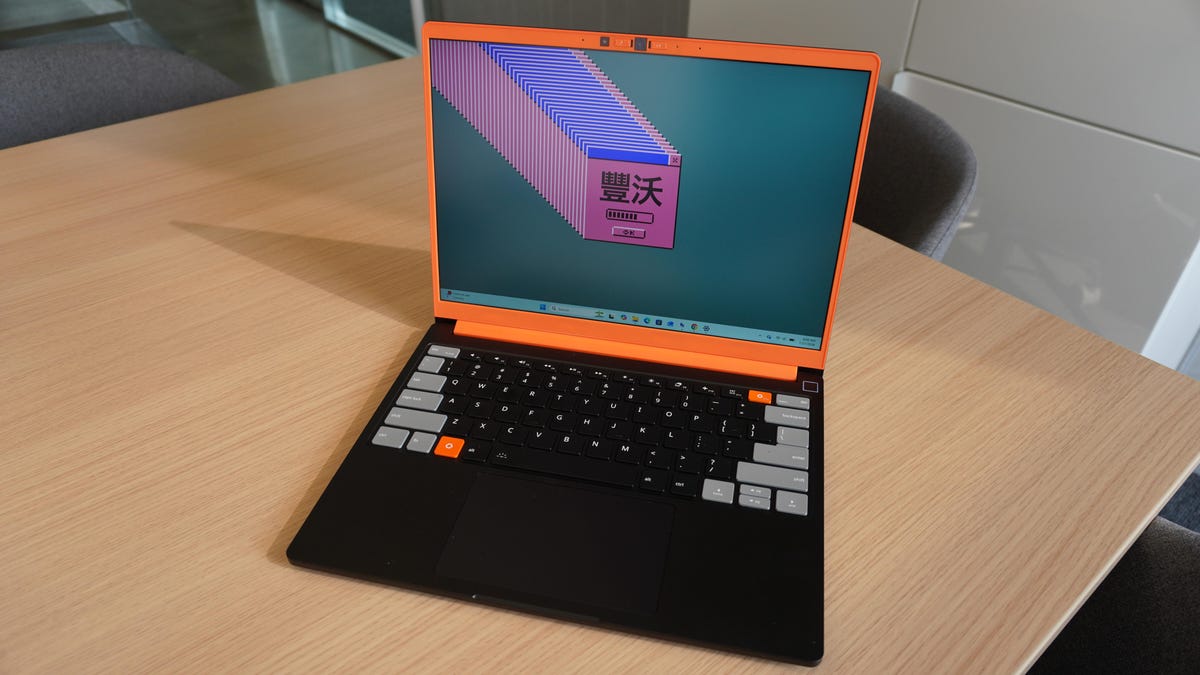
## The Framework Laptop 13 Pro: A Premium DIY Experience
The Framework Laptop 13 Pro has emerged as a significant contender in the laptop market, especially for those who value customization and premium build quality. Announced in April 2026, this device has been described as the “MacBook Pro for Linux users,” thanks to its sleek design, robust performance, and focus on user-centric features. This article delves into the pros and cons, hardware specifications, performance, and overall value of the Framework Laptop 13 Pro.
### Pros and Cons
**Pros:**
– **Framework’s sleekest, most premium laptop to date.**
– **The haptic touchpad and keyboard are excellent.**
– **Very good battery life.**
**Cons:**
– **The RAM shortage raised prices for the pre-built model by as much as $800.**
– **It already wasn’t cheap, especially for higher-end components.**
– **Speakers are just alright.**
– **Wobbly display panel works against the touchscreen.**
### A Mature Design with Great Engineering
The Framework Laptop 13 Pro represents a new approach for Framework, offering a more refined and mature design compared to its predecessors. The laptop features a DIY assembly process that has been perfected over time, making it accessible even to those with limited technical experience. The design is sleek and airtight, with a CNC aluminum chassis that is solid and flex-free. The unibody keyboard input cover magnetically snaps into place with just five screws, making assembly straightforward.
### Hardware and Performance
Under the hood, the Framework Laptop 13 Pro is equipped with Intel Core Ultra 5, X7, or X9 Series 3 “Panther Lake” processors, which offer improved performance and battery efficiency. The laptop boasts excellent battery life, easily lasting an entire day on a single charge. Framework breaks down its battery life metrics by use case, offering 20 hours of video streaming at half brightness, 17 hours of web browsing, and 11 hours of video conferencing.
Memory and storage options are modular, with LPCAMM2 LPDDR5X memory and PCIe Gen 5 NVMe storage via an M.2 2280 slot, supporting up to 8TB of storage. The review unit tested here came with 32GB of RAM and 1TB of storage, paired with the Intel Core Ultra X7 358H, delivering snappy and responsive performance for multitasking, programming, data science, and creative tasks.
The touchscreen display is a noticeable improvement, offering a 2.8K resolution, 600-nit brightness, and a 120Hz variable refresh rate. However, the panel is wobbly, which may detract from the touchscreen experience. The haptic touchpad, on the other hand, is a standout feature, offering precision and responsiveness. The keyboard also impresses with 1.5mm key travel and acceptable backlighting.
### Pricing and Value for Money
One of the significant downsides of the Framework Laptop 13 Pro is its cost. The DIY version starts at $1,199, but selecting a CPU, adding memory, and an SSD can push the price to around $1,700. The pre-built model starts at $1,599, with higher-end configurations surpassing $3,000. This places the laptop in the premium workstation category, competing with the likes of MacBook Pro and high-end Windows laptops.
### FAQs
**Q: Is the Framework Laptop 13 Pro suitable for Linux users?**
A: Absolutely. The laptop is “Linux first,” earning Ubuntu certification and pre-loaded with Fedora 4.4 or Ubuntu 26.04 LTS. It also supports a wide range of other Linux distributions, making it an excellent choice for Linux enthusiasts.
**Q: Can the components be upgraded easily?**
A: Yes, the laptop is designed for easy upgrades. The modular LPCAMM2 memory and PCIe Gen 5 NVMe storage make it straightforward to upgrade RAM and storage in the future.
**Q: How does the battery life compare to other laptops in its class?**
A: The Framework Laptop 13 Pro offers excellent battery life, with metrics that outperform many competitors. It provides up to 20 hours of video streaming, 17 hours of web browsing, and 11 hours of video conferencing on a single charge.
**Q: What are the main drawbacks of the Framework Laptop 13 Pro?**
A: The primary drawbacks include the high cost, exacerbated by the RAM shortage, and the wobbly touchscreen display. The speakers are also described as just alright.
### Conclusion
The Framework Laptop 13 Pro is a testament to the maturation of Framework’s DIY ethos and design philosophy. With its premium build quality, excellent haptic touchpad, and robust performance, it stands out even among its high-end competitors. However, the high cost, driven by the RAM shortage, may deter budget-conscious buyers. For those committed to the modular and customizable nature of the device, the Framework Laptop 13 Pro offers an unparalleled combination of performance, battery life, and user-centric features, making it one of the best options available for Linux users and DIY enthusiasts alike.
