



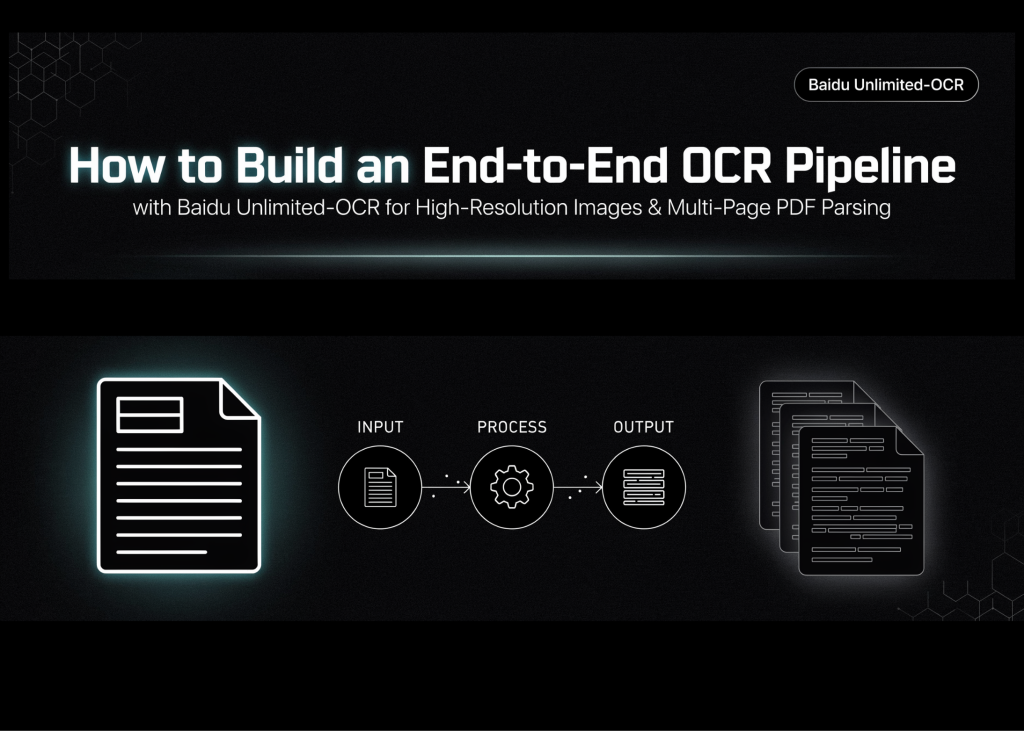
**Complete End-to-End OCR Pipeline with Baidu Unlimited-OCR on Documents and PDFs**
In this guide, we walk through a complete, reproducible workflow for running Baidu’s Unlimited-OCR model on document images and multi-page PDFs. The process covers environment setup, dependency installation, model loading with automatic precision selection, single-image inference in two modes, and multi-page PDF parsing. The pipeline is designed to preserve long-context generation settings, repetition controls, and structured output handling for dense layouts, tables, and cross-page content.
—
### **Step 1: Environment and Dependency Setup**
We begin by installing the necessary Python packages and configuring the GPU environment in Google Colab:
“`python
import subprocess, sys
def pip_install(*pkgs):
subprocess.check_call([sys.executable, “-m”, “pip”, “install”, “-q”, *pkgs])
print(“>> Installing dependencies (1-2 min)…”)
pip_install(
“transformers==4.57.1”,
“Pillow”,
“matplotlib”,
“einops”,
“addict”,
“easydict”,
“pymupdf”,
“psutil”,
“accelerate”,
)
print(“>> Done.”)
import os
import torch
from transformers import AutoModel, AutoTokenizer
assert torch.cuda.is_available(), (
“No GPU detected! In Colab: Runtime -> Change runtime type -> GPU.”
)
gpu_name = torch.cuda.get_device_name(0)
print(f”>> GPU: {gpu_name}”)
use_bf16 = torch.cuda.is_bf16_supported()
DTYPE = torch.bfloat16 if use_bf16 else torch.float16
print(f”>> Using dtype: {DTYPE}”)
MODEL_NAME = “baidu/Unlimited-OCR”
print(“>> Downloading model (~6 GB for 3B params in BF16). First run takes a while…”)
tokenizer = AutoTokenizer.from_pretrained(MODEL_NAME, trust_remote_code=True)
model = AutoModel.from_pretrained(
MODEL_NAME,
trust_remote_code=True,
use_safetensors=True,
torch_dtype=DTYPE,
)
model = model.eval().cuda()
print(“>> Model loaded and moved to GPU.”)
“`
The script checks for a CUDA-enabled GPU, automatically selects bfloat16 or float16 based on hardware support, and loads the 3B-parameter vision-language model from Hugging Face.
—
### **Step 2: Creating Sample Documents**
Next, we generate realistic document images with structured content such as titles, tables, paragraphs, and footnotes:
“`python
from PIL import Image, ImageDraw, ImageFont
import textwrap
os.makedirs(“inputs”, exist_ok=True)
os.makedirs(“outputs/single_gundam”, exist_ok=True)
os.makedirs(“outputs/single_base”, exist_ok=True)
os.makedirs(“outputs/multi_page”, exist_ok=True)
def load_font(size):
for path in [
“/usr/share/fonts/truetype/dejavu/DejaVuSans-Bold.ttf”,
“/usr/share/fonts/truetype/dejavu/DejaVuSans.ttf”,
]:
if os.path.exists(path):
return ImageFont.truetype(path, size)
return ImageFont.load_default()
def make_sample_page(path, page_no):
W, H = 1240, 1754
img = Image.new(“RGB”, (W, H), “white”)
d = ImageDraw.Draw(img)
title_f, head_f, body_f = load_font(48), load_font(34), load_font(26)
d.text((80, 70), f”Quarterly Operations Report — Page {page_no}”,
fill=”black”, font=title_f)
d.line([(80, 145), (W – 80, 145)], fill=”black”, width=3)
body = (
“This document demonstrates Unlimited-OCR’s one-shot long-horizon ”
“parsing. The model reads an entire page — headings, paragraphs, ”
“and tables — and emits structured text in a single decoding pass. ”
“Unlike classic OCR pipelines, no separate layout-analysis stage ”
“is required.”
)
y = 190
for line in textwrap.wrap(body, width=72):
d.text((80, y), line, fill=”black”, font=body_f)
y += 40
y += 30
d.text((80, y), f”Table {page_no}: Regional Revenue (USD, millions)”,
fill=”black”, font=head_f)
y += 60
rows = [
[“Region”, “Q1”, “Q2”, “Q3”],
[“North”, “12.4”, “13.1”, “15.0”],
[“South”, “9.8”, “10.2”, “11.7”],
[“East”, “14.3”, “13.9”, “16.2”],
[“West”, “11.1”, “12.5”, “12.9”],
]
col_w, row_h, x0 = 260, 56, 80
for r, row in enumerate(rows):
for c, cell in enumerate(row):
x = x0 + c * col_w
d.rectangle([x, y, x + col_w, y + row_h], outline=”black”, width=2)
d.text((x + 14, y + 12), cell, fill=”black”, font=body_f)
y += row_h
y += 50
footer = (
f”Note {page_no}: Figures are illustrative. Multi-page mode stitches ”
“context across pages, so cross-page references remain coherent.”
)
for line in textwrap.wrap(footer, width=72):
d.text((80, y), line, fill=”black”, font=body_f)
y += 40
img.save(path)
return path
IMAGE_PATH = make_sample_page(“inputs/sample_page_1.png”, 1)
PAGE_2 = make_sample_page(“inputs/sample_page_2.png”, 2)
PAGE_3 = make_sample_page(“inputs/sample_page_3.png”, 3)
print(f”>> Sample pages written: {IMAGE_PATH}, {PAGE_2}, {PAGE_3}”)
import matplotlib.pyplot as plt
plt.figure(figsize=(6, 8))
plt.imshow(Image.open(IMAGE_PATH))
plt.axis(“off”)
plt.title(“Input document (page 1)”)
plt.show()
“`
Three pages are created with rich layout elements. The first page is displayed for visual confirmation.
—
### **Step 3: Single-Image Inference — Gundam Mode (Tiled, High Detail)**
The **Gundam mode** uses a global view plus tiled image processing, ideal for dense or detailed documents:
“`python
print(“>>” + “=” * 76)
print(“STEP 4: Single image — GUNDAM mode (tiled, high detail)”)
print(“=” * 76)
model.infer(
tokenizer,
prompt=”
image_file=IMAGE_PATH,
output_path=”outputs/single_gundam”,
base_size=1024,
image_size=640,
crop_mode=True,
max_length=32768,
no_repeat_ngram_size=35,
ngram_window=128,
save_results=True,
)
“`
This mode enables `crop_mode=True` and uses a smaller tile size (`640`) to preserve fine text, while `max_length` and repetition controls ensure stable long-output generation.
—
### **Step 4: Single-Image Inference — Base Mode (Fast, Single View)**
For clean, clearly printed pages, **Base mode** uses a single image view without tiling:
“`python
print(“>>” + “=” * 76)
print(“STEP 5: Single image — BASE mode (single view, faster)”)
print(“=” * 76)
model.infer(
tokenizer,
prompt=”
image_file=IMAGE_PATH,
output_path=”outputs/single_base”,
base_size=1024,
image_size=1024,
crop_mode=False,
max_length=32768,
no_repeat_ngram_size=35,
ngram_window=128,
save_results=True,
)
“`
With `crop_mode=False` and higher `image_size`, this mode runs faster and is suitable for standard documents.
—
### **Step 5: Multi-Page PDF Parsing**
Unlimited-OCR supports multi-page input. We first create a PDF from the generated images, then parse it page by page:
“`python
print(“>>” + “=” * 76)
print(“STEP 6: Multi-page / PDF parsing”)
print(“=” * 76)
import tempfile
import fitz
def pdf_to_images(pdf_path, dpi=300):
doc = fitz.open(pdf_path)
tmp_dir = tempfile.mkdtemp(prefix=”pdf_ocr_”)
mat = fitz.Matrix(dpi / 72, dpi / 72)
paths = []
for i, page in enumerate(doc):
out = os.path.join(tmp_dir, f”page_{i + 1:04d}.png”)
page.get_pixmap(matrix=mat).save(out)
paths.append(out)
doc.close()
return paths
SAMPLE_PDF = “inputs/sample_doc.pdf”
pdf = fitz.open()
for p in [IMAGE_PATH, PAGE_2, PAGE_3]:
img_doc = fitz.open(p)
rect = img_doc[0].rect
pdf_bytes = img_doc.convert_to_pdf()
img_pdf = fitz.open(“pdf”, pdf_bytes)
page = pdf.new_page(width=rect.width, height=rect.height)
page.show_pdf_page(rect, img_pdf, 0)
pdf.save(SAMPLE_PDF)
pdf.close()
page_images = pdf_to_images(SAMPLE_PDF, dpi=300)
print(f”>> Rasterized {len(page_images)} pages”)
model.infer_multi(
tokenizer,
prompt=”
image_files=page_images,
output_path=”outputs/multi_page”,
image_size=1024,
max_length=32768,
no_repeat_ngram_size=35,
ngram_window=1024,
save_results=True,
)
“`
Each PDF page is rasterized into a PNG and fed into `infer_multi()` with a longer `ngram_window` to maintain consistency across pages.
—
### **Step 6: Inspecting Outputs**
We examine the generated files and preview structured outputs such as text, Markdown, and JSON:
“`python
print(“>>” + “=” * 76)
print(“STEP 7: Saved outputs”)
print(“=” * 76)
TEXT_EXTS = {“.txt”, “.md”, “.mmd”, “.json”}
def show_outputs(root):
print(f”n— {root} —“)
if not os.path.isdir(root):
print(” (no output directory found)”)
return
for dirpath, _, files in os.walk(root):
for fn in sorted(files):
fp = os.path.join(dirpath, fn)
size = os.path.getsize(fp)
print(f” {fp} ({size:,} bytes)”)
if os.path.splitext(fn)[1].lower() in TEXT_EXTS:
with open(fp, “r”, encoding=”utf-8″, errors=”replace”) as f:
content = f.read()
preview = content[:1500]
print(” ” + “-” * 60)
print(“n”.join(“| ” + ln for ln in preview.splitlines()))
if len(content) > 1500:
print(f” | … [{len(content) – 1500:,} more chars]”)
print(” ” + “-” * 60)
for out_dir in [“outputs/single_gundam”, “outputs/single_base”, “outputs/multi_page”]:
show_outputs(out_dir)
print(“””
============================================================================
DONE — CHEAT SHEET
============================================================================
Single image, dense/small text …. infer(), gundam (640 + crop_mode=True)
Single image, clean print ……… infer(), base (1024, crop_mode=False)
Multi-page or PDF …………….. infer_multi(), image_size=1024,
ngram_window=1024
Long documents ……………….. keep max_length=32768 and the
no_repeat_ngram settings — they prevent
degeneration on long outputs.
Your own files ……………….. upload via Colab sidebar, point
image_file / pdf_to_images() at them.
============================================================================
“””)
“`
This step lists all outputs and provides a quick reference for choosing the right inference mode.
—
### **Frequently Asked Questions (FAQ)**
**Q1: Do I need a GPU to run this workflow?**
Yes. The model requires a CUDA-enabled GPU. In Google Colab, select a GPU runtime via *Runtime → Change runtime type → GPU*.
**Q2: What is the difference between Gundam mode and Base mode?**
Gundam mode uses tiled inference with crop mode enabled, preserving fine details in dense or small-text documents. Base mode processes the full image in one pass, offering faster inference for clean, well-printed pages.
**Q3: How do I process my own PDF or images?**
Upload your files to the Colab sidebar, then point `image_file` or `pdf_to_images()` to the uploaded paths. The rest of the pipeline remains the same.
**Q4: Why are repetition and n-gram settings important?**
These controls stabilize long-output decoding, preventing text degeneration and ensuring coherent, structured results across long documents.
**Q5: Can this workflow handle scanned PDFs?**
Yes. PDFs are rasterized into images before inference, so scanned documents are supported as long as the images are readable.
—
### **Conclusion**
We have successfully built an end-to-end OCR pipeline using Baidu Unlimited-OCR that works seamlessly for both document images and multi-page PDFs. By comparing Gundam and Base inference modes, rasterizing PDFs, and leveraging long-context generation settings, we achieved accurate and reproducible parsing of structured content. The workflow is optimized for different GPU capabilities and delivers structured outputs in multiple formats. This provides a robust, reusable foundation for digitizing reports, forms, technical documents, and other layout-rich content without relying on traditional OCR and layout analysis pipelines.
