



Today, we’re unveiling the latest version of AWS Resilience Hub — a major upgrade that introduces an entirely new application modeling approach, automated dependency discovery, generative AI-driven failure analysis, flexible modular resilience policies, and enterprise-wide reporting capabilities.
For organizations managing hundreds of applications, maintaining high availability is a persistent concern, but there’s typically no uniform way to define resilience targets, track improvement, or verify compliance across the entire portfolio. Different teams often follow different standards, rely on different tools, and face difficulties communicating whether their applications truly meet expectations.
The latest version of AWS Resilience Hub addresses this problem by equipping Site Reliability Engineers (SREs) and development teams with a unified framework for establishing resilience policy goals, guiding application teams toward meeting those goals, and validating compliance through structured testing. With built-in support for AWS Organizations, teams can now assess resilience across their entire organization, uncover failure scenarios, detect hidden dependencies, and generate cross-enterprise progress reports.
This new version of Resilience Hub guides you step by step through your resilience journey. Here are the core concepts at its foundation.
- Resilience policy: Set your resilience objectives using modular, composable building blocks. Instead of being locked into a single one-size-fits-all policy, you pick and combine the requirements that fit your application — such as service level objective (SLO), multi-AZ and multi-Region disaster recovery settings, and data recovery criteria.
- Business-level understanding: Leverage a new application modeling approach organized around critical end-user pathways that tie directly to business results. Systems represent business applications, user journeys capture key business processes, and services are the deployable components that include AWS resources, code, and monitoring. Resilience Hub automatically discovers these and maps them into a topology that shows how resources interconnect.
- AI failure mode assessments: Launch generative AI-powered evaluations that examine your services against your resilience policies, AWS Well-Architected best practices, and the AWS Resilience Analysis Framework. These assessments surface potential failure scenarios and deliver practical, actionable guidance.
- Dependency discovery assessment: Automatically detect AWS services, internal endpoints, and third-party endpoints that your services rely on. Using DNS query log analysis, this feature uncovers dependencies you may not be aware of — including unexpected cross-region invocations or mission-critical third-party connections.
Putting the next generation of AWS Resilience Hub to work
Getting started is straightforward: define a resilience policy, set up your first system and service, launch a failure mode assessment, examine the findings, and put the recommendations into action.
Before diving in, make sure to configure the invoker IAM role, which provides Resilience Hub with read-only access to your AWS resources, cross-account roles (if you’re not using AWS Organizations), or service-linked roles (SLRs) integrated with AWS Organizations. Resilience Hub also integrates with AWS Organizations so you can manage resilience across your whole organization from a single delegated administrator account — no need to sign into each individual account to evaluate your enterprise’s resilience posture. For full prerequisite details, see the AWS Resilience Hub User Guide.
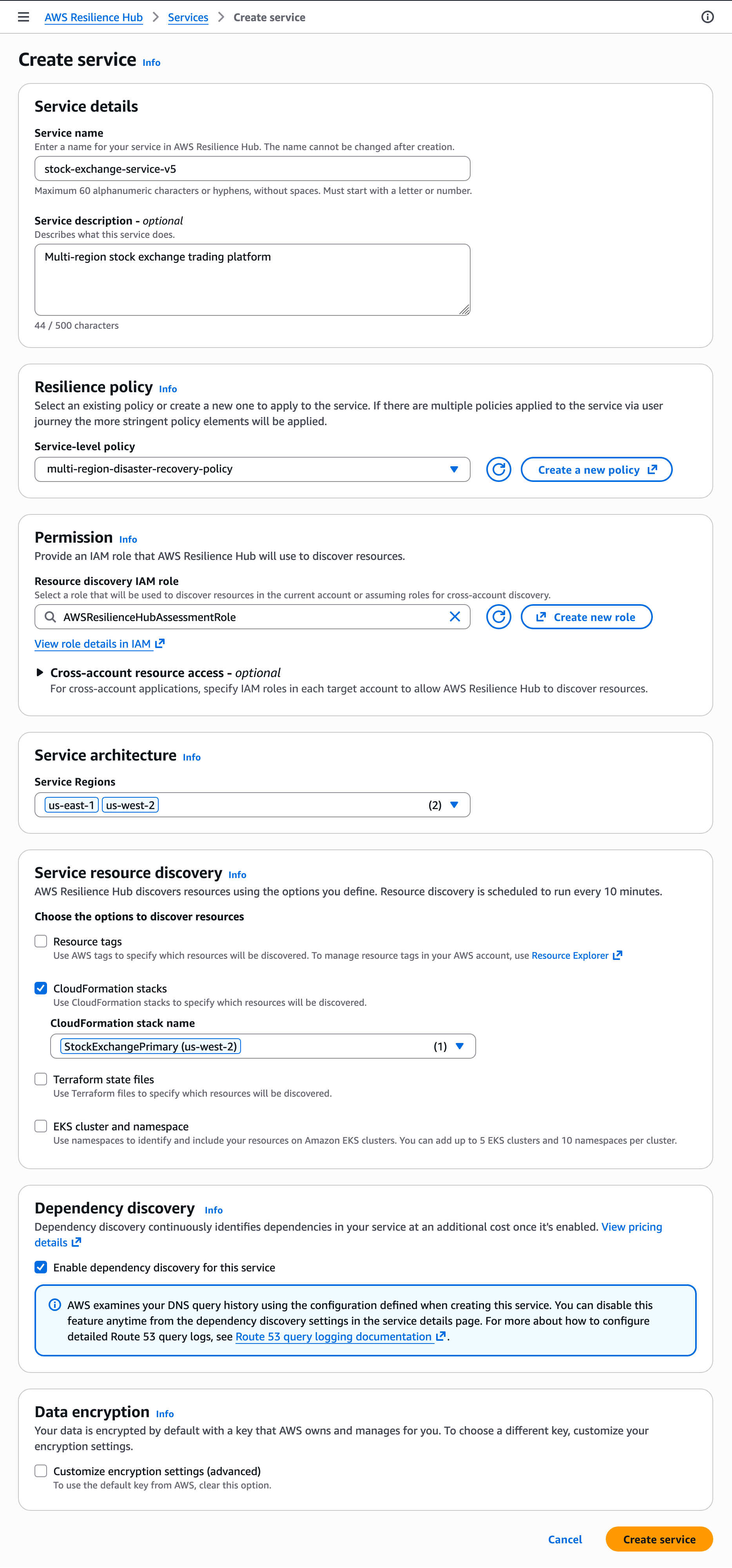
To set up a resilience policy, navigate to the Policies menu in the AWS Resilience Hub console and select Create policy. Provide a policy name and description, then choose your resilience requirements. For instance, you could build a reusable multi-Region disaster recovery policy for financial applications — specifying a 99.95% availability SLO, a 15-minute RTO, a 5-minute RPO, and a disaster recovery strategy that matches your RTO and RPO targets.
If you include data recovery requirements, you can set the data recovery time objective for each service governed by that policy, defining how quickly backups need to be restored.
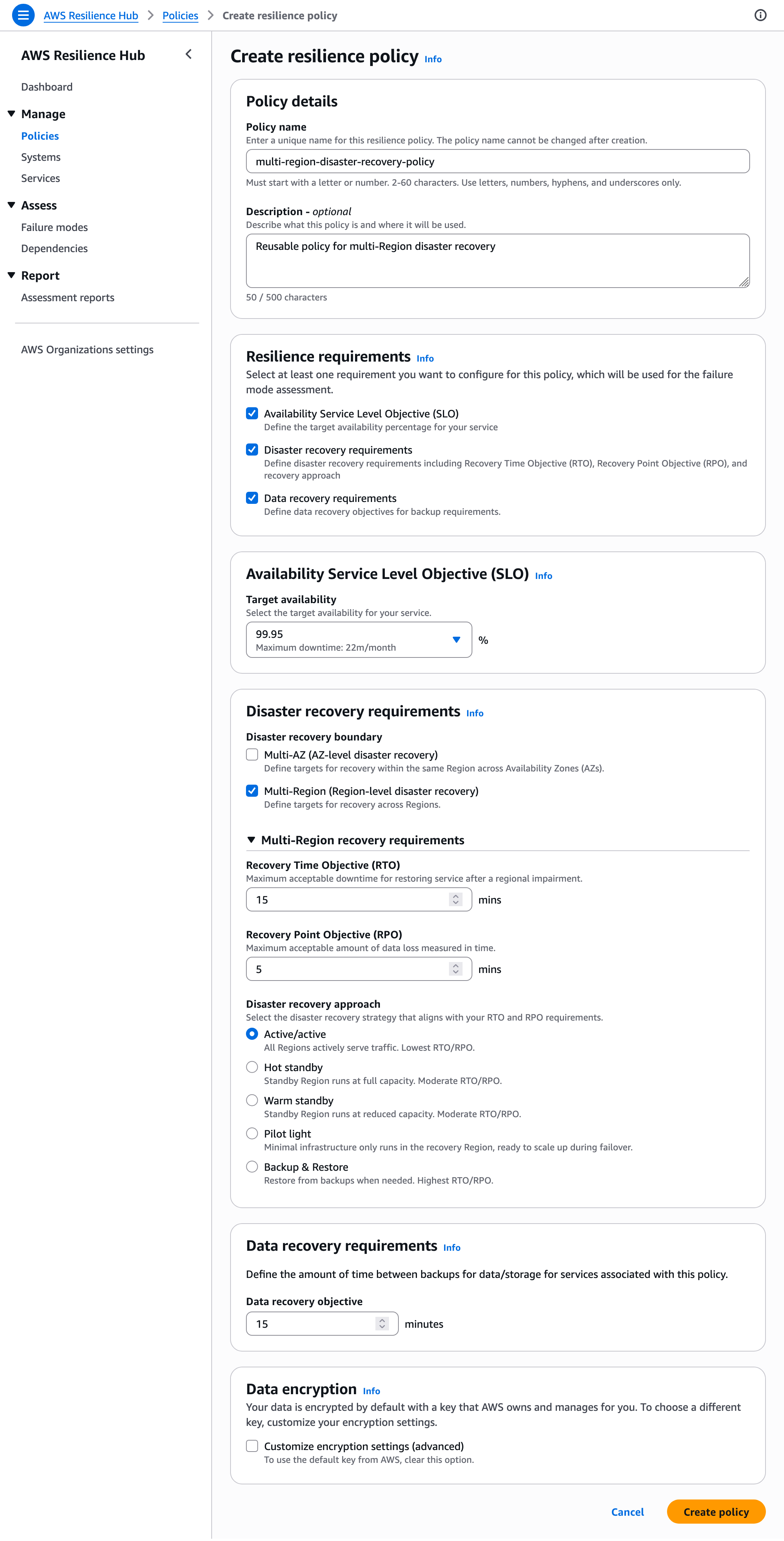
To build your first system that represents your business application, go to the Systems menu and pick Create a system. You can optionally grant AWS Organizations account access to this system.
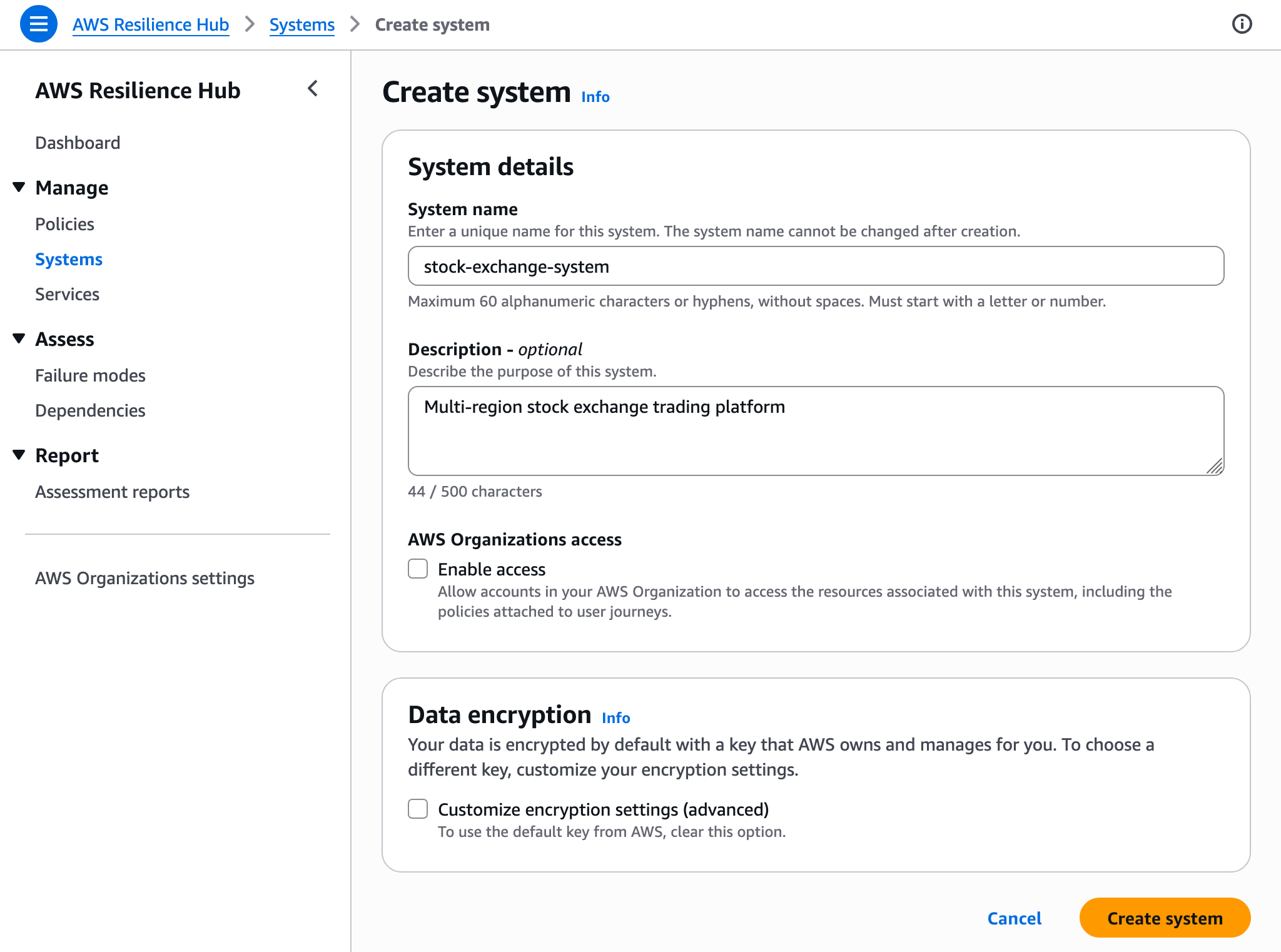
Next, create a service to represent a deployable unit — such as one of your microservices — link it to your system, and let Resilience Hub know where your resources live. Enter a service name (for example, stock-exchange-service), select your resilience policy and your invoker AWS IAM role. You can specify service Regions and service resources by using resource tags, an AWS CloudFormation stack, a Terraform state file location, or an Amazon EKS cluster and namespace.
When you turn on dependency discovery for this service, AWS analyzes your VPC query logs for the VPCs tied to your service’s resources. You can toggle this feature off at any time from the dependency discovery settings on the service details page.
With your service created and policy assigned, you’re ready to run your first assessment. On your service page, select Run failure mode assessment and wait for it to finish.
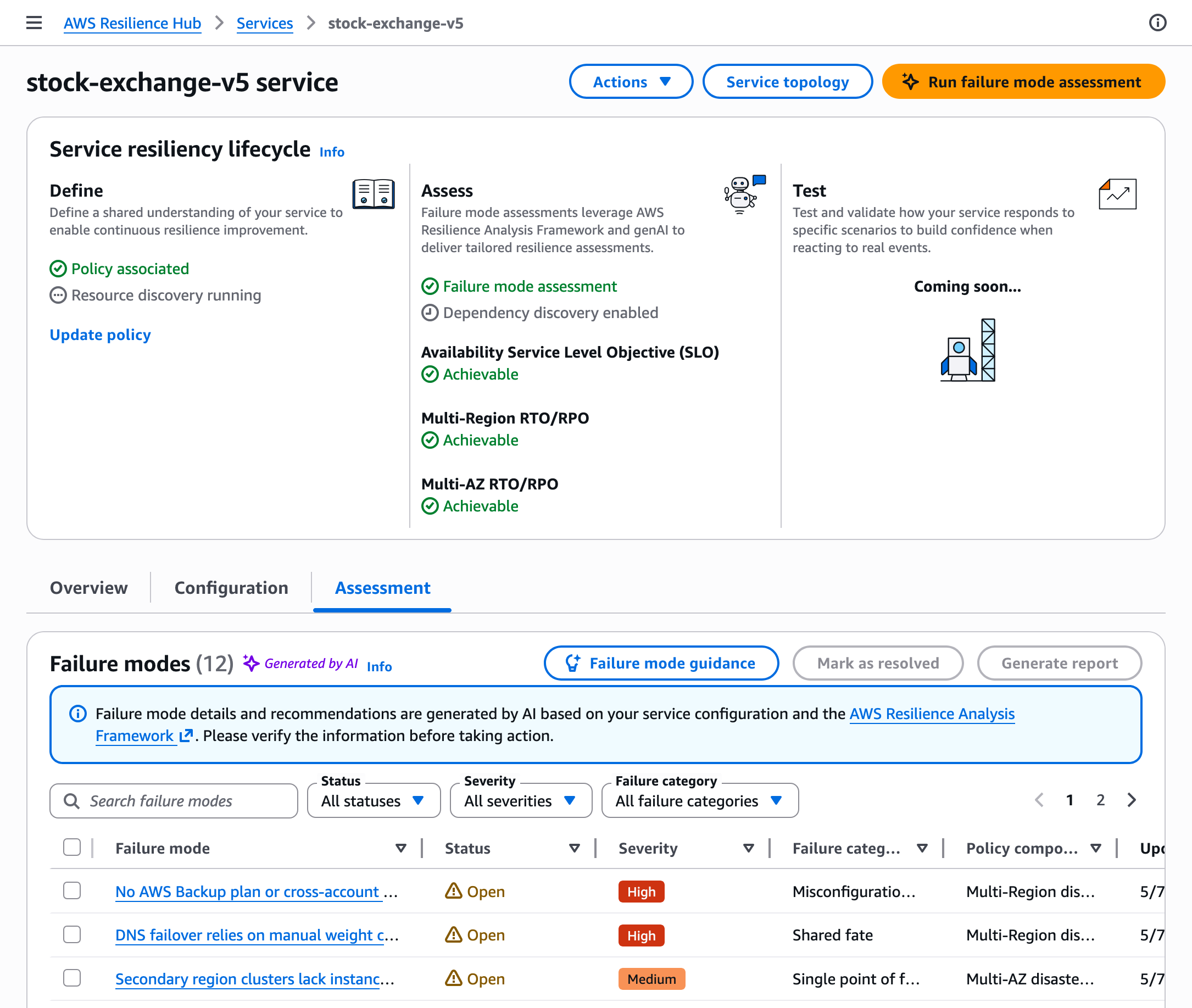
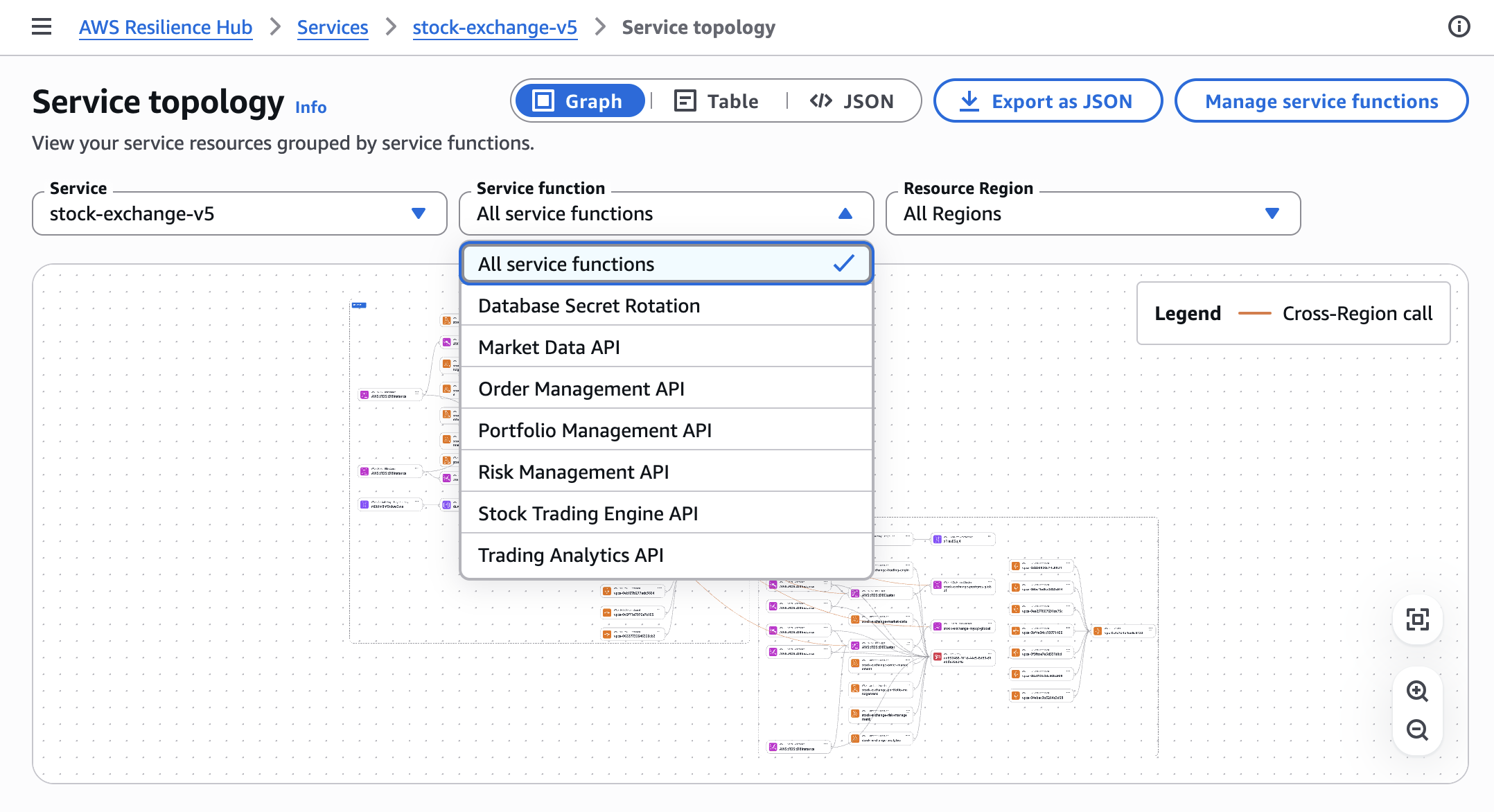
During the assessment, Resilience Hub assumes your invoker role, pulls resources from your configured input sources, determines parent-child relationships, queries the application topology service to map resource connections, and constructs a topology that illustrates data flow, containment, and permissions.
By selecting Service topology, you can view your service resources organized by function in a graph, table, or JSON format.
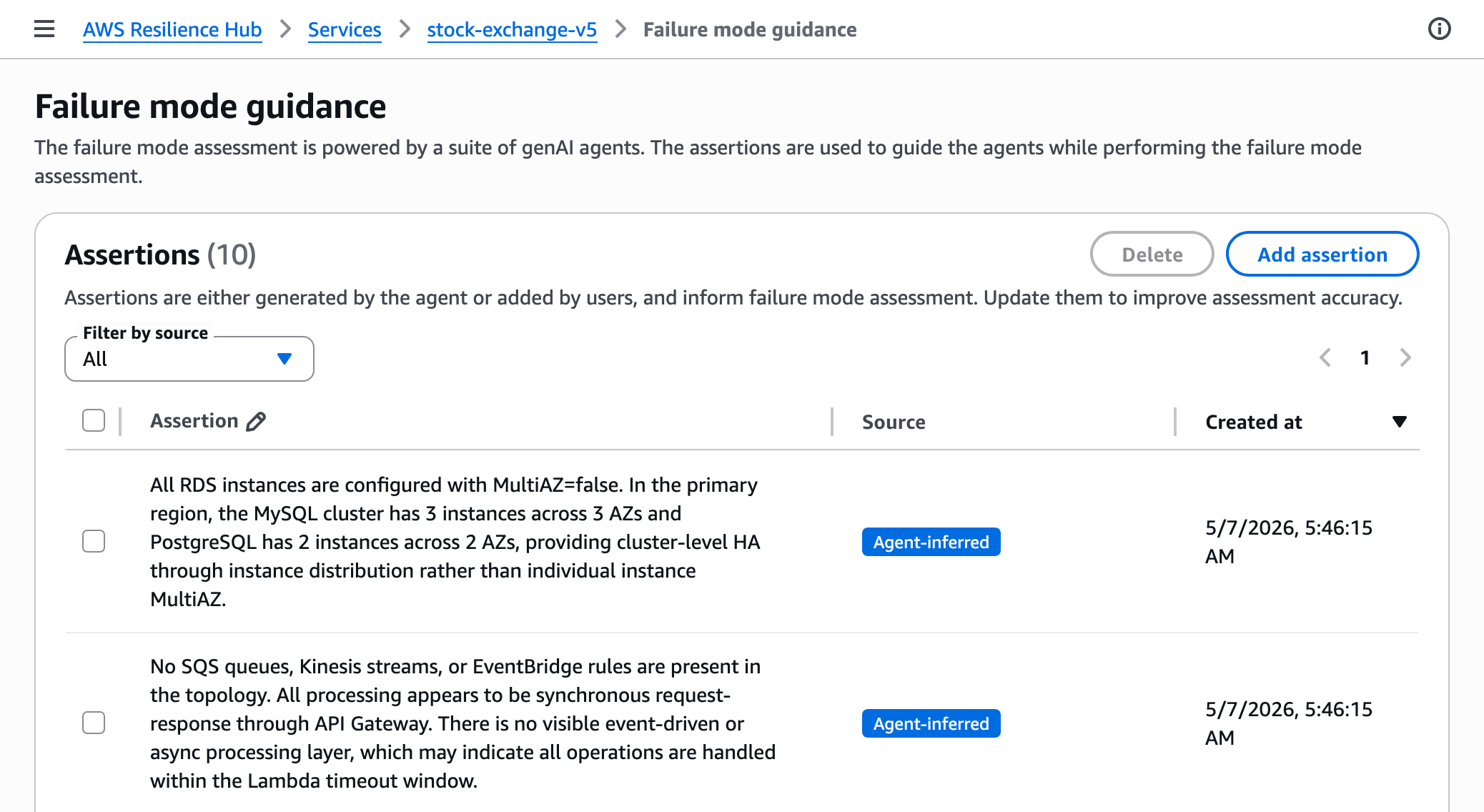
By choosing
Guidance for failure modes, you can include assertions to steer the agents during the failure mode evaluation process. Assertions may be created by the agent or added by users. You can modify them to enhance the precision of the assessment.
After the assessment wraps up, you can examine the findings and recommendations within the Assessment tab of your service page. Every finding explains the specific failure mode, its significance for your architecture, steps to address it, and the associated policy requirement.
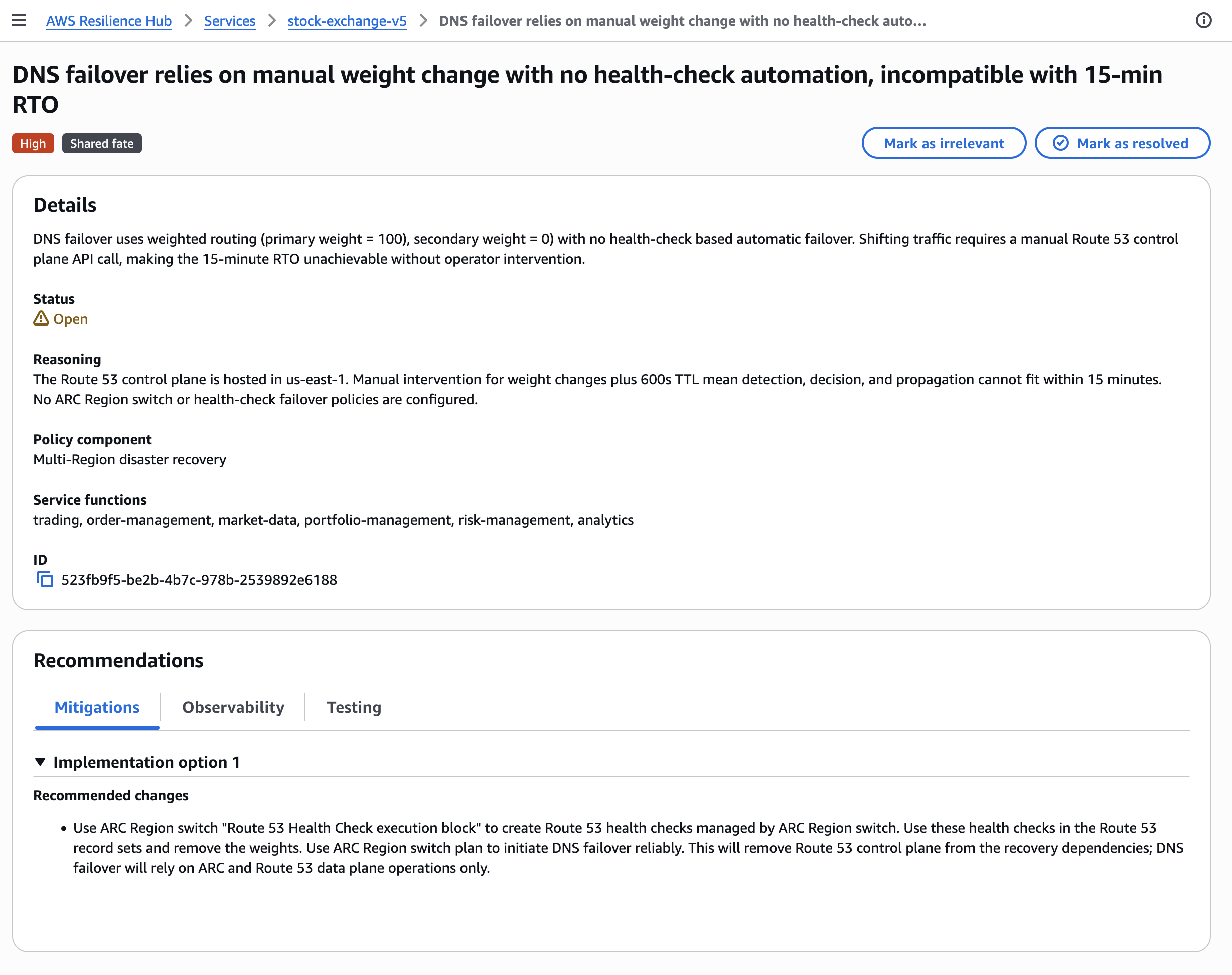
You may select Mark as resolved to carry out the recommendation or Mark as irrelevant if the finding is not relevant to your particular use case.
If you are a current Resilience Hub user, Resilience Hub offers migration APIs to streamline the shift from your existing applications. These APIs transform your current assessment policies into new resilience policies, align your existing applications to the new structure, such as grouping several related applications into one system with multiple services.
For additional details on new features, check out the AWS Resilience Hub User Guide.
Now available
The latest version of AWS Resilience Hub is now publicly available in all AWS commercial Regions where Resilience Hub is offered. For details on Regional availability and the upcoming roadmap, see the AWS Capabilities by Region page.
Resilience Hub employs a service-based pricing model. Plan includes two failure mode assessments per month for services, and optional automated dependency evaluation. You can experiment with AWS Resilience Hub at no cost. For pricing information, visit the AWS Resilience Hub pricing page.
Explore the new AWS Resilience Hub in the Resilience Hub console and submit feedback through AWS re:Post for Resilience Hub or via your regular AWS Support contacts.
— Channy
