



Microsoft has rolled out KB5083631, an optional cumulative update for Windows 11. This release delivers 34 changes, featuring a brand-new Xbox mode for PCs, better security and performance for batch files, and faster startup app launches.
KB5083631 is a preview update designed for IT administrators to evaluate bug fixes, enhancements, and upcoming features ahead of next month’s Patch Tuesday general release. Unlike standard cumulative updates, optional monthly updates focus solely on quality improvements and do not address security vulnerabilities.
With the April 2026 optional update, Microsoft has boosted the performance of apps registered under Settings > Apps > Startup when the system boots up.
Microsoft has also introduced a new Xbox mode for Windows 11 (including laptops, desktops, and tablets). This mode delivers a full-screen experience that keeps games front and center while reducing background clutter. You can activate Xbox mode through the Xbox app, Game Bar settings, or by pressing the Windows logo key + F11.
Furthermore, this month’s preview brings enhanced security and performance for batch files and command-line scripts. This change was initially introduced to Windows 11 Insiders in the Beta and Dev channels back in February.
“Starting with this release, administrators can enable a more secure processing mode for batch files. This mode prevents batch files from being altered during execution,” Microsoft explained.
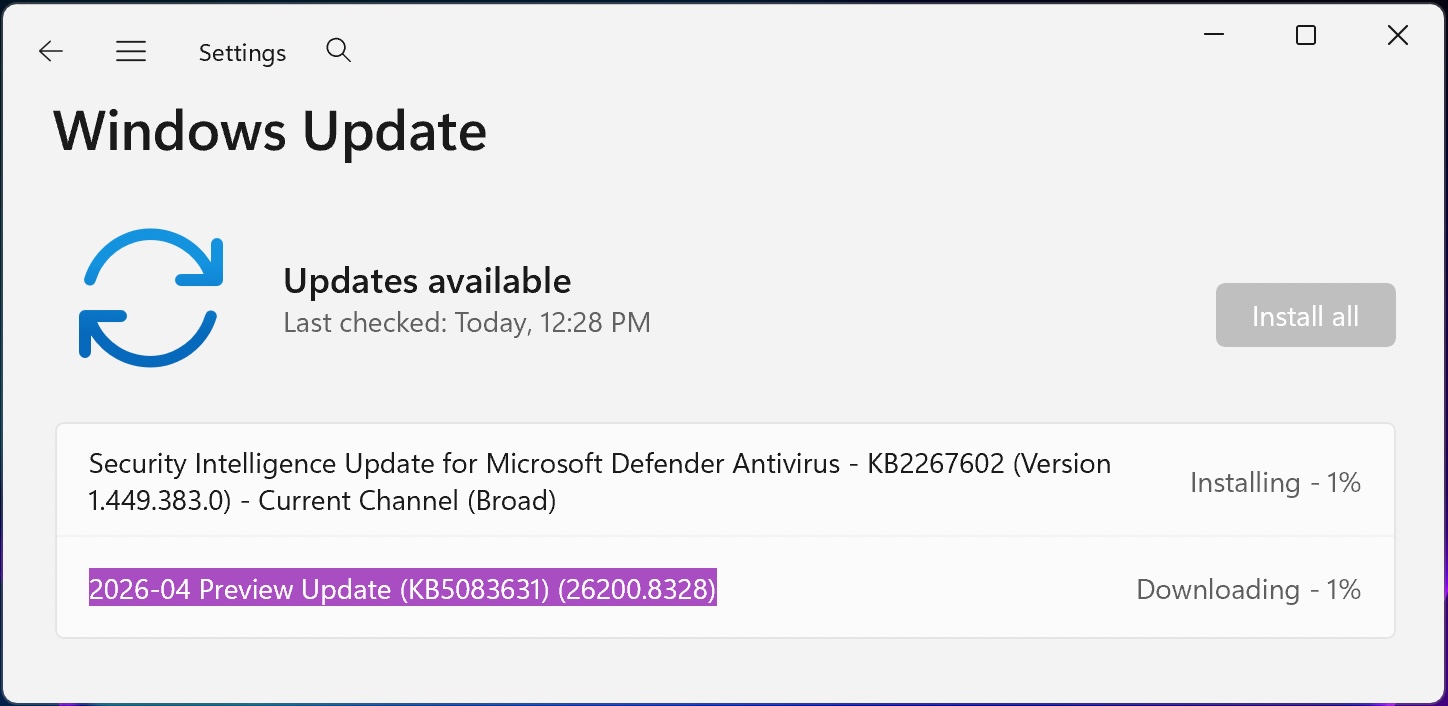
To install KB5083631, open Windows Settings, navigate to Windows Update, and click Check for Updates. Since this update is optional, you’ll need to select the ‘Download & Install’ link — or you can download it manually from the Microsoft Update Catalog.
KB5083631 Update Highlights
After installation, this optional non-security update will bring Windows 11 24H2 and 25H2 devices to builds 26100.8328 and 26200.8328, respectively.
The April 2026 preview update includes numerous additional changes. Here are some of the most notable ones:
- You can now enjoy haptic feedback on supported input devices when completing specific tasks, such as snapping objects in PowerPoint, snapping windows, or resizing them. Manage haptic feedback via Settings > Bluetooth & devices > Mouse, Touchpad, or Pen > Haptic signals.
- [Secure Boot] This update expands support for updated Secure Boot certificates by including additional high-confidence device-targeting data. Devices receive the new certificates only after they demonstrate consistent update compliance, ensuring a controlled, phased rollout. For more details, visit the Windows Secure Boot certificate expiration and CA updates page.
- [Authentication (Kerberos)] This update resolves a Kerberos authentication bug — error code 0xc000009a — affecting Remote Desktop sessions using Remote Credential Guard.
- [Windows Security] Event logging for CVE-2024-30098 has been improved to include the application name, making it easier to track which apps depend on smart card certificates and may require updates after recent security changes.
- Fixed a white flash that could appear when opening This PC or resizing the Details pane while using dark mode.
- Improved the reliability of explorer.exe processes so they properly terminate after File Explorer windows are closed.
Microsoft also confirmed that updated Secure Boot certificates are being distributed to replace the original 2011 certificates scheduled to expire in late June 2026. Microsoft first announced plans to refresh these certificates in January, after alerting administrators in November that the security certificates were approaching expiration.
Windows Server 2025 devices with an “unrecommended BitLocker configuration” may be prompted to enter the BitLocker recovery key on the next reboot after applying KB5083631.
Earlier this month, Microsoft also released an emergency update to fix the March 2026 KB5079391 preview update, which had been withdrawn due to widespread 0x80073712 installation errors.

AI chained four zero-days into one exploit that bypassed both renderer and OS sandboxes. A wave of new exploits is coming.
At the Autonomous Validation Summit (May 12 & 14), discover how autonomous, context-rich validation identifies exploitable vulnerabilities, verifies controls hold, and completes the remediation cycle.
Claim Your Spot
