



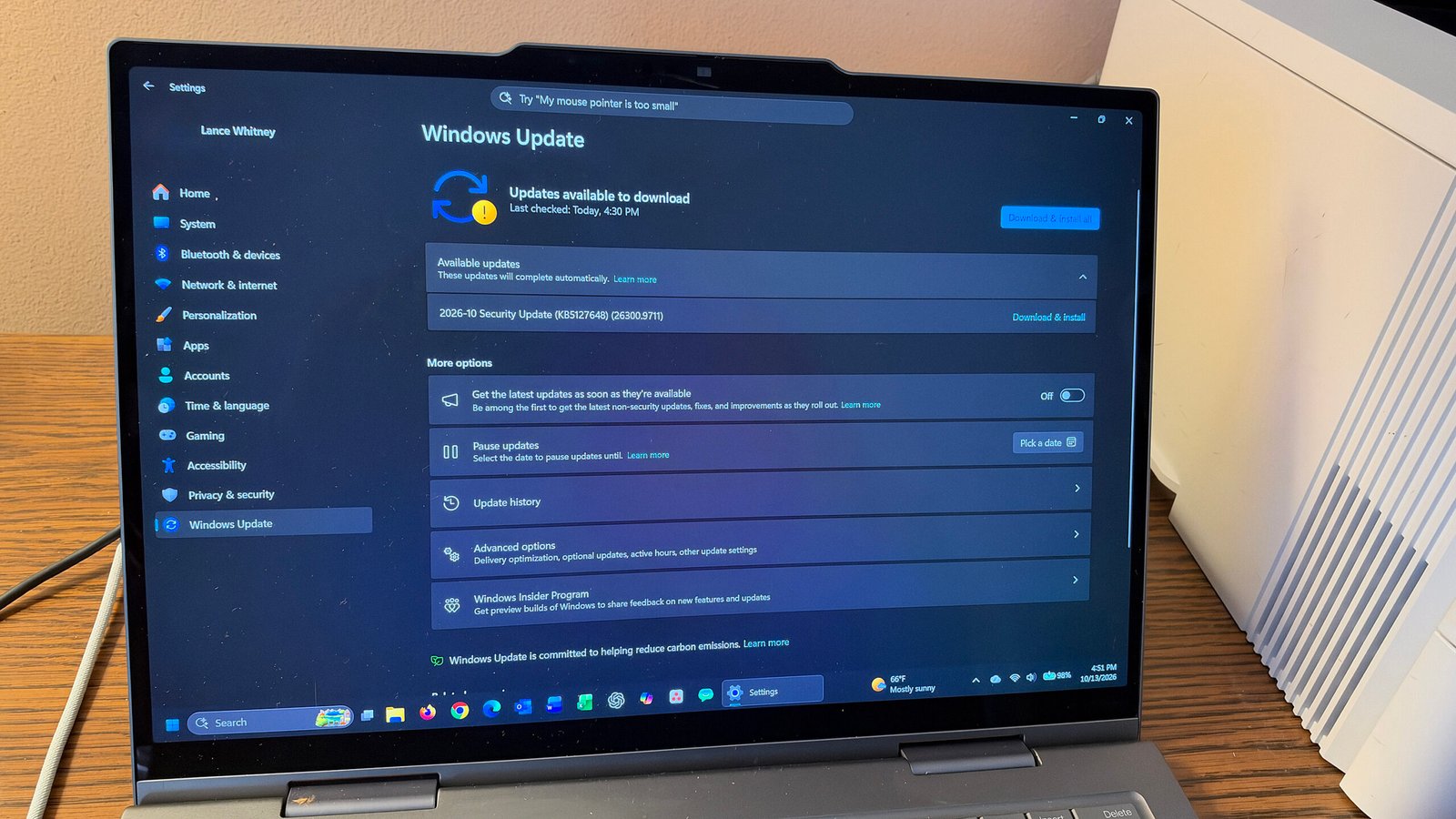
The October Windows Update: A Massive Security Overhaul and Final Support Phase
Microsoft just rolled out its October update, and it is a big one. The patch tackles over 1,400 security weaknesses, setting a new record for vulnerability fixes in a single month. More than just a security sweep, this release serves a dual purpose: it is the inaugural patch for the brand-new Windows 11 26H2 version, while simultaneously acting as the final maintenance drop for the Windows 11 24H2 Home and Pro editions.
Beyond plugging security holes, the update tidies up day-to-day annoyances that users have encountered. The file browsing experience is getting a boost, with improvements to how downloaded files are previewed and a feature that remembers whether your folders were expanded or collapsed. If you rely on wireless peripherals, Bluetooth stability and accuracy have also received a welcome boost. Additionally, a new customization option lets Windows 11 users reassign the dedicated AI assistant key to act as a right-click button or a standard control key.
The Critical Flaws
Out of the hundreds of fixes, 80 address critical security risks, and two tackle “zero-day” vulnerabilities—flaws that were actively being exploited by hackers before the fix was released. One of these active exploits targeted the system’s core file management, allowing malicious actors to bypass safety warnings and slip dangerous files past the user. The other targeted the underlying software framework, letting attackers circumvent standard security measures and bypass expected protections.
Who Gets the Update?
The update is pushed to all supported Windows 11 versions, as well as Windows 10 machines enrolled in Microsoft’s extended security program. Because annual Windows versions stop receiving support after 24 months, anyone still on the 24H2 build needs to move to the new 26H2 version right away to stay protected. A similar deadline is approaching for businesses using the 23H2 Enterprise and Education editions, which lose support in early November. To install, simply go to your system settings, select “Update,” and download the latest build.
FAQ
Q: Why is this update so important?
A: It resolves over 1,400 security flaws, including two zero-days that hackers were already exploiting in real-world environments. Installing this update is the single most effective way to protect your PC from these specific, active threats.
Q: Will my Bluetooth devices work better after this update?
A: Yes. The update specifically addresses stability and accuracy issues with Bluetooth connections, meaning your wireless headphones, keyboards, and mice should stay connected more reliably and experience fewer dropouts.
Q: What happens if I don’t update my Windows 11 24H2 device?
A: Once this update is installed, the 24H2 build reaches its end of life. You will no longer receive security patches or bug fixes, leaving your system increasingly vulnerable to new threats as time goes on.
Q: Can I change what the dedicated AI assistant key on my keyboard does?
A: Absolutely. Windows 11 now includes a setting that lets you remap the key to function as the right-click context menu or the right Ctrl key, giving you more control over your keyboard layout.
Conclusion
The October Windows update is a critical piece of maintenance for any PC user. With its massive security patch list, practical feature fixes, and the transition to the next major version of Windows 11, it is essential to install as soon as possible. Keeping your system up to date ensures you remain protected against the latest threats and enjoy a smoother, more stable computing experience. Don’t wait—check for updates today.
Thank you for reading
