



## Understanding Omarchy Quattro: An AI-Powered Linux Distribution for Developers
In the ever-evolving landscape of Linux distributions, Omarchy has emerged with a distinctive offering. Its latest release, Quattro, represents a significant shift by deeply integrating artificial intelligence (AI) into the core user experience. This move positions Omarchy Quattro as a specialized tool, far removed from general-purpose operating systems, and firmly places it in the realm of the developer-centric.
At its heart, Omarchy Quattro is a convergence of two powerful concepts: the efficiency of the Hyprland Wayland compositor and the burgeoning capabilities of artificial intelligence. This combination is designed not for the casual user, but for those who demand a high-performance, keyboard-driven environment where AI acts as a powerful co-pilot rather than a background process.
### The Core Philosophy: AI as a First-Class Citizen
Unlike other major operating systems that often bolt AI features onto their existing frameworks, Omarchy takes a different approach. It treats AI coding agents as “first-class citizens.” This philosophy is evident in its manual, which explains that the system doesn’t force a single AI on the user. Instead, it pre-wires launchers for major coding-agent CLIs (Command-Line Interfaces). These launchers are minimalistic, managed through `mise`, and remain dormant until the user explicitly runs them. This ensures that the system remains lean and that resources are only consumed when actively needed.
This setup is ideal for the target audience: developers who live in the terminal and value control. The integration is not about making AI a ubiquitous assistant that pops up everywhere, but about providing powerful command-line tools that can assist with complex coding tasks, debugging, and system management.
### The Desktop Environment: Hyprland for the Initiated
The choice of Hyprland as the default desktop environment is a clear indicator of the distribution’s intended user base. Hyprland is a highly configurable and efficient Wayland compositor known for its keyboard-centric workflow. While admired for its performance and tiling capabilities, it has a steep learning curve. Omarchy doesn’t shy away from this; instead, it embraces it.
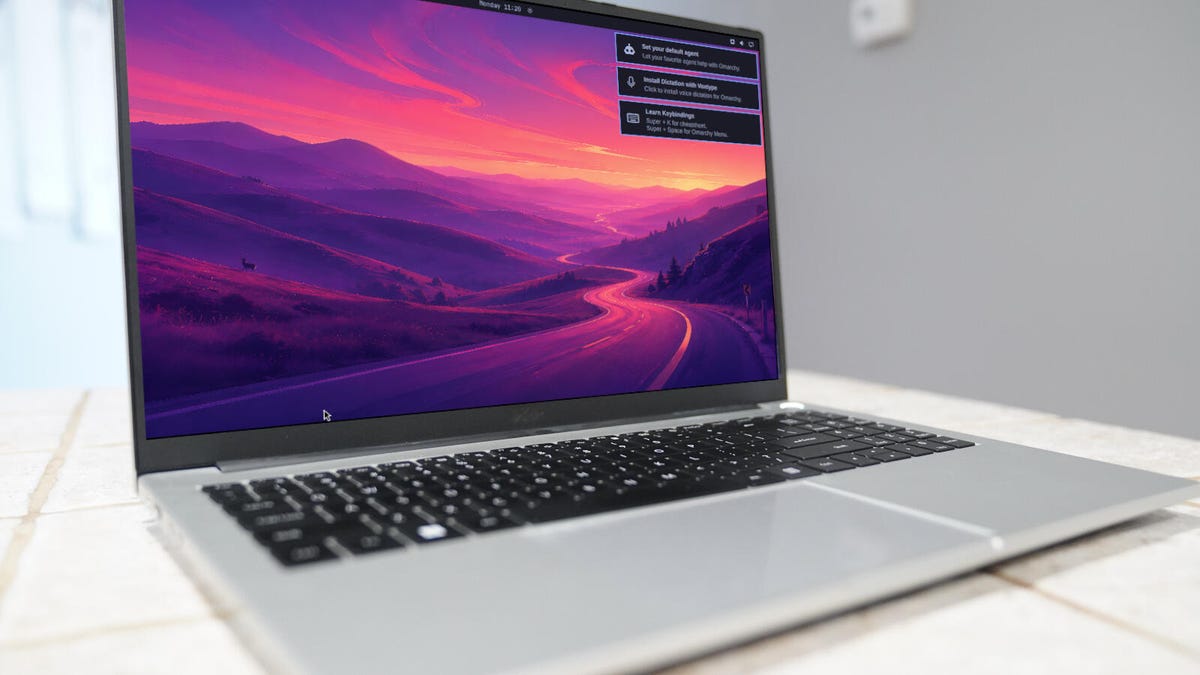
The distribution provides a rich environment, complete with an AI agent icon that tracks usage, API keys, and token limits directly from the top bar. However, mastering Omarchy Quattro requires memorizing a suite of keyboard shortcuts. Actions like tiling windows, closing applications, and, most importantly, launching the AI agent (with the shortcut `Super + Shift + Ctrl + A`) are all handled via keyboard commands. For users who prefer a mouse-driven interface, the initial experience can be jarring, as one might discover when trying to authenticate an AI agent and finding the interface temporarily obscured.
### AI Features That Extend Beyond the Code
The AI integration in Omarchy Quattro goes beyond just coding assistants. The system is designed to leverage AI for system-level oversight:
* **Intelligent Crash Diagnosis:** The `systemd-coredump` feature is monitored by AI. When an application or service crashes (segfaults), a desktop notification is generated. Clicking this notification hands the core dump data to the user’s default AI agent. The agent is then guided through a process of analyzing the dump, gathering information, and determining if a report should be filed.
* **Dynamic Agent Management:** Users can run multiple AI agents simultaneously. For example, it’s possible to have a local, GUI-based agent like LM Studio running in one window while a separate, CLI-based third-party agent handles different tasks. This flexibility allows for a powerful, multi-faceted AI workflow.
* **System Customization:** “Agent skills” empower the AI to perform system-level tasks, such as tweaking Hyprland configurations, adjusting the top bar, and even generating entirely new themes from scratch.
### A Distribution Built for Power Users
It is crucial to understand that Omarchy Quattro is not a distribution for beginners. It is a tool for seasoned Linux users and developers who are deeply comfortable with the command line and want to harness the power of AI to enhance their productivity. The combination of a non-standard desktop environment and a heavy reliance on AI tools creates a learning curve that is steep but potentially rewarding.
The distribution represents a bold vision for the future of Linux, where AI is not a separate feature but an integral part of the operating system’s fabric. For those willing to invest the time to learn its intricacies, Omarchy Quattro offers a unique and powerful environment that is at the forefront of the AI-integrated computing frontier.
—
## Frequently Asked Questions (FAQ)
**Q1: Who is Omarchy Quattro designed for?**
Omarchy Quattro is designed specifically for developers and power users. It is not recommended for Linux beginners or users who are uncomfortable with the command line. Its focus is on providing a high-efficiency environment where AI tools are readily available for coding and system management.
**Q2: What is Hyprland, and why is it a big deal?**
Hyprland is a Wayland compositor known for its speed, efficiency, and keyboard-driven workflow. It uses a tiling window manager approach, which means windows are automatically organized into tiles on the screen. While incredibly powerful, it requires users to learn specific keyboard shortcuts for almost every action, making it less accessible but extremely efficient for those who master it.
**Q3: How does Omarchy handle AI agents?**
Omarchy treats AI coding agents as first-class citizens but does not force a single one on the user. It pre-installs launchers for major AI agent CLIs, which remain dormant until the user explicitly runs them. This allows users to choose their preferred AI tool without the system automatically downloading or managing large files until needed.
**Q4: Can I use AI locally with Omarchy?**
Yes, Omarchy includes a feature called LM Studio, which allows users to run local AI models. This is a great option for users who want AI capabilities without relying on cloud-based services. LM Studio provides a graphical user interface (GUI), making it more accessible than CLI-only alternatives.
**Q5: What are some unique AI features of Omarchy?**
Beyond coding assistants, Omarchy includes several AI-powered system features. These include an AI that monitors and diagnoses system crashes from `systemd-coredump`, AI-driven system customization skills that can tweak the desktop environment, and the ability to track and manage multiple AI agent subscriptions and usage from a single icon in the top bar.
—
## Conclusion
Omarchy Quattro is a Linux distribution that unapologetically embraces the future of computing. By fusing the efficiency of the Hyprland desktop with the transformative power of artificial intelligence, it carves out a distinct niche in the Linux ecosystem. It is a distribution for the discerning developer, the keyboard-savvy user, and the tech enthusiast who wants to explore the cutting edge of AI integration.
While its steep learning curve and specialized focus mean it won’t replace mainstream operating systems for the average user, Omarchy Quattro is a powerful testament to what’s possible when open-source innovation meets modern AI technology. For those willing to invest the effort, it offers a glimpse into a highly efficient, agent-driven computing environment that is as powerful as it is forward-thinking.
