



**ChatGPT Gets a New Superpower: Track Your Digital Activity**
By Lance Whitney, ZDNET contributor
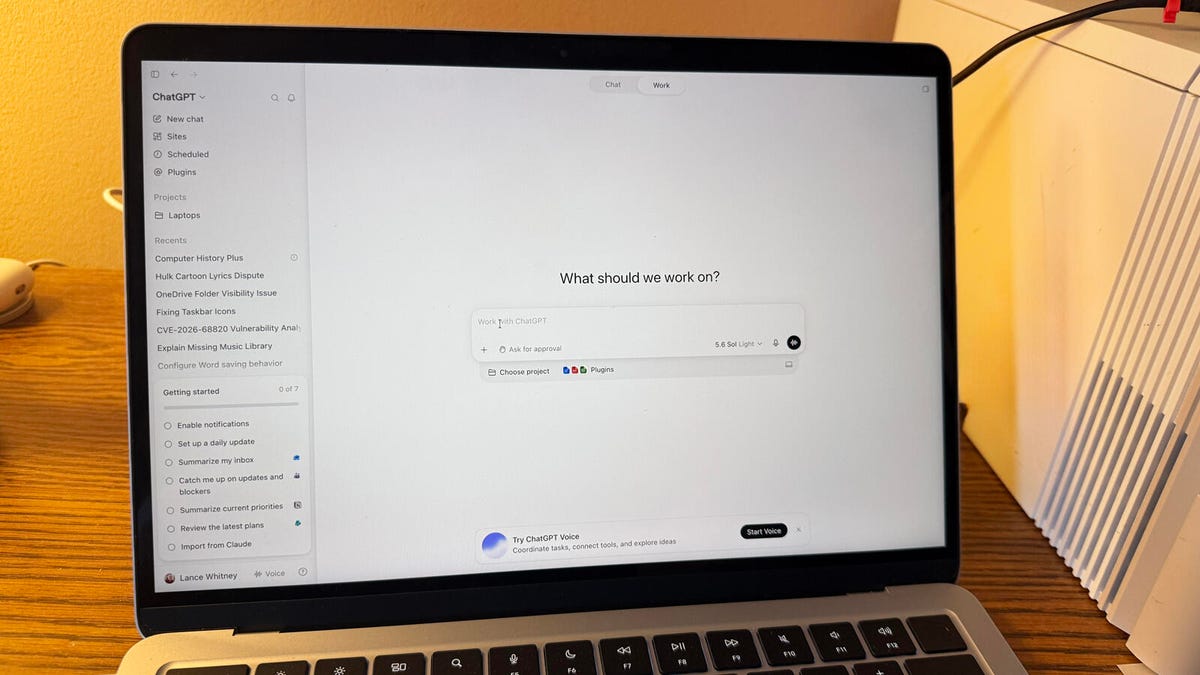
*Image credit: Lance Whitney/ZDNET*
In the ever-evolving world of artificial intelligence, ChatGPT continues to push boundaries. OpenAI has recently rolled out a powerful new feature called “Computer History” to its Mac application. Designed for Pro, Business, and Enterprise users, this opt-in capability marks a significant shift in how we interact with AI assistants.
At its core, Computer History acts as a digital memory, meticulously tracking your activity across various applications and websites on your Mac. Instead of relying solely on your prompts, ChatGPT builds a timeline of your work, capturing the apps you use, the documents you review, and the websites you visit. This information is then transformed into summaries that you can reference in your conversations. Imagine asking the AI to recall that report you were reviewing an hour ago or the code snippet you were tweaking in your editor just moments ago – that’s the promise of this new tool.
It effectively replaces the older “Chronicle” feature, positioning itself as a more privacy-conscious alternative that focuses on application interactions rather than screen recordings. But as with any tool that monitors our digital lives, it raises important questions about security and control.
***
### **FAQ: Understanding ChatGPT’s Computer History**
**Q: What exactly is Computer History in ChatGPT?**
A: Computer History is an opt-in feature available in the ChatGPT Mac app for Pro, Business, and Enterprise account holders. It tracks your activity across different apps and websites on your Mac, creating a timeline of summaries. You can then reference this timeline in your conversations with ChatGPT to pick up where you left off, find files, or ask about tasks you’ve completed.
**Q: How is this different from the old Chronicle feature?**
A: Computer History is a direct replacement for Chronicle. Unlike its predecessor, which took screenshots of your screen, Computer History records interactions with apps and websites without capturing your screen, microphone, or audio. OpenAI states this provides more privacy controls and uses fewer tokens.
**Q: Is my activity being saved as screenshots?**
A: No. A key distinction from the previous Chronicle feature is that Computer History does not take screenshots. It logs events like clicks, typing, app switches, and keyboard shortcuts, then turns these into text summaries.
**Q: Who can use this feature right now?**
A: The feature is rolling out globally but is initially available only to Mac users with Pro, Business, or Enterprise accounts. Access for other account types and additional regions, including the UK, Switzerland, and the European Economic Area, is planned for the coming weeks.
**Q: Can I control what gets tracked?**
A: Yes. Users have significant control over the feature. It is entirely opt-in, and you can choose which specific apps and websites are included in your history. You also have the ability to pause recording at any time, turn the feature off completely, or clear your existing activity history.
**Q: Are there any privacy risks I should be aware of?**
A: Yes. OpenAI has noted that the resulting “Computer History” files can contain highly sensitive information. Crucially, these files are **not encrypted** by the feature itself. While other programs running under your Mac user account may be able to access them, OpenAI recommends protecting your Mac account and carefully selecting which sources to allow. Because of this, using the feature selectively is advised until users are comfortable with its functionality.
***
### **Conclusion**
ChatGPT’s Computer History represents a fascinating step towards more intuitive and context-aware AI assistants. By building a timeline of our digital interactions, it has the potential to make workflows in coding, research, and content creation significantly more efficient. The ability to ask an AI, “What was I just working on?” and get a useful answer is a powerful proposition.
However, this power comes with a responsibility. The requirement for users to opt in, combined with the granular control over which apps are monitored, is a positive step. Yet, the lack of encryption for the stored history files is a notable concern that demands careful consideration. Ultimately, the utility of Computer History will depend on how effectively users can balance its immense convenience with the need for robust digital security. As this feature continues to roll out, it will be interesting to see how users adopt this new layer of interaction between humans and AI.
