



# The Secret to Supercharging Your Workflow with Coding Agents: Why HTML Reports Change Everything
## The Problem No One Talks About
If you’ve spent any meaningful amount of time working with AI coding agents like Claude Code, Codex, or similar tools, you’ve likely experienced the same frustration I did. Somewhere in the middle of a long back-and-forth exchange, your agent drops critical information — a bug explanation, an architectural decision, a security concern — buried deep in the scrollback of a terminal window.
The issue isn’t just about convenience. It’s about cognition. When you’re scanning walls of unstructured text on a small screen, your brain has to work overtime to separate signal from noise. Important details get lost. Context gets fragmented. And before you know it, you’re making decisions based on incomplete information.
This problem compounds when you’re running dozens of coding sessions per day. Fatigue sets in. You start skimming instead of reading. You miss the nuance that could have saved you hours of rework.
## Why Plain Text Falls Short
Most coding agents default to outputting raw text in the terminal. There’s nothing inherently wrong with this — for a machine, plain text is perfectly readable. But for a human brain that evolved to process visual patterns, colors, spatial hierarchies, and structured layouts, plain text is a severe bottleneck.
Think about the difference between reading a dense paragraph and skimming a well-designed webpage. One requires active, effortful processing. The other lets your eyes naturally flow through headlines, emphasis, and visual cues. That’s the gap we’re trying to bridge when working with AI coding assistants.
Plain text also lacks the ability to convey spatial relationships — which is critical when you’re trying to understand how different components of a system interact. A coding agent explaining a document processing pipeline, for instance, can list steps in a terminal, but that doesn’t show you how data flows between stages. A visual representation does.
## The HTML Advantage: Rethinking How Agents Share Information
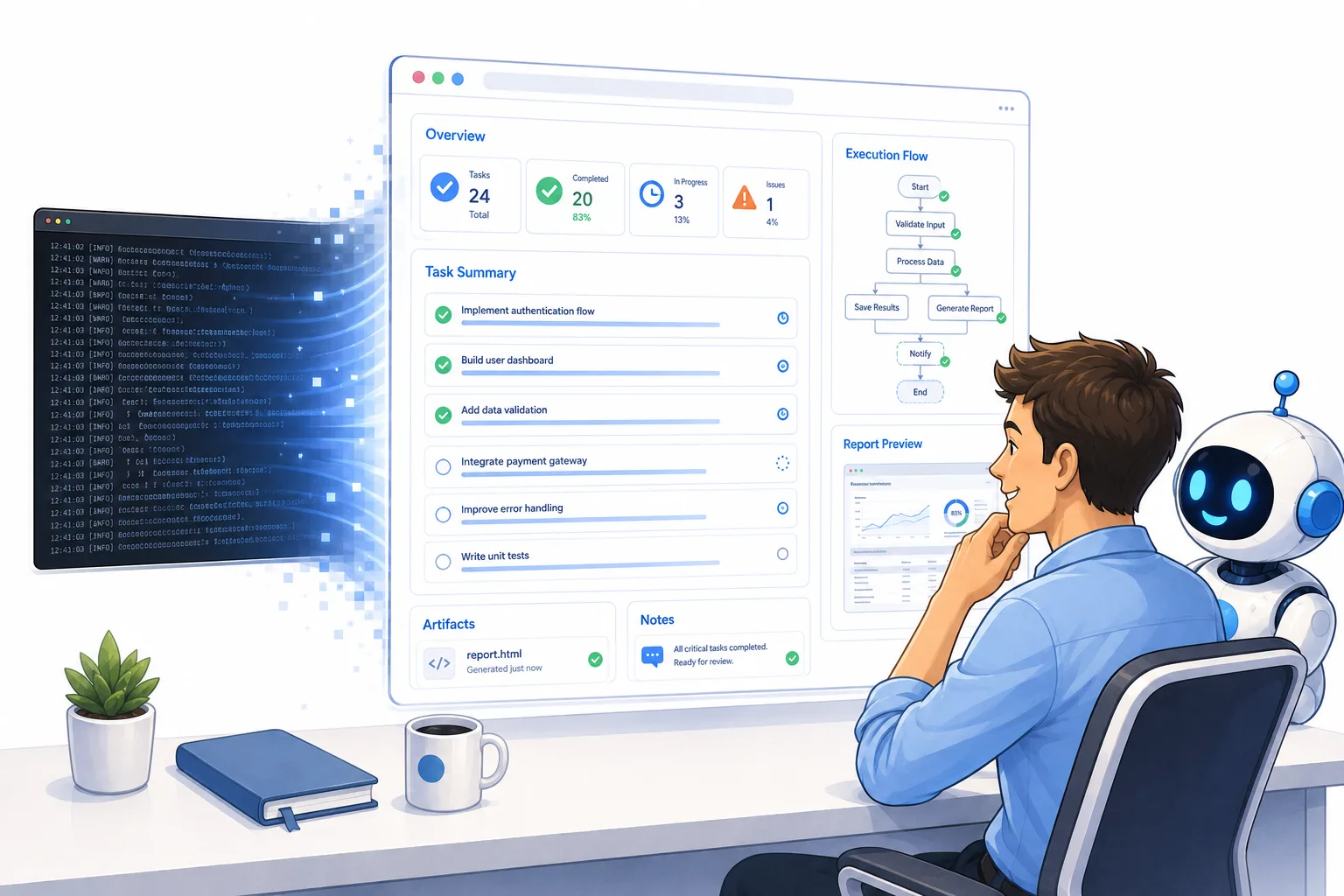
The single most impactful change I made in my workflow was asking coding agents to present their findings in HTML format rather than plain terminal text.
Here’s why this works so well:
**Visual hierarchy and structure.** HTML allows agents to use headings, subheadings, emphasis, and color to guide your attention exactly where it matters. A critical warning can stand out in bold red text. A key metric can be highlighted. An important link can be clearly labeled.
**Embedded visuals.** Agents can include screenshots, diagrams, and inline images directly in their reports. When I need to understand how an upload feature handles file processing, I can see a flowchart showing each step — from the user dropping a file to the OCR extraction to the final classification — all in one view.
**Spatial memory support.** Humans remember where things are on a page. By using HTML, you create a layout that your brain can navigate spatially, not just linearly. You can quickly scan for the section you need without re-reading everything from the top.
**Richer formatting.** Code blocks with syntax highlighting, pull quotes for context, tables for comparisons, collapsible sections — all of these become possible when you move beyond the constraints of a terminal.
In my daily workflow, I estimate that roughly 90 to 95 percent of the time I ask a coding agent to share results, I request an HTML file. Only for trivial, quick-answer queries do I let the agent speak directly in the terminal.
## Building a System That Works Automatically
The real magic happens when this becomes second nature — when your coding agents know exactly how you want to receive information without you having to specify it every time.
### The User-Level Instruction File
One of the most powerful things you can do is create a persistent instruction file that loads every time you start a session with any coding agent. This file acts as a universal contract between you and your AI tools.
My instruction file essentially tells the agent three things:
1. **Always place important information at the bottom of the conversation.** I don’t read through the entire scrollback — I go straight to the end where the summary lives. This eliminates the “needle in a haystack” problem.
2. **Present significant findings in an HTML file.** If the agent has more than a simple confirmation or a brief answer to share, it should generate an HTML document and open it in my browser.
3. **Open the HTML in a dedicated browser panel.** I use a split-screen setup where the coding agent interface sits on one side and the browser on the other. This lets me read the report while keeping the conversation thread visible for follow-up questions.
### Custom Skills for Recurring Use Cases
Once you establish the HTML habit, you can take it further by creating reusable “skills” — essentially templates that teach the agent how to format reports for specific scenarios.
For example, I maintain a “test report” skill that instructs the agent to structure its output like this:
– A list of tasks the agent has completed, each one clearly separated
– A direct link to the exact page or endpoint where I can verify the implementation
– A step-by-step guide for testing each task
– The original request (such as a Slack message or a ticket from a project tracker) quoted verbatim for context
– Any additional technical context I might need to evaluate the work
This kind of structured output means I can review a coding agent’s work systematically, approve what’s correct, flag what needs changes, and send it all back for another iteration — without ever having to piece together scattered messages from the conversation history.
## The Power of Visual Diagrams
One of the most valuable additions to the HTML format is the ability to include diagrams. When a coding agent explains how a system works, a paragraph of text describing a data pipeline can be confusing. A visual diagram makes it instantly clear.
I recently started using a tool called Archify for generating these diagrams within HTML reports. What makes it particularly effective is its information density — you can pack a surprising amount of detail into a single diagram without it becoming unreadable.
Use cases where diagrams shine include:
– **Understanding data flow.** When a user uploads a document, what happens next? Classification, OCR, extraction, routing — a diagram shows all of this in one glance.
– **System architecture overviews.** When onboarding a new team member or reviewing a complex codebase, a visual map of components and their relationships is worth more than a thousand lines of explanation.
– **Debugging workflows.** When something goes wrong in a multi-step process, a diagram lets you trace the path and identify exactly where things break.
I’ve experimented with several diagramming tools, and Archify has become my go-to because it strikes the right balance between visual clarity and information richness.
## Making It a Daily Habit
The technique I describe in this article isn’t something I use occasionally — it’s something I apply in virtually every coding session, often multiple times per day. Once you set up your instruction files and skills, the overhead drops to nearly zero. The coding agent handles the formatting automatically, and you simply open the HTML report in your browser when needed.
The result is a dramatic improvement in how quickly you can absorb what the agent is telling you, how accurately you can make decisions based on that information, and how smoothly the entire development loop flows.
As the industry moves toward higher-level orchestration of multiple coding agents, the ability to communicate clearly and efficiently with these systems will only grow in importance. Building good habits now — like requesting structured, visual output — positions you to work effectively with increasingly autonomous AI development teams.
## Frequently Asked Questions
**Q: Do I need to know HTML to make this work?**
A: Not at all. You don’t write the HTML yourself. You give your coding agent instructions to generate it, and the agent handles the formatting. You simply open the resulting file in your browser.
**Q: Won’t this slow down my coding agent?**
A: Generating an HTML file takes marginally more time than outputting plain text, but the time investment is negligible compared to the time you save by actually understanding the information quickly. Think of it as a small upfront cost for a large downstream savings.
**Q: Can I use this approach with any coding agent?**
A: Yes. The principle works with Claude Code, Codex, and any other agent that can generate files. The key is setting up persistent instructions that tell the agent your preferred output format.
**Q: What if the agent’s output is very short and simple?**
A: That’s perfectly fine to leave in the terminal. The HTML approach is most valuable for substantial findings, summaries, and explanations. Quick confirmations and brief answers don’t need the extra formatting overhead.
**Q: Do I need a special browser or tool to view the HTML files?**
A: Not necessarily. A standard web browser works fine. Some people, including myself, prefer a split-screen setup where the coding agent interface is on one side and the browser on the other for easy reference during conversations.
**Q: How do I get started if I’ve never set up instruction files for my coding agents?**
A: Start simple. Create a text file with a few instructions about where to place important information and when to use HTML output. Load it into your coding agent’s configuration, and begin requesting HTML reports for your next few sessions. You’ll notice the difference immediately.
## Conclusion
Effective communication with AI coding agents is one of the most underrated skills in modern software development. The difference between a frustrating, fragmented exchange and a smooth, productive workflow often comes down to a single decision: how you ask the agent to present its output.
By moving away from plain terminal text and embracing HTML-based reports with visual elements, structured layouts, and embedded diagrams, you transform your coding agent from a text generator into a clear, intuitive communication partner. The techniques outlined here — persistent instruction files, browser-side report viewing, custom skills for recurring formats, and visual diagramming — are all simple to implement and compound in value over time.
As AI agents become more autonomous and more deeply integrated into the development process, the teams and individuals who build strong communication practices now will be best positioned to thrive. Start experimenting with HTML reports today, and you’ll wonder how you ever worked without them.
Thank you for reading
