



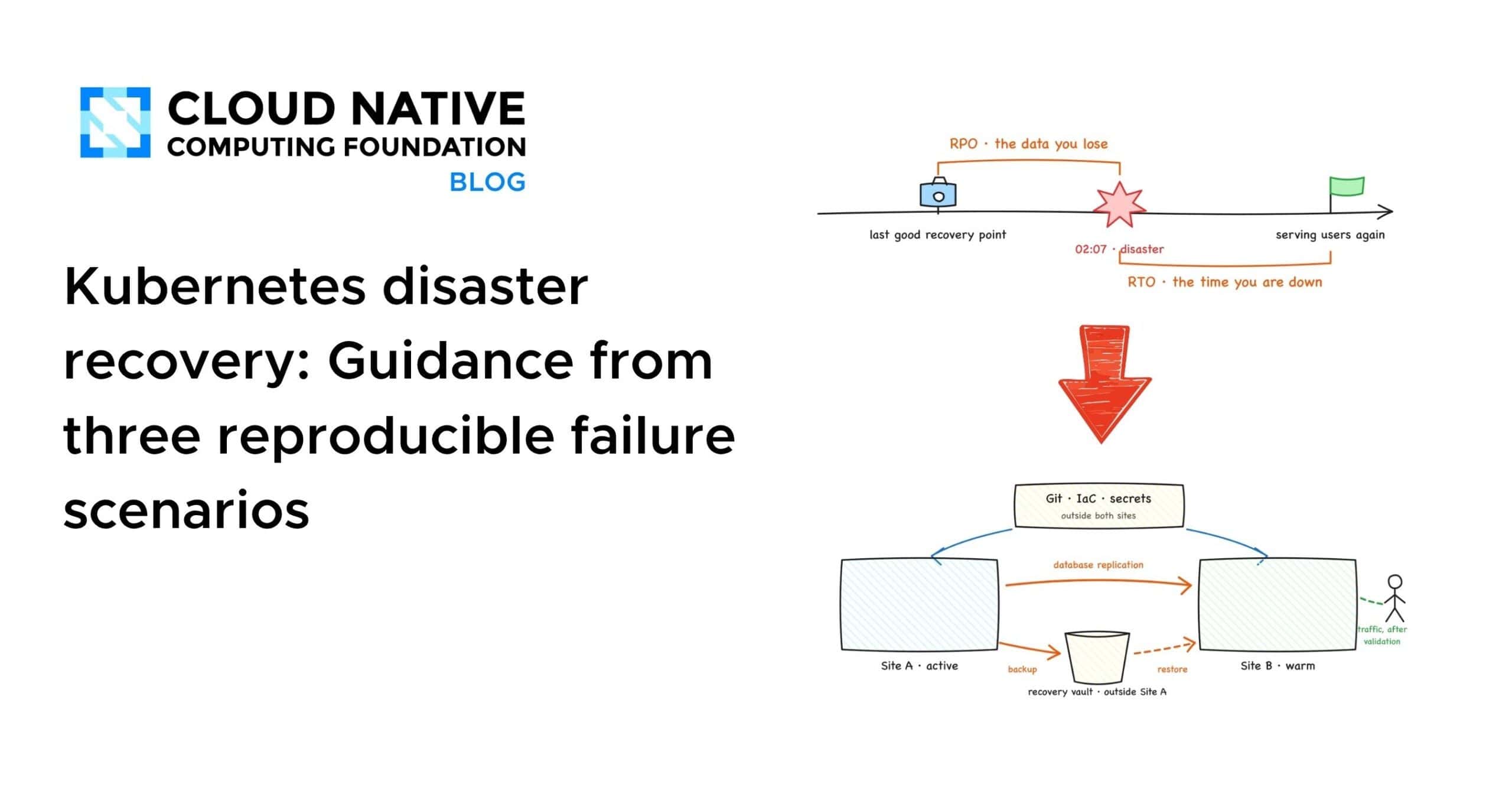
# When Backups Aren’t Enough: Three Failure Scenarios That Separate Saving Data from Actually Recovering It
Recovering a stateful application on Kubernetes is more than running a backup and hitting restore. In practice, many teams discover that their backups exist but their recovery doesn’t — and the reasons are harder to spot than you’d expect. This article walks through three distinct failure scenarios that cause exactly this problem, along with practical guidance for each.
Every scenario described here can be reproduced in a local lab environment, and the terminal outputs referenced are real captures from those exercises. The concepts apply whether you use Velero, CSI snapshots, or any other tool that occupies the same role in your stack.
## The Four Layers of Recovery
Before diving into the failures, it helps to understand what a complete recovery actually requires. For a Kubernetes application to come back fully, four layers must all be restored:
1. **Infrastructure** — the cluster, nodes, network, load balancers, and DNS.
2. **Kubernetes resources** — deployments, services, persistent volume claims, and all the YAML declarations that define your application.
3. **Persistent data** — the actual bytes stored on volumes, whether database files, message queues, or any other stateful payload.
4. **Application consistency** — the assurance that the recovered data reflects a moment in time that actually made sense to the application, not a mix of two unrelated moments.
Each layer has mature tooling, and each usually recovers fine in isolation. The real failures happen at the joins between the layers — a restored cluster with no data, restored data with no traffic path, or an application definition that provisions an empty volume.
## The Lab Setup
The scenarios use a straightforward local environment:
– **A production cluster** where each node runs as its own lightweight virtual machine with a separate kernel, so losing production means powering off a machine entirely.
– **A recovery cluster** that exists beforehand, ready to receive a restored workload.
– **A shared backup store** — an S3-compatible object store sitting outside both clusters, ensuring that losing either cluster doesn’t take the recovery points with it.
– **A Git-based GitOps controller** in the recovery cluster that watches application manifests.
The workload itself is a PostgreSQL application with four known rows of data, so every restore can be validated against an expected result rather than simply watching a dashboard turn green.
## Scenario 1: The Backup Completed But Contains No Data
The most deceptive failure happens when a backup operation reports success but the volume data never actually left the cluster. A Kubernetes backup has two distinct parts: the resource definitions (YAML manifests) and the persistent volume data. Many verification processes stop at seeing a “Completed” status and never confirm the bytes moved.
A proper check goes further and confirms that volume data actually transferred to the external store. The data mover component of the backup tool should report the number of bytes that departed the cluster. If a backup tool cannot provide this number for a given backup, it warrants investigation.
Simply checking the backup status isn’t enough. Even a backup marked as Completed doesn’t prove the application will start correctly, contain the expected data, or serve traffic. Only an end-to-end recovery test provides that evidence.
**Key takeaways from this scenario:**
– Protecting volume data doesn’t automatically make a database backup application-consistent. Flush or quiesce hooks must be explicitly configured when the application demands them.
– Restoring onto different infrastructure may require storage class mappings and other transformations. The tooling provides the mechanisms, but each team must design and test them.
– A backup operation completing is not the same as a recovery being valid.
**The boundary to keep in mind:** Backup tools restore resources into a cluster that already exists. They don’t create the cluster, nodes, network, load balancers, or DNS. Something else must recover Kubernetes itself, and that “something else” is infrastructure-as-code or Cluster API. Any disaster recovery plan that begins with “restore the backup” must also specify what the backup gets restored into.
## Scenario 2: GitOps Rebuilds the Declarations But Restores None of the Data
This is the “GitOps trap.” The production cluster is powered off. The recovery cluster, which was standing by before the disaster, has a GitOps controller pointed at Git and a backup tool pointed at the shared store. It has never run the application.
The GitOps controller syncs the application declarations from Git. The sync reports success. The StatefulSet rolls out. The database pod reaches Running and Ready. Every dashboard is green. Then someone queries the database and gets a familiar error: the expected table doesn’t exist.
What happened? Git only ever held the declarations — the desired state. Kubernetes did exactly what the YAML said: create a StatefulSet, create a Service, and provision a brand-new, empty volume for the persistent volume claim. GitOps perfectly reconstructed the declared state but restored none of the stored state.
This scenario makes clear why both tools are necessary. They carry different responsibilities. Git stores intent — what the application should look like. Backups store actual state — what the application’s data actually looks like at a specific point in time.
The successful recovery path in this scenario required:
1. Removing the empty application that the GitOps sync created.
2. Restoring the application, volumes included, from the backup store.
3. Validating the data against the expected contents.
The restore also crossed infrastructure boundaries — the backup was taken on one node runtime and restored onto another. A disaster may force recovery onto different infrastructure, so restore portability is something to test, not assume.
In the lab, recovering from a powered-off production cluster to validated data in the recovery cluster took roughly four minutes live and just under two minutes in a rehearsed run. Both figures measure only the scripted recovery slice; a production RTO wraps detection, decision-making, traffic cutover, and failback around it. The broader lesson: the moment dashboards turned green was not the recovery. The moment the data came back and was verified was.
## Scenario 3: When Multi-Volume Snapshots Are Inconsistent
Real stateful applications often span multiple volumes — database data alongside write-ahead logs, message broker partitions, replica sets, and more. The lab stand-in writes matched pairs (an order and a payment) to two separate PVCs five times per second, with one strict invariant: every payment must have a matching order.
Snapshotting the two volumes individually, five seconds apart, produces two snapshots that each pass their individual readiness checks. Restoring both and comparing the last committed sequence numbers reveals the problem:
– Last order committed: 108352
– Last payment committed: 108377
Twenty-five payments reference orders that don’t exist. No component failed. Every operation reported success. The combined recovery point describes a moment in time that never actually existed. In a production environment, that five-second gap is a backup tool walking through a list of a hundred PVCs one by one.
The Kubernetes-native answer is the VolumeGroupSnapshot API, which reached general availability in Kubernetes 1.36. A single object selects PVCs by label, and the CSI driver receives one request for a coordinated, crash-consistent recovery point across all of them simultaneously.
Restoring a group snapshot and running the verifier shows consistent results:
– Last order committed: 109169
– Last payment committed: 109169
Every payment has a matching order. The restore is consistent.
**Important caveats:**
– Driver support varies. A driver that handles standard VolumeSnapshots tells you nothing about group snapshot support — the CSI group RPCs are a separate implementation. As of mid-2026, most major cloud drivers checked in the lab did not implement them.
– Setup is explicit and requires the operator to enable CRDs and feature gates on both the snapshot controller and CSI sidecar.
– Crash consistency is not the same as application consistency. The API eliminates cross-volume timing skew, but it does not flush or quiesce the database.
– The lab used the CSI hostpath test driver, which archives member volumes sequentially, pausing the writer during the group snapshot to keep the demo deterministic. The point-in-time guarantee itself belongs to the storage backend of a production driver.
## Recovery Testing Guidance
A recovery test is not deleting a pod and watching it restart — that tests workload reconciliation. A genuine recovery test:
1. Restores a complete stateful application into a clean target that has never run it before.
2. Validates the data and the user-facing path against expected contents, not just resource status.
3. Measures the entire process with a clock.
The principles that translate from a local lab to production remain the same: independent failure domains matter, end-to-end validation beats status checks, and rehearsed recovery runs are the only way to build confidence.
## Common Gaps in the Ecosystem
The scenarios above highlight areas where no single tool provides a complete solution today:
– **No common cross-cluster failover contract.** Data, workload, cluster, traffic, and identity each have their own tools, and every layer is missing a shared contract with the next. Products handle this inside their own APIs, but core Kubernetes does not define the sequence.
– **No standard recovery unit for an application.** Core Kubernetes has no maintained Application resource that defines which objects, operators, data services, and external dependencies must recover together. Backup tools use namespaces and labels, GitOps controllers have their own application objects, package managers have releases, and each draws the boundary differently.
– **Backup success is mistaken for recovery proof.** Backup completion metrics receive widespread monitoring, but restore rehearsal results rarely do.
## Frequently Asked Questions
**What is the difference between RPO and RTO?**
RPO (Recovery Point Objective) defines how much data loss is acceptable, measured in time from the last valid backup. RTO (Recovery Time Objective) defines how quickly the system must be back online after an outage. Both appear on the same timeline and together shape your disaster recovery strategy.
**Why is checking backup completion status not enough?**
A backup tool can report a Completed status while the volume data never left the cluster or while the data lacks application-level consistency. Only an end-to-end restore into a clean target, validated against known data, proves that a backup is actually usable.
**Can GitOps replace backups?**
No. GitOps controllers store and apply declarative intent — what resources should exist. They do not store the actual data written to persistent volumes. A GitOps sync will create new, empty volumes for stateful workloads, resulting in zero data. Backups and GitOps serve complementary roles.
**What does crash-consistent mean for group snapshots?**
Crash-consistent means the storage system guarantees that all volumes in the group represent the same moment in time, with no cross-volume timing skew. It does not guarantee that application-level processes have flushed their buffers or that database transactions are in a consistent state. Application consistency requires additional hooks or quiescing.
**How often should recovery tests be run?**
Recovery tests should be run on a regular cadence — ideally after any significant change to the backup pipeline, storage configuration, or application architecture. Unrehearsed recoveries under real disaster conditions tend to surface gaps that dry runs catch earlier.
**What should I do if my CSI driver doesn’t support VolumeGroupSnapshot?**
Until driver support is widespread, you may need to coordinate snapshots manually across volumes, application-level quiescing, or accept a degree of risk around multi-volume consistency. Document the limitation and factor it into your RPO calculations.
## Final Thoughts
Backups are necessary but insufficient on their own. The three scenarios above demonstrate that recovery depends on verifying byte-level data movement, understanding the distinction between declared and stored state, and ensuring consistency across all volumes a stateful application touches. Each failure mode is reproducible, and each has a clear path to mitigation through testing and tooling.
The goal is not to pick a perfect tool but to understand where the joins between layers can break and to test those seams deliberately.
Thank you for reading
