



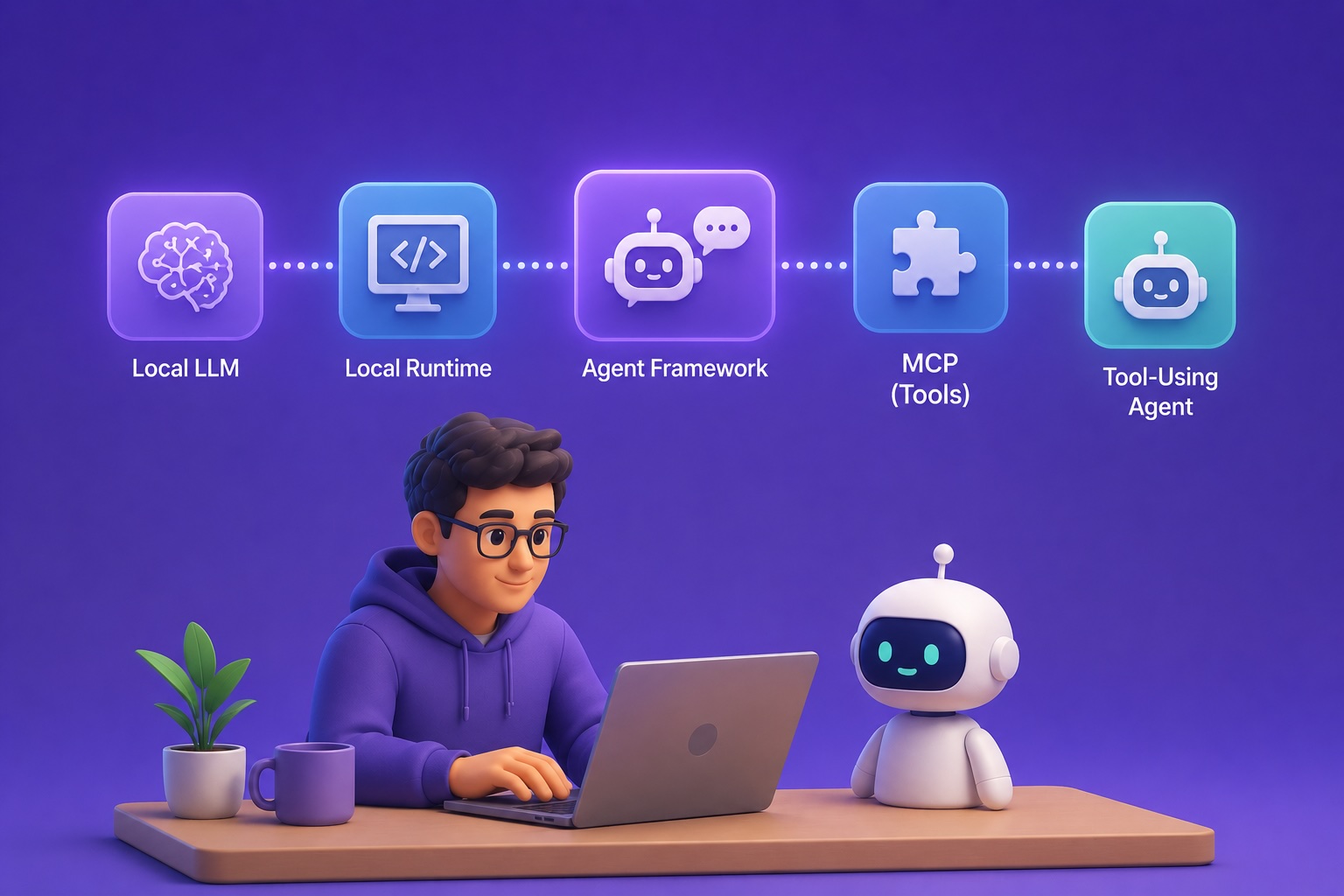
A local LLM. Cool!
But after a few conversations, you might start asking yourself: what else can I do with it?
How about giving your local LLM some superpowers by making it agentic with tool use?
In this article, we’ll walk through how to transform a local LLM into a tool-using agent. Specifically, we’ll use:
- Gemma 4 model (edge-friendly variants) as our local LLM
- Ollama for serving the local LLM
- OpenAI Agents SDK for the agent runtime
- Tavily web search MCP as an example of an external tool
We’ll build a mini deep research agent that can search the web, collect evidence, and synthesize an answer with citations, all from a user’s question.
By the end of this article, you’ll have a working local deep research agent and a reusable pattern for turning any local model into a local AI agent.
If you’re interested in a local coding-agent setup, I previously covered Gemma 4 + OpenCode. In this article, we focus on the broader pattern of connecting a local model to an agent runtime and external tools.
1. Set Up the Local Agent Stack
We need to prepare 4 components before writing any code: Ollama, Gemma 4 (specifically the Gemma 4 E4B model), OpenAI Agents SDK, and Tavily MCP.
Let’s start by installing Ollama.
On Windows, you can download the installer from the official Ollama website:
Or use winget in PowerShell:
winget install Ollama.OllamaOn Linux, install Ollama with:
"curl -fsSL | sh"After installation, verify it works:
ollama --versionOn Windows, make sure to launch Ollama from the Start menu. Once it’s running, the local API endpoint becomes available.
Next, let’s download the local model. Here, we’ll use the Gemma 4 E4B variant:
ollama pull gemma4:e4bGemma 4 comes in several variants. The E4B model works well for our needs since it’s designed for edge and local agentic workflows. My machine has an NVIDIA RTX 2000 Ada Laptop GPU with about 8 GB of VRAM. If your hardware is more limited, you can try the lighter E2B variant:
ollama pull gemma4:e2bNow, we need the agent runtime library. For this, we’ll use the OpenAI Agents SDK:
pip install openai-agentsYou’ll also need the OpenAI-compatible client:
pip install openaiOne thing to keep in mind: later, we’ll point the client to Ollama’s local endpoint, so this doesn’t mean we’re sending model calls to OpenAI.
Finally, we need a Tavily MCP endpoint. If you haven’t used it before, Tavily is a search API built for LLM applications. In this article, we use its MCP server so the agent can search the web.
You’ll need to create a Tavily account and get an API key first. On the Tavily platform, you can directly generate an MCP link with the following format:
Now we’re all set.
Using Tavily here isn’t a sponsored choice; it’s simply a convenient MCP tool example. The same pattern works with other MCP-compatible tools as well.
In fact, the entire stack here isn’t the only option. Instead of Ollama, you could serve the local model with LM Studio or llama.cpp. Instead of Gemma 4 models, you could also try other models from, say, the Qwen family. For the agent framework, we also have options from Google or Anthropic. You could also connect different MCP tools instead of Tavily. I use this combination simply because I’m familiar with this stack. But the key takeaway from this case study is the general local agentic pattern.
2. Configure the Local Research Agent
With the OpenAI Agents SDK, this is the final Agent object we need to put together:
from agents import Agent

agent = Agent(
    name="Local Research Agent",
    instructions=RESEARCH_AGENT_INSTRUCTIONS,
    model=model,
    mcp_servers=[tavily_server],
    mcp_config={"include_server_in_tool_names": True},
)
Let’s break down each part.
2.1 The Model
First, the model.
from openai import AsyncOpenAI
from agents import OpenAIChatCompletionsModel

MODEL_NAME = "gemma4:e4b"
OLLAMA_BASE_URL = "

client = AsyncOpenAI(
    api_key="ollama",
    base_url=OLLAMA_BASE_URL,
)

model = OpenAIChatCompletionsModel(
    model=MODEL_NAME,
    openai_client=client,
)
We start by creating a client that points to Ollama’s local OpenAI-compatible endpoint.
Then, we use OpenAIChatCompletionsModel to wrap the Gemma model into a model object. This lets the Agents SDK use that model inside the agent loop.
Note that the api_key="ollama" value is just a placeholder. Ollama doesn’t actually need a real OpenAI API key. We use it because the client expects this field.
2.2 The Instruction
Next, we define the instruction for the agent with the desired research behavior:
from datetime import datetime

CURRENT_DATE = datetime.now().strftime("%B
CURRENT_DATE = datetime.now().strftime("%B %d, %Y")
# Note that this prompt is refined together with the AI
RESEARCH_AGENT_INSTRUCTIONS = f"""
[Role]
You are a brief and focused research assistant.
[Task]
Respond to the user's question by converting it into a compact web research task.
When handling time-related queries, use the current date as reference: {CURRENT_DATE}.
[Research approach]
Begin with a single well-focused search query.
For questions involving recommendations or comparisons, follow this research cycle before responding:
first outline the primary options, then look for comparative information, and finally combine everything into a clear recommendation.
Run additional searches whenever the initial results are incomplete, contradictory, or only partially address the question.
Favor trustworthy and relevant sources, and keep a record of which source backs up each key claim.
Before responding, verify that the collected evidence is sufficient to justify your conclusion.
[Expected output]
Lead with a straightforward answer, then provide a short summary of the supporting evidence.
Attach source links to any important factual statements.
[Rules]
Never depend on memorized knowledge for facts that could have changed.
Do not fabricate information that is missing.
Keep your response brief and to the point.
""".strip()2.3 The Tools
Now let’s set up the agent with a web search capability. Here, we integrate the Tavily search engine via MCP:
from agents import Agent, Runner
from agents.mcp import MCPServerStreamableHttp

TAVILY_MCP_URL = "YOUR_TAVILY_MCP_URL"

async with MCPServerStreamableHttp(
    name="tavily",
    params={"url": TAVILY_MCP_URL},
) as tavily_server:
    tools = await tavily_server.list_tools()

    print("Available Tavily tools:")
    for tool in tools:
        description = (tool.description or "").replace("n", " ")
        print(f"- {tool.name}: {description[:120]}")

    agent = Agent(
        name="Local Research Agent",
        instructions=RESEARCH_AGENT_INSTRUCTIONS,
        model=model,
        mcp_servers=[tavily_server],
        mcp_config={"include_server_in_tool_names": True},
    )

    result = await Runner.run(agent, RESEARCH_QUESTION, max_turns=MAX_TURNS)
This code performs three actions:
- It establishes a connection to Tavily’s MCP server using
async with MCPServerStreamableHttp(...) as tavily_server:. Once the connection is active, Tavily exposes its available tools to the Agents SDK. - We instantiate the Agent object within the MCP context. Notice the
mcp_servers=[tavily_server]parameter, which links Tavily’s MCP tools directly to the agent. - We execute the agent via
result = await Runner.run(agent, RESEARCH_QUESTION, max_turns=MAX_TURNS). The context manager is important here because the MCP connection remains active only within theasync withblock.
mcp_config={"include_server_in_tool_names": True}is primarily for clarity in the execution trace. Without this setting, the tool name displays only astavily_search. With it enabled, the tool name appears asmcp_tavily__tavily_search. This makes it immediately obvious that the tool call was routed through the Tavily MCP server.
3. Run a Research Question
With the agent fully configured, let’s put it to the test with a specific question:
“Which June 23, 2026 World Cup match carried the most weight in the group stage, and what made it so important?”
To examine what took place behind the scenes, I print a condensed execution trace:
def compact(value: object, limit: int = 220) -> str:
    text = str(value).replace("n", " ")
    return text if len(text) <= limit else text[:limit] + "..."


for step, item in enumerate(result.new_items, start=1):
    raw_item = getattr(item, "raw_item", None)
    raw_type = getattr(raw_item, "type", "")
    raw_name = getattr(raw_item, "name", "")
    raw_output = getattr(raw_item, "output", "")

    print(
        f"{step:02d} | {type(item).__name__} | "
        f"{raw_type or raw_name} | {compact(raw_output or raw_item)}"
    )
In my execution, the trace appeared as follows:
01 | ToolCallItem | function_call | ResponseFunctionToolCall(arguments='{"query":"World Cup 2026 group stage matches June 23, 2026 stakes"}', name='mcp_tavily__tavily_search', ...)
02 | ToolCallOutputItem |  | {'call_id': ..., 'output': ...}
03 | MessageOutputItem | message | ResponseOutputMessage(... final answer ...)
This gives us a direct view of the agentic workflow. During this run, the local Gemma model chose to invoke the Tavily search tool, the Agents SDK carried out that tool call, and the results were returned to the model. The model then generated its final response.
To display the final answer, we can simply print:
print(result.final_output)Here is what the agent returned:
The match carrying the most weight in the group stage on June 23, 2026, was Colombia vs. DR Congo.

Why:
According to FIFA coverage, this particular match was identified as a decisive moment in which Colombia secured a spot in the knockout stage of the tournament.
The article points out that Daniel Munoz netted the opening goal for Colombia during this Group K encounter, which played a direct role in their advancement in the competition.

Evidence
- FIFA: An article titled "Colombia v Congo DR Group K FIFA World Cup 2026" reports on a pivotal moment from this match, noting that Munoz's goal helped propel Colombia into the knockout stage.
  Source:

- Yahoo Sports: Confirms the fixture and outcome for that date: Colombia beat DR Congo.
  Source:
Notice that the agent performed only a single search round in this run, since the search results already provided enough evidence for the model to formulate a response. For more intricate questions, multiple rounds of searching and reasoning would be required, and our current setup accommodates that naturally.
4. Wrapping Up
A local LLM doesn’t have to remain just a conversational model.
In this article, we deployed a Gemma 4 E4B model locally using Ollama, then embedded the model within an agent runtime powered by the OpenAI Agents SDK, and we granted the agent a web search tool so it could retrieve online information to answer users’ questions.
From here, you can effortlessly extend this pattern with more sophisticated research instructions or construct an explicit planning-and-reflection workflow if you wish to push further into deep research, or you can hook the agent up to additional MCP tools for a wide range of other applications.
Happy building!
References
Ollama:
Gemma model family:
OpenAI Agents SDK:
Agents SDK MCP docs: mcp/
Tavily MCP docs:
