



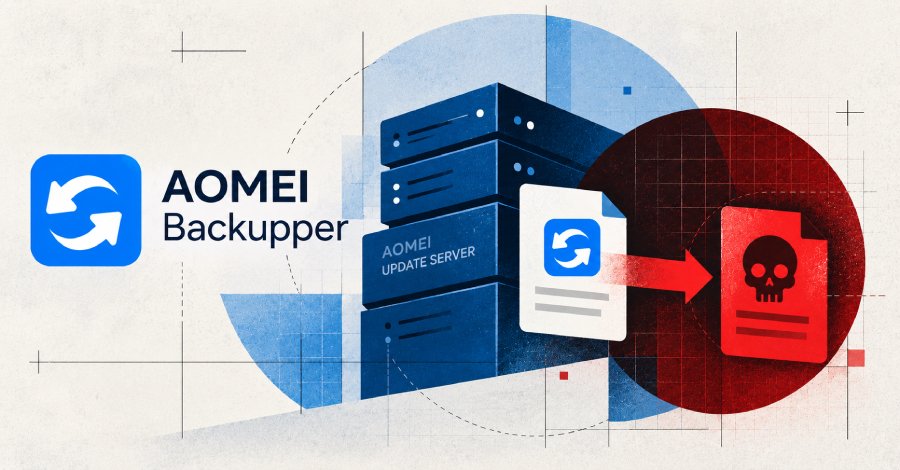
# How Attackers Used a Popular Windows Backup Tool to Install Backdoors on Thousands of Machines
A major supply chain attack recently targeted users of a widely used Windows backup application, exploiting the software’s automatic update system to silently install malicious tools on infected machines. The campaign unfolded across just a few brief windows of time but affected organizations in over a dozen countries.
## How the Attack Worked
The targeted software routinely connects to its vendor’s servers to check for updates. During this process, it downloads two small configuration files that tell it what to install and how to display notifications. These files were never protected with strong cryptographic verification, meaning anyone who could change the files on the server could send whatever they wanted to every computer running the program.
All an attacker needed to do was alter those two text files on the vendor’s servers for a few minutes at a time. Any copy of the backup program that checked for an update during one of those brief windows would pull down a malicious package and run it automatically — no user interaction required.
The program ran the downloaded files using its own system-level permissions, which in many cases was enough to install software across the entire machine.
## The Attack Timeline
Security researchers identified three confirmed periods when the vendor’s servers served tampered files:
– **Late May 2026**: A ten-minute window in the early morning hours.
– **Mid-July 2026**: A six-minute window during the morning.
– **Late July 2026**: A five-minute window later in the morning.
Since the files reverted to their normal state within minutes, most users and even security scans would have seen nothing unusual. The attack was deliberately designed to be as brief and invisible as possible.
## Who Was Affected
Organizations across at least 11 countries were hit, including companies in IT services, telecommunications, and higher education. The full scope is likely much larger, as many affected machines may not have been detected yet.
## What the Malicious Software Did
Once installed, the attackers set up a long-term foothold. A custom downloader created a recurring scheduled task on each machine, ensuring the attackers could return even if one component was removed. It also installed a legitimate remote administration tool that the attackers used to take control of the system remotely.
In some cases, a second, more advanced tool was pushed to the machine afterward, giving the attackers even deeper access and the ability to run any commands they wanted.
An additional trick was deployed during one of the attack windows that didn’t even require installing software. By triggering a hidden pop-up, the attackers could steal the user’s login credentials — a technique that works even on machines that already had defenses in place.
## What Vendors Have Done
The software vendor confirmed it secured its servers after being notified by researchers. However, a fixed server does not clean machines that were already infected, and researchers warn that many systems may still carry the malicious components.
The vendor has not yet released a version of the software that closes the verification gap that allowed the attack to happen in the first place.
—
## Frequently Asked Questions
**Q: Did the attack exploit a bug in the software?**
A: No. The attackers did not exploit any vulnerability. They simply took advantage of weak verification on two server-hosted text files that the software trusts without question.
**Q: Did users have to click anything or take any action?**
A: No. The entire process happened automatically in the background whenever the software checked for updates during one of the attack windows.
**Q: How can I tell if my machine was infected?**
A: Look for unfamiliar scheduled tasks named RadminComponentRuntime or NitroRuntime, unsigned executable files in the software’s update folders, and unusual network connections to known attacker domains.
**Q: Does securing the vendor’s server fix already-infected machines?**
A: No. The malicious files that were already downloaded and installed remain on infected machines even after the vendor fixed its servers. Organizations must actively scan and clean affected systems.
**Q: Can I check the vendor’s download page to verify if my software is safe?**
A: Not reliably. The vendor’s download page now serves clean files, but that doesn’t tell you whether your local machine was infected during one of the attack windows.
**Q: What countries were affected?**
A: Organizations in Australia, Brazil, India, Pakistan, Portugal, Singapore, South Africa, Spain, Switzerland, Türkiye, and the United States were confirmed as affected, though the true number is likely higher.
**Q: Why is this attack considered especially dangerous?**
A: It combined extreme brevity with deep system access. The attacker only needed a few minutes on the server, and the resulting compromise gave near-complete control of affected machines — all without the user ever knowing.
—
## Conclusion
This campaign is a stark reminder of how supply chain attacks can bypass traditional security measures by targeting trusted software update processes. Even well-known applications with legitimate digital signatures can become vehicles for malicious activity when the verification steps guarding their update mechanisms are insufficient.
Organizations running this software — or any application that silently checks for and downloads updates — should proactively hunt their systems for signs of compromise, especially for activity dating back several months. Waiting for the vendor to fix the problem on their end is not enough; each affected machine must be individually inspected and cleaned.
The incident also underscores the importance of supply chain security as a shared responsibility between software vendors and their users, and the need for stronger cryptographic protections around software update processes across the industry.
Thank you for reading
